1. הקדמה און פּראָדוקט איבערview
This manual provides detailed instructions for the setup, operation, and maintenance of your ZEBRONICS Juke BAR 4100 Soundbar. Please read this manual thoroughly before using the product to ensure proper functionality and to maximize your audio experience.

Image 1.1: The ZEBRONICS Juke BAR 4100 Soundbar and its accompanying subwoofer, shown with the remote control. The soundbar is a long, slender unit, and the subwoofer is a compact, cube-shaped speaker.
שליסל פֿעיִקייטן:
- דינאַמיש רעזולטאַט: 200W RMS total power (90W subwoofer, 110W soundbar).
- מולטי קאַנעקטיוויטי: Bluetooth v5.0, HDMI (ARC), Optical, USB, and AUX inputs.
- שטאַרקע דרייווערס: Soundbar features 4 x 5.71 cm drivers; subwoofer features a single 16.51 cm driver for enhanced bass.
- ווירטועל 5.1 סוראַונד סאַונד: Creates an immersive, multi-channel audio environment.
- וואַנט-מאָנטירבאר: Designed for flexible placement and space efficiency.
- געפֿירט ווייַז: Provides clear status, volume, and connectivity mode information.
2. וואָס איז אין דער קעסטל
פּאַקט פֿאָרזיכטיק אויס אַלע זאַכן און מאַכט זיכער אַז איר האָט באַקומען די פֿאָלגנדיקע קאָמפּאָנענטן:
- Sound Bar - 1 unit
- Subwoofer - 1 unit
- Remote Control - 1 unit
- Input Cable - 1 unit
- QR Code Guide - 1 unit
3. סעטאַפּ אינסטרוקציעס
3.1 פּלייסמאַנט
For optimal audio performance, place the soundbar centrally below your television. The subwoofer can be placed on the floor near the soundbar, ideally in a corner for enhanced bass response.

Image 3.1: The soundbar positioned below a television, with the subwoofer on the floor to the left, illustrating a typical home theater setup.
3.2 וואנט מאָונטינג
The soundbar is designed to be wall-mountable. Use appropriate wall mounting hardware (not included) and follow the instructions provided in the QR Code Guide for secure installation. Ensure the wall can support the weight of the soundbar.
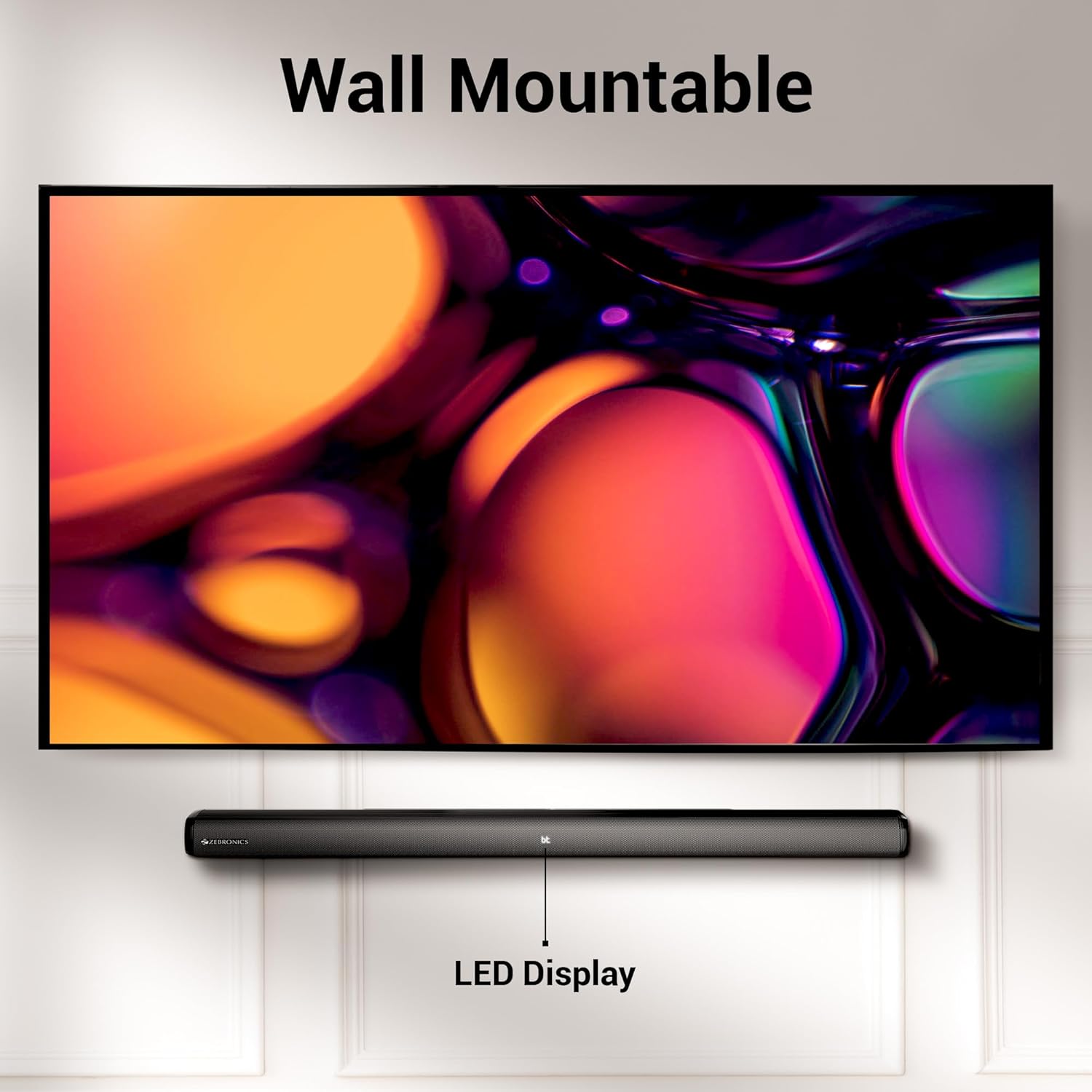
Image 3.2: The soundbar mounted on a wall beneath a television, demonstrating its wall-mountable design and integrated LED display.
3.3 פֿאַרבינדן דעם סאַבוואָאָפער
Connect the subwoofer to the soundbar using the provided input cable. Ensure the connection is secure.
3.4 מאַכט קאַנעקשאַן
Connect the power cables for both the soundbar and the subwoofer to a suitable power outlet. The LED display on the soundbar will illuminate.
4. אַפּערייטינג ינסטרוקטיאָנס
4.1 מאַכט אויף / אַוועק
דרוק די מאַכט קנעפּל אויף דער סאַונדבאַר אָדער דער ווײַטקאָנטראָל צו דרייען דעם אַפּאַראַט אָן אָדער אויס.
4.2 מאָדע סעלעקציע
דרוק די מאָדע button on the soundbar or the remote control to cycle through available input modes: Bluetooth (BT), HDMI (ARC), Optical (OPT), USB, and AUX. The selected mode will be indicated on the LED display.
4.3 באַנד קאָנטראָל
ניצן די באנד + און באַנד - קנעפּלעך אויף דער סאַונדבאַר אָדער ווײַטקאָנטראָל צו סטרויערן דעם באַנד לעוועל.
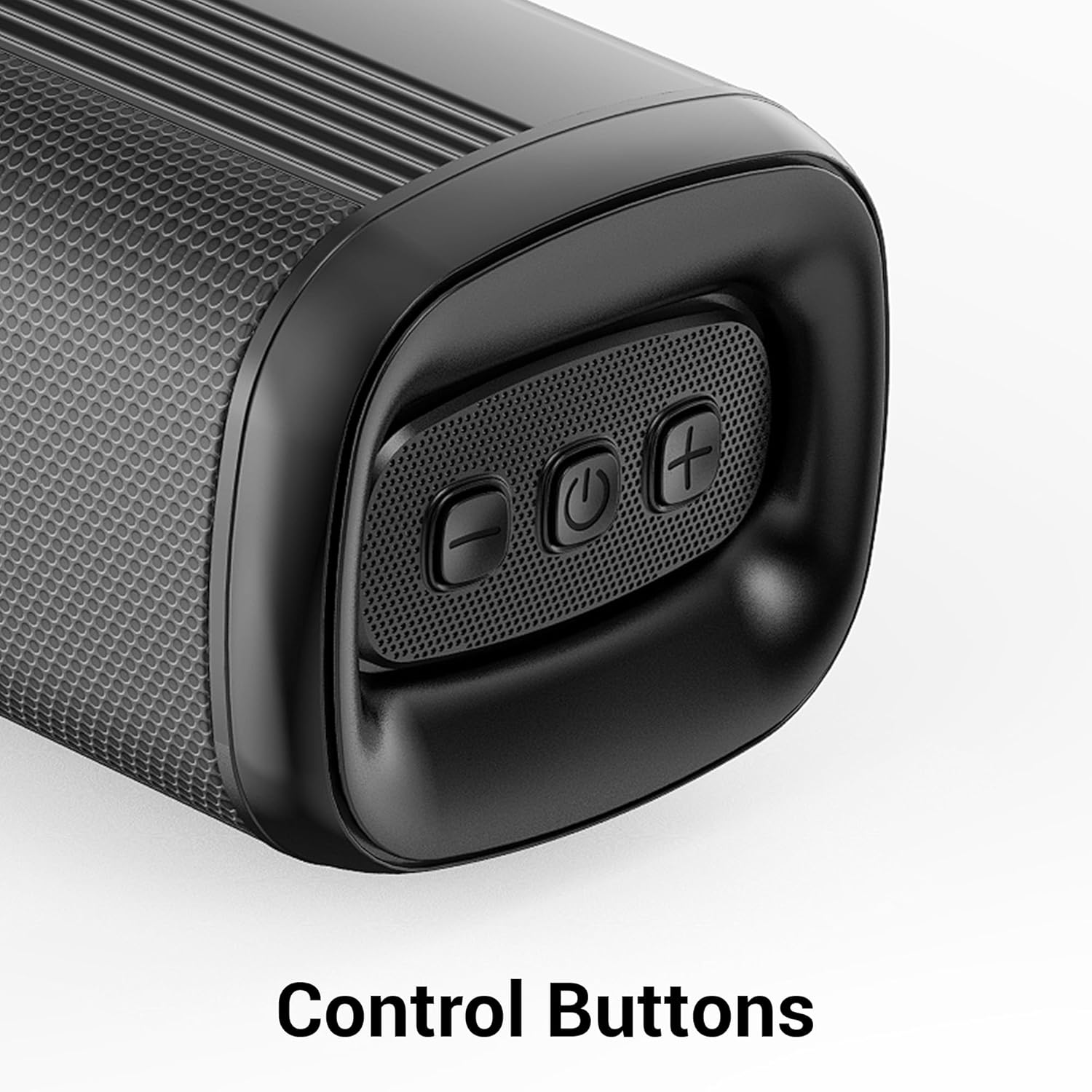
בילד 4.1: נאָענט־אַרויף view of the control buttons on the soundbar, including volume down, power, and volume up.
5. קאַנעקטיוויטי
The ZEB-Juke Bar 4100 offers multiple connectivity options for various devices.

Image 5.1: The soundbar with an overlay indicating its multi-connectivity features: Bluetooth v5.0, TV (ARC), Optical IN, USB, and AUX.
5.1 בלועטוט (BT) פֿאַרבינדונג
- Turn on the soundbar and select BT mode. The LED display will show "BT" and flash, indicating pairing mode.
- Enable Bluetooth on your mobile device or computer and search for "ZEB-JUKE BAR 4100".
- Select the soundbar from the list of available devices to pair. Once connected, the "BT" indicator will stop flashing.
5.2 HDMI (ARC) פֿאַרבינדונג
- פֿאַרבינדט אַן HDMI קאַבל פֿון דער HDMI ARC port on the soundbar to the HDMI ARC פּאָרט אויף אייער טעלעוויזיע.
- אויסקלייַבן HDMI ARC מאָדע אויף דער סאַונדבאַר.
- זייט זיכער אז אייער טעלעוויזיע'ס אודיאָ אויסגאַנג איז געשטעלט צו HDMI ARC אדער עקסטערנע רעדנערס.
5.3 Optical (OPT) Connection
- Connect an optical cable from the אָפּטיש אין port on the soundbar to the optical output port on your television or audio source.
- אויסקלייַבן OPT מאָדע אויף דער סאַונדבאַר.
- זיכער מאַכן אַז אייער טעלעוויזיע'ס אַודיאָ אַרויסגאַנג איז געשטעלט צו אָפּטישע אָדער עקסטערנע רעדנער.
5.4 יו-עס-בי פּלייבּעק
- אַרייַנלייגן אַ וסב בליץ פאָר מיט אַודיאָ fileס אין די וסב פּאָרט אויף די סאָונדבאַר.
- אויסקלייַבן וסב mode. The soundbar will automatically begin playing audio files.
- Use the remote control to navigate tracks (Play/Pause, Next/Previous).
5.5 AUX קאַנעקשאַן
- Connect a 3.5mm audio cable from the AUX IN port on the soundbar to the audio output of your device (e.g., smartphone, MP3 player).
- אויסקלייַבן AUX מאָדע אויף דער סאַונדבאַר.
6. וישאַלט
כדי צו זיכער מאַכן די לאַנגלעבעניש און אָפּטימאַלע פאָרשטעלונג פון דיין סאָונדבאַר, נאָכפאָלגן די וישאַלט גיידליינז:
- רייניקונג: ניצט אַ ווייכע, טרוקענע שטאָף צו רייניקן די ייבערפלאַכן פון די סאַונדבאַר און סאַבוווּפער. ניצט נישט פליסיקע רייניגער אָדער שרײַבנדיקע מאַטעריאַלן.
- ווענטילאַטיאָן: זיכערט זיך אז עס איז דא געהעריגע ווענטילאציע ארום די איינהייטן. בלאקירט נישט קיין ווענטילאציע עפענונגען.
- סוויווע: Avoid exposing the soundbar to extreme temperatures, humidity, or direct sunlight. Keep it away from water and other liquids.
- מאַכט: טרענט אָפּ דעם שטראָם־קאַבל פֿון דער וואַנט־אַויסגאַנג אויב די אַפּאַראַט וועט נישט געניצט ווערן פֿאַר אַ לענגערער צײַט.
7. טראָובלעשאָאָטינג
If you encounter any issues with your ZEBRONICS Juke BAR 4100 Soundbar, refer to the following common problems and solutions:
| פּראָבלעם | מעגלעך סיבה | לייזונג |
|---|---|---|
| קיין מאַכט | שטראָם קאַבל נישט פארבונדן; שטראָם אַוטלעט נישט אַקטיוו. | Ensure power cables are securely connected and the power outlet is functioning. |
| קיין געזונט | Incorrect input mode selected; volume too low; audio cable not connected properly. | Select the correct input mode (BT, HDMI, OPT, USB, AUX). Increase volume. Check all audio cable connections. Ensure TV audio output is set correctly. |
| בלועטאָאָטה פּערינג ניט אַנדערש | סאַונדבאַר נישט אין פּערינג מאָדע; דעווייס צו ווייט; שטערונג. | Ensure soundbar is in BT mode and "BT" is flashing. Move device closer to the soundbar. Turn off other Bluetooth devices to reduce interference. |
| ווייַט קאָנטראָל נישט ארבעטן | באַטעריעס אויסגעשעפּט; אַ פֿאַרשטאָפּונג צווישן דער ווײַטקאָנטראָל און דער סאַונדבאַר. | Replace remote control batteries. Ensure no objects are blocking the remote's signal path to the soundbar's sensor. |
8. ספּעסאַפאַקיישאַנז
Technical specifications for the ZEBRONICS Juke BAR 4100 Soundbar:
- מאָדעל נאָמען: ZEB-JUKE BAR 4100
- גאַנץ רעזולטאַט מאַכט: 200 Watts RMS (Soundbar: 110W, Subwoofer: 90W)
- רעדנער טיפּ: Soundbar with external Subwoofer
- סאָונד סאָונד קאַנאַל קאַנפיגיעריישאַן: ווירטואַל 5.1
- סאָונדבאַר דריווערס: 4 X 5.71 סענטימעטער
- סובוואָאָפער דרייווער: 1 X 16.51 סענטימעטער
- קאַנעקטיוויטי טעכנאָלאָגיע: Bluetooth v5.0, HDMI (ARC), Optical, USB, Auxiliary
- בלועטאָאָטה ראַנגע: אַרויף צו 10 מעטער
- אָפטקייַט ענטפער: 45 Hz (minimum, as per data)
- מאַונטינג טיפּ: וואנט מאָונטאַבלע
- קאָנטראָל אופֿן: ווײַטקאָנטראָל, קנעפּלעך אויף דער אַפּאַראַט
- Product Dimensions (Combined unit): 30.6D x 19W x 36.7H סענטימעטער
- נומער וואָג: 6 קג
- מאַכט מקור: קאָרדעד עלעקטריק
- אַרייַנגערעכנט קאַמפּאָונאַנץ: Sound Bar, Subwoofer, Remote, Input cable, QR code guide
9. וואָראַנטי און שטיצן
The ZEBRONICS Juke BAR 4100 Soundbar comes with a limited warranty. Please refer to the warranty card included in your package for specific terms and conditions.
For technical assistance, troubleshooting, or warranty claims, please contact ZEBRONICS customer support. Contact details can typically be found on the official ZEBRONICS webזייטל אדער אין די אריינגעשלאסענע דאקומענטאציע.
איר קענט אויך באַזוכן דעם באַאַמטער ZEBRONICS Store on Amazon פֿאַר מער פּראָדוקט אינפֿאָרמאַציע און שטיצע רעסורסן.


