1. הקדמה
א דאנק פארן קויפןasing the Jazmm Model 213 Portable Multi-Band Radio. This device is designed to provide versatile audio entertainment and essential weather information. It features AM, FM, Shortwave (SW), and NOAA Weather Band (WB) reception, Bluetooth 5.4 connectivity, TF card playback, a powerful 5W speaker, and a built-in rechargeable battery with flashlight functionality. This manual provides detailed instructions for the proper use and maintenance of your radio.
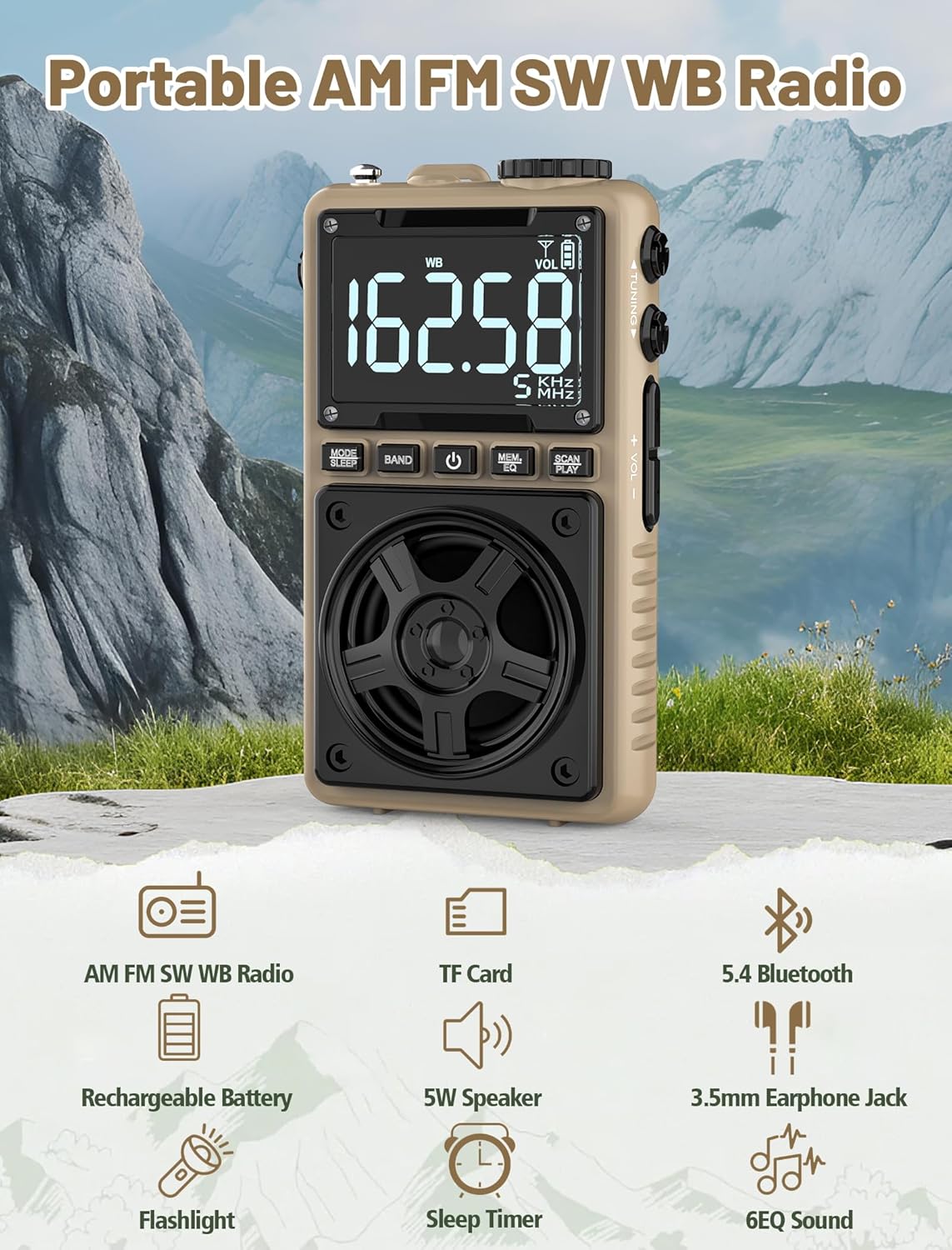
Image 1.1: The Jazmm Model 213 Portable Multi-Band Radio highlighting its key features including AM/FM/SW/WB radio, TF card support, Bluetooth 5.4, 5W speaker, rechargeable battery, flashlight, sleep timer, and 6 EQ sound effects.
2. זיכערקייַט אינפֿאָרמאַציע
ביטע ליינט און פארשטייט אלע זיכערהייט אינסטרוקציעס איידער איר ניצט דעם פראדוקט. האלט די אינסטרוקציעס פאר שפעטערדיגע רעפערענץ.
- שטעלט נישט אויס דעם אפאראט צו עקסטרעמע טעמפעראטורן, דירעקטע זונשייַן, אדער הויכע הומידיטי.
- ויסמיידן דראַפּינג אָדער אונטערטעניק די מיטל צו שטאַרק ימפּאַקץ.
- נעמט נישט אַראָפּ, ריפּערירט אָדער מאָדיפֿיצירט נישט דאָס אַפּאַראַט אַליין. לאָזט איבער אַלע סערוויסינג אַרבעטן צו קוואַליפֿיצירטע פּערסאָנעל.
- האַלטן די מיטל אַוועק פון וואַסער און אנדערע ליקווידס.
- ניצט נאָר דעם צוגעשטעלטן טשאַרדזשינג קאַבל אָדער אַ סערטיפיצירטן טיפּ-C קאַבל צום טשאַרדזשינג.
- אַוועקוואַרפן די באַטאַרייע לויט די לאָקאַלע רעגולאַציעס. נישט פֿאַרברענען.
- פארלענגערט הערן ביי הויכע וואליום לעוועלס קען שאפן געהער שאדן. שטעלט אפ דעם וואליום צו א מיטלמעסיגן לעוועל.
3. פּעקל אינהאַלט
באַשטעטיקן אַז אַלע זאכן זענען פאַראַן אין פּעקל:
- Jazmm Model 213 AM FM SW WB Radio
- באַזיצער ס מאַנואַל (דאָס דאָקומענט)
- וסב טיפּ-C מאַכט שנור
4. פּראָדוקט איבערview
מאַכט זיך באַקאַנט מיט די ראַדיאָ'ס קאָמפּאָנענטן און קאָנטראָלס.

בילד 4.1: פראָנט און זייט view of the Jazmm Model 213 radio. The front features a large digital display, speaker, and control buttons (MODE/SLEEP, BAND, Power, MEM/EQ, SCAN/PLAY). The side shows the LOCK/LIGHT switch, TF card slot, DC 5V Type-C charging port, and a 1250mAh battery indicator.
קאָנטראָלס און פּאָרץ:
- דיגיטאַל ווייַז: Shows frequency, band, volume, battery level, and other indicators.
- רעדנער: 5W output for clear audio.
- MODE/SLEEP Button: Switches between modes (Radio, Bluetooth, TF Card) and activates sleep timer.
- באַנד קנעפּל: Selects radio bands (FM, AM, SW, WB).
- מאַכט קנעפּל: טורנס די ראַדיאָ אויף / אַוועק.
- MEM/EQ Button: Accesses memory functions and cycles through EQ sound effects.
- SCAN/PLAY Button: Initiates auto-scan for radio stations or plays/pauses in Bluetooth/TF card mode.
- טונינג קנעפּל: Adjusts frequency.
- באַנד +/- קנעפּלעך: אַדזשאַסטירט אַודיאָ באַנד.
- LOCK/LIGHT Switch: Locks buttons or activates the flashlight.
- טף קאַרד שפּעלטל: For Micro SD card playback (up to 128GB).
- DC 5V טיפּ-C טשאַרדזשינג פּאָרט: פֿאַר אָפּלאָדן די אינעווייניקסטע באַטאַרייע.
- 3.5 מם כעדפאָון דזשאַק: פֿאַר פּריוואַט צוגעהערט.
- טעלאַסקאָפּיק אַנטענע: פֿאַר פֿאַרבעסערטן ראַדיאָ אָפּנאַם.
- Back Clip & Wrist Strap: For portability and secure carrying.
5. סעטאַפּ
5.1 ערשט טשאַרדזשינג
Before first use, fully charge the radio's internal 1250mAh lithium polymer battery. Connect the provided USB Type-C power cord to the DC 5V charging port on the side of the radio and plug the other end into a compatible USB power adapter (not included) or a computer USB port. The charging indicator on the display will show charging status. A full charge typically takes approximately 1.5 hours and provides 10-12 hours of usage.

Image 5.1: The Jazmm Model 213 radio connected to a power adapter via its Type-C charging port, illustrating the charging process for its 1250mAh rechargeable battery.
5.2 אַנטענע אַדזשאַסטמענט
For optimal radio reception, extend the telescopic antenna fully when listening to FM, SW, or WB bands. For AM reception, the internal antenna is generally sufficient, but adjusting the radio's orientation may improve signal strength.
6. אַפּערייטינג ינסטרוקטיאָנס
6.1 מאַכט אויף / אַוועק
דריקן און האַלטן די מאַכט קנעפּל ( ) for approximately 2 seconds to turn the radio on or off.
6.2 מאָדע סעלעקציע
דרוק די MODE/SLEEP Button to cycle through available modes: Radio (FM/AM/SW/WB), Bluetooth, and TF Card (if a card is inserted).
6.3 Radio Band Selection and Tuning
אין ראַדיאָ מאָדע, דריק די BAND קנעפּל to switch between FM, AM, Shortwave (SW), and NOAA Weather Band (WB).
- עפעם: 87-108 מהז
- AM: 520-1710 כז
- SW: 4.75-21.85 מהז
- ווב: 162.400-162.550 מהז

Image 6.1: The radio displaying different frequencies across FM, AM, SW, and WB bands, illustrating its multi-band reception capability with an extended antenna.
מאַנואַל טונינג:
דרייען די טונינג קנופּ on the side of the radio to manually adjust the frequency.
אויטאָמאַטישער סקען:
דרוק די SCAN/PLAY Button to automatically scan for and save available stations. The radio can store up to 100 preset stations.
6.4 פּריסעט סטיישאַנז
After an automatic scan, use the טונינג קנופּ אָדער די MEM/EQ Button to navigate through saved preset stations. Refer to the display for preset numbers (e.g., P01, P02).

Image 6.2: The radio positioned on a nightstand, illustrating the sleep timer function and the display of preset station numbers (P01, P05, P19, etc.).
6.5 באַנד קאָנטראָל
ניצן די באנד +/- בוטטאָנס on the side of the radio to increase or decrease the audio output.
6.6 בלועטאָאָטה מאָדע
איבערגיין צו בלועטוט מאָדע ניצנדיק די MODE/SLEEP Button. The radio will enter pairing mode, indicated by a blinking Bluetooth icon on the display. On your smartphone, tablet, or laptop, search for Bluetooth devices and select "Jazmm 213" to connect. The radio acts as a Bluetooth speaker. Note: This radio does not support connection to Bluetooth earphones.
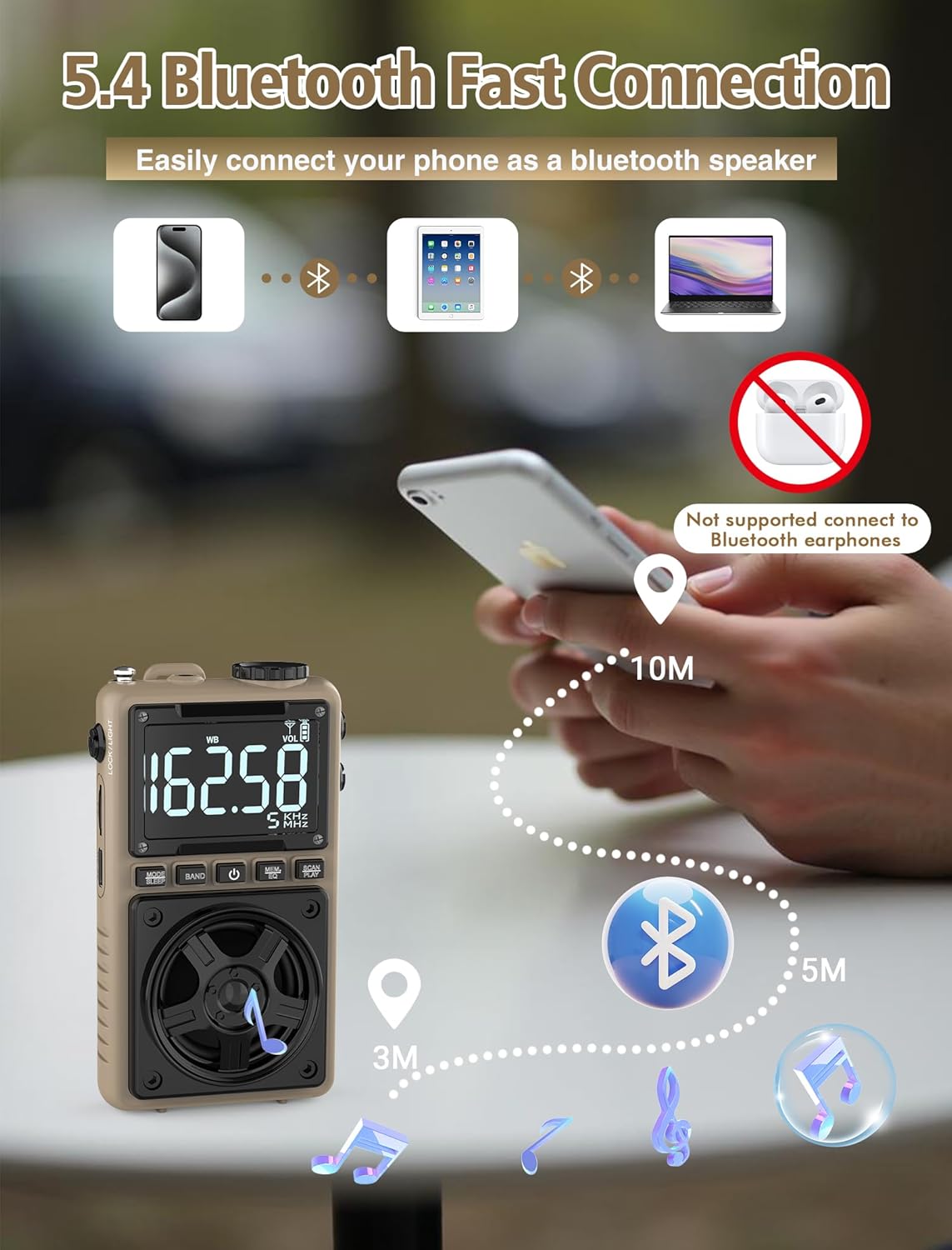
Image 6.3: A visual representation of the Jazmm Model 213 radio establishing a Bluetooth connection with various devices like smartphones, tablets, and laptops, functioning as a Bluetooth speaker.
6.7 TF Card Playback (MP3 Player)
Insert a Micro SD card (up to 128GB) with MP3 audio fileס אין די טף קאַרד שפּעלטל. Switch to TF Card mode using the MODE/SLEEP Button. The radio will automatically begin playing music from the card. Use the SCAN/PLAY Button to play/pause and the טונינג קנופּ צו איבערשפרינגען לידער.

Image 6.4: A user enjoying music through headphones connected to the Jazmm Model 213 radio, with an inset showing the TF card slot for Micro SD card insertion.
6.8 נוצן פון כעדפאָונז
Plug standard 3.5mm headphones into the 3.5 מם כעדפאָון דזשאַק for private listening. The radio's speaker will automatically mute when headphones are connected.
6.9 NOAA וועטער וואָרענונג
In WB (Weather Band) mode, the radio is capable of receiving real-time weather alerts and updates from the National Oceanic and Atmospheric Administration. This feature helps you prepare for potential weather hazards. Ensure the antenna is extended for best reception.

Image 6.5: The radio displaying a NOAA weather alert, with a flashlight beam illuminating the foreground and a stormy sky in the background, emphasizing its emergency preparedness features.
6.10 פלאַשליכט פונקציע
רוק די LOCK/LIGHT Switch to activate the built-in LED flashlight. This can be useful in low-light conditions or emergencies.
6.11 שלאָפן טיימער
דריקן און האַלטן די MODE/SLEEP Button to activate the sleep timer. Repeated presses will cycle through available durations (e.g., 10, 60, 90, 120 minutes). The radio will automatically turn off after the selected time.
6.12 לאַק שליסל
רוק די LOCK/LIGHT Switch to the 'LOCK' position to prevent accidental button presses. This is useful when carrying the radio in a pocket or bag.
6.13 EQ געזונט עפֿעקטן
דרוק די MEM/EQ Button (short press) to cycle through 6 preset EQ sound effects: Normal, Rock, Pop, Jazz, Class, and Village. Select the effect that best suits your audio preference.

Image 6.6: The radio's 5W speaker is highlighted, surrounded by icons representing the six available EQ stereo sound effects: Normal, Rock, Pop, Jazz, Class, and Village.
7. ספּעסאַפאַקיישאַנז
| שטריך | דעטאַל |
|---|---|
| מאָדעל נומער | 213 |
| פּראָדוקט דימענשאַנז | 2.3 X 4 X 1.3 אינטשעס (5.84 X 10.16 X 3.3 סענטימעטער) |
| פּונקט וואָג | 4.6 אונסעס (130 גראַמז) |
| ראַדיאָ באַנדס געשטיצט | FM (87-108MHz), AM (520-1710KHz), SW (4.75-21.85MHz), WB (162.400-162.550MHz) |
| קאַנעקטיוויטי טעכנאָלאָגיע | בלועטאָאָטה 5.4 |
| רעדנער רעזולטאַט | 5W |
| באַטערי | 1250mAh Lithium Polymer (Rechargeable, included) |
| טשאַרדזשינג פּאָרט | USB Type-C (DC 5V) |
| טשאַרדזשינג צייט | בעערעך. 1.5 שעה |
| באַניץ צייט | Approx. 10-12 hours (depending on usage) |
| זיקאָרן קאַרד שטיצן | Micro SD (TF Card) up to 128GB |
| ספּעציעלע פֿעיִקייטן | NOAA Weather Alert, Built-In Flashlight, SOS Alarm, Sleep Timer, 100 Preset Stations, Digital Backlight Screen, Back Clip, Wrist Strap |
8. טראָובלעשאָאָטינג
| פּראָבלעם | מעגלעך סיבה / לייזונג |
|---|---|
| ראַדיאָ טוט זיך נישט אָן. |
|
| נעבעך ראַדיאָ אָפּטראָג. |
|
| בלועטוט קאנעקט נישט. |
|
| די TF קארטל שפילט נישט. |
|
| קיין קלאַנג פֿון רעדנער/כעדפאָונז. |
|
9. וישאַלט
- רייניקונג: ניצט אַ ווייכע, טרוקענע שטאָף צו רייניקן די ראַדיאָ'ס אויסערלעכע זייט. ניצט נישט קיין שרײַבנדיקע רייניגערס אדער סאָלווענטן.
- סטאָרידזש: When not in use for extended periods, store the radio in a cool, dry place.
- באַטערי זאָרגן: To prolong battery life, avoid fully discharging the battery frequently. Recharge the radio periodically even if not in use.
- אַנטענע: Handle the telescopic antenna gently to prevent bending or breaking. Retract it when not in use.
10. וואָראַנטי און שטיצן
Jazmm products are designed for reliability and performance. For warranty information, please refer to the documentation provided at the time of purchase or contact your retailer. If you encounter any issues or require technical assistance, please contact Jazmm customer support through the retailer's platform or the official Jazmm webפּלאַץ.
ביטע האַלט אייער פּראָדוקט מאָדעל נומער (213) און קויף דעטאַלן גרייט ווען איר קאָנטאַקטירט שטיצע.


