1. הקדמה
The Cellularline ION PRO ROUND Smartwatch is designed to integrate seamlessly into your daily routine, offering advanced features for communication, health monitoring, and fitness tracking. This manual provides detailed instructions to help you set up, operate, and maintain your smartwatch effectively.

Image 1.1: Cellularline ION PRO ROUND Smartwatch
2. וואָס איז אין דער קעסטל
Upon unpacking your Cellularline ION PRO ROUND Smartwatch, please ensure all the following components are present:
- Cellularline ION PRO ROUND Smartwatch
- טשאַרדזשינג קאַבלע
- ינסטראַקשאַנז מאַנואַל
3. סעטאַפּ
3.1. ערשטע אויפלאָדונג
Before first use, fully charge your smartwatch. Connect the provided charging cable to the charging port on the back of the smartwatch and plug the USB end into a compatible power adapter (not included) or a computer's USB port. A full charge typically takes approximately 3 hours.

Image 3.1: Smartwatch displaying charging status, indicating long-lasting battery life.
3.2. אַפּ ינסטאַללאַטיאָן
To unlock the full functionality of your smartwatch, download and install the Cellularline ION app on your smartphone. The app is compatible with both iOS and Android devices. You can find the app by scanning the QR code provided on the product packaging or by searching for "Cellularline ION" in your device's app store.
3.3. דיווייס פּערינג
- Ensure your smartwatch is charged and powered on.
- געבן בלועטאָאָטה אויף דיין סמאַרטפאָנע.
- Open the Cellularline ION app and follow the on-screen instructions to add a new device.
- Select your ION PRO ROUND Smartwatch from the list of available Bluetooth devices.
- Confirm the pairing request on both your smartphone and smartwatch if prompted.
4. אַפּערייטינג ינסטרוקטיאָנס
4.1. יקערדיק נאַוויגאַציע
The smartwatch features a 1.38-inch TFT Full Touch display. Swipe left, right, up, or down to navigate through menus, notifications, and widgets. Tap to select items or confirm actions. The side button typically serves as a home button or to wake/sleep the screen.

Image 4.1: High-definition 1.38-inch display of the smartwatch.
4.2. רופן מאַנאַגעמענט
With Bluetooth connectivity, you can answer calls directly from your smartwatch. When a call comes in, the smartwatch will display the caller ID. Tap the green icon to answer or the red icon to reject the call. You can also initiate calls through the app.
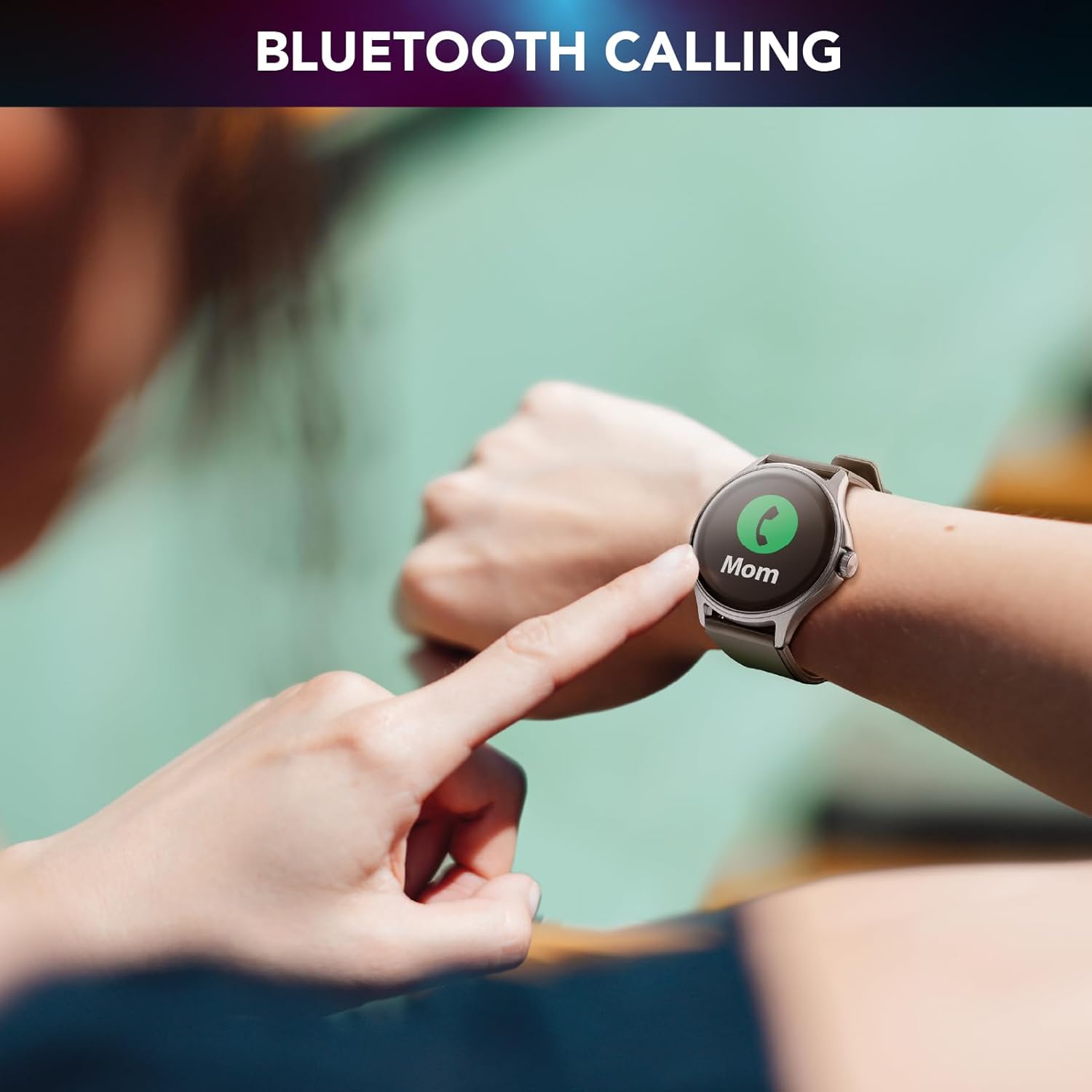
Image 4.2: Bluetooth calling feature in use.
4.3. Activity and Wellness Monitoring
The smartwatch continuously monitors various health and fitness metrics:
- פּעדאָמעטער: טראַקט אייערע טעגלעכע טריט.
- הארץ ראטע: Monitors your heart rate throughout the day.
- בלוט דרוק: גיט שאַצונגען פון דיין בלוטדרוק.
- בלוט זויערשטאָף (SpO2): מעסט אייערע בלוט זויערשטאָף לעוועלס.
- שלאָף טראַקינג: אַנאַליזירט אייערע שלאָף־מוסטערן און קוואַליטעט.
- דרוק מאָניטאָרינג: Helps track your stress levels.
- קאַלאָריעס: שאַצט קאַלאָריעס פארברענט באזירט אויף טעטיקייט.

Image 4.3: Heart rate and sleep monitoring features.
4.4. Fitness Modes
The smartwatch supports various fitness modes to track specific activities, including walking, running, climbing, and general fitness exercises. Select the appropriate mode before starting your workout for accurate data collection.

Image 4.4: Smartwatch displaying various fitness modes.
4.5. נאָוטאַפאַקיישאַנז
Once paired with your smartphone, the smartwatch will display real-time notifications for calls, messages, and app alerts. Swipe down from the top of the screen to view דיין נאָטיפיקאַציע געשיכטע.
4.6. געפֿינען מיין טעלעפאָן
If your paired smartphone is misplaced, use the "Find My Phone" feature on your smartwatch to make your phone ring, helping you locate it quickly.
5. וישאַלט
5.1. רייניקונג
צו רייניקן אייער סמאַרטוואַטש, ווישט אָפּ דעם עקראַן און קערפּער מיט אַ ווייכן, טרוקענעם, לינט-פֿרייעם שטאָף. פֿאַר שווערע פֿלעקן, ווישט אַ ביסלampווייקט דעם שטאָף מיט וואַסער. פֿאַרמייַדט ניצן שאַרפע כעמיקאַלן אָדער אַברייסיוו מאַטעריאַלן, ווײַל די קענען שאַטן דעם אַפּאַראַט.
5.2. וואַסער און שטויב קעגנשטעל
The Cellularline ION PRO ROUND Smartwatch is certified IP67, meaning it is resistant to dust and can withstand immersion in water up to 1 meter for 30 minutes. While it is suitable for daily wear and light water exposure (e.g., hand washing, rain), it is not recommended for swimming, showering, or diving.

Image 5.1: Smartwatch demonstrating IP67 waterproof and dustproof capabilities.
6. טראָובלעשאָאָטינג
אויב איר טרעפט פּראָבלעמען מיט אייער סמאַרטוואַטטש, זעט די פאלגענדע געוויינטלעכע פּראָבלעמען און לייזונגען:
- מיטל נישט קער אויף: Ensure the smartwatch is fully charged. Connect it to the charger and wait a few minutes before attempting to power it on again.
- קען נישט צוזאמענשטעלן מיטן סמאַרטפאָון: Make sure Bluetooth is enabled on your phone and the smartwatch is within range. Restart both devices and try pairing again through the Cellularline ION app.
- נישט פּינקטלעכע געזונט דאַטן: Ensure the smartwatch is worn snugly on your wrist, not too tight or too loose. Clean the sensor on the back of the device. Note that health monitoring features are for reference only and not for medical diagnosis.
- נאטיפיקאציעס דערשיינען נישט: Check app permissions on your smartphone to ensure the Cellularline ION app has access to notifications. Verify that notifications are enabled within the smartwatch settings and the app.
- קורץ באַטאַרייע לעבן: Reduce screen brightness, disable unnecessary features, and ensure background app usage is optimized on your phone.
If problems persist, consult the Cellularline support webזייטל אדער קאנטאקט קאסטומער סערוויס פאר ווייטערדיגע הילף.
7. ספּעסאַפאַקיישאַנז
| שטריך | דעטאַל |
|---|---|
| מאָדעל נאָמען | BTIONWATCHPRORK |
| ווייַז | 1.38-inch TFT Full Touch |
| קאַנעקטיוויטי | בלועטאָאָטה |
| אָפּערייטינג סיסטעם | Wear OS (compatible with iOS and Android app) |
| באַטאַרייע קאַפּאַציטעט | 300 מאַה ליטהיום פּאָלימער |
| באַטערי לעבן | אַרויף צו 7 טעג |
| טשאַרדזשינג צייט | בעערעך 3 שעה |
| וואַסער & שטויב קעגנשטעל | IP67 |
| סענסאָרס | האַרץ קורס, בלוט דרוק, בלוט זויערשטאָף |
| וואָג | 100 ג |
| דימענשאַנז | 16.3 x 9 x 3.2 ס״מ (פּאַקעט) |
8. וואָראַנטי און שטיצן
For information regarding the product warranty, please refer to the warranty card included in your product packaging or visit the official Cellularline website. For technical support, frequently asked questions, or to contact customer service, please visit the Cellularline support page:


