1. הקדמה
The Focal Lensys Professional Closed-Back Headphones are engineered for detailed audio monitoring and playback. Featuring advanced Aluminum/Magnesium (Al/Mg) drivers and a sound-isolating design, these headphones provide an immersive listening experience for studio work, monitoring sessions, and general audio enjoyment. This manual provides essential information for the proper setup, operation, and maintenance of your Lensys Professional headphones.

Image 1.1: Focal Lensys Professional Closed-Back Headphones, showcasinג דעם אַלגעמיינעם פּלאַן.
2. סעטאַפּ
2.1 אויספּאַקן און אינהאַלט
Carefully unpack your headphones and verify that all components are present:
- Focal Lensys Professional Closed-Back Headphones
- פּראַטעקטיוו קאַסע
- Audio Cables (various lengths/types may be included)

Image 2.1: The various audio cables supplied with the headphones for different connection needs.
2.2 פֿאַרבינדן די קאָפּהערער
- Identify the 3.5mm audio jack on your audio source (e.g., laptop, desktop, cellphone, tablet, gaming console, smart speaker).
- Select the appropriate audio cable from the included accessories.
- Insert one end of the audio cable into the designated port on the Focal Lensys Professional headphones.
- Insert the other end of the audio cable into the 3.5mm audio jack of your audio source.
זיכער מאַכן אַז די פֿאַרבינדונג איז זיכער צו פֿאַרמייַדן אַודיאָ אונטערברעכונגען.
2.3 צופּאַסן פֿאַר באַקוועמלעכקייט
The Lensys Professional headphones are designed with memory foam earpads and a flexible headband for extended comfort. To achieve the best fit:
- Adjust the headband slides on both sides until the earpads sit comfortably over your ears, ensuring a snug but not overly tight fit.
- The memory foam earpads will conform to the shape of your ears, providing optimal sound isolation and comfort.
3. אַפּערייטינג ינסטרוקטיאָנס
3.1 גרונטלעכע אַודיאָ ווידערשפּיל
Once connected to your audio source, begin playing audio. Adjust the volume directly from your connected device. The headphones are designed for a neutral sound profile, making them suitable for critical listening and mixing.
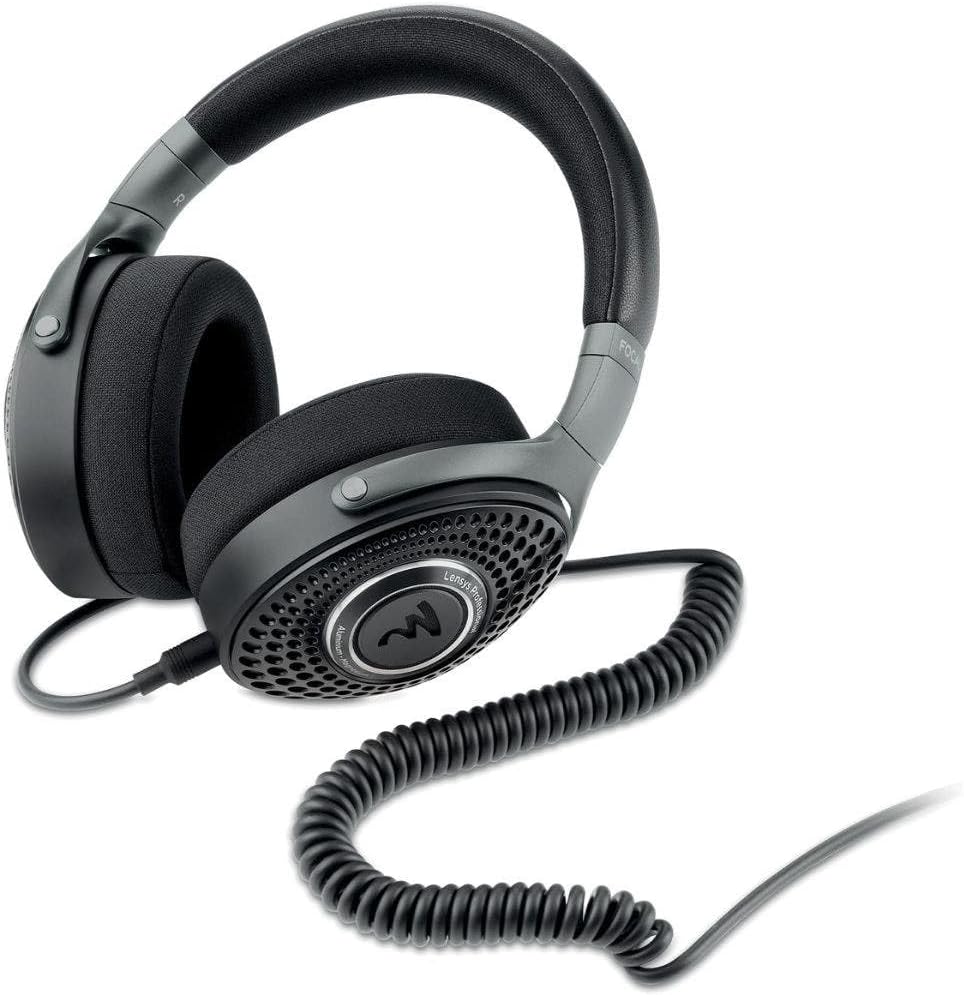
Image 3.1: The Focal Lensys Professional Headphones shown with a coiled audio cable connected, ready for use.
3.2 Remote Control (if applicable)
Some audio cables may include an inline remote control. If your cable features a remote, refer to your audio source device's manual for specific functions such as play/pause, track skipping, or volume control, as functionality can vary.
3.3 בדעה נוצן
These headphones are specifically designed for:
- רעקאָרדינג: Providing accurate monitoring during recording sessions.
- מיקסינג: Offering a neutral sound signature for precise audio mixing.
- אַלגעמיינע צוגעהערט: Delivering high-fidelity audio for everyday enjoyment.
4. וישאַלט
4.1 רייניקונג
To maintain the condition and performance of your headphones:
- Use a soft, dry, lint-free cloth to wipe the exterior surfaces of the earcups and headband.
- For the memory foam earpads, gently wipe with a slightly damp cloth if necessary, and allow them to air dry completely before use. Avoid excessive moisture.
- Do not use harsh chemicals, solvents, or abrasive cleaners, as these can damage the materials (Aluminum/Magnesium, Memory Foam, Plastic/Fabric).
4.2 סטאָרידזש
When not in use, store your Focal Lensys Professional headphones in the provided protective case. This helps to prevent dust accumulation, scratches, and physical damage, extending the lifespan of the product.

Image 4.1: The protective carrying case, designed to safely store your Focal Lensys Professional Headphones.
5. טראָובלעשאָאָטינג
If you encounter issues with your Focal Lensys Professional headphones, consider the following:
- קיין קול:
- זיכער מאַכן אַז דער אַודיאָ קאַבל איז זיכער פארבונדן צו ביידע די כעדפאָונז און די אַודיאָ מקור.
- קאָנטראָלירט דעם באַנד לעוועל אויף אייער אַודיאָ מקור מיטל.
- פּרובירט די כעדפאָונז מיט אַן אַנדער אַודיאָ מקור אָדער קאַבל צו ויסשליסן פּראָבלעמען מיטן מיטל אָדער קאַבל.
- נעבעך געזונט קוואַליטעט:
- Verify that the audio cable is fully inserted and not damaged.
- זיכער מאַכן אַז די אַודיאָ מקור שפּילט הויך-קוואַליטעט אַודיאָ files.
- Check for any debris in the headphone jack or port.
- ומבאַקוועמקייַט בעשאַס נוצן:
- Re-adjust the headband for a more comfortable fit.
- Take short breaks during extended listening sessions.
If problems persist, refer to the Warranty & Support section for further assistance.
6. ספּעסאַפאַקיישאַנז
Detailed technical specifications for the Focal Lensys Professional Closed-Back Headphones:
| שטריך | באַשרייַבונג |
|---|---|
| מאָדעל נאָמען | לענסיס פּראַפעשאַנאַל |
| נומער מאָדעל נומער | RM |
| קאַנעקטיוויטי טעכנאָלאָגיע | ווייערד |
| כעדפאָונז דזשאַק | 3.5 מם דזשאַק |
| אַודיאָ דרייווער טיפּ | Dynamic Driver (Al/Mg) |
| עאַרפּיעסע פאָרעם | איבער-אויער קאַפּס |
| פאָרם פאַקטאָר | איבער אויער |
| אויער פּלייסמאַנט | איבער אויער |
| ימפּידאַנס | 26 אָהמס |
| ראַש קאָנטראָל | געזונט אפגעזונדערטקייט |
| מאַטעריאַל | Aluminum/Magnesium, Memory Foam, Plastic/Fabric |
| אַרייַנגערעכנט קאַמפּאָונאַנץ | פּראַטעקטיוו קאַסע |
| פּראָדוקט דימענשאַנז | 9.55 X 8.6 X 3.25 אינטשעס |
| פּונקט וואָג | 2.53 פונט |
| פאַבריקאַנט | פאָקאַל |

בילד 6.1: א ווינקלדיקע view highlighting the design and materials of the Focal Lensys Professional Headphones.
7. וואָראַנטי און שטיצן
7.1 וואָראַנטי אינפֿאָרמאַציע
For detailed information regarding the warranty coverage for your Focal Lensys Professional Headphones, please refer to the warranty card included with your purchase or visit the official Focal webזייטל. גאַראַנטיע טערמינען און באדינגונגען קענען זיין אַנדערש לויט געגנט און הענדלער.
7.2 קונה שטיצן
Should you require technical assistance, have questions about your product, or need to report a defect, please contact Focal customer support through their official website or the contact information provided in your product documentation. Ensure you have your product model number (RM) and proof of purchase available when contacting support.


