1. הקדמה
Thank you for choosing the Norwii N76 Rechargeable Wireless Presentation Remote. This device is designed to enhance your presentations with seamless slide control and a powerful green laser pointer. It offers broad compatibility across various operating systems and presentation software, ensuring a smooth and engaging experience for your audience.
Please read this manual carefully to understand the features and proper operation of your new presentation remote. Keep this manual for future reference.
2. פּעקל אינהאַלט
באַשטעטיקן אַז אַלע זאכן זענען פאַראַן אין דיין פּעקל:
- Norwii N76 ווירעלעסס פּרעסענטער
- וסב-א ופנעמער
- וסב טשאַרדזשינג קאַבלע
- Premium Portable Case
- באַניצער מאַנואַל

3. פּראָדוקט איבערview
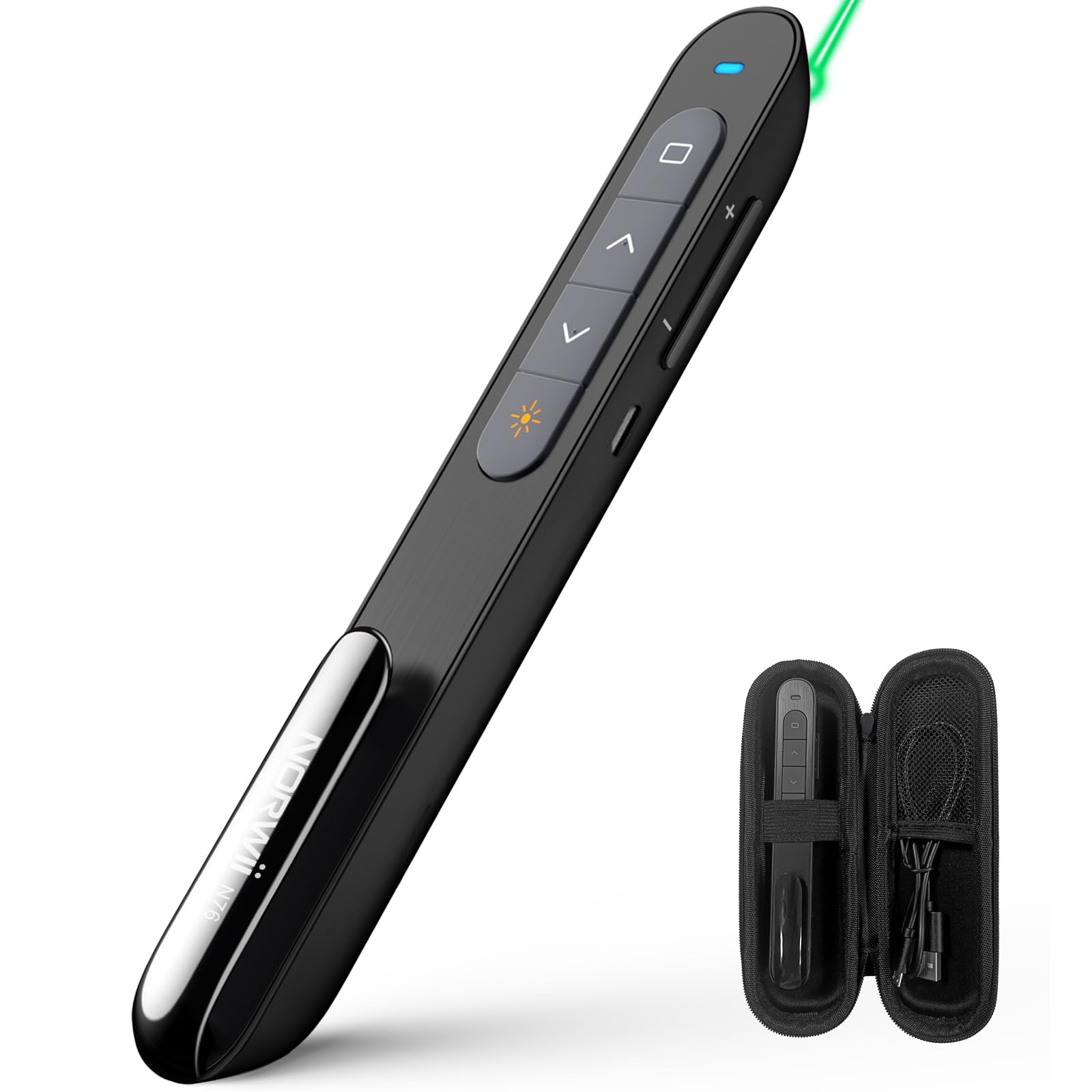
The Norwii N76 features an ergonomic design with clearly labeled, tactile buttons for intuitive control during presentations. The device includes a built-in USB-A receiver for convenient storage and connectivity.

שליסל פאַנגקשאַנז:
- לאַזער פּוינטער קנעפּל: Activates the green laser.
- Page Up/Down Buttons: Navigates through presentation slides.
- Full Screen/Black Screen Button: Toggles full screen mode or blacks out the screen.
- Hyperlink/Switch Window Button: Allows opening hyperlinks or switching between active windows.
- באַנד קאָנטראָל: אַדזשאַסטירט סיסטעם באַנד.
- אויף/אַוועק באַשטימען: Located on the side for power management.

4. סעטאַפּ
4.1. Connecting the USB-A Receiver
- Locate the USB-A receiver stored inside the tail cap of the Norwii N76 presenter. Gently pull it out.
- Insert the USB-A receiver into an available USB-A port on your computer.
- The computer will automatically detect and install the necessary drivers. This is a plug-and-play device, so no manual driver installation is typically required.
- Turn on the Norwii N76 presenter using the ON/OFF switch on its side.

4.2. טשאַרדזשינג די מיטל
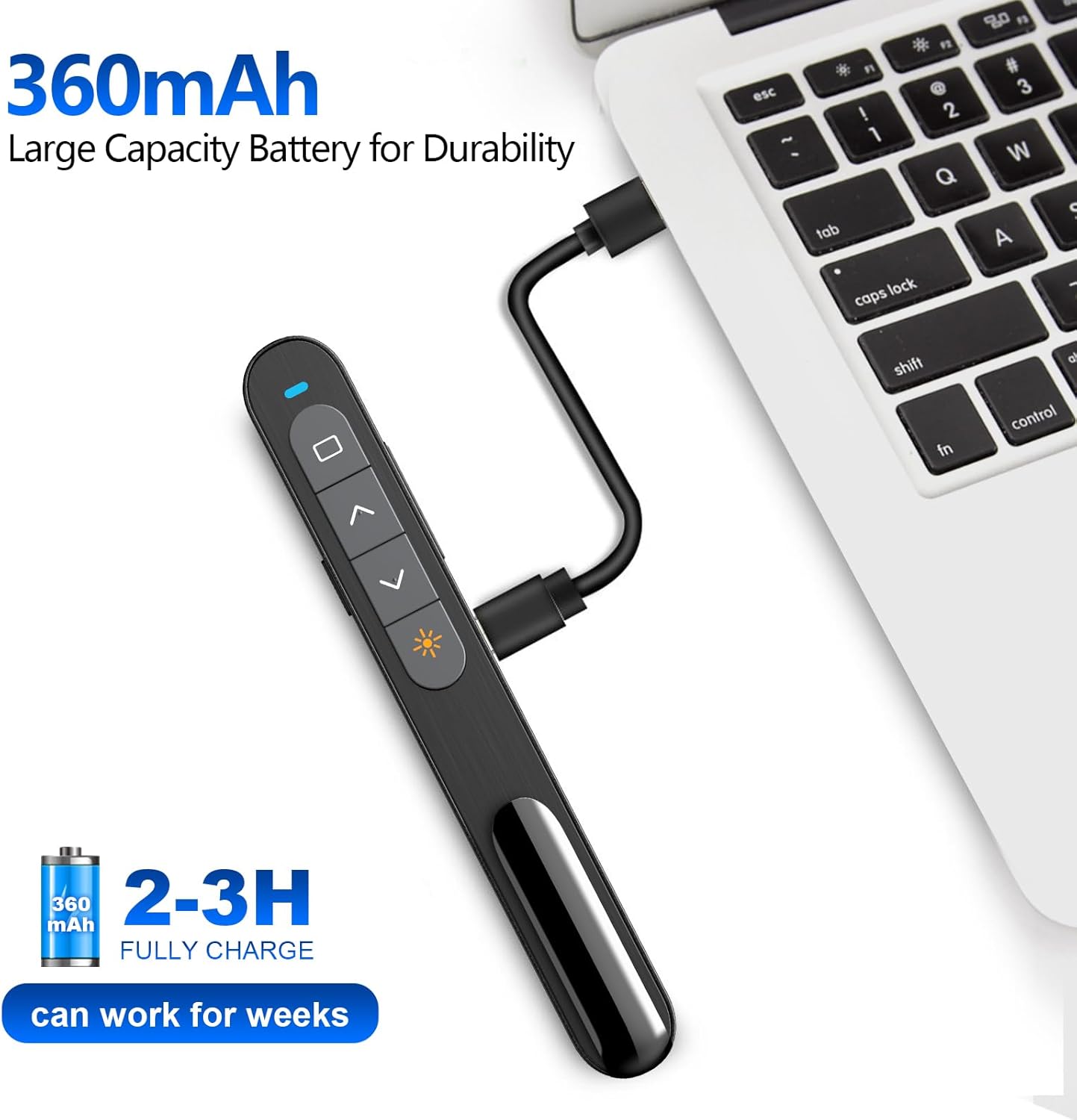
The Norwii N76 is equipped with a built-in 360mAh rechargeable Li-ion battery. To charge the device:
- Connect the provided USB charging cable to the charging port on the presenter.
- Connect the other end of the USB charging cable to a USB power source (e.g., computer USB port, USB wall adapter).
- די טשאַרדזשינג אינדיקאַטאָר ליכט וועט זיך אָנצינדן בעת טשאַרדזשינג און זיך אויסלעשן אַמאָל גאָר אָנגעלאָדן.
- א פול אָפּצאָל טיפּיקלי נעמט 1.5-2 שעה.

5. אַפּערייטינג ינסטרוקטיאָנס
5.1. מאַכט אויף / אויסגעלאשן
Slide the ON/OFF switch located on the side of the presenter to the 'ON' position to power on the device. Slide it to 'OFF' when not in use to conserve battery life.
5.2. Basic Slide Control
- דרוק די Page Up (▲) button to move to the previous slide.
- דרוק די Page Down (▼) button to move to the next slide.
5.3. Laser Pointer Function
דריקן און האַלטן די לאַזער פּוינטער button (often marked with a sun or star icon) to activate the green laser. Release the button to turn off the laser. The green laser is 8 times brighter than a red laser, providing clear visibility on most screens. Note: The laser is not intended for use on TV screens.
5.4. אַוואַנסירטע פאַנגקשאַנז
- פולער עקראַן/שוואַרצער עקראַן: Press the dedicated button (often a square icon) to toggle between full screen mode and a black screen.
- Hyperlink/Switch Window: Use the designated button (often a chain link or window icon) to activate hyperlinks within your presentation or switch between open applications.
- באַנד קאָנטראָל: Use the volume up (+) and volume down (-) buttons on the side of the presenter to adjust the audio output of your computer.

5.5. קוסטאָמיזאַבלע קנעפּלעך
The Norwii N76 allows for button reprogramming via the Norwii Presenter software. This software enables you to assign custom functions to buttons for a personalized workflow. Refer to the Norwii website for software download and detailed instructions.

6. וישאַלט
6.1. באַטערי קער
- טשאַרדזש די מיטל גאָר איידער ערשטער נוצן.
- פֿאַרמײַדט אינגאַנצן אויסצוליידיקן די באַטעריע רעגולער כּדי צו פֿאַרלענגערן איר לעבן.
- If storing the device for an extended period, charge it to approximately 50% every few months.
6.2. רייניקונג
Wipe the device with a soft, dry cloth. Do not use harsh chemicals or abrasive cleaners. Ensure no liquid enters the device openings.
7. טראָובלעשאָאָטינג
If you encounter issues with your Norwii N76, refer to the following common problems and solutions:
| פּראָבלעם | לייזונג |
|---|---|
| פרעזענטירער ענטפערט נישט |
|
| לייזער טייַטל טוט נישט אַרבעטן |
|
| Limited wireless range |
|
8. ספּעסאַפאַקיישאַנז
| שטריך | דעטאַל |
|---|---|
| מאָדעל נומער | N76 |
| קאַנעקטיוויטי | 2.4GHz ווירעלעס (USB-A ריסיווער) |
| ווירעלעסס ראַנגע | אַרויף צו 100 מעטער (328 פֿיס) |
| לייזער טיפּ | Green Light (656 feet laser range) |
| באַטערי | 360 מאַה קריקאָנלאָדלעך ליטהיום פּאָלימער |
| טשאַרדזשינג צייט | 1.5-2 שעה |
| פּראָדוקט דימענשאַנז | 5.5 X 0.7 X 0.8 אינטשעס |
| פּונקט וואָג | 1.05 אונסעס |
| קאַמפּאַטאַבאַל אַס | ווינדאָוס, מאַקאָס, אַנדרויד, לינוקס |
| קאַמפּאַטאַבאַל ווייכווארג | PowerPoint, Google Slides, WPS Office, Prezi, Keynote |
9. זיכערקייַט אינפֿאָרמאַציע
- לייזער זיכערקייַט: Do not point the laser beam directly at people or animals. Avoid direct eye exposure to the laser beam. Do not point the laser beam at highly reflective surfaces.
- קינדער: האַלטן די מיטל אויס פון דערגרייכן פון קינדער.
- באַטערי: Do not attempt to replace the internal battery. Do not expose the device to extreme temperatures or direct sunlight.
- באַזייַטיקונג: אַוועקוואַרפן דעם אַפּאַראַט און זײַן באַטאַרייע לויט די לאָקאַלע רעגולאַציעס.
10. וואָראַנטי און שטיצן
Norwii products are designed for reliability and performance. For warranty information, technical support, or service inquiries, please refer to the warranty card included in your package or visit the official Norwii website. Please have your product model number (N76) and purchase details ready when contacting support.


