הקדמה
This manual provides essential information for the safe and efficient installation, operation, and maintenance of your GIGABYTE AORUS Elite P1000W Ice Power Supply. Please read this manual thoroughly before using the product and retain it for future reference.

פיגור 1: ווינקלדיק view of the GIGABYTE AORUS Elite P1000W Ice Power Supply, highlighting the 1000W rating.
זיכערקייַט אינפֿאָרמאַציע
שטענדיק אָבסערווירן די פאלגענדע זיכערהייט מיטלען צו פאַרמייַדן שאָדן און שעדיקן צו דיין ויסריכט:
- זיכער מאַכן אַז די מאַכט צושטעל איז דיסקאַנעקטיד פון די AC אַוטלעט איידער ינסטאַלירונג אָדער האַנדלינג.
- עפֿנט נישט די מאַכט-צושטעל אַפּאַראַט. הויך וואָלומעןtagעס זענען פאראן אינעווייניק, און עס זענען נישטא קיין טיילן וואס דער באַניצער קען סערוויסן.
- אינסטאלירט די מאַכט צושטעל אין אַ גוט-ווענטילאַטעד אָרט, אַוועק פון היץ קוועלער און דירעקט זונשייַן.
- Use only the modular cables provided with this power supply. Using incompatible cables may cause damage.
- פֿאַרמײַדן אויסצושטעלן די מאַכט צושטעל צו פֿײַכטקייט אָדער עקסטרעמע טעמפּעראַטורן.
פּעקל אינהאַלט
באַשטעטיקן אַז אַלע זאכן זענען פאַראַן אין פּעקל:
- GIGABYTE AORUS Elite P1000W Ice Power Supply Unit
- Modular Cable Set (including ATX 24-pin, EPS/CPU 8-pin, PCIe 6+2-pin, 12VHPWR, SATA, Peripheral)
- AC Power Cord (EU Plug)
- מאַונטינג סקרוז
- באַניצער מאַנואַל (דעם דאָקומענט)
פּראָדוקט פֿעיִקייטן
- ATX 3.0 and PCIe Gen 5.0 ready (ATX 3.1 compatible)
- Certified 80 PLUS Platinum efficiency
- 100% Japanese Capacitors for enhanced reliability
- 120mm Dynamic Fluid Ball Bearing (FDB) Fan for quiet and efficient cooling
- Compact design for easier installation
- Fully modular design for improved cable management
- Powerful single rail +12V output
- Comprehensive protection features: OVP (Over Voltage שוץ), OPP (איבער-מאַכט שוץ), SCP (קורץ-קרייז שוץ), UVP (אונטער-וואָלומעןtage שוץ), OCP (איבער קראַנט שוץ), OTP (איבער טעמפּעראַטור שוץ)
סעטאַפּ און ינסטאַלירונג
גיי די פאלגענדע טריט צו אינסטאַלירן דיין מאַכט צושטעלן:
- צוגרייטן אייער סיסטעם: Ensure your computer case is open and all existing power supply cables are disconnected.
- מאָנטירן די מאַכט צושטעלן: Carefully place the GIGABYTE AORUS Elite P1000W into the power supply bay of your computer case. Secure it with the provided mounting screws.

פיגורע 2: קוילעלדיק view of the GIGABYTE AORUS Elite P1000W Ice Power Supply. This image shows the main unit with its fan grill and modular cable ports.
- פֿאַרבינדן מאָדולאַרע קאַבלען: Identify the necessary cables for your motherboard and components (CPU, GPU, storage drives). Connect the appropriate modular cables to the power supply's output ports.

פיגורע 3: דעטאַילעד view of the modular cable connectors on the GIGABYTE AORUS Elite P1000W Ice Power Supply. This image illustrates the clearly labeled ports for M/B, CPU/PCI-E, Peripheral, and 12VHPWR connections.
- 24-פּין ATX קאַבל: פאַרבינדן צו די מאַדערבאָרד 'ס הויפּט מאַכט קאַנעקטער.
- 8-pin EPS/CPU Cable: Connect to the motherboard's CPU power connector.
- PCIe 6+2-pin Cables: Connect to your graphics card(s) if they require additional power.
- 12VHPWR Cable: Connect to PCIe Gen 5.0 graphics cards that utilize this connector.
- SATA קאַבלעס: Connect to SSDs, HDDs, and optical drives.
- פּעריפערישע (מאָלעקס) קאַבלען: Connect to other components requiring Molex power.
- Connect to Components: Route the connected modular cables neatly to their respective components and plug them in securely.
- קאָננעקט AC מאַכט: Ensure the power supply's main switch is in the OFF (0) position. Connect the AC power cord to the power supply and then to a wall outlet.
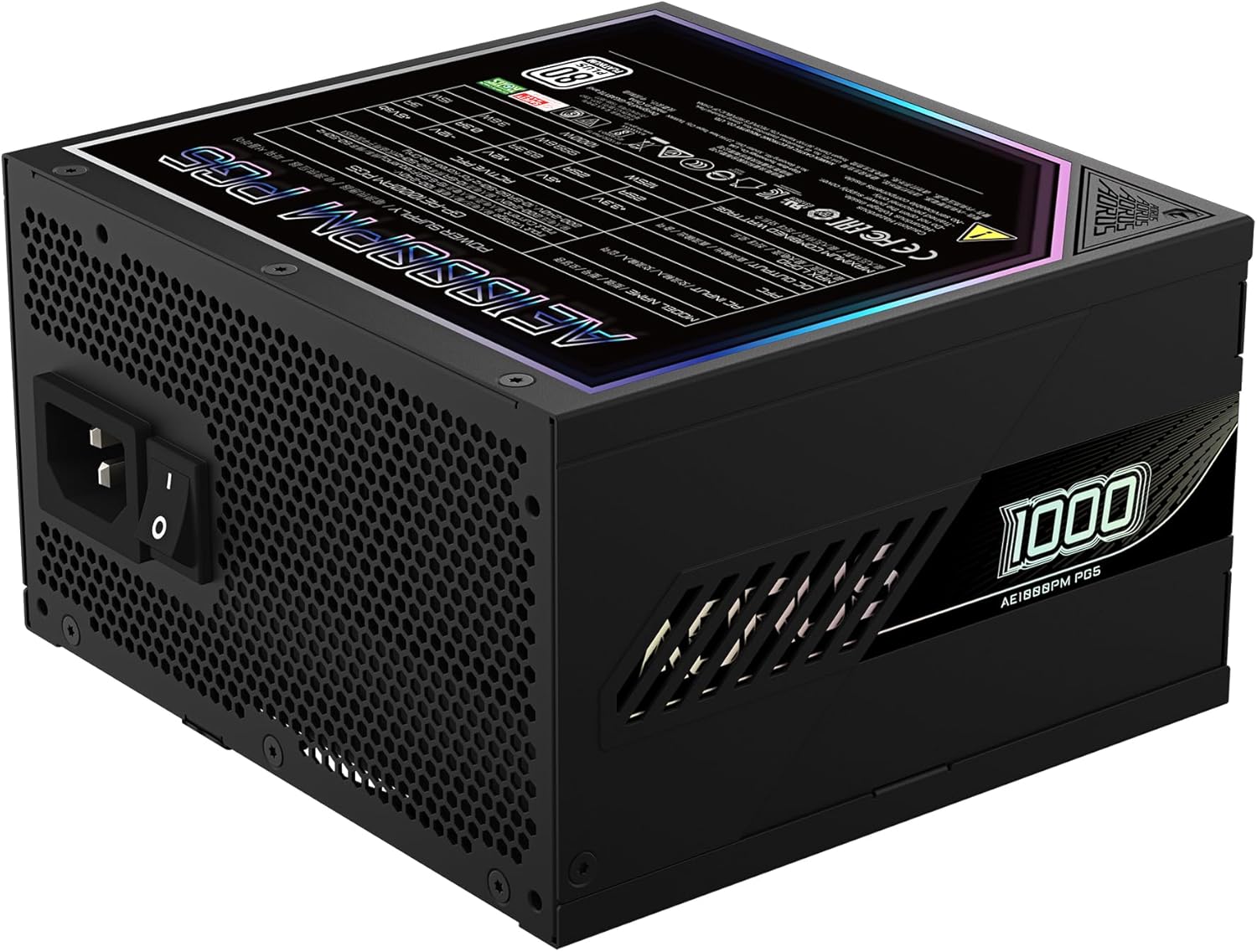
Figure 4: Rear panel of the GIGABYTE AORUS Elite P1000W Ice Power Supply, showing the AC power input and power switch. Ensure the switch is set to '0' before connecting the AC cord.
אַפּערייטינג ינסטראַקשאַנז
After installation, follow these steps to power on your system:
- מאַכט אויף: Flip the main power switch on the rear of the power supply to the ON (I) position.
- סיסטעם שטיוול: דריק דעם פּאַוער קנעפּל אויף אייער קאָמפּיוטער קעסטל צו אָנהייבן די סיסטעם.
- מאַכט אַוועק: To shut down your system, perform a proper shutdown through your operating system. Once the system is off, you may flip the power supply's main switch to the OFF (0) position for complete power disconnection.

פיגור 5: פון אויבן אַראָפּ view of the 120mm fan with the AORUS logo on the GIGABYTE AORUS Elite P1000W Ice Power Supply. The fan provides active cooling during operation.
וישאַלט
רעגולערע אויפהאלטונג העלפט זיכער מאכן די לאנגעוויטי און אפטימאלע פערפארמאנס פון אייער מאכט צושטעל:
- שטויב רייניקונג: Periodically clean dust from the power supply's fan grill and vents using compressed air. Ensure the power supply is turned off and unplugged before cleaning.
- קאַבלע פאַרוואַלטונג: Ensure cables are neatly routed and do not obstruct airflow within the computer case.
- ינווייראַנמענאַל טנאָים: Maintain a cool, dry, and well-ventilated environment for your computer system.
טראָובלעשאָאָטינג
אויב איר טרעפט פּראָבלעמען, זעט די פאלגענדע געוויינטלעכע טראָובלעשווטינג טריט:
- קיין מאַכט:
- קאָנטראָלירט צי דער AC מאַכט שנור איז זיכער פארבונדן צו ביידע די מאַכט צושטעל און די וואַנט אַוטלעט.
- Ensure the power supply's main switch is in the ON (I) position.
- Verify that all modular cables are correctly seated in both the power supply and the components.
- פּרובירט די וואַנט אַוטלעט מיט אַן אַנדער דעווייס צו באַשטעטיקן אַז עס האָט שטראָם.
- סיסטעם שליסט זיך אומגעריכט אויס:
- This could indicate an overload or overheating. Ensure your system's power requirements do not exceed the PSU's 1000W capacity.
- קאָנטראָלירט פֿאַר געהעריקע ווענטילאַציע און רייניקט יעדן שטויב-אָפּזאַמלונג.
- Verify that all power connections are secure.
- ומגעוויינטלעך נויזיז:
- A clicking sound might indicate a protective mechanism engaging. Disconnect power and recheck all connections.
- If the fan is making excessive noise, ensure it is free from obstructions.
If issues persist after following these steps, contact GIGABYTE customer support.
ספּעסאַפאַקיישאַנז

Figure 6: Product label on the GIGABYTE AORUS Elite P1000W Ice Power Supply, displaying electrical specifications and certifications. Refer to this label for detailed electrical ratings.
| שטריך | דעטאַל |
|---|---|
| מאָדעל נאָמען | AORUS ELITE P1000W |
| נומער מאָדעל נומער | GP-AE1000PM PG5 EU |
| רעזולטאַט וואָסtage | 1000 וואטס |
| 80 פּלוס סערטאַפאַקיישאַן | פּלאַטינום |
| פאָרם פאַקטאָר | אַטקס |
| ATX Version Compatibility | ATX 3.0 (ATX 3.1 compatible) |
| PCIe Version Compatibility | PCIe Gen 5.0 |
| פאָכער גרייס | 120 מם |
| פאָכער טיפּ | Dynamic Fluid Ball Bearing (FDB) |
| קאַפּאַסיטאָרס | 100% יאַפּאַניש קאַפּאַסיטאָרס |
| מאָדולאַר פּלאַן | גאָר מאָדולאַר |
| פּראַטעקשאַנז | OVP, OPP, SCP, UVP, OCP, OTP |
| פּראָדוקט דימענשאַנז (L x W x H) | 5.51 X 5.91 X 3.39 אינטשעס |
| פּונקט וואָג | 6.79 פונט (3080 גראַמז) |
וואָראַנטי אינפֿאָרמאַציע
The GIGABYTE AORUS Elite P1000W Ice Power Supply comes with a 10 יאָר וואָראַנטי from the date of purchase. This warranty covers defects in materials and workmanship under normal use. Please retain your proof of purchase for warranty claims. For full warranty terms and conditions, refer to the official GIGABYTE webפּלאַץ אָדער קאָנטאַקט קונה שטיצן.
שטיצן
For technical assistance, troubleshooting beyond this manual, or warranty inquiries, please visit the official GIGABYTE support website or contact their customer service department. You can typically find contact information on the GIGABYTE webוועבזייטל אדער אויף דער פּראָדוקט פּאַקאַדזשינג.
גיגאבייט אפיציעל Webפּלאַץ: www.gigabyte.com


