1. הקדמה
This manual provides detailed instructions for the safe and efficient use of your Phomemo A30 Thermal Transfer Label Printer. Please read this manual thoroughly before operating the device and retain it for future reference.
פּראָדוקט איבערview
The Phomemo A30 is a compact, portable thermal transfer label printer designed for various labeling needs. It connects wirelessly via Bluetooth to smartphones and tablets, offering ink-free printing with customizable designs.

Image 1.1: The Phomemo A30 Label Printer, showcasing its design and various label outputs.
שליסל פֿעיִקייטן
- Thermal Transfer Printing: Utilizes thermal transfer technology for durable, ink-free labels.
- בלועטאָאָטה קאַנעקטיוויטי: Seamless wireless connection to compatible smart devices.
- פּאָרטאַטיוו פּלאַן: Compact and lightweight for easy transport and use.
- קריקאָנלאָדלעך באַטערי: Built-in 1200mAh battery for cordless operation.
- דוראַבאַל לאַבעלס: Labels are resistant to water, oil, and abrasion, suitable for indoor and outdoor use.
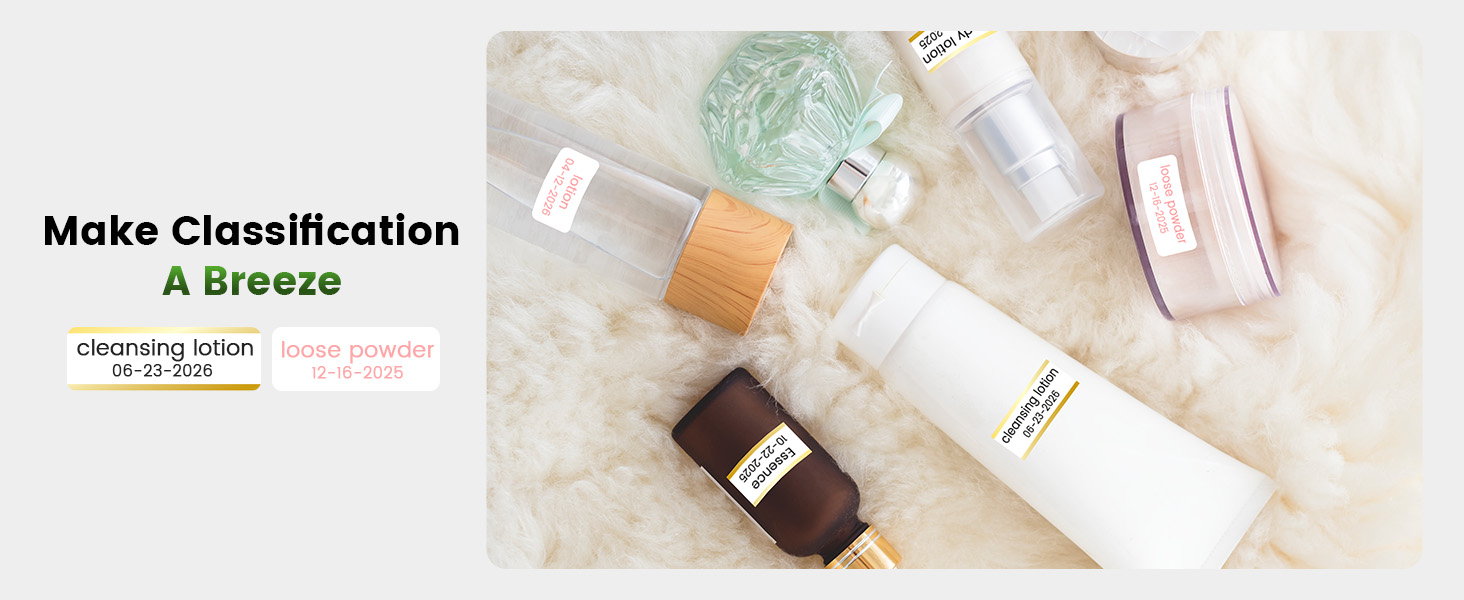
- Versatile Label Types: Supports pre-cut, continuous, patterned, magnetic, fabric iron-on, glitter, and luminous labels.
- קלוגע אַפּ אינטעגראַציע: Features the 'Print Master' app with extensive customization options, including fonts, symbols, and templates.
2. סעטאַפּ
2.1 אויספּאַקן און פּאַקעט אינהאַלט
פֿאָרזיכטיק אויספּאַקן אַלע זאַכן פֿון דער קעסטל. זיכער מאַכן אַז די פֿאָלגנדיקע קאָמפּאָנענטן זענען פֿאַראַן:
- Phomemo A30 Label Printer
- Roll Paper for Printer (pre-installed or separate)
- באַניצער מאַנואַל (דעם דאָקומענט)
- וסב קאַבלע (טיפּ-C)
2.2 אויפלאָדן דעם דרוקער
Before first use, fully charge the printer. Connect the provided USB Type-C cable to the printer's charging port and a compatible USB power adapter (not included). The indicator light will show charging status.
2.3 אַפּ ינסטאַלירונג
The Phomemo A30 operates via the 'Print Master' application. Download the app from your device's app store (iOS or Android) or scan the QR code provided in the quick start guide (if applicable).
2.4 בלועטאָאָטה פּערינג
- פאַרזיכערן אַז די דרוקער איז פּאַוערד אויף.
- געבן בלועטאָאָטה אויף דיין סמאַרטפאָנע אָדער טאַבלעט.
- Open the 'Print Master' app.
- Within the app, search for available devices and select 'Phomemo A30' to connect. The app will indicate a successful connection.

Image 2.1: The Phomemo A30 printer demonstrating intelligent connectivity with a smartphone and laptop.
2.5 Loading Label Cartridge
The A30 printer uses label cartridges. Open the printer cover, insert the label cartridge according to the directional indicators, and ensure it clicks into place. Close the cover. The printer automatically recognizes compatible consumables within the supported size of 12mm (0.47 inch) width.
3. אַפּערייטינג ינסטרוקטיאָנס
3.1 מאַכט אויף / אַוועק
- מאַכט אויף: דריק און האַלט דעם מאַכט קנעפּל ביז די אינדיקאַטאָר ליכט צינדט זיך אָן.
- מאַכט אַוועק: דריק און האלט דעם מאַכט קנעפּל ביז די אינדיקאַטאָר ליכט גייט אויס.
3.2 Using the 'Print Master' App
The 'Print Master' app is your primary interface for creating and printing labels. It offers a wide range of customization options:
- טעקסט אַרייַנשרייַב: Enter desired text for your labels.
- שריפֿטן און סטילן: Choose from over 200 built-in fonts and adjust size, bold, italic, etc.
- סימבאָלן און בילדלען: Access over 600 symbols to enhance your labels.
- מוסטערן: Utilize 200+ border templates and various pre-designed label templates for quick creation.
- QR Codes & Barcodes: Generate and print QR codes or barcodes directly from the app.
- Images & Timestamps: Insert images or add timestamps to your labels.

Image 3.1: The 'Print Master' app interface, illustrating the extensive customization options available.
3.3 דרוק פּראָצעס
- Design your label within the 'Print Master' app.
- Ensure the printer is connected via Bluetooth.
- Tap the 'Print' button in the app.
- The printer will feed and print the label.
3.4 ניצן דעם איינגעבויטן שניידער
After printing, use the integrated paper cutter to cleanly separate the label from the roll. Slide the cutter lever across the label exit slot to achieve a straight edge.
3.5 Supported Label Types and Applications
The A30 supports a wide range of label types, expanding its utility:
- Pre-cut/Continuous Labels: Standard labels for general use.
- Patterned Labels: Labels with decorative designs.
- Refrigerator Magnetic Labels: For organizing items on magnetic surfaces.
- Fabric Iron-on Labels: For clothing and textile identification.
- Glitter Labels: For decorative purposes.
- Luminous Labels: Labels that glow in the dark for visibility in low light.

Image 3.2: The Phomemo A30 printer customizing gift ribbons with personalized content.
בילד 3.3: עקס.ample of magnetically sticking labels on a refrigerator for organization.
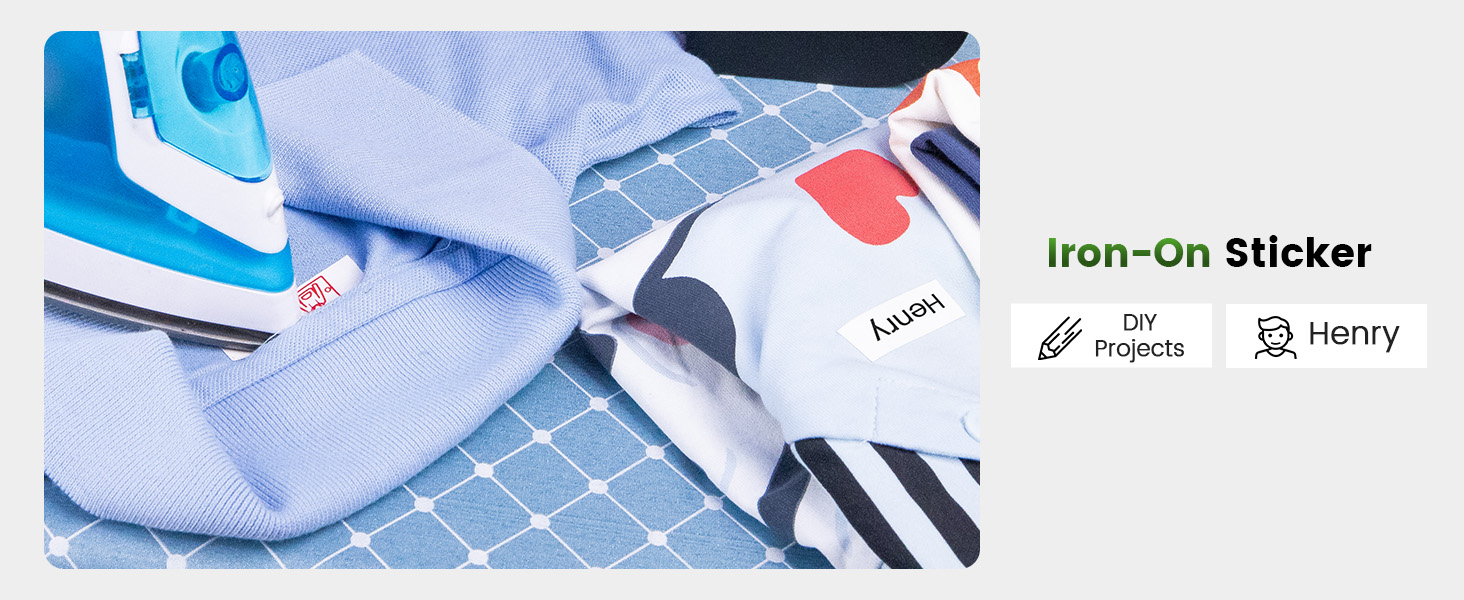
Image 3.4: Luminous labels applied to light switches for easy identification in the dark.

Image 3.5: An iron-on sticker being applied to clothing, demonstrating its use for fabric labeling.
4. וישאַלט
4.1 רייניקונג די פּרינטער קאָפּ
To ensure optimal print quality, regularly clean the thermal print head. Use a soft, lint-free cloth lightly dampened with isopropyl alcohol. Gently wipe the print head surface. Ensure the printer is off and cool before cleaning.
4.2 באַטערי קער
- פֿאַרמײַדט אָפֿט פֿולשטענדיק אויסצולאָדן די באַטעריע.
- Charge the printer regularly, even if not in use, to maintain battery health.
- Do not expose the printer to extreme temperatures, as this can affect battery life.
4.3 סטאָרידזש
Store the printer in a cool, dry place away from direct sunlight and excessive dust. If storing for an extended period, ensure the battery is partially charged (around 50%) and recharge every few months.
5. טראָובלעשאָאָטינג
This section addresses common issues you might encounter with your Phomemo A30 printer.
| פּראָבלעם | מעגלעך סיבה | לייזונג |
|---|---|---|
| דרוקער גייט נישט אן | נידעריגע באַטעריע; מאַכט קנעפּל נישט ריכטיק געדריקט | Charge the printer; Press and hold the power button firmly. |
| קענען ניט פאַרבינדן דורך בלועטאָאָטה | Bluetooth off on device; Printer not in pairing mode; App issue | Ensure Bluetooth is enabled; Restart printer and app; Try pairing again. |
| שלעכטע דרוק קוואַליטעט (שוואַך, פֿאַרשוואָמען) | Dirty print head; Incorrect label type; Low battery | Clean the print head (see Section 4.1); Ensure correct thermal transfer labels are used; Charge the printer. |
| עטיקעטן ווערן נישט ריכטיק צוגעפֿירט | Label cartridge improperly installed; Label jam | Reinstall the label cartridge; Open cover and clear any jammed labels. |
| App features require subscription | Some advanced templates/features are premium | Utilize free features or consider purchasing a subscription if desired. |
If the issue persists, please refer to the 'Print Master' app's help section or contact Phomemo customer support.
6. ספּעסאַפאַקיישאַנז
| שטריך | דעטאַל |
|---|---|
| סאָרט | Phomemo |
| מאָדעל נאָמען | A30 (M836) |
| דרוק טעכנאָלאָגיע | טערמאַל אַריבערפירן |
| קאַנעקטיוויטי טעכנאָלאָגיע | בלועטאָאָטה |
| ייַזנוואַרג צובינד | וסב טיפּ C |
| דרוקער רעזולטאַט | מאָנאָטשראָמע |
| מאַקס פּרינט ספּיד מאָנאָטשראָמע | 5 פּיפּיעם |
| מאַקסימום שוואַרץ און ווייס דרוק רעזאָלוציע | 203 דפּי |
| קאַמפּאַטאַבאַל דעוויסעס | Smartphones, Tablets (Android, iOS) |
| מאַקס מידיאַ גרייס | 15 מם |
| בלאַט גרייס | 14 מילאַמיטערז |
| דרוקער טינט טיפּ | No Ink (Thermal Transfer) |
| באַטעריז | 1 א באַטאַרייע פארלאנגט (אַרייַנגערעכנט) |
| פּראָדוקט דימענשאַנז | 8.27 X 1.85 X 2.56 אינטשעס |
| פּונקט וואָג | 5.6 אונסעס (160 גראַם) |
| אַרייַנגערעכנט קאַמפּאָונאַנץ | Label Printer, Roll Paper for Printer, User Manual, USB Cable |
7. וואָראַנטי און שטיצן
7.1 וואָראַנטי אינפֿאָרמאַציע
The Phomemo A30 Thermal Transfer Label Printer comes with a limited warranty. Please refer to the warranty card included in your package or the official Phomemo webזייטל פֿאַר ספּעציפֿישע תּנאים און באַדינגונגען וועגן וואָראַנטי קאַווערידזש און געדויער.
7.2 קונה שטיצן
For technical assistance, troubleshooting not covered in this manual, or warranty claims, please contact Phomemo customer support through their official webזייטל אדער די קאָנטאַקט אינפֿאָרמאַציע וואָס איז צוגעשטעלט מיט אייער פּראָדוקט דאָקומענטאַציע.


