הקדמה
Thank you for choosing the Edifier X1 Lite True Wireless Earbuds. This manual provides detailed instructions on how to set up, operate, and maintain your new earbuds, ensuring you get the best possible audio experience. The Edifier X1 Lite earbuds are designed for powerful sound, clear calls, and long-lasting comfort, featuring Bluetooth 5.4 connectivity and IP54 sweat resistance.

בילד: איבערview of Edifier X1 Lite features, including dynamic drivers, AI call noise cancellation, extended battery life, Bluetooth 5.4, low latency, and IP54 certification.
זיכערקייַט אינפֿאָרמאַציע
ביטע ליינט אלע זיכערהייט אינסטרוקציעס קערפול איידער איר ניצט דעם פראדוקט. האלט דעם מאנואל פאר שפעטערדיגע רעפערענץ.
- שטעלט נישט אויס די אויערן-קנעפּלעך אדער טשאַרדזשינג קעסטל צו עקסטרעמע טעמפּעראַטורן, הומידיטי אדער קאָראָזיווע סאַבסטאַנצן.
- ויסמיידן דראַפּינג אָדער אונטערטעניק דעם פּראָדוקט צו שטאַרק ימפּאַקץ.
- Do not disassemble, repair, or modify the product yourself. Contact authorized service personnel for assistance.
- Keep the product away from children and pets to prevent accidental ingestion of small parts.
- ניצט נאָר דעם צוגעשטעלטן טשאַרדזשינג קאַבל אָדער אַ סערטיפיצירטן עקוויוואַלענט.
- פארלענגערט הערן ביי הויכע וואליום לעוועלס קען שאפן געהער שאדן. שטעלט אפ דעם וואליום צו א זיכערן לעוועל.
פּעקל אינהאַלט
באַשטעטיקן אַז אַלע זאכן זענען פאַראַן אין דיין פּעקל:
- Edifier X1 Lite True Wireless Earbuds (Left and Right)
- טשאַרדזשינג קאַסע
- וסב טשאַרדזשינג קאַבלע
- באַניצער מאַנואַל (דעם דאָקומענט)
פּראָדוקט איבערview
Familiarize yourself with the components of your Edifier X1 Lite earbuds and charging case.

Image: Edifier X1 Lite Earbuds and Charging Case.

Image: Internal structure of the earbud, showcasing the 13mm dynamic driver for enhanced sound quality.
The earbuds feature a compact design, with each earbud weighing only 4g for comfortable wear. The charging case is designed to be portable and provides additional battery life.

בילד: עקספּלאָדירט view of the earbud highlighting the 13mm dynamic driver and AI algorithm for voice pickup.
סעטאַפּ
1. אויפלאָדן די אויערקנעפּלעך און קעסטל
פארן ערשטן באַנוץ, לאָדן די אויערקנעפּלעך און די טשאַרדזשינג קעסטל גאָר אויף.
- שטעלן ביידע עאַרבודז אין די טשאַרדזשינג פאַל.
- פאַרבינדן די טשאַרדזשינג פאַל צו אַ מאַכט מקור ניצן די צוגעשטעלט וסב קאַבלע.
- The indicator light on the case will show charging status. Once fully charged, the light will indicate completion.
A full charge provides up to 7 hours of playtime for the earbuds, with an additional 19 hours from the charging case, totaling 26 hours. A quick 15-minute charge can provide 1.5 hours of playtime.

Image: Battery life details for Edifier X1 Lite earbuds, showing 26 hours total playtime and fast charging capability.

Image: Visual representation of the extended battery life and fast charging feature.
2. ערשט פּערינג
די אויערקנעפּלעך וועלן אויטאָמאַטיש אַרייַן אין פּערינג מאָדע ווען זיי ווערן אַרויסגענומען פון די טשאַרדזשינג קעסטל צום ערשטן מאָל.
- עפֿנט דעם טשאַרדזשינג קעסטל און נעמט אַרויס ביידע אויערקנעפּלעך.
- On your device (smartphone, laptop, etc.), enable Bluetooth.
- זוכן פֿאַר "EDIFIER X1 Lite" in the list of available Bluetooth devices.
- Select "EDIFIER X1 Lite" to connect. You will hear a confirmation tone once connected.
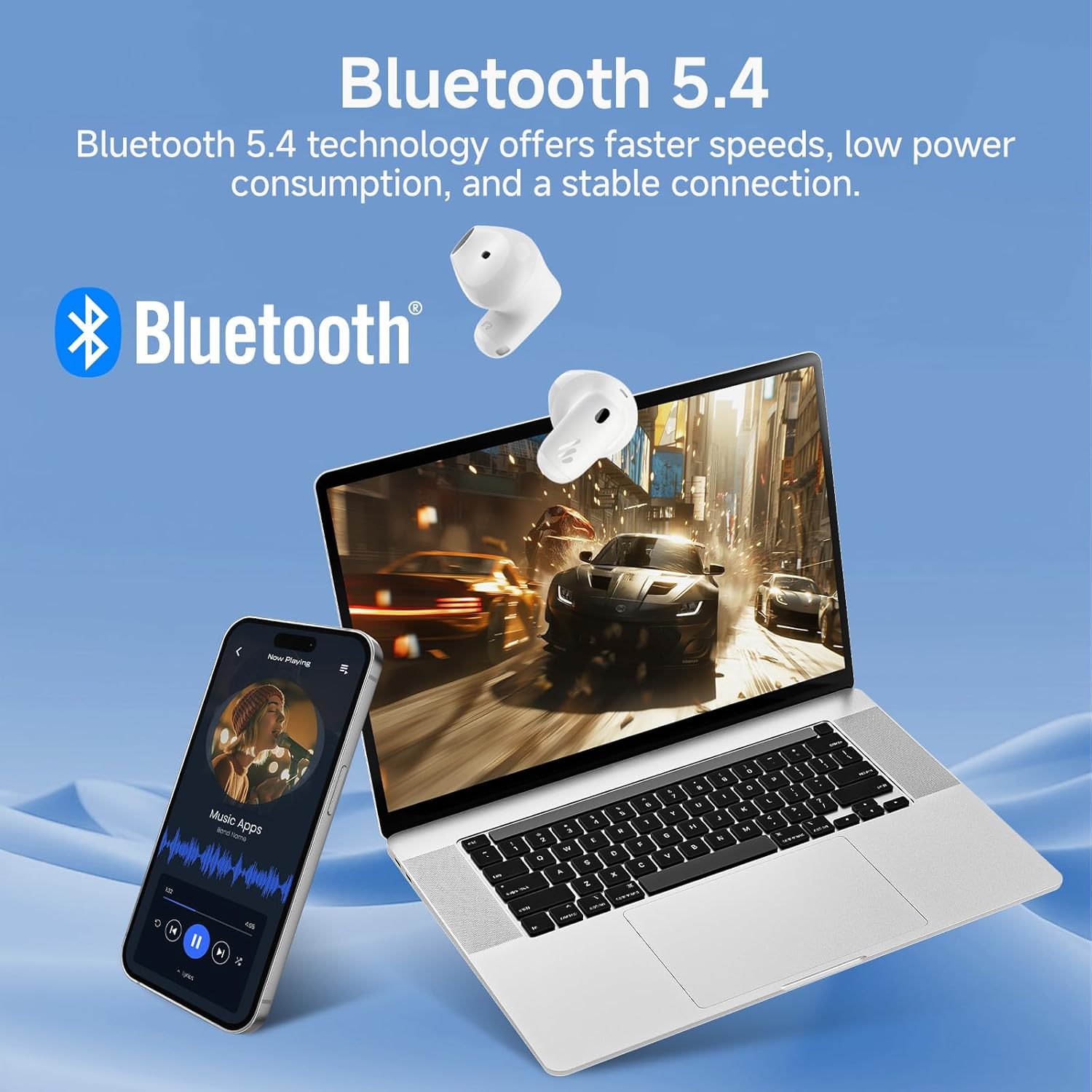
Image: Demonstrating Bluetooth 5.4 connectivity with various devices.
3. Connecting to a New Device
To connect to a new device or re-enter pairing mode:
- שטעלן ביידע עאַרבודז צוריק אין די טשאַרדזשינג פאַל.
- Press and hold the function button on the charging case for approximately 3 seconds until the indicator light flashes rapidly. This indicates pairing mode.
- On your new device, search for and select "EDIFIER X1 Lite" to connect.
אַפּערייטינג
1. ריר קאָנטראָלס
The Edifier X1 Lite earbuds feature intuitive touch controls. The touch sensitive area is located on the outer surface of each earbud.
| קאַמף | לינקס עאַרבוד | רעכט עאַרבוד |
|---|---|---|
| שפּיל / פּויזע | טאָפּל צאַפּן | טאָפּל צאַפּן |
| ווייַטער שפּור | N/A | דרייַיק צאַפּן |
| פֿריִערדיקע שפּירט | דרייַיק צאַפּן | N/A |
| ענטפֿערן / סוף רופן | טאָפּל צאַפּן | טאָפּל צאַפּן |
| אָפּוואַרפן רופן | האַלטן פֿאַר 2 סעקונדעס | האַלטן פֿאַר 2 סעקונדעס |
| אַקטאַווייט די קול אַססיסטאַנט | האַלטן פֿאַר 2 סעקונדעס | האַלטן פֿאַר 2 סעקונדעס |
| שפּיל מאָדע אויף / אַוועק | פיר מאָל צאַפּן | פיר מאָל צאַפּן |

Image: Visual guide to the touch controls on the earbuds.
2. Clear Calls with AI Algorithm
The Edifier X1 Lite earbuds utilize an AI algorithm voice pick-up technology to ensure clear communication, even in noisy environments. This technology intelligently filters out background noise, focusing on your voice.

Image: Demonstrating clear call quality enabled by AI noise reduction.
3. Low Latency Mode (Game Mode)
For an optimized gaming and video streaming experience, activate the ultra-low latency mode. This reduces audio delay to just 60ms, ensuring audio and video are perfectly synchronized.
- To activate/deactivate: Quadruple tap either earbud.

Image: Visualizing the ultra-low latency feature for gaming and video.
4. EDIFIER קאָננעקס אַפּ
Enhance your experience by downloading the EDIFIER ConneX app. The app allows for customization of sound profiles, touch controls, and access to additional features.
- Scan the QR code or visit the provided link to download the app.
- Connect your earbuds to the app to unlock full customization options.

Image: EDIFIER ConneX app interface and QR code for download.
Download the EDIFIER ConneX App: https://foreign-app.edifier.com/index.php/edifier_provider/public/appDownload.html?appTag=EdifierConneX
וישאַלט
געהעריקע אויפהאלטונג גאראנטירט די לאנגעוויטי און אפטימאלע פאָרשטעלונג פון אייערע אויערן-קנעפּלעך.
1. רייניקונג
- ווישט אָפּ די אויערקנעפּלעך און די טשאַרדזשינג קעסטל מיט אַ ווייכן, טרוקענעם, לינט-פֿרייע שטאָף.
- ניצט נישט קיין שרײַבנדיקע רייניגער, אַלקאָהאָל, אדער כעמישע סאָלווענטן.
- זיכער מאַכן אַז די טשאַרדזשינג קאָנטאַקטן זענען ריין און פריי פון שמוץ.
2. Water and Sweat Resistance (IP54)
The Edifier X1 Lite earbuds are IP54 certified, meaning they are protected against dust ingress and splashing water from any direction. This makes them suitable for active use and light rain.
- טונקט נישט די אויערן-קנעפּלעך אין וואַסער.
- Do not expose them to strong jets of water.
- זיכער מאַכן אַז די אויערקנעפּלעך זענען טרוקן איידער איר לייגט זיי צוריק אין די טשאַרדזשינג קעסטל צו פאַרמייַדן שעדיקן.

Image: Demonstrating the IP54 sweat-resistant feature for active daily use.
3. סטאָרידזש
- סטאָר די עאַרבודז אין זייער טשאַרדזשינג פאַל ווען ניט אין נוצן צו באַשיצן זיי און האַלטן זיי טשאַרדזשינג.
- קראָם אין אַ קיל, טרוקן אָרט אַוועק פון דירעקט זונשייַן.
טראָובלעשאָאָטינג
אויב איר טרעפט זיך מיט פראבלעמען, ביטע זעט די פאלגנדע אלגעמיינע פראבלעמען און לייזונגען:
| פּראָבלעם | מעגלעך לייזונג |
|---|---|
| קיין געזונט פון עאַרבודז |
|
| עאַרבודס נישט פּערינג |
|
| איין עאַרבוד טוט נישט אַרבעטן |
|
| נעבעך רופן קוואַליטעט |
|
| Earbuds reconnect in case |
|
ספּעסאַפאַקיישאַנז
| שטריך | דעטאַל |
|---|---|
| מאָדעל נאָמען | edifier-x1lite-p |
| קאַנעקטיוויטי | ווירעלעס (בלוטוט 5.4) |
| בלועטאָאָטה ווערסיע | 5.4 |
| אַודיאָ דרייווער גרייס | Φ13mm Dynamic Driver |
| אָפטקייַט ענטפער | 20 הערץ - 20,000 הערץ |
| באַטעריע לעבן (אויערקנעפּלעך) | אַרויף צו 7 שעה |
| באַטעריע לעבן (מיט טשאַרדזשינג קעסטל) | ביז 26 שעה אינגאנצן |
| שנעל טשאַרדזשינג | 15 מינוט אויפלאָדן פֿאַר 1.5 שעה שפּילצײַט |
| אַודיאָ לייטאַנס | 60ms (Low Latency Mode) |
| מיקראָפאָן טעכנאָלאָגיע | AI Algorithm Voice Pick-up |
| וואַסער קעגנשטעל | IP54 Certified (Sweat and Splash Resistant) |
| עאַרבוד ווייט | אומגעפער 4 גראַם פּער אויערקנעפּל |
| קאַמפּאַטאַבאַל דעוויסעס | Smartphones, Laptops, Tablets, Gaming Consoles |
| קאָנטראָל מעטאָד | Touch Control, EDIFIER ConneX App |
| פאַבריקאַנט | עדיפיער |
| לאַנד פון אָריגין | כינע |
וואָראַנטי און שטיצן
Edifier products come with a limited warranty. For detailed warranty information, please refer to the warranty card included in your package or visit the official Edifier webפּלאַץ.
For technical support, troubleshooting assistance, or service inquiries, please contact Edifier customer support through their official website or the EDIFIER ConneX app.
Official Edifier Webפּלאַץ: www.edifier.com


