הקדמה
This manual provides instructions for the GOWENIC BT Cordless Bike Handlebar Remote Phone Controller. This device allows for convenient control of music and calls from your smartphone while cycling, offering a cordless connection up to 15 meters. Its IPX6 water-resistant design ensures durability for outdoor use. The controller features a simple one-step pairing process and a long-lasting rechargeable battery.

Image: The GOWENIC BT Cordless Bike Handlebar Remote shown mounted on a bicycle handlebar, demonstrating its outdoor application and water-resistant design.
פּעקל אינהאַלט
באַשטעטיקט אַז אַלע זאכן וואָס זענען אויסגערעכנט אונטן זענען אַרייַנגערעכנט אין אייער פּעקל:
- 1 x רימאָוט קאָנטראָללער
- 1 x טשאַרדזשינג קאַבל (USB טיפּ-C)
- 1 Set x Fixing Clip
- 1 x Accessory Pack (likely contains screws/pads for mounting)
- 1 x באַניצער מאַנואַל (דאָס דאָקומענט)

Image: All components included in the product package: the remote controller, USB-C charging cable, fixing clip, and accessory pack.
סעטאַפּ
1. אויפלאָדן דעם קאָנטראָללער
Before first use, fully charge the remote controller. Connect the provided USB Type-C charging cable to the controller's charging port and to a 5V USB power source. The indicator light will display a breathing light pattern during charging. A full charge typically takes approximately 1 hour.

Image: The remote controller on a handlebar, illustrating its compact design and highlighting its long battery life and quick charging feature.
2. מאָנטירן דעם קאָנטראָללער
Use the provided fixing clip and accessory pack to securely attach the remote controller to your bike's handlebar. Ensure the controller is positioned within easy reach for safe operation while riding.
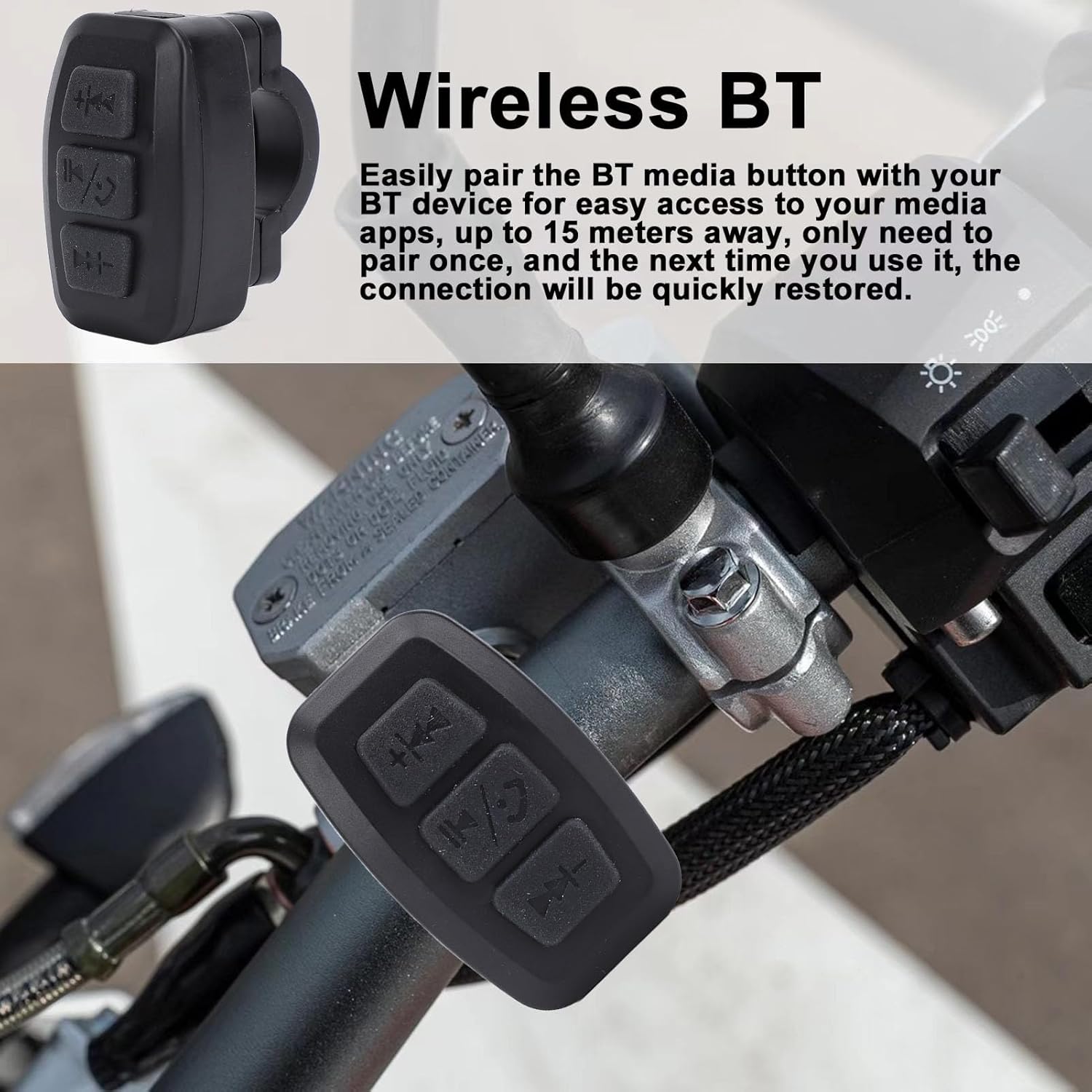
בילד: א נאָענטע בילד view of the GOWENIC remote controller securely mounted on a bicycle handlebar, ready for use.
3. בלועטאָאָטה פּערינג
- זיכער מאַכן אַז אייער סמאַרטפאָון'ס בלועטוט איז ענייבאַלד.
- Power on the GOWENIC remote controller. The blue BT connection indicator light will flash, indicating it is in pairing mode.
- On your smartphone, search for available Bluetooth devices and select the GOWENIC controller from the list.
- Once paired, the blue BT connection indicator light will become solid.
- The controller features one-step pairing, meaning it will automatically connect to the last paired device every time it is powered on.
אַפּערייטינג ינסטראַקשאַנז
The GOWENIC remote controller provides convenient access to your phone's media and call functions from your handlebar, with a maximum control distance of approximately 15 meters.

בילד: א דעטאַלירטע view of the remote controller's buttons, showing the previous track/volume down, play/pause/call, and next track/volume up controls.
קנעפּל פאַנגקשאַנז:
- Top Button (Previous Track / Volume Down):
- Short press: Skip to previous track.
- לאַנג דריקן: פֿאַרקלענערן די באַנד.
- Middle Button (Play/Pause / Answer/End Call):
- Short press: Play or pause media.
- Short press during incoming call: Answer call.
- Short press during active call: End call.
- Long press: Reject incoming call.
- Bottom Button (Next Track / Volume Up):
- קורץ דרוק: האָפּקען צו דער ווייַטער שפּור.
- לאַנג דריקן: פֿאַרגרעסערן די באַנד.
וישאַלט
The GOWENIC remote controller features an IPX6 water-resistant design, making it suitable for outdoor use and resistant to strong jets of water. To ensure longevity and optimal performance:
- ווישן די מיטל מיט אַ ווייך, דamp טוך צו רייניקן. פֿאַרמייַדן שאַרפע כעמיקאַלן אָדער אַברייסיוו רייניגער.
- Ensure the USB Type-C charging port cover (if present) is securely closed when not charging to maintain water resistance.
- Store the controller in a cool, dry place when not in use for extended periods.
- ויסמיידן יקספּאָוזינג די מיטל צו עקסטרעם טעמפּעראַטורעס.
טראָובלעשאָאָטינג
| פּראָבלעם | מעגלעך סיבה | לייזונג |
|---|---|---|
| קאָנטראָללער טוט נישט מאַכט אויף. | נידעריגע אדער אויסגעשעפטע באַטעריע. | Charge the controller using the provided USB Type-C cable. |
| קען נישט פאַרבינדן מיטן סמאַרטפאָן. | Bluetooth not enabled on phone; controller not in pairing mode; interference. |
|
| אומגעריכטע פֿאַרבינדונג אָדער קורצע רייכווייט. | Obstructions; distance too great; low battery. |
|
| קנעפּלעך נישט ריספּאַנדינג. | Not connected to phone; app not active; low battery. |
|
ספּעסאַפאַקיישאַנז
| מאָדעל | GOWENIC1auvcm9odb-11 |
| מאַטעריאַל | ABS |
| מאַקסימום קאָנטראָל דיסטאַנסע | בעערעך. 15 ם / 49.21 פט |
| אַרבעט צייט | בעערעך. 100 שעה |
| טשאַרדזשינג צייט | בעערעך. 1 שעה |
| סטאַנדביי צייט | בעערעך. 18 חדשים |
| באַטערי טיפּ | Li Battery (built-in) |
| באַטאַרייע קאַפּאַציטעט | 300 מאַה |
| טשאַרדזשינג אופֿן | וסב טיפּ-C 5 וו |
| ינדיקאַטאָר ליכט | Breathing light (charging), Blue (BT connection, key indicator) |
| קאַמפּאַטאַבילאַטי | iOS, Android Phones |
| וואַסער קעגנשטעל | IPX6 |
| דימענסיעס (פּאַקעט) | 10.8 X 9.9 X 3.4 סענטימעטער |
| וואָג (פּאַקעט) | 60 ג |

Image: Illustration showing the remote controller's universal compatibility with bikes, motorcycles, and electric vehicles.
וואָראַנטי און שטיצן
Specific warranty details for the GOWENIC BT Cordless Bike Handlebar Remote Phone Controller are typically provided with your purchase documentation or can be found on the official GOWENIC website. For technical support or inquiries, please refer to the contact information provided by your retailer or the manufacturer's official support channels.


