הקדמה
Thank you for choosing the OnePlus Nord Buds 3 Pro wireless earbuds. These earbuds are designed to provide an immersive audio experience with features like Hybrid Active Noise Cancellation, deep bass, and extended battery life. This manual provides detailed instructions for setting up, operating, maintaining, and troubleshooting your device to ensure optimal performance.
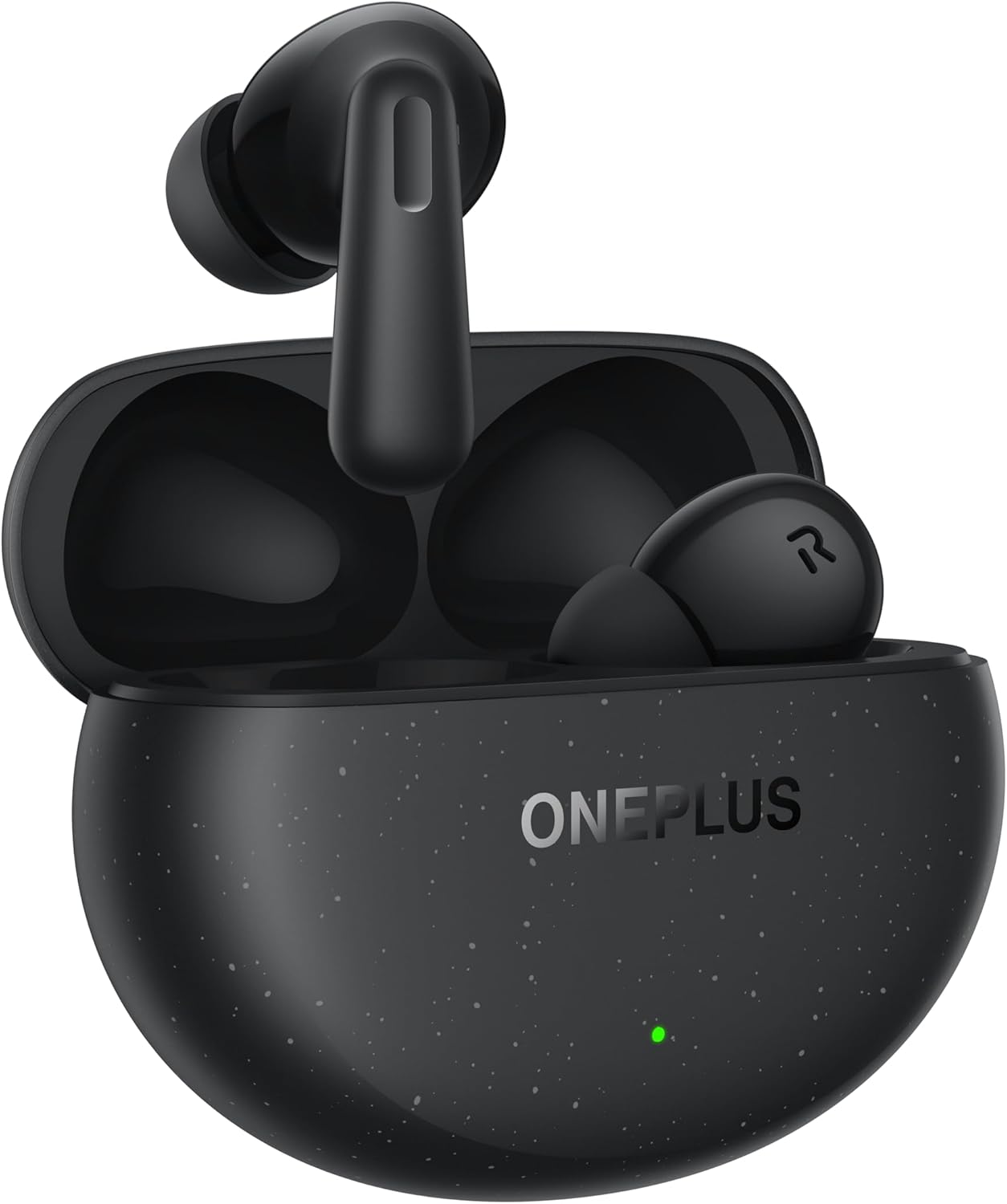
Image: The OnePlus Nord Buds 3 Pro earbuds, in Starry Black, are shown inside their open charging case. The case has a speckled finish and the OnePlus logo. A small green LED indicator is visible on the front of the case.
וואָס איז אין די קעסטל
Carefully unpack your OnePlus Nord Buds 3 Pro and ensure all items are present:
- OnePlus Nord Buds 3 Pro earbuds (1 pair)
- OnePlus Nord Buds 3 Pro charging case (1 unit)
- Silicon eartips (3 pairs: S, M, L)
- USB Type-C charging cable (1 unit)
- User guide (1 unit)
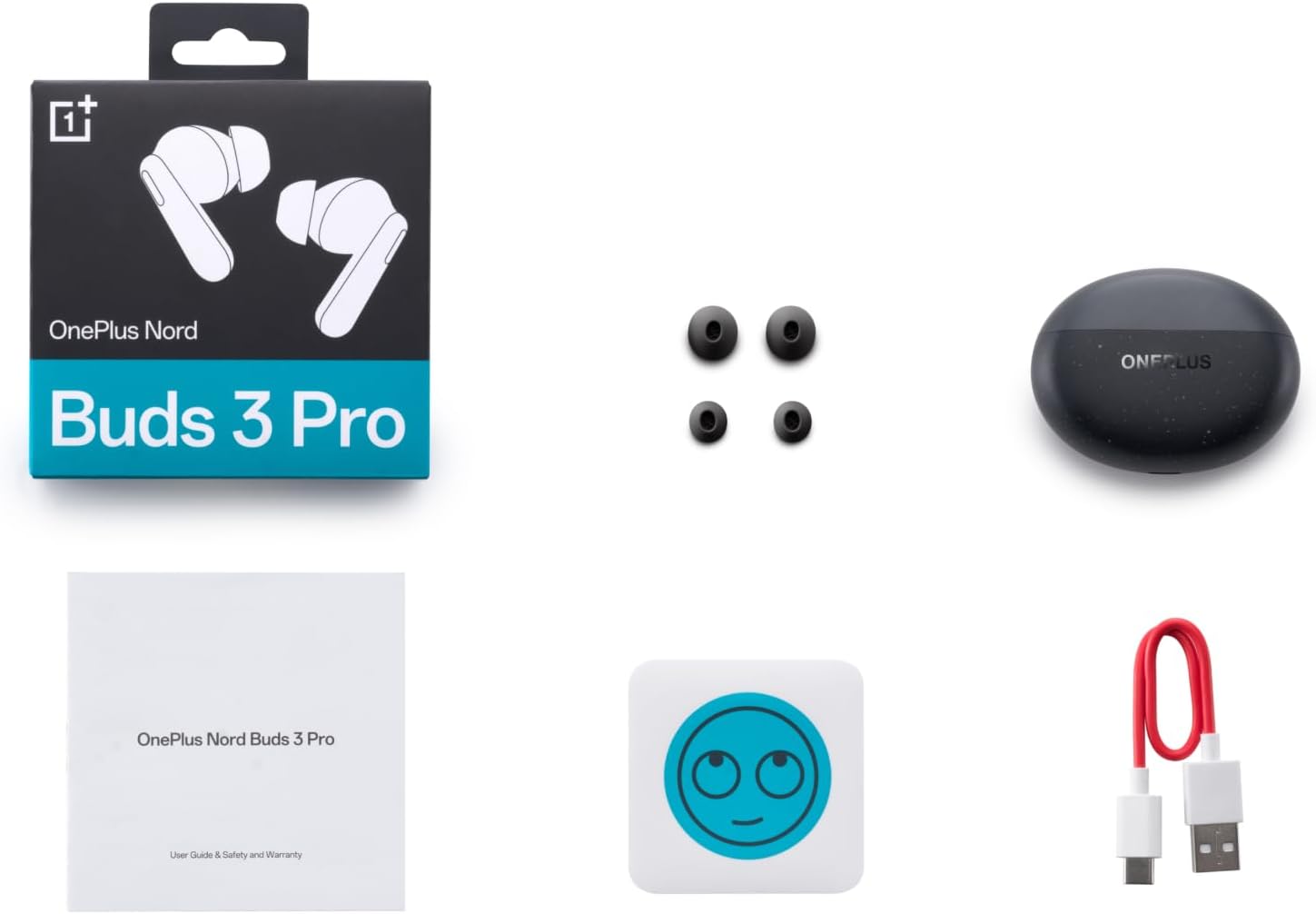
Image: A flat lay of the OnePlus Nord Buds 3 Pro package contents, including the retail box, the charging case, three pairs of silicone eartips, a USB Type-C charging cable, and the user guide.
סעטאַפּ
1. ערשטע אויפלאָדונג
Before first use, fully charge the earbuds and the charging case. Connect the provided USB Type-C cable to the charging port on the case and a power source. The indicator light on the case will show charging status.
2. פּערינג מיט דיין מיטל
- זיכער מאַכן אַז די אויערקנעפּלעך זענען אין דער טשאַרדזשינג קעסטל און דער דעקל פון דער קעסטל איז אָפֿן.
- Press and hold the function button on the charging case for 2 seconds until the indicator light flashes white, indicating pairing mode.
- On your device (smartphone, tablet, etc.), go to Bluetooth settings and select "OnePlus Nord Buds 3 Pro" from the list of available devices.
- For Android devices, the earbuds support Google Fast Pair for quick connection. Simply open the case near your Android device and follow the on-screen prompts.

Image: A person holding a OnePlus Nord Buds 3 Pro charging case and a smartphone. The smartphone screen displays a prompt for Google Fast Pair, showing the earbuds ready to connect, illustrating the pairing process.
3. HeyMelody App
For enhanced features and customization, download the HeyMelody app from your device's app store. The app allows you to manage settings, update firmware, and locate your earbuds.
אַפּערייטינג ינסטראַקשאַנז
ריר קאָנטראָלס
The OnePlus Nord Buds 3 Pro feature intuitive touch controls on each earbud. Default controls are as follows, but can often be customized via the HeyMelody app:
- איין טאַפּ: שפּילן/פּויזע מוזיק, ענטפֿערן/ענדיגן רוף.
- טאָפּל טאַפּ: נעקסטע ליד, אפווארפן רוף.
- דרייַיק טאַפּ: פֿריִערדיקע שפּור.
- דריקן און האַלטן (1 סעקונדע): Switch between Active Noise Cancellation (ANC) and Transparency mode.
אַקטיווע ראַש קאַנסאַליישאַן (ANC) און טראַנספּעראַנסי מאָדע
The earbuds offer Hybrid Active Noise Cancellation up to 49dB to minimize ambient noise. Transparency mode allows you to hear your surroundings without removing the earbuds. Toggle between these modes by pressing and holding the earbud touch area.

Image: An infographic detailing key features of the OnePlus Nord Buds 3 Pro, including up to 44 hours listening time, 49dB Hybrid Active Noise Cancellation, 12.4mm Titanized Diaphragm, and Basswave 2.0 technology.
געזונט קוואַליטי
Equipped with a 12.4mm titanium-coated diaphragm and Basswave 2.0 technology, the Nord Buds 3 Pro deliver rich bass, clear vocals, and an immersive sound experience.
באַטאַרייע און טשאַרדזשינג
- עאַרבוד באַטערי לעבן: Up to 44 hours with ANC off, up to 20 hours with ANC on (including charging case).
- שנעל טשאַרדזשינג: 10 minutes of charging provides up to 11 hours of playtime.
- טשאַרדזשינג קאַסע: Recharge the case using the provided USB Type-C cable.
וישאַלט
- רייניקונג: רייניקט רעגולער די אויערקנעפּלעך און די טשאַרדזשינג קעסטל מיט אַ ווייכן, טרוקענעם, לינט-פֿרייע שטאָף. ניצט נישט קיין שאַרפע כעמיקאַלן אדער אַברייסיוו מאַטעריאַלן.
- אויער עצות: Remove and clean the silicone eartips with water and mild soap if necessary. Ensure they are completely dry before reattaching.
- טשאַרדזשינג קאָנטאַקטן: האַלט די טשאַרדזשינג קאָנטאַקטן אויף ביידע די אויערן-קנעפּלעך און אינעווייניק פון די קעסטל ריין און פריי פון שמוץ צו ענשור געהעריק טשאַרדזשינג.
- סטאָרידזש: ווען נישט אין באַנוץ, לייגט די אויערן-קנעפּלעך אין זייער טשאַרדזשינג קעסטל צו באַשיצן זיי און האַלטן זיי טשאַרדזשד. פֿאַרמייַדט עקסטרעמע טעמפּעראַטורן.
טראָובלעשאָאָטינג
אויערקנעפּלעך פאַרבינדן זיך נישט אָדער פאַרבינדן זיך נישט:
- מאַכן זיכער אַז די עאַרבודז זענען באפוילן.
- Place earbuds in the case, close the lid, then open it again to re-enter pairing mode.
- קאָנטראָלירט די בלועטוט סעטטינגס פון אייער דעווייס און זיכערט זיך אַז בלועטוט איז ענייבאַלד.
- פרובירט צו פארגעסן דעם דעווייס אין אייערע בלועטוט סעטינגס און ווידער פארבינדן.
- ריסטאַרט דיין מיטל.
קיין קלאַנג אָדער שלעכטע קלאַנג קוואַליטעט:
- קאָנטראָלירט דעם וואָלומען אויף ביידע אייער דעווייס און די אויערקנעפּלעך.
- Ensure the earbuds are properly seated in your ears and the correct size eartips are used.
- רייניקט יעדן שמוץ פון די אויערקנעפל רעדנערס און טשאַרדזשינג קאָנטאַקטן.
- ריקט זיך נענטער צו אייער פארבונדענע דעווייס כדי צו פארמיידן אריינמישונג.
אויערקנעפּלעך לאָדן זיך נישט אויף:
- זיכער מאַכן אַז דער טשאַרדזשינג קאַבל איז זיכער פארבונדן צו ביידע דעם קעסטל און די מאַכט מקור.
- באַשטעטיקן אַז די מאַכט מקור איז אַקטיוו.
- רייניקט די טשאַרדזשינג קאָנטאַקטן אויף ביידע די אויערקנעפּלעך און אינעווייניק פון די קעסטל.
ספּעסאַפאַקיישאַנז
| שטריך | דעטאַל |
|---|---|
| מאָדעל נאָמען | Nord Buds 3 Pro (E511A) |
| סאָרט | אָנעפּלוס |
| קאַנעקטיוויטי טעכנאָלאָגיע | בלועטאָאָטה |
| בלועטאָאָטה ווערסיע | 5.4 |
| ראַש קאָנטראָל | Hybrid Active Noise Cancellation (up to 49dB) |
| דרייווער גרייס | 12.4mm Titanized Diaphragm |
| אָפטקייַט ראַנגע | 20 הערץ - 20,000 הערץ |
| סענסיטיוויטי | 38 דב |
| ימפּידאַנס | 32 Ohm |
| באַטעריע לעבן (אויערקנעפּלעך + קעסטל) | Up to 44 hours (ANC off), Up to 20 hours (ANC on) |
| גיך טשאַרדזש | 10 מינוט אויפלאָדן פֿאַר 11 שעה שפּילצײַט |
| טשאַרדזשינג צובינד | וסב טיפּ-C |
| אויער פּלייסמאַנט | אין אויער |
| פּונקט וואָג | 3.52 אונס (0.1 קילאָגראַמס) |
| פּראָדוקט דימענשאַנז | 1.09 X 0.92 X 0.82 אינטשעס |
וואָראַנטי און שטיצן
The OnePlus Nord Buds 3 Pro are covered by a limited warranty. Please refer to the warranty card included in your package for specific terms and conditions, or visit the official OnePlus webפּלאַץ פֿאַר דיטיילד וואָראַנטי אינפֿאָרמאַציע.
פֿאַר טעכנישע שטיצע, הילף מיט פראבלעם-לייזונג, אדער סערוויס אנפֿראַגעס, ביטע באַזוכט די OnePlus שטיצע webפּלאַץ אדער קאָנטאַקט זייער קונה סערוויס גלייך.


