1. הקדמה
Thank you for choosing the MageGee LIGHT100 Wireless Creamy Keyboard. This mechanical keyboard is designed for versatility and comfort, featuring a gasket structure, hot-swappable switches, and multi-mode connectivity. This manual provides essential information for setting up, operating, and maintaining your new keyboard to ensure optimal performance and longevity.

Figure 1: MageGee LIGHT100 Wireless Creamy Keyboard.
2. שליסל פֿעיִקייטן
- Three Mode Connection: Supports Bluetooth 5.0, 2.4GHz wireless, and USB-C wired modes for versatile connectivity across multiple devices.
- Creamy Thock Sound Gasket Structure: Features a gasket-mounted design with five layers of sound-absorbing foams for reduced noise and a softer, more comfortable typing experience.
- Hot Swappable Prebuilt Custom Switch: Equipped with quiet linear Blue Whale switches that are individually removable and compatible with 3-pin/5-pin configurations for easy customization without soldering.
- 16.8 Million Cool RGB Backlight: Offers a wide range of static and dynamic backlight effects and colors to personalize your setup and enhance your gaming experience.
- 8000mAh Large Battery and PBT Keycaps: Features a high-capacity battery for extended use and durable, unique side-printed PBT keycaps. The 96% layout saves desktop space while retaining essential keys.

Figure 2: Gasket structure and internal components for enhanced typing feel.

Figure 3: Creative 96% compact 99-key layout.
3. סעטאַפּ
The MageGee LIGHT100 keyboard offers three convenient connection modes:
- ווייערד מאָדע (USB-C): Connect the detachable USB-C cable from the keyboard to your computer's USB port. The keyboard will automatically be recognized and ready for use.
- 2.4GHz ווירעלעסס מאָדע: Toggle the switch on the keyboard to the '2.4G' position. Insert the 2.4GHz USB receiver into an available USB port on your device. The keyboard will connect wirelessly.
- בלועטוט 5.0 מאָדע: Toggle the switch on the keyboard to the 'BT' position. Press Fn + 1/2/3 to select one of three Bluetooth channels. On your device, search for Bluetooth devices and select 'MageGee LIGHT100' to pair. You can connect up to three devices and switch between them using Fn + 1/2/3.
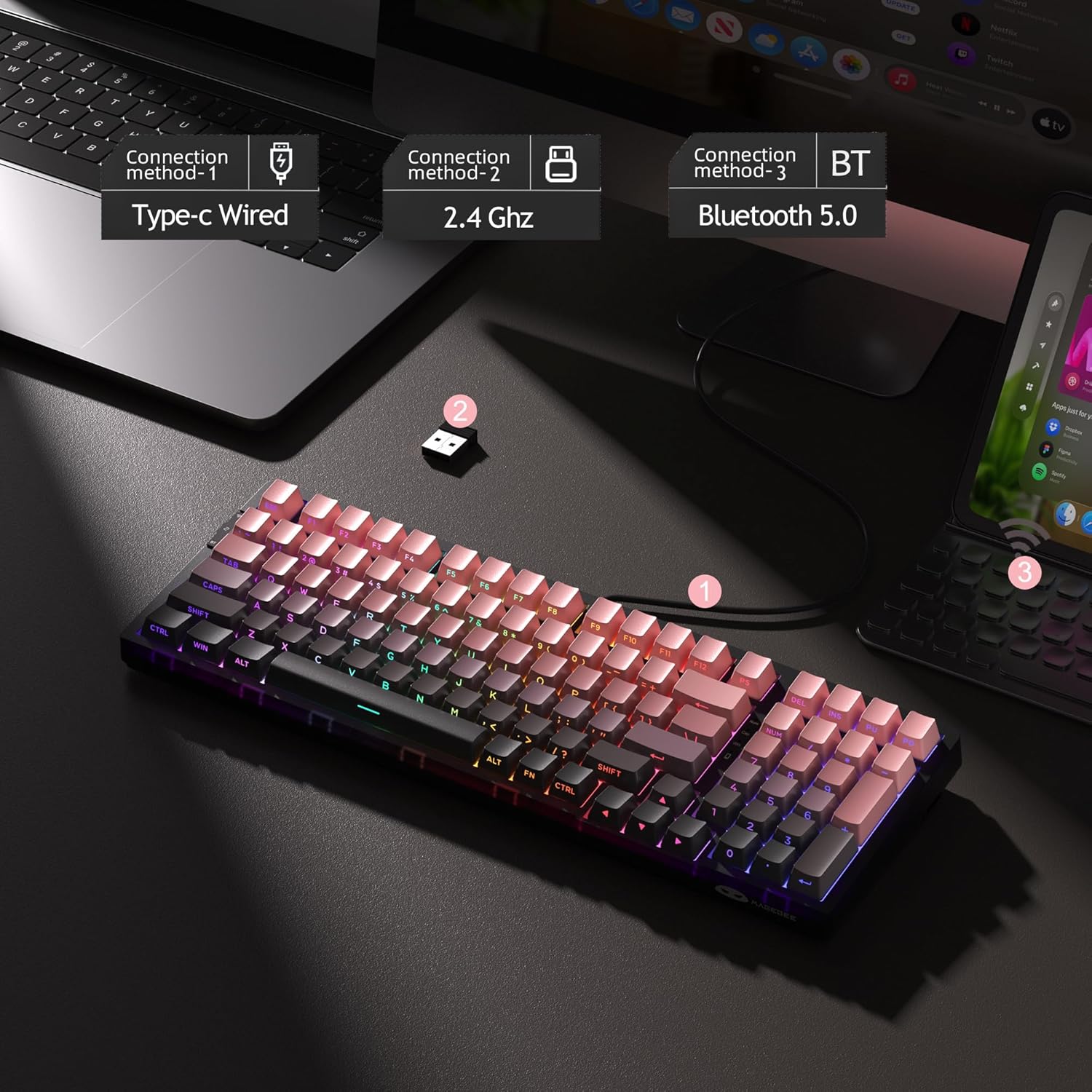
Figure 4: Three connection methods for the LIGHT100 keyboard.
4. אַפּערייטינג ינסטרוקטיאָנס
4.1 RGB באַקלייט קאָנטראָל
The LIGHT100 keyboard features dynamic RGB backlighting with 16.8 million colors. Use the following key combinations to customize the lighting:
- Fn + Enter: Toggle between approximately 20 different backlit modes.
- פֿן + ←/→: Adjust backlit colors.
- פֿן + ↑/↓: Control backlit brightness (increase/decrease).
- Fn + =+/_-: Control backlit speed (increase/decrease).

Figure 5: RGB Backlight control functions.
4.2 באַטערי אינפֿאָרמאַציע
The keyboard is equipped with an 8000mAh large-capacity battery for extended usage. Battery life varies depending on backlight usage:
- Approximately 53 hours with RGB backlight ON.
- Approximately 400 hours with RGB backlight OFF.
- Sleep standby time: Approximately 450 hours.
To check the battery status, press Fn + קטרל.
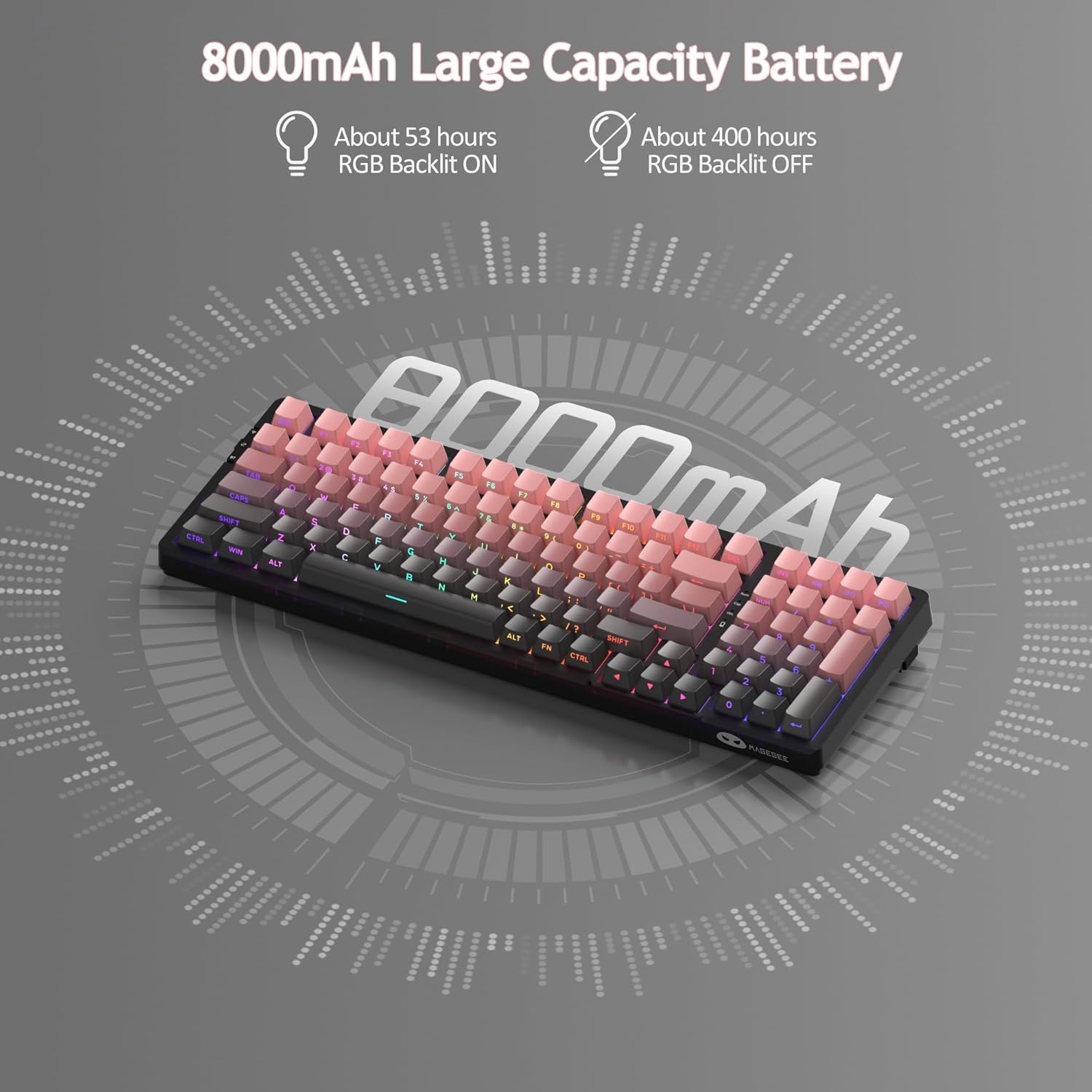
Figure 6: 8000mAh large capacity battery details.
4.3 אפיציעלע פּראָדוקט ווידעאָ
Video 1: Official MageGee LIGHT100 Wireless Gasket Creamy Keyboard overview. This video demonstrates the keyboard's features, including its tri-mode connectivity, gasket structure, and RGB lighting.
5. וישאַלט
5.1 הייס-סוואַפּאַבל סוויטשיז
The MageGee LIGHT100 keyboard features hot-swappable switches, allowing you to easily replace individual switches without soldering. This provides flexibility for customization and repair. The keyboard supports both 3-pin and 5-pin switches.

Figure 7: Hot-swappable switch mechanism.
5.2 PBT שליסל קאַפּס
The keyboard comes with durable PBT keycaps, which are known for their resistance to shine and wear over time. The unique side-printed legends ensure longevity and a clean aesthetic. To clean the keycaps, gently wipe them with a soft, damp cloth. For deeper cleaning, you can use the included keycap puller to remove them and clean individually.

Figure 8: Detachable PBT keycaps for easy cleaning and customization.
6. טראָובלעשאָאָטינג
If you encounter any issues with your MageGee LIGHT100 keyboard, please try the following common troubleshooting steps:
- קאַנעקטיוויטי ישוז: Ensure the keyboard is in the correct mode (wired, 2.4GHz, or Bluetooth) for your connection type. For wireless modes, check battery level. For Bluetooth, ensure your device's Bluetooth is enabled and try re-pairing.
- קנעפּלעך רעאַגירן נישט: Check if the keyboard is properly connected. If in wireless mode, ensure it's charged. If individual keys are not responding, the switch might be faulty and can be replaced due to the hot-swappable design.
- Backlight Problems: Verify that the backlight is turned on using Fn + אַרייַן. אַדזשאַסטירן העלקייט מיט פֿן + ↑/↓.
- Lag or Delay: For wireless connections, try moving closer to the receiver or device. Ensure there are no strong interferences from other wireless devices.
פֿאַר ווייטערדיקע הילף, ביטע זעט די שטיצע אינפֿאָרמאַציע אין סעקציע 8.
7. ספּעסאַפאַקיישאַנז
| סאָרט | MageGee |
| מאָדעל נומער | Rosa - 8000mAh |
| קאַנעקטיוויטי טעכנאָלאָגיע | USB-C, 2.4GHz, Bluetooth 5.0 |
| קלאַוויאַטור באַשרייַבונג | Ergonomic, Mechanical |
| נומער פון קיז | 99 (96% אויסלייג) |
| באַקלייט | RGB (16.8 מיליאָן קאָלירן) |
| באַשטימען טיפּ | Linear (Blue Whale Switch) |
| באַטאַרייע קאַפּאַציטעט | 8000 מאַה |
| פּונקט וואָג | 2.97 פונט |
| פּעקל דימענשאַנז | 16.85 X 8.78 X 2.44 אינטשעס |
| קאַמפּאַטאַבאַל דעוויסעס | Computers, Laptops, Tablets, Smartphones (Win/Mac Dual System) |
8. וואָראַנטי און שטיצן
MageGee products are backed by a limited warranty. For detailed warranty information, product support, or to contact customer service, please visit the official MageGee website or refer to the warranty card included in your product packaging. Please retain your proof of purchase for warranty claims.
MageGee Official Store: Visit the MageGee Store on Amazon


