הקדמה
This manual provides instructions for the setup, operation, and maintenance of your RadioShack Wireless Gaming Mouse. Please read this manual thoroughly before using the product to ensure proper function and longevity.
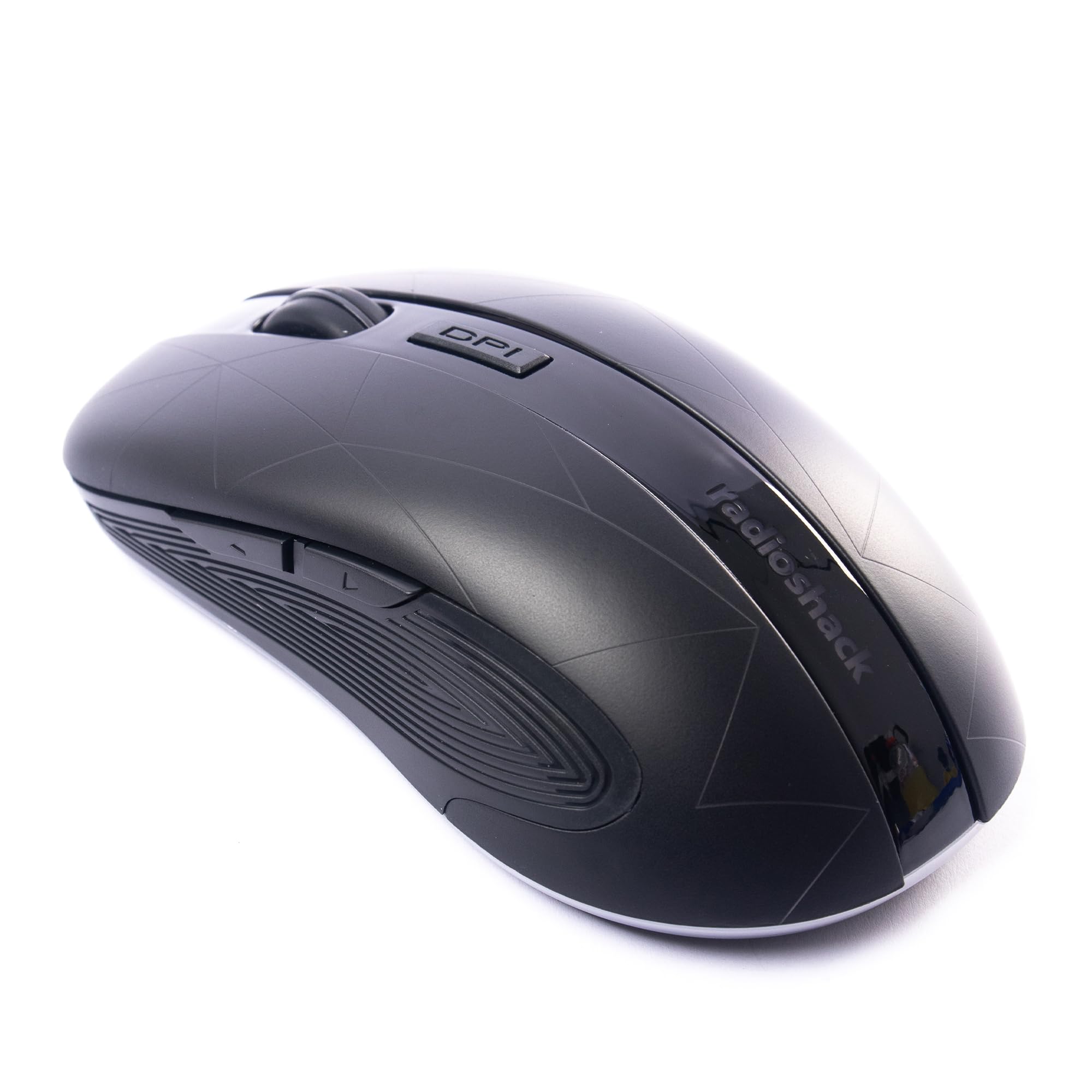
Image: The RadioShack Wireless Gaming Mouse, showcasinג זײַן ערגאָנאָמישן פּלאַן און קנעפּל אויסלייג.
פּעקל אינהאַלט
באַשטעטיקן אַז אַלע זאכן זענען פאַראַן אין פּעקל:
- 1 x RadioShack Wireless Gaming Mouse
- 1 x וסב נאַנאָ ופנעמער
- 1 x טשאַרדזשינג קאַבלע

Image: An infographic detailing the contents of the product package, including the wireless gaming mouse.
סעטאַפּ
- באַשולדיקן די מויז: Before first use, connect the mouse to a USB power source using the provided charging cable. The LED indicator will show charging status.
- Locate the USB Nano Receiver: The USB nano receiver is typically stored in a compartment on the underside of the mouse for convenience.
- פאַרבינדן די ופנעמער: Insert the USB nano receiver into an available USB port on your computer (laptop or desktop).
- מאַכט אָן די מויז: געפינט דעם מאַכט קנעפּל אויף דער אונטערשטער זייט פון דער מויז און רוקט עס צו דער "ON" פּאָזיציע.
- דרייווער ינסטאַלירונג: The mouse is plug-and-play. Your operating system (Windows, Mac, Linux, Chrome OS) should automatically detect and install the necessary drivers.

Image: The wireless gaming mouse shown alongside its compact USB nano receiver, ready for connection.
אַפּערייטינג ינסטראַקשאַנז
יקערדיק פאַנגקשאַנאַליטי
The mouse operates like a standard wireless mouse. Move the mouse to control the cursor on your screen. Use the left and right click buttons for primary and secondary actions, respectively. The scroll wheel allows for vertical scrolling.
אַדזשאַסטירן DPI (סענסיטיוויטי)
The mouse features an adjustable DPI setting, allowing you to change cursor sensitivity. Press the דפּי קנעפּל located behind the scroll wheel to cycle through available DPI settings (800, 1200, 1600, 2400). Each press will change the sensitivity, indicated by a brief LED flash.

בילד: א זייט view of the mouse, illustrating the location of the DPI button for sensitivity adjustments.
פּראָגראַממאַבלע קנעפּלעך
This mouse is equipped with 6 programmable buttons, including customizable side buttons. For advanced customization and macro assignments, you may need to download specific software from the RadioShack support website (if available). Refer to the software's instructions for detailed programming steps.

Image: The wireless gaming mouse from an angle, clearly showing the side buttons which can be programmed for various functions.
טשאַרדזשינג די מאַוס
The mouse uses a built-in rechargeable Lithium Ion battery. When the battery is low, the LED indicator may flash or change color. Connect the provided charging cable to the mouse's charging port and to a USB power source (e.g., computer USB port, USB wall adapter). The LED will indicate charging status and turn off or change color when fully charged.
A full charge typically provides several hours of use, depending on usage patterns.
וישאַלט
- רייניקונג: ניצט אַ ווייכע, טרוקענע שטאָף צו רייניקן די מויז. פֿאַר שווערע שמוץ, אַ ביסל טרוקןamp מען קען ניצן אַ שטאָף, אַזוי אַז קיין נעץ זאָל נישט אַרײַנגיין אין דעם אַפּאַראַט.
- סטאָרידזש: When not in use for extended periods, turn off the mouse to conserve battery life. Store the USB nano receiver inside the mouse's compartment to prevent loss.
- ויסמיידן עקסטרעמע טנאָים: שטעלט נישט אויס די מויז צו עקסטרעמע טעמפּעראַטורן, דירעקטע זונשייַן, אדער הויכע הומידיטי.
טראָובלעשאָאָטינג
| פּראָבלעם | לייזונג |
|---|---|
| מויז ניט ריספּאַנדינג |
|
| פאַרהאַלטונג אָדער ינטערמיטאַנט פֿאַרבינדונג |
|
| קורסאָר באַוועגונג איז נישט סטאַביל אָדער נישט פּינקטלעך |
|
ספּעסאַפאַקיישאַנז
- מאָדעל נומער: 2604789
- קאַנעקטיוויטי: ווירעלעסס 2.4 גהז
- קנעפּלעך: 6 (פּראָגראַמירבאר)
- DPI סעטטינגס: 800, 1200, 1600, 2400 (אַדזשאַסטאַבאַל)
- באַוועגונג דעטעקשאַן: אָפּטיש
- באַטערי: 1 Lithium Ion (Rechargeable, included)
- אַפּערייטינג קייט: אַרויף צו 10 מעטער
- קאַמפּאַטאַבילאַטי: Windows, Mac, Linux, Chrome OS
- דימענסיעס: 4.9" x 2.6" x 1.5"
- וואָג: 6.2 אונסעס
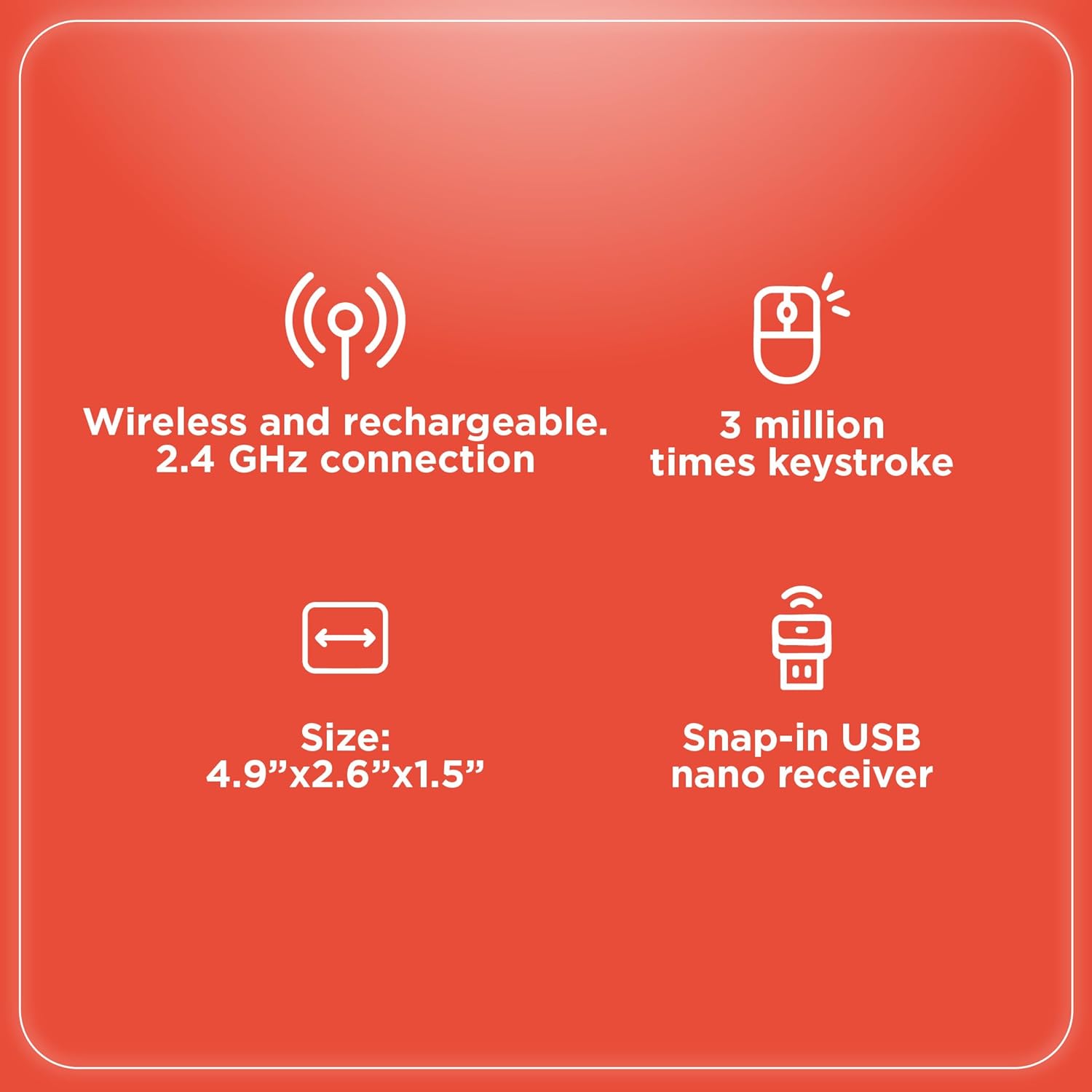
Image: An infographic summarizing key specifications of the wireless gaming mouse, including connectivity, battery, and dimensions.
וואָראַנטי און שטיצן
פֿאַר וואָראַנטי אינפֿאָרמאַציע און טעכנישע שטיצע, ביטע זען די באַאַמטער ראַדיאָשאַק webזייטל אדער קאנטאקט זייער קאסטומער סערוויס. האלט אייער קויף קוויטל אלס באווייז פון קויפן פאר גאראנטיע פארלאנגען.
פאַבריקאַנט: RadioShack
ערשטער דאַטע בנימצא: 28 אויגוסט 2024


