הקדמה
א דאנק פארן קויפןasing the Boytone BT-63K Bluetooth Party Speaker Karaoke Machine. This all-in-one portable speaker is designed to deliver powerful audio and an immersive entertainment experience with its high-fidelity sound, vibrant LED lights, and versatile connectivity options. This manual provides essential information for setting up, operating, and maintaining your device to ensure optimal performance and longevity.

Image: The Boytone BT-63K speaker, a wired microphone, and a remote control. The speaker features a black casing with a large front grille and multi-colored LED lights around the speaker cone.
זיכערקייַט אינפֿאָרמאַציע
- לייענען אַלע ינסטראַקשאַנז קערפאַלי איידער איר נוצן דעם פּראָדוקט.
- שטעלט נישט אויס דעם אפאראט צו וואסער, פייכטקייט, אדער עקסטרעמע טעמפעראטורן.
- האַלטן די מיטל אַוועק פון דירעקט זונשייַן און היץ קוואלן.
- פרובירט נישט צו צענעמען אדער פאררעכטן דעם איינהייט אליין. לאָזט איבער אלע סערוויסעס צו קוואַליפֿיצירטע פּערסאָנעל.
- Use only the specified charging adapter to avoid damage.
- ענשור געהעריק ווענטאַליישאַן אַרום די רעדנער בעשאַס אָפּעראַציע.
- אַוועקוואַרפן באַטעריעס פאַראַנטוואָרטלעך לויט די לאָקאַלע רעגולאַציעס.
פּעקל אינהאַלט
באַשטעטיקן אַז אַלע זאכן זענען פאַראַן אין פּעקל:
- Boytone BT-63K Party Speaker
- ווייערד מיקראָפאָן
- ווייַט קאָנטראָל
- Charging Cable (AC/DC adapter not explicitly listed but implied for charging)
- באַניצער מאַנואַל (דעם דאָקומענט)
פּראָדוקט איבערview
פראָנט און צוריק פּאַנאַלז
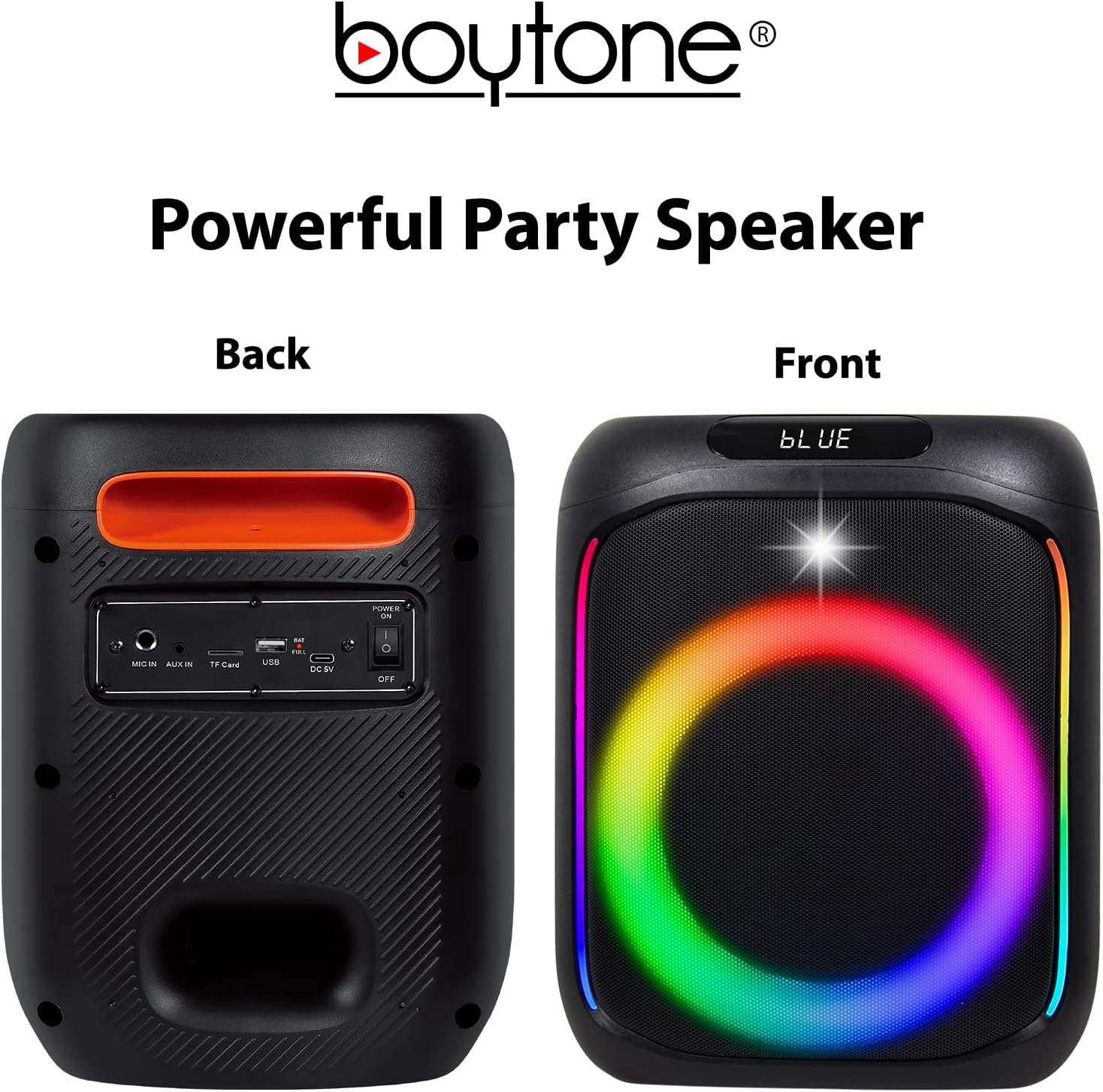
Image: The front of the speaker displays the LED-lit grille. The back panel shows various input ports and controls, including MIC IN, AUX IN, TF Card slot, USB port, DC 5V charging port, and a Power ON/OFF switch.
Top פּאַנעל קאָנטראָלס

Image: The top panel of the speaker features volume controls (- and +), mode selection, track navigation (previous/next), play/pause, LED light control, and a record button.
- MODE/TWS: Press to switch between Bluetooth, FM, AUX, USB, TF Card modes. Long press for TWS pairing.
- PREV/VOL-: Press for previous track. Long press to decrease volume.
- שפּיל / פּויזע: דרוק צו שפּילן אָדער פּויזע אַודיאָ.
- NEXT/VOL+: Press for next track. Long press to increase volume.
- MENU/M.PRI: Menu button, possibly for EQ or other settings.
- LED: Press to cycle through LED light modes or turn off.
- רעק: דרוק צו אָנהייבן / האַלטן רעקאָרדינג.
סעטאַפּ
טשאַרדזשינג די רעדנער
Before first use, fully charge the speaker. Connect the charging cable to the DC 5V port on the back of the speaker and plug the other end into a suitable power source. The charging indicator will illuminate. Once fully charged, the indicator may change color or turn off.
The built-in 3600mAh battery provides approximately 6-10 hours of playback depending on volume level and usage.
מיקראָפאָן קאַנעקשאַן
Insert the wired microphone's plug into the "MIC IN" port on the back panel of the speaker.
אַפּערייטינג ינסטראַקשאַנז
מאַכט אויף / אַוועק
Locate the Power ON/OFF switch on the back panel of the speaker. Slide the switch to "ON" to power on the device. Slide it to "OFF" to power off.
בלועטאָאָטה פּערינג
- Power on the speaker. It will automatically enter Bluetooth pairing mode, indicated by a voice prompt or flashing LED.
- אַקטיווירן בלועטוט אויף אייער מאָביל מיטל (סמאַרטפאָן, טאַבלעט, אאז"וו).
- זוכן פֿאַר "BT-63K" in the list of available Bluetooth devices.
- Select "BT-63K" to connect. Once paired, you will hear a confirmation sound.
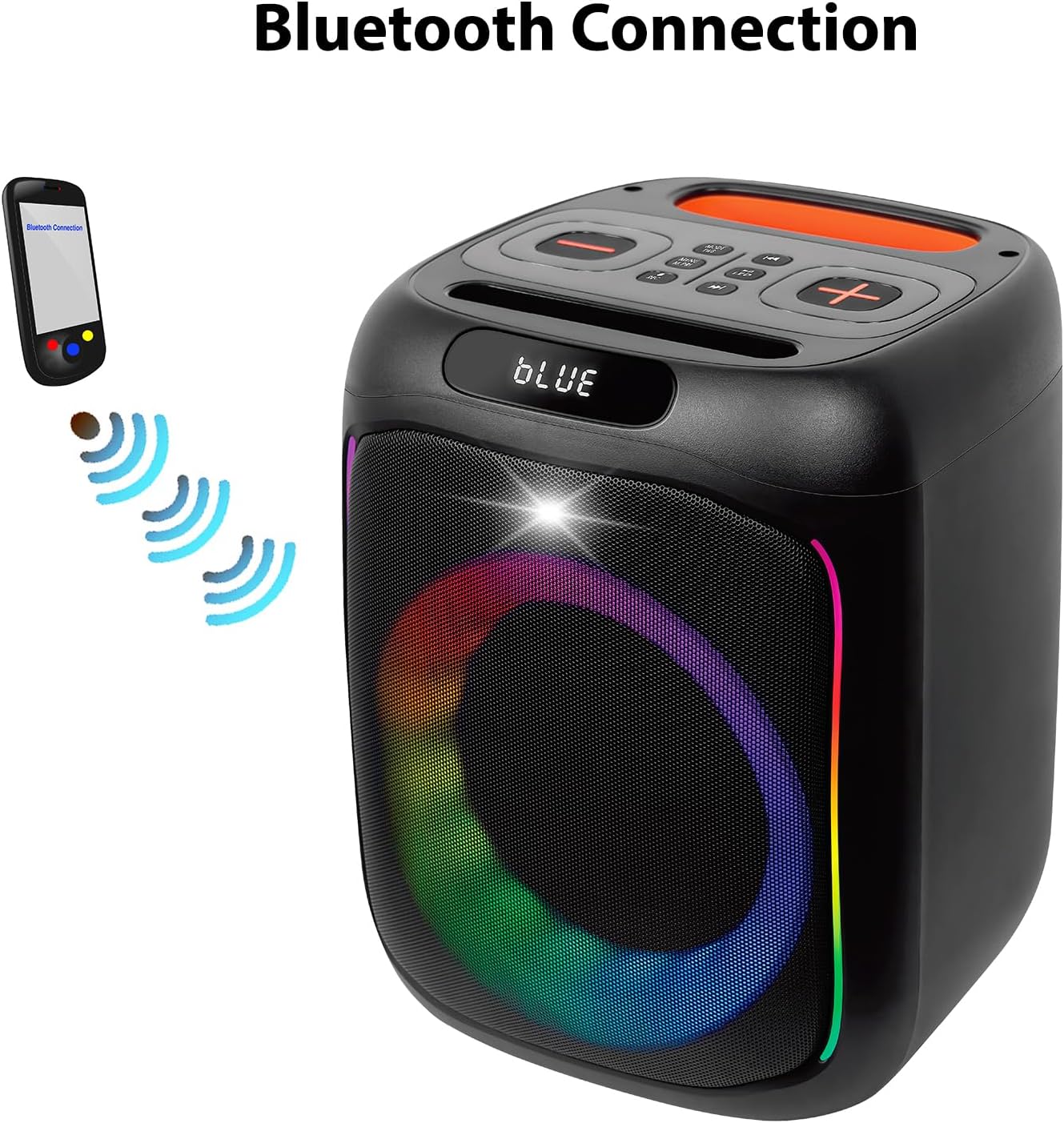
Image: A visual representation of a smartphone wirelessly connecting to the Boytone BT-63K speaker via Bluetooth, indicated by signal waves.
The Bluetooth working distance is up to 100 feet (30 meters) in an open area.
טווס (אמת ווירעלעסס סטעריאָו) פונקציע
The TWS function allows you to pair two BT-63K speakers together for a true stereo sound experience.
- Ensure both BT-63K speakers are powered on and not connected to any Bluetooth device.
- On one of the speakers (this will be the primary speaker), long press the "MODE/TWS" button. You will hear a prompt indicating TWS pairing mode.
- די צוויי רעדנערס וועלן זיך אויטאמאטיש פארבינדן איינער צום צווייטן. אזוי שנעל ווי זיי זענען פארבונדן, וועט איר הערן א באשטעטיגונגס-קלאנג.
- Now, connect your mobile device to the primary speaker via Bluetooth as described in the "Bluetooth Pairing" section. Both speakers will play audio in stereo.
Image: Two Boytone BT-63K speakers are shown, one from the front and one from the top, demonstrating their ability to pair together for a TWS system.
עפעם ראַדיאָ
- Press the "MODE" button repeatedly until you enter FM Radio mode.
- Press the "PLAY/PAUSE" button to automatically scan and save available FM stations.
- Use the "PREV" and "NEXT" buttons to navigate between saved stations.
וסב / טף קאָרט פּלייבאַק
Insert a USB flash drive or a TF (microSD) card into the respective port on the back panel. The speaker will automatically detect the storage device and begin playing compatible audio fileס (למשל, MP3).
- Use "PREV" and "NEXT" buttons to skip tracks.
- Use "PLAY/PAUSE" to pause or resume playback.
AUX ינפּוט
Connect an external audio device (e.g., smartphone, MP3 player) to the "AUX IN" port on the back panel using a 3.5mm audio cable. The speaker will automatically switch to AUX mode or you may need to press the "MODE" button to select AUX.
רעקאָרדינג פֿונקציע
To record audio (e.g., your voice through the microphone):
- Ensure a USB flash drive or TF card is inserted into the speaker.
- פאַרבינדן דעם מיקראָפאָן.
- Press the "REC" button on the top panel to start recording.
- דריק "REC" נאכאמאל צו אפשטעלן די רעקארדירונג. די רעקארדירטע file will be saved to the USB drive or TF card.
עק אַדזשאַסטמאַנט
The speaker features EQ adjustments. Press the "MENU/M.PRI" button to access EQ settings and use the volume buttons to adjust. Refer to the on-screen display for specific options.
געפירט ליגהץ
The speaker features dynamic, multi-colored LED lights. Press the "LED" button on the top panel to cycle through different light modes or to turn the lights off.

בילד: א דעטאַלירטע view of the speaker's internal components, highlighting the subwoofer and the vibrant, multi-colored LED lighting effect around the speaker cone.
וישאַלט
רייניקונג
Wipe the speaker's exterior with a soft, dry cloth. Do not use abrasive cleaners, waxes, or solvents. Ensure no liquids enter the speaker's openings.
סטאָרידזש
When not in use for extended periods, store the speaker in a cool, dry place away from direct sunlight and extreme temperatures. It is recommended to charge the battery periodically (e.g., every 3 months) to maintain its lifespan.
טראָובלעשאָאָטינג
| פּראָבלעם | מעגלעך סיבה | לייזונג |
|---|---|---|
| קיין מאַכט | באַטעריע איז אויסגעשעפּט; די מאַכט קנעפּל איז אויסגעלאָשן. | Charge the speaker; Ensure power switch is in "ON" position. |
| קיין געזונט | Volume is too low; Incorrect mode selected; Device not connected. | Increase volume; Press MODE button to select correct input; Re-pair Bluetooth device or check AUX/USB connection. |
| בלועטאָאָטה קשר פיילז | Speaker is too far from device; Speaker is connected to another device; Bluetooth not enabled on device. | Move device closer to speaker; Disconnect from other devices; Enable Bluetooth on your device and re-pair. |
| מיקראָפאָן טוט נישט אַרבעטן | Microphone not properly plugged in; Microphone volume too low. | Ensure microphone is fully inserted into "MIC IN" port; Check microphone volume settings on the speaker. |
| TWS פּערינג פיילז | Speakers are too far apart; One speaker is already connected to a Bluetooth device. | Ensure speakers are within close proximity; Disconnect any Bluetooth devices from both speakers before attempting TWS pairing. |
ספּעסאַפאַקיישאַנז
- פּראָדוקט טיפּ: פּאָרטאַטיוו בלועטאָאָטה ספּיקער
- מאָדעל נומער: BT-63K
- בלועטאָאָטה ווערסיע: 5.0
- בלועטאָאָטה ארבעטן דיסטאַנסע: אַרויף צו 100ft (30m)
- רעדנער רעזולטאַט מאַכט: 30 וו
- רעדנער אַפּאַראַט: 2 x 6" woofer
- אָפטקייַט ענטפער: 80Hz-20KHz
- שפּיל צייט: Approximately 6-10 hours (depends on playing volume)
- באַטאַרייע קאַפּאַציטעט: 3.5V 3600mAh (Lithium Ion)
- קאַנעקטיוויטי: Bluetooth, USB MP3 music player, TF Card, AUX, USB Port
- פֿעיִקייטן: Microphones (Wired & Wireless), Remote Control, FM Radio, TWS Function, Recorder Function, EQ Adjustment, LED Lights
- אַודיאָ אַרייַנשרייַב: AUX, Microphone (Wired & Wireless)
- פּראָדוקט דימענשאַנז (L x W x H): 8.1 X 7.1 X 17.1 אינטשעס
- נומער וואָג: 8.2 פונט
- מאַטעריאַל: מעטאַל, פּלאַסטיק
- מאַכט מקור: AC/DC
וואָראַנטי און שטיצן
Boytone products are designed for reliability and performance. For any questions, technical support, or warranty inquiries, please contact Boytone customer service. As a U.S.-based company, Boytone is available to assist you.
While specific warranty terms are not detailed here, please retain your proof of purchase for any warranty claims. Protection plans may be available for extended coverage.
Note: For the most current support information, please refer to the official Boytone website or contact details provided with your product packaging.

Image: An American flag graphic with text emphasizing the company's U.S. base and accessibility for customer support.


