
1. הקדמה
This manual provides instructions for the 8Bitdo Ultimate Bluetooth Controller. This wireless gamepad features Hall Sensor Joysticks, a multifunctional charging dock, and a travel case. It is compatible with Nintendo Switch, Steam Deck, and Windows 10, offering versatile connectivity options including Bluetooth, 2.4G wireless, and USB-C wired connections.
2. פּעקל אינהאַלט
זיכער מאַכן אַז אַלע זאכן זענען פאַראַן אין פּעקל:
- 8Bitdo Ultimate Bluetooth Controller
- טשאַרדזשינג דאָק
- 2.4G ווירעלעסס אַדאַפּטער
- וסב- C קאַבלע
- רייזע קאַסע
3. פּראָדוקט איבערview און קאַמפּאָונאַנץ
Familiarize yourself with the controller's layout and features.

בילד: פראָנט view of the 8Bitdo Ultimate Bluetooth Controller, showing the D-pad, ABXY buttons, Hall Effect joysticks, and central function buttons.

בילד: צוריק view of the 8Bitdo Ultimate Bluetooth Controller, highlighting the two Pro back paddle buttons and the mode switching button.

Image: The charging dock for the 8Bitdo Ultimate Bluetooth Controller, shown with the 2.4G wireless adapter removed from its storage slot.
- Hall Effect Sensing Joysticks: Provide enhanced precision and durability.
- 2 Pro Back Paddle Buttons: Customizable buttons located on the rear of the controller.
- מנהג פּראָfile באַשטימען קנעפּל: Allows switching between stored controller profiles.
- 2-way Mode Switching Button: Toggles between Bluetooth and 2.4G wireless modes.
- Player Indicators: LEDs indicating player number.
- וסב- C פּאָרט: פֿאַר טשאַרדזשינג און דראָט פֿאַרבינדונג.
- Multifunctional Charging Dock: Provides stable charging and automatically switches the controller ON/OFF when docked/undocked.
4. סעטאַפּ
4.1 טשאַרדזשינג די קאָנטראָללער
The controller can be charged using the included charging dock or directly via the USB-C cable.
- ניצן די טשאַרדזשינג דאָק: Place the controller onto the charging dock. The controller will automatically begin charging. The player indicators will show charging status.
- ניצן USB-C קאַבלע: Connect the USB-C cable to the controller's USB-C port and to a power source (e.g., computer, USB wall adapter).
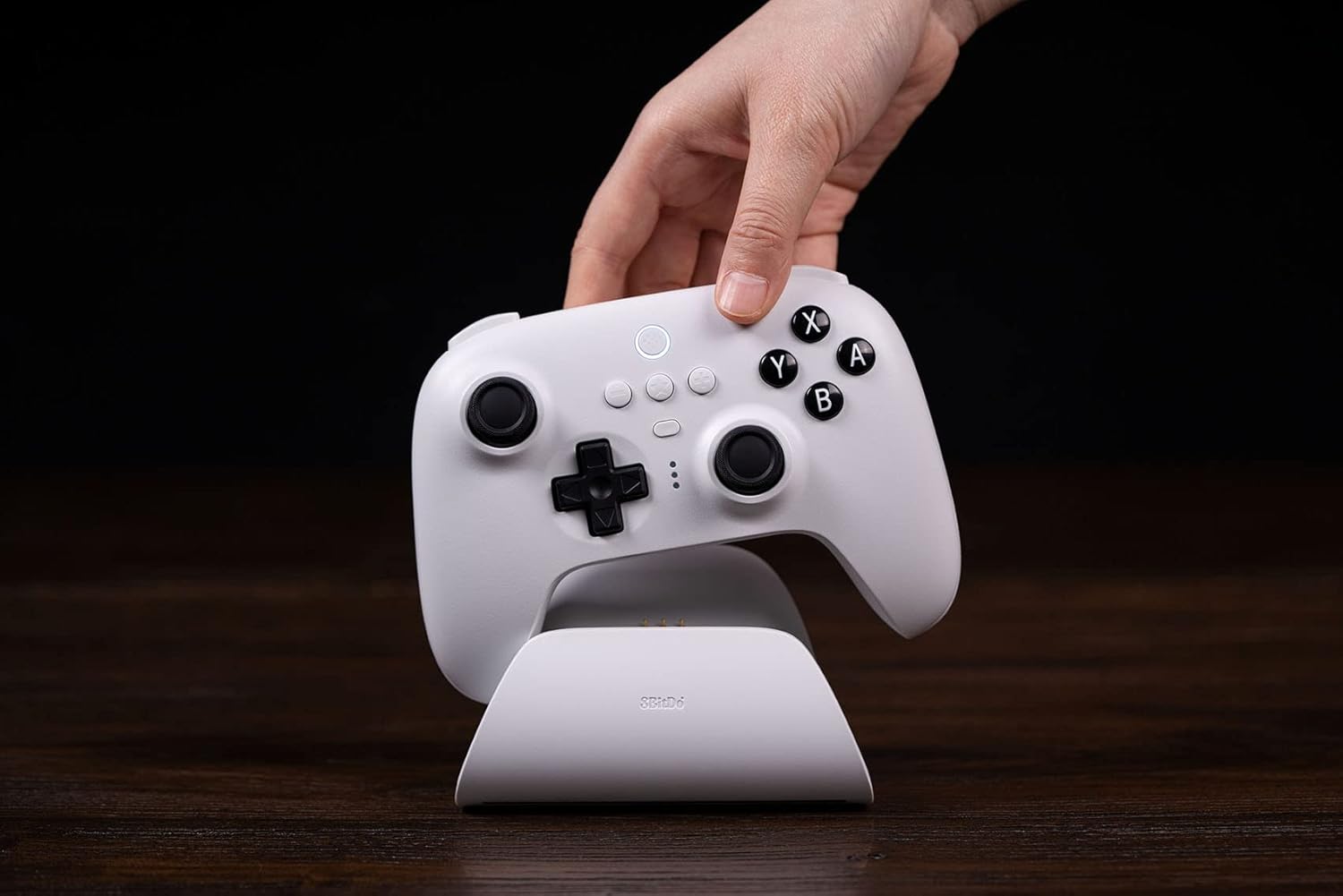
Image: A hand gently placing the white 8Bitdo Ultimate Bluetooth Controller onto its matching white charging dock, which rests on a wooden surface.
4.2 קאַנעקטינג צו דעוויסעס
The controller supports Bluetooth, 2.4G wireless, and USB-C wired connections.
- נינטענדאָו סוויטש:
- Ensure your Switch firmware is version 3.0.0 or above.
- בלועטאָאָטה: Set the controller's mode switch to Bluetooth. On your Switch, go to System Settings > Controllers and Sensors > Disconnect Controllers, then Pair New Controllers. Hold the pairing button on the controller until the player indicators flash.
- 2.4G אַדאַפּטער: Insert the 2.4G adapter into a USB port on the Switch dock. Set the controller's mode switch to 2.4G. The controller should connect automatically.
- דאַמף דעק:
- Update your Steam Deck to the latest version.
- Connect the controller to your Steam Deck in Xinput mode to play. This can be done via Bluetooth, 2.4G adapter, or USB-C cable.

Image: A white 8Bitdo Ultimate Bluetooth Controller being held by hands, connected to a Steam Deck displaying a game. A black 8Bitdo controller is also visible in the foreground.
- Windows 10:
- 2.4G אַדאַפּטער: Insert the 2.4G adapter into an available USB port on your Windows 10 PC. Set the controller's mode switch to 2.4G. The controller should connect automatically.
- USB-C קאַבלע: Connect the controller directly to your PC using the USB-C cable for a wired connection.

Image: A person's hands holding the white 8Bitdo Ultimate Bluetooth Controller while playing a game on a black laptop. The charging dock is visible in the background.
5. אַפּערייטינג ינסטרוקטיאָנס
5.1 מאָדע סוויטשינג
Use the 2-way mode switching button on the back of the controller to select between Bluetooth and 2.4G wireless modes, depending on your device and preferred connection method.

Image: A close-up triptych showing details of the 8Bitdo Ultimate Controller: Custom Profile Switching button, three LED player indicators, and the 2-way Mode Switching button (Bluetooth/2.4G).
5.2 Ultimate Software
The 8Bitdo Ultimate Software is available for PC and mobile devices (Android/iOS). This software allows for advanced customization:
- קנעפּל מאַפּינג: Reassign button functions.
- Macro Support: Create and assign complex button sequences.
- סענסיטיוויטי אַדזשאַסטמאַנט: Fine-tune joystick and trigger sensitivity.
- פּראָfile פאַרוואַלטונג: שפּאָרט ביז 3 קאַסטאַם פּראָfiles to the controller and switch between them using the Custom Profile Switch Button.
Download the Ultimate Software from the official 8Bitdo webפּלאַץ.
5.3 Multifunctional Charging Dock
The charging dock provides a stable connection and convenience. The controller will automatically switch ON when undocked and OFF when docked, conserving battery life.

Image: A hand lifting a black 8Bitdo Ultimate Controller from its matching charging dock, illustrating the automatic power on/off feature.
5.4 נאָך פֿעיִקייטן
- רומבלע ווייבריישאַן: גיט טאַקטיל פֿידבעק בעת גאַמעפּלייַ.
- באַוועגונג קאָנטראָלס: Supported for compatible games (primarily on Switch).
6. וישאַלט
6.1 רייניקונג
Wipe the controller and charging dock with a soft, dry cloth. Avoid using harsh chemicals or abrasive materials that could damage the surfaces.
6.2 סטאָרידזש
When not in use, store the controller in its included travel case to protect it from dust, scratches, and impacts. Store in a cool, dry place away from direct sunlight.
6.3 באַטערי קער
The controller contains a rechargeable Lithium Polymer battery. To prolong battery life:
- פֿאַרמײַדט אָפֿט פֿולשטענדיק אויסצולאָדן די באַטעריע.
- לאָדט דעם קאָנטראָללער רעגולער, אפילו אויב עס איז נישט אין קעסיידערדיקן באַנוץ.
- שטעלט נישט אויס דעם קאנטראלער צו עקסטרעמע טעמפעראטורן.
7. טראָובלעשאָאָטינג
If you encounter issues with your 8Bitdo Ultimate Bluetooth Controller, refer to the following common solutions:
- קאָנטראָללער פֿאַרבינדט זיך נישט:
- Ensure the controller's mode switch is set correctly for your device (Bluetooth or 2.4G).
- Verify the 2.4G adapter is securely plugged into the device.
- פֿאַר בלועטוט, זאָרגט אַז אייער דעווייס'ס בלועטוט איז ענייבאַלד און דער קאָנטראָללער איז אין פּערינג מאָדע.
- Check for and install any available firmware updates for the controller from the official 8Bitdo webפּלאַץ.
- Ultimate Software Issues:
- אויב פּראָfiles are not saving or features are not working, ensure the software is the latest version.
- Some users report difficulties with saving profiles to the controller's memory; ensure the controller is connected properly during the sync process.
- Joystick Snapback or Drift:
- While Hall Effect joysticks reduce drift, some snapback may occur. This can often be mitigated by configuring manual deadzone settings within your game or system settings.
- Buttons Feel Loose:
- If face buttons feel loose, ensure they are not obstructed. If the issue persists and affects functionality, contact customer support.
8. ספּעסאַפאַקיישאַנז
| מאָדעל | לעצט בלועטאָאָטה קאָנטראָללער |
| קאַמפּאַטאַבילאַטי | Nintendo Switch (3.0.0+), Steam Deck (latest version), Windows 10 |
| קאַנעקטיוויטי | בלועטוט 5.0, 2.4G וויירלעס, USB-C מיט ווייערס |
| ספּעציעלע פֿעיִקייטן | Hall Effect Sensing Joysticks, 2 Pro Back Paddle Buttons, Custom Profile Switch Button, 2-way Mode Switching Button, Player Indicators, Rumble Vibration, Motion Controls |
| באַטערי טיפּ | ליטהיום פּאָלימער (אַרייַנגערעכנט) |
| באַטערי לעבן | בעערעך 22 שעה |
| דימענשאַנז | 10.98 x 6.93 x 5.31 אינטשעס (פּאַקעט) |
| וואָג | 1.54 פונט |
| פאַבריקאַנט | 8 ביטדאָ |
באַמערקונג: Switch compatibility does not support HD rumble or amiibo scanning.
9. וואָראַנטי & שטיצן
For detailed warranty information and technical support, please visit the official 8Bitdo webפּלאַץ. די website provides resources such as FAQs, firmware updates, and contact information for customer service.
באַאַמטער Webפּלאַץ: www.8bitdo.com


