1. הקדמה
This manual provides instructions for the safe and effective use of the Xiaomi Magnetic Reading Light Bar, Model BHR8956GL. Please read this manual thoroughly before operating the device and retain it for future reference.
שליסל פֿעיִקייטן
- Wide-angle Illumination: Features a 14.3-inch extended lamp head with a 150lm wide-angle light source for uniform illumination of large areas.
- הויך קאָליר רענדערינג: Utilizes LEDs with a Color Rendering Index (CRI) of Ra90 for accurate color representation.
- לאנג באַטאַרייע לעבן: Equipped with a built-in 2000mAh battery, providing up to 4.5 hours of operation at maximum brightness.
- אַדזשאַסטאַבאַל לamp קאָפּ: Offers ±25° angle adjustment for flexible lighting positioning.
- דריי ברייטנאַס לעוועלס: Allows selection among 10%, 50%, and 100% brightness settings via touch control.
- מאַגנעטיק פּלאַן: Securely attaches to surfaces using a magnetic base with 3M double-sided adhesive.
- USB Type-C טשאַרדזשינג: Convenient charging and connectivity via a standard USB Type-C port.
2. פּראָדוקט קאַמפּאָונאַנץ
דער פּעקל כולל די פאלגענדע זאכן:
- Xiaomi מאַגנעטיק לייענען ליכט באַר
- Magnetic Base with 3M Adhesive
- USB-A to USB-C Charging Cable (1.2 meters)
- באַניצער מאַנואַל

פיגורע 2.1: פראָנט view of the Xiaomi Magnetic Reading Light Bar.
3. סעטאַפּ אינסטרוקציעס
3.1 מאָנטירן די ליכט באַר
- Identify a suitable, clean, and dry surface for mounting the light bar.
- Peel off the protective film from the 3M double-sided adhesive on the magnetic base.
- Press the magnetic base firmly onto the desired surface for secure adhesion.
- Attach the light bar to the magnetic base. The strong magnetic connection will hold it in place.
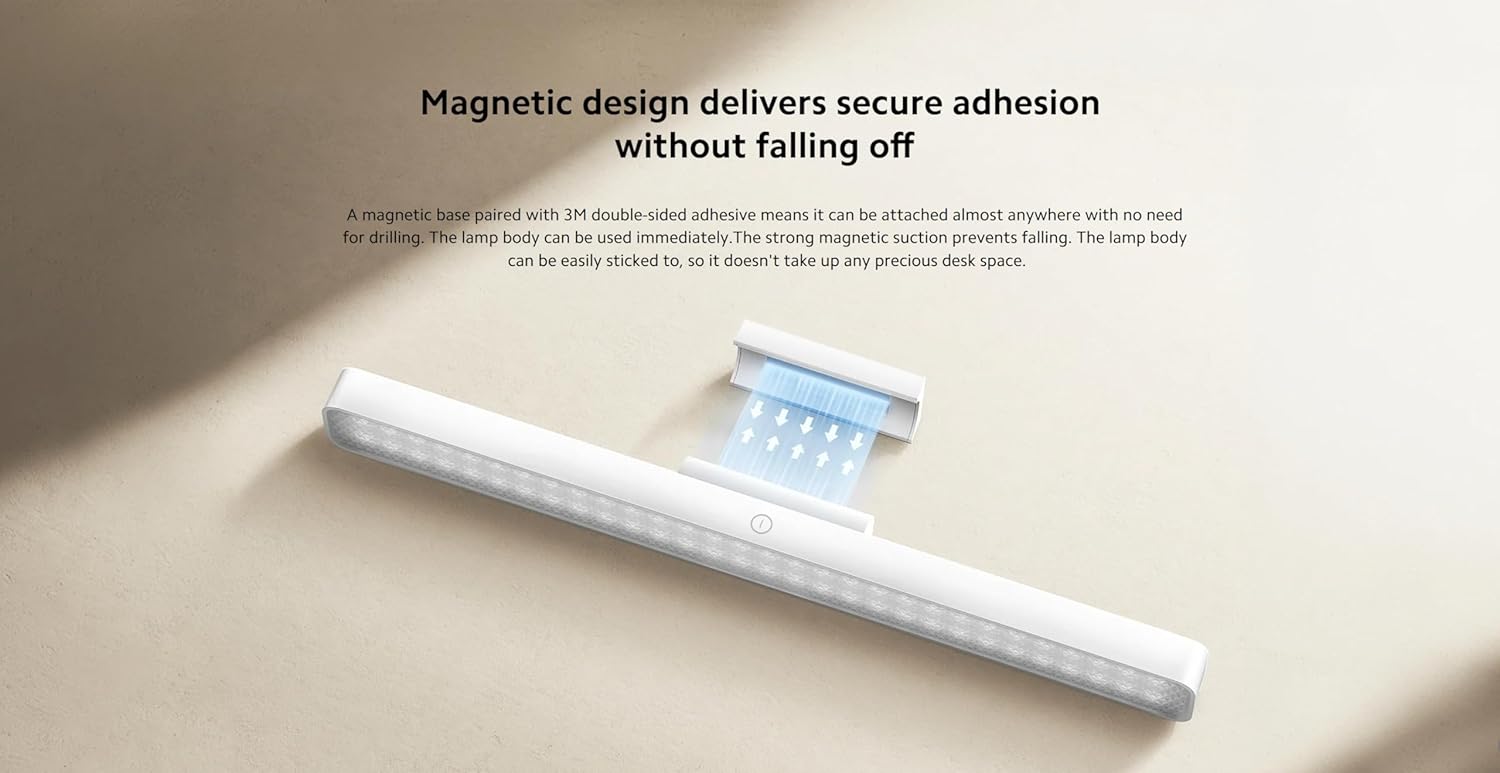
Figure 3.1: Illustration of the magnetic attachment mechanism.
3.2 Charging the Light Bar
The light bar is powered by a rechargeable battery. To charge:
- Locate the USB Type-C port on the side of the light bar.
- Connect the provided USB-A to USB-C charging cable to the light bar.
- פֿאַרבינדט דעם USB-A עק פֿונעם קאַבל צו אַ קאָמפּאַטיבלע USB מאַכט אַדאַפּטער (נישט אַרייַנגערעכנט) אָדער אַ קאָמפּיוטער USB פּאָרט.
- The charging indicator (if present) will show the charging status. Disconnect once fully charged.

Figure 3.2: USB Type-C port for charging and connectivity.
4. אַפּערייטינג ינסטרוקטיאָנס
4.1 אײַנשטעלן/אויסשטעלן און ברייטקייט אדזשאַסטמענט
The light bar features intuitive touch controls:
- מאַכט אויף / אַוועק: Lightly touch the power icon on the light bar to turn it on or off.
- ברייטנאַס אַדזשאַסטמאַנט: Press and hold the power icon to cycle through the three brightness levels: 10%, 50%, and 100%. Release your finger at the desired brightness.
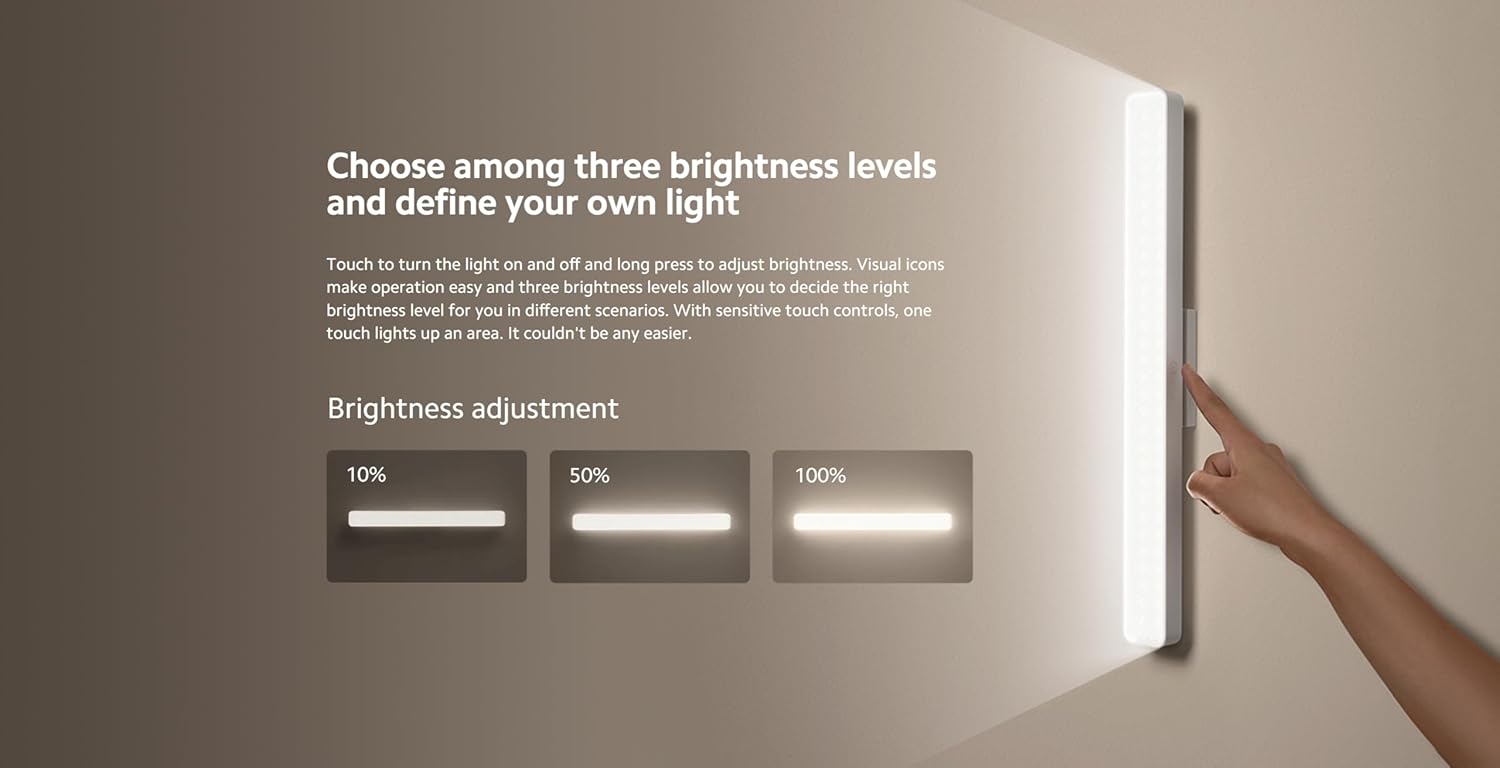
Figure 4.1: Visual representation of the three brightness levels (10%, 50%, 100%).
4.2 ווינקל אַדזשאַסטמאַנט
די לamp head can be adjusted ±25° to direct light precisely where needed. Gently rotate the lamp head to achieve the optimal lighting angle.
4.3 Versatile Use
The light bar's magnetic and portable design allows for various applications:
- Desk Lighting: Provides focused illumination for reading or working.
- Handheld Torch: Detach from the magnetic base for portable lighting.
- אַקצענט לייטינג: Suitable for entrances, wardrobes, makeup areas, or other spaces requiring supplementary light.
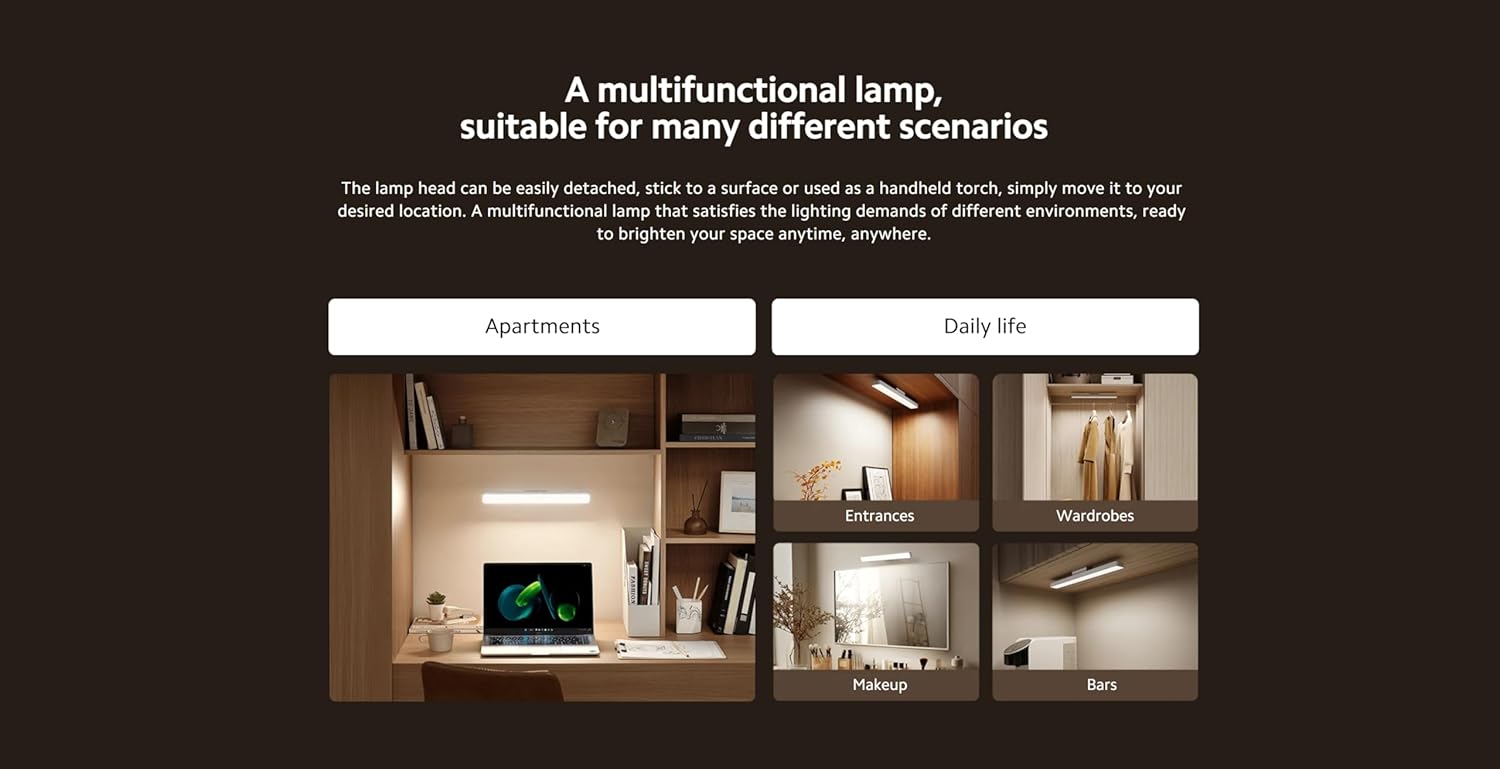
פיגורע 4.2: עקסamples of the light bar's multifunctional applications.
5. וישאַלט
5.1 רייניקונג
To maintain the light bar's appearance and performance:
- זיכער מאַכן אַז די דעוויס איז אויסגעלאָשן און אָפּגעטיילט פֿון יעדער מאַכט מקור איידער רייניקונג.
- ווישט די ייבערפלאַך מיט אַ ווייכן, טרוקענעם, אָדער אַ ביסל נאַסן שטאָףamp שטאָף.
- ניצט נישט קיין שאַרפע רייניקונגס־מיטלען, סאָלווענטן אדער שטרענגע כעמיקאַלן, ווייל די קענען שאַטן די ענדיקונג.
5.2 סטאָרידזש
When not in use for extended periods, store the light bar in a cool, dry place away from direct sunlight and extreme temperatures. Ensure the battery is partially charged before storage to prolong its lifespan.
6. טראָובלעשאָאָטינג
If you encounter issues with your Xiaomi Magnetic Reading Light Bar, refer to the following common problems and solutions:
| פּראָבלעם | מעגלעך סיבה | לייזונג |
|---|---|---|
| די ליכט באַר צינדט זיך נישט אָן. | באַטערי איז דיפּליטיד. | Charge the light bar using the provided USB-C cable. |
| ליכט רעזולטאַט איז טונקל. | Brightness setting is low or battery is low. | Adjust brightness by long-pressing the power icon. If still dim, charge the battery. |
| Light bar detaches from surface. | מאַגנעטישע באַזע נישט זיכער באַפעסטיקט אָדער די ייבערפלאַך איז נישט פּאַסיק. | Ensure the 3M adhesive is firmly pressed onto a clean, smooth surface. Avoid repositioning frequently. |
| טשאַרדזשינג איז פּאַמעלעך אָדער אַרבעט נישט. | דעפעקטיווער קאַבל אָדער מאַכט אַדאַפּטער. | Try a different USB-C cable or power adapter. Ensure the power source provides sufficient current. |
אויב די פראבלעם בלייבט נאך פרובירן די לייזונגען, ביטע קאנטאקטירט קאסטומער סופארט.
7. טעכניש ספּעסאַפאַקיישאַנז
| באַשרייַבונג | דעטאַל |
|---|---|
| מאָדעל נאָמען | מאַגנעטיק ליכט באַר |
| מאָדעל נומער | BHR8956GL |
| סאָרט | XIAOMI |
| פּראָדוקט דימענשאַנז | 14.17 x 1.46 x 1.57 אינטשעס (2"ד x 14"ברייט x 2"ה) |
| פּונקט וואָג | 7.8 אונסעס (220 גראַם) |
| מאַכט מקור | באַטאַרייע פּאַוערד |
| באַטאַרייע קאַפּאַציטעט | 2000 מאַה |
| ליכט מקור טיפּ | געפירט |
| ברייטנאַס | 150 לומען |
| וואָסtage | 5 וואטס |
| קאָליר טעמפּעראַטור | 4000 קעלווין |
| קאָליר רענדערינג אינדעקס (CRI) | ראַ90 |
| באַשטימען טיפּ | ריר |
| מאַטעריאַל | Glass-ceramic, Metal |
| ענדיקן טיפּ | שוואַרץ מעטאַלליק |
| מאַונטינג טיפּ | Desktop (Magnetic) |
| דרינענדיק / דרויסנדיק באַניץ | דרינענדיק |
8. וואָראַנטי אינפֿאָרמאַציע
Xiaomi products are manufactured to high quality standards. This product is covered by a limited warranty against defects in materials and workmanship under normal use. The specific warranty period may vary by region and retailer. Please retain your proof of purchase for warranty claims.
For detailed warranty terms and conditions, please refer to the warranty card included with your product or visit the official Xiaomi webפּלאַץ.
9. קונה שטיצן
For further assistance, technical support, or inquiries regarding your Xiaomi Magnetic Reading Light Bar, please contact Xiaomi customer service through their official channels.
איר קענט געפֿינען מער אינפֿאָרמאַציע און שטיצע רעסורסן דורך באַזוכן די באַאַמטער קסיאַאָמי קראָם אויף אַמאַזאָן.


