הקדמה
Welcome to the user manual for your LTC Nimbleback NB981 95% Wireless Mechanical Keyboard. This manual provides detailed instructions for setting up, operating, maintaining, and troubleshooting your new keyboard.
The NB981 keyboard offers versatile connectivity options (2.4GHz, Bluetooth, USB-C wired), a comfortable typing experience with its 3-layer silicone dampening, and extensive customization through hot-swappable switches and dynamic RGB lighting.
פּעקל אינהאַלט
ביטע באַשטעטיקן אַז אַלע זאכן זענען פאַראַן אין דיין פּעקל:
- LTC Nimbleback NB981 Wireless Mechanical Keyboard
- וסב-C צו וסב-א קאַבלע
- קייקאַפּ פּולער
- Switch Puller (often combined with keycap puller)
- רעזערוו סוויטשעס
- באַניצער מאַנואַל
ונבאָקסינג ווידעא
This video demonstrates the unboxing process and shows the contents typically included with the LTC Nimbleback NB981 keyboard.
פּראָדוקט איבערview
The LTC Nimbleback NB981 is a high-performance mechanical keyboard designed for both gaming and everyday use. It features a 95% layout, combining functionality with a compact design.
שליסל פֿעיִקייטן
- Flexible Tri-Mode Connectivity: Bluetooth, wired, and 2.4GHz options.
- Excellent Silicone Sound Dampענינג: Triple-layer silicone structure for reduced hollow sounds and quiet typing.
- Customizable Hot-Swap Design: Supports most 3-pin and 5-pin MX-style switches without soldering.
- Powerful Software Support: Key remapping, macro assignments, and personalized lighting effects for Windows, Android, iOS, and macOS.
- Dynamic RGB Illumination: 18 vibrant backlight modes with adjustable speed and brightness.
- Long-lasting 4000mAh Battery: Extended usage with battery status monitoring (FN+backspace).
Keyboard Layout and Components
Refer to the images below for a visual guide to the keyboard's layout and internal structure.
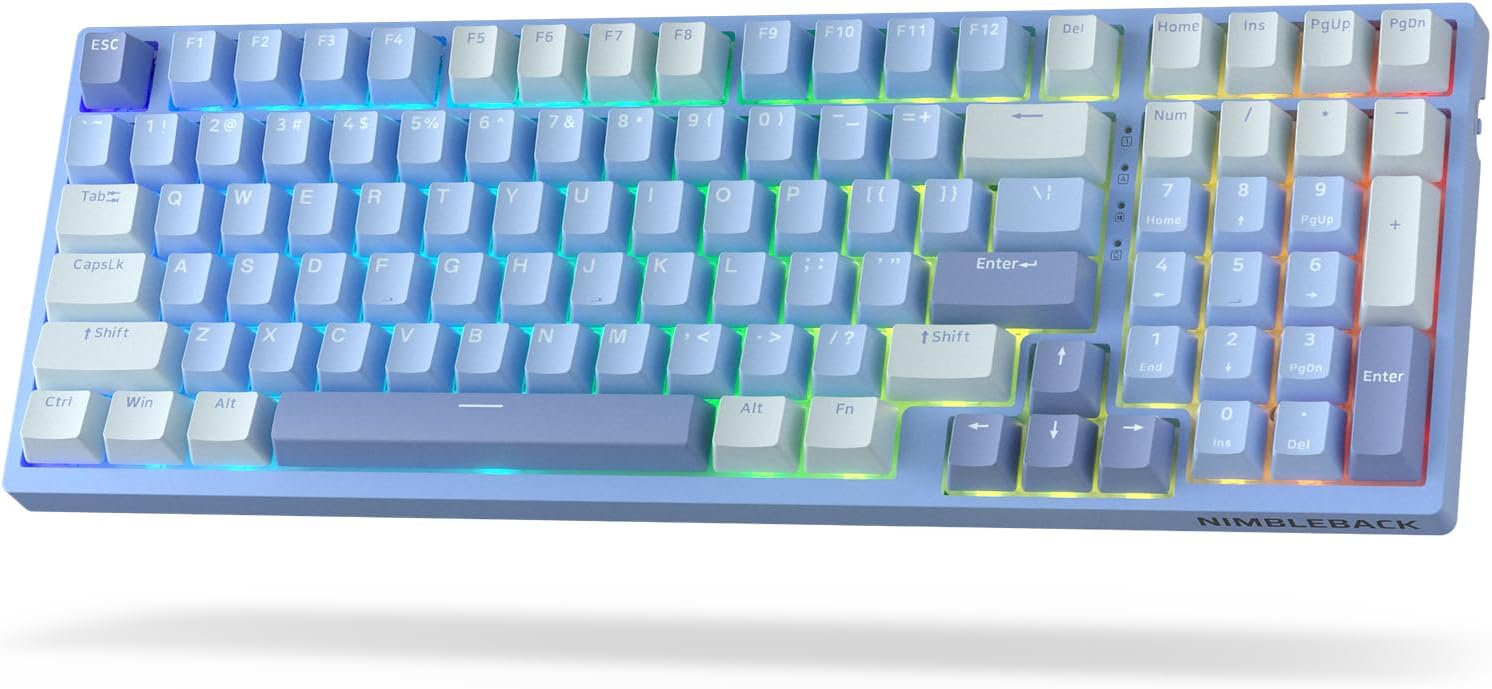
בילד: פון אויבן אַראָפּ view of the LTC Nimbleback NB981 keyboard in Sky Blue, showcasing its 95% layout with RGB backlighting.

Image: Diagram highlighting key features of the NB981 keyboard, including 3-layer silicone padding, 98-key layout, tri-mode connection, 4000mAh battery, hot-swap PCB, PBT keycaps, dynamic RGB, and software support.
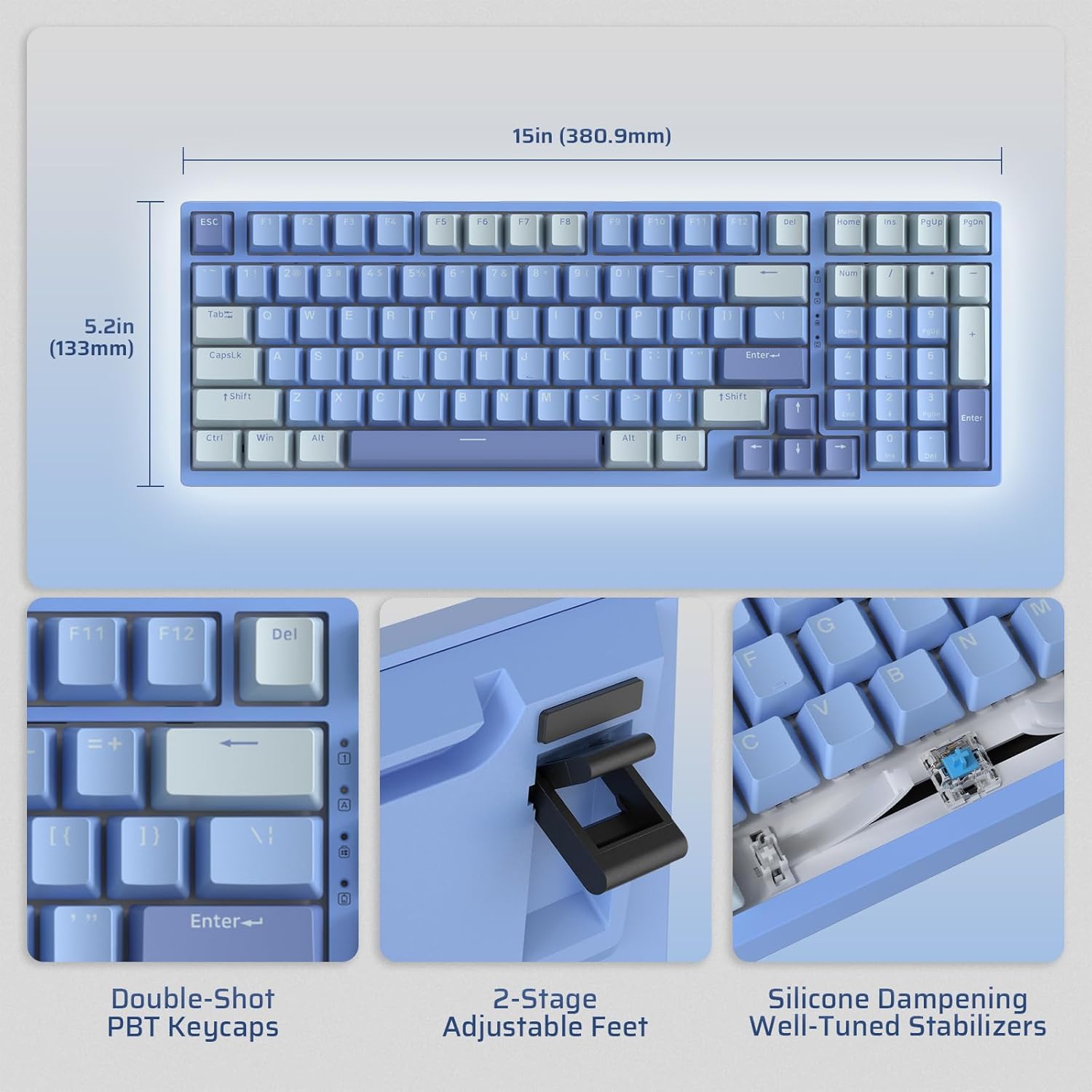
Image: Illustrates the dimensions of the keyboard (15 inches / 380.9mm length, 5.2 inches / 133mm width), double-shot PBT keycaps, 2-stage adjustable feet, and silicone dampening with well-tuned stabilizers.
סעטאַפּ
Before first use, it is recommended to fully charge the keyboard using the provided USB-C cable.
ערשט קאַנעקשאַן
The keyboard supports three connection modes: 2.4GHz wireless, Bluetooth, and USB-C wired.

Image: Visual representation of the tri-mode connectivity options: Bluetooth 5.0 (up to 3 devices), 2.4GHz fast-response wireless, and USB-C stable wired mode.
קאַנעקטיוויטי מאָדעס
2.4 גהז ווירעלעסס מאָדע
- געפינט דעם 2.4GHz USB דאָנגל, וואָס געפינט זיך געוויינטלעך אין אַ אָפּטייל אויף דער הינטערשטער זייט פון דער קלאַוויאַטור.
- Plug the dongle into an available USB-A port on your computer.
- צינדט אָן די קלאַוויאַטור מיטן אָן/אויס קנעפּל וואָס געפינט זיך אויף דער זייט.
- די קלאַוויאַטור זאָל זיך אויטאָמאַטיש פֿאַרבינדן. אויב נישט, דריק fn+4 פֿאַר 3 סעקונדעס צו אָנהייבן פּערינג.
בלועטאָאָטה מאָדע
- קער אויף די קלאַוויאַטור מיט די ON/OFF באַשטימען.
- דרוק fn+1, fn+2, אָדער fn+3 to select a Bluetooth channel. The corresponding key will flash rapidly, indicating pairing mode.
- On your device (computer, tablet, smartphone), enable Bluetooth and search for "LTC NB981".
- Select the keyboard to pair. The key will stop flashing once connected.
- You can store up to three Bluetooth devices.
יו-עס-בי-סי ווייערד מאָדע
- פֿאַרבינדט דעם צוגעשטעלטן USB-C קאַבל צום USB-C פּאָרט פֿון דער קלאַוויאַטור.
- Connect the other end of the cable (USB-A) to your computer's USB port.
- די קלאַוויאַטור וועט אויטאָמאַטיש איבערגיין צו ווייערד מאָדע און אָנהייבן טשאַרדזשינג.
אַפּערייטינג ינסטראַקשאַנז
באַקלייט קאָנטראָל
The NB981 features dynamic RGB illumination with 18 modes.
- Fn + |: Backlight On/Off
- Fn + ↑: Backlight Modes Switch (Cycle through 18 modes)
- Fn + ↓: Backlight Colors Switch (Change color in static modes)
- Fn + ←: Backlight Speed -
- Fn + →: באַקלייט ספּיד +
- Fn + F5: Backlight Brightness -
- Fn + F6: Backlight Brightness +
To restore factory settings for backlight, long press Fn + ספעיס.
Multimedia Keys (Windows System)
ניצן די Fn key in combination with the F-keys for multimedia functions:
- Fn + F1: Display Brightness -
- Fn + F2: Display Brightness +
- Fn + F3: Back to Desktop
- Fn + F4: Mission Control
- Fn + F7: Last Song
- Fn + F8: שפּיל / פּויזע
- Fn + F9: ווייַטער ליד
- Fn + F10: שטום
- Fn + F11: Volume -
- Fn + F12: באַנד +
ווייכווארג שטיצן
The keyboard supports powerful software for full customization. This software allows for key remapping, macro assignments, and advanced lighting effects.
The software is compatible with Windows (7, 8, 10, 11), Android, iOS, and macOS. Please visit the official LTC website for software download and detailed instructions.

Image: Screenshot of the LTC keyboard customization software, showing options for key remapping, macro creation, and RGB lighting control.
Hot-Swap Switch Replacement
The NB981 features a hot-swappable PCB, allowing you to change switches without soldering.
- Use the provided switch puller tool to gently remove the desired switch.
- Align the pins of the new 3-pin or 5-pin MX-style switch with the holes on the PCB.
- Press the new switch firmly into place until it clicks. Ensure the pins are straight to avoid bending.

בילד: דעטאַלירט view of the hot-swap PCB, illustrating pre-lubed linear switches, hot-swap sockets, and well-lubed stabilizers.
סאָונד פּראָfile
The keyboard's 3-layer silicone dampening structure significantly minimizes hollow sounds and cavity noise, providing a smooth and quiet typing experience.
This video provides a sound test of the LTC Nimbleback NB981 keyboard, demonstrating its typing acoustics with the integrated sound dampענינג.
וישאַלט
- רייניקונג: Use a soft, dry cloth to wipe the keyboard surface. For deeper cleaning, use the keycap puller to remove keycaps and clean dust or debris with compressed air or a small brush.
- באַטערי זאָרגן: To prolong battery life, avoid fully discharging the keyboard frequently. Charge it when the battery indicator (FN+backspace) shows low power.
- סטאָרידזש: האַלט די קלאַוויאַטור אין אַ קיל, טרוקן אָרט אַוועק פון דירעקט זונשייַן און עקסטרעמע טעמפּעראַטורן.
טראָובלעשאָאָטינג
קלאַוויאַטור רעאַגירט נישט:
- זייט זיכער אַז די קלאַוויאַטור איז אנגעצינדן.
- Check the battery level (FN+backspace). Recharge if low.
- For wired mode, ensure the USB-C cable is securely connected to both the keyboard and the computer. Try a different USB port.
- For 2.4GHz mode, ensure the dongle is properly inserted and try re-pairing (fn+4 פֿאַר 3 סעקונדעס).
- For Bluetooth mode, ensure Bluetooth is enabled on your device and try re-pairing (Fn + 1/2/3 פֿאַר 3 סעקונדעס).
- פּרוּווט ריסטאַרטינג דיין קאָמפּיוטער.
שליסלען רעגיסטרירן זיך נישט אדער טייפן זיך צוויי מאל:
- This could indicate a faulty switch. Use the switch puller to replace the affected switch with a spare one.
- זיכער מאַכן אַז דער סוויטש איז גאָר אַרײַנגעזעצט אין דער פּקב.
פראבלעמען מיט באַקלייט:
- Ensure backlight is turned on (Fn + |).
- סטרויערן ברייטנאַס (Fn + F5/F6).
- Cycle through modes (Fn + ↑) or colors (Fn + ↓).
- Reset backlight to factory settings (Long press Fn + ספעיס).
בלועטוט פֿאַרבינדונג נישט סטאַביל:
- זיכער מאַכן אַז קיין אַנדערע דעוויסעס זאָלן נישט פאַרשאַפן שטערונג.
- מאַך די קלאַוויאַטור נעענטער צו דיין מיטל.
- Try forgetting the device on your computer's Bluetooth settings and re-pairing.
ספּעסאַפאַקיישאַנז
| שטריך | דעטאַל |
|---|---|
| סאָרט | LTC |
| מאָדעל | NB981 |
| קאַנעקטיוויטי | Bluetooth, RF (2.4GHz), USB-C |
| קלאַוויאַטור טיפּ | מעטשאַניקאַל |
| נומער פון קיז | 98 |
| באַקלייט | RGB |
| באַטאַרייע קאַפּאַציטעט | 4000 מאַה |
| פּונקט וואָג | 3.3 פונט |
| פּעקל דימענשאַנז | 16.45 X 6.93 X 2.01 אינטשעס |
| קאַמפּאַטאַבאַל דעוויסעס | PC (Windows, Android, iOS, macOS via software) |
| ספּעציעלע פֿעיִקייטן | Backlit, Hotkeys and Media Keys, Programmable Keys, Hot-Swappable |
| לאַנד פון אָריגין | כינע |
וואָס איז אין די קעסטל
- קייקאַפּ פּולער
- וסב קאַבלע
וואָראַנטי און שטיצן
For warranty information and technical support, please refer to the official LTC webזייטל אדער קאנטאקט זייער קאסטומער סערוויס. האלט אייער קויף קוויטל פאר גאראנטיע טענות.
באַזוכן די LTC Official Store פֿאַר מער פּראָדוקטן און שטיצע.


