Xiaomi Redmi Pad SE 8.7-inch WiFi Tablet User Manual
Model: VHUU5100EU
סאָרט: XIAOMI
הקדמה
This comprehensive user manual provides detailed instructions for setting up, operating, maintaining, and troubleshooting your Xiaomi Redmi Pad SE 8.7-inch WiFi tablet (Model: VHUU5100EU). Please read this manual thoroughly to ensure proper usage and to maximize your device's performance and longevity.
וואָס איז אין די קעסטל
Your Xiaomi Redmi Pad SE package includes the following items:
- Xiaomi Redmi Pad SE 8.7-inch WiFi Tablet
- Fast Car Dual USB 16W
- וואנט אַדאַפּטער
- וסב קאַבלע
פּראָדוקט איבערview
Familiarize yourself with the key components and design of your Xiaomi Redmi Pad SE.

פראָנט און צוריק View: The Xiaomi Redmi Pad SE in Auora Green, showcasing its 8.7-inch display and the rear camera module.
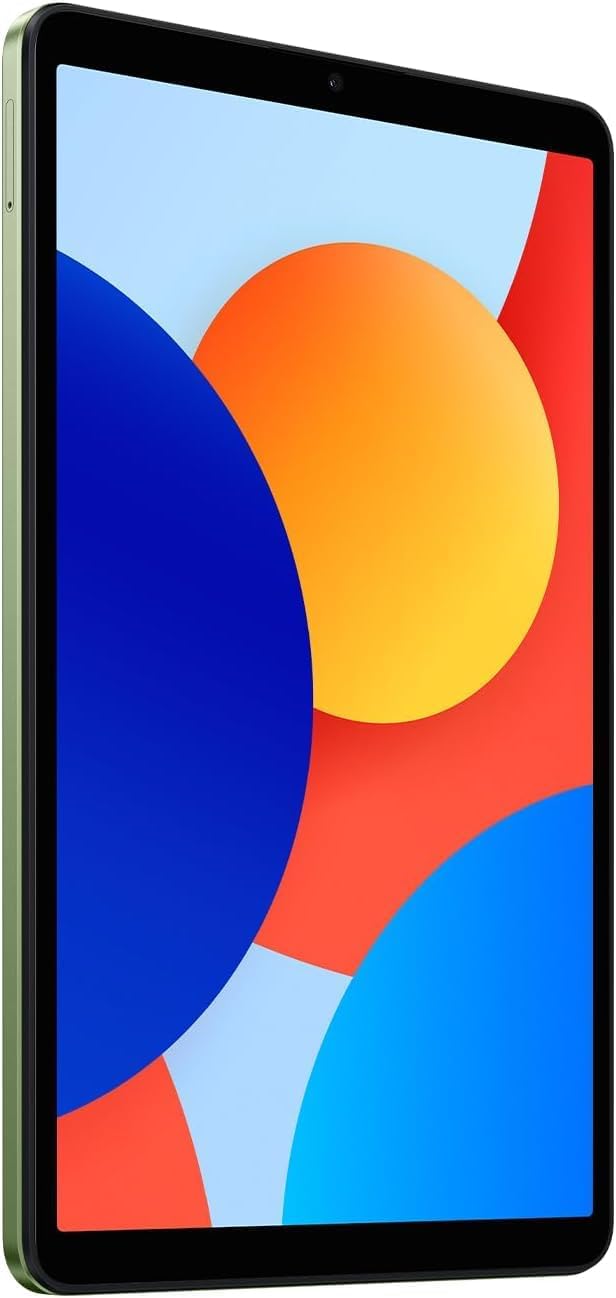
פראָנט View: אַ קלאָר view of the 8.7-inch LCD display, ideal for media consumption and browsing.
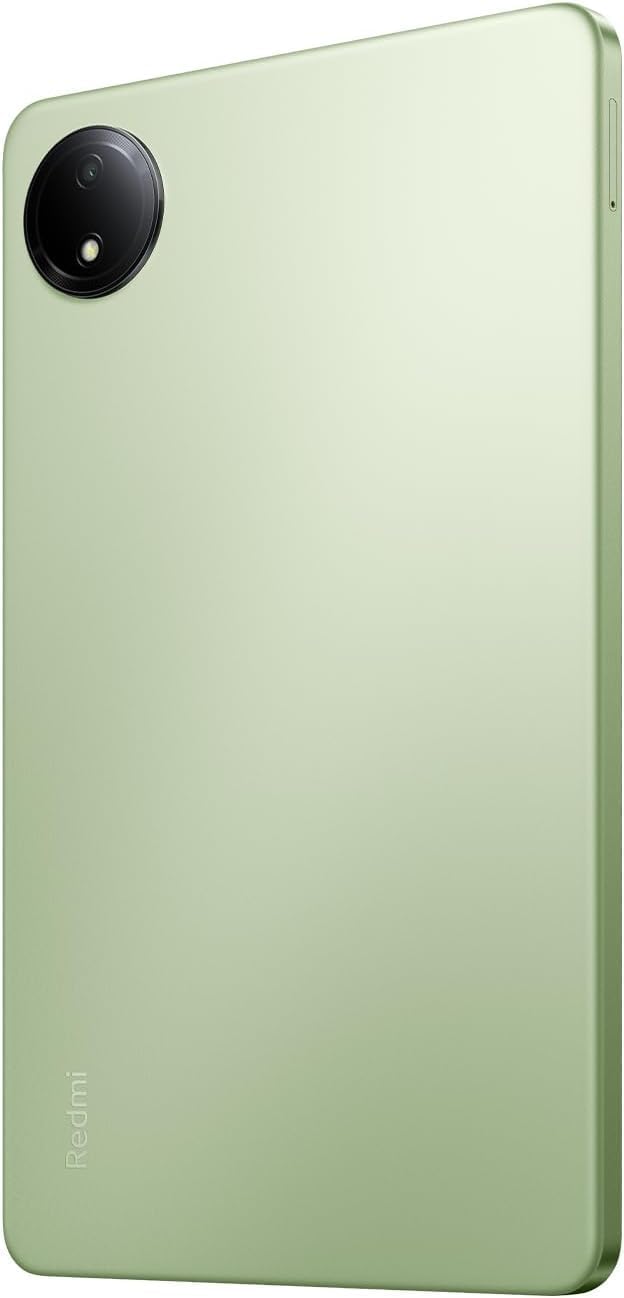
צוריק View: The sleek rear panel of the tablet, highlighting the 8MP main camera.

זייַט View: א שלאַנק פּראָfile of the tablet, showing the power and volume buttons on the side.
סעטאַפּ
- מאַכט אויף: Press and hold the Power button on the side of the tablet until the Xiaomi logo appears.
- ערשט קאַנפיגיעריישאַן: פֿאָלגט די אינסטרוקציעס אויף דעם עקראַן צו אויסקלײַבן אײַער שפּראַך, ראַיאָן און זיך פֿאַרבינדן צו אַ Wi-Fi נעץ.
- גוגל אקאונט: לאָג אַרײַן מיט אײַער גוגל אַקאַונט אָדער שאַפֿט אַ נײַעם. דאָס איז וויכטיק פֿאַר צוטריט צום גוגל פּליי סטאָר און אַנדערע גוגל באַדינונגען.
- זיכערהייט סעטאַפּ: Set up your preferred screen lock method (PIN, pattern, password, or face unlock).
- דאַטן טראַנספער (אפציאָנעל): If you are upgrading from another device, you may choose to transfer your data during this step.
- גאַנץ סעטאַפּ: Finish the remaining setup steps to start using your tablet.
אַפּערייטינג ינסטראַקשאַנז
יקערדיק נאַוויגאַציע
- היים פאַרשטעלן: סווייפּ לינקס אָדער רעכטס צו נאַוויגירן צווישן היים סקרינז.
- אַפּ שופלאָד: סווייפּ אַרויף פֿון דער אונטערשטער טייל פֿון דעם עקראַן צו צוטריטן אַלע אינסטאַלירטע אַפּליקאַציעס.
- נאָטיפיקאַציעס און שנעלע סעטטינגס: לאַקכענען אַראָפּ פֿון די שפּיץ פון דעם עקראַן צו view נאָטיפיקאַציעס און צוטריט צו שנעלע סעטטינגס קנעפּלעך (Wi-Fi, בלועטוט, אאז"וו).
- לעצטע אַפּפּס: צאַפּן אויף דעם קוואַדראַטישן איקאָן (אָדער סווייפּ אַרויף און האַלט אויב איר ניצט דזשעסטשערז) צו view און באַשטימען צווישן לעצטנס גענוצטע אַפּליקאַציעס.
מולטיטאַסקינג
- שפּאַלטן פאַרשטעלן: From the recent apps screen, long-press an app icon and select the split-screen option to use two apps simultaneously.
- שוועבענדיקע פֿענצטער: Some apps support floating windows for quick access while using other applications.
קאַנעקטיוויטי
- ווי-פי: גיין צו סעטטינגס> Wi-Fi צו פֿאַרבינדן זיך צו פֿאַראַן נעטוואָרקס.
- בלועטאָאָטה: גיין צו סעטטינגס> בלועטאָאָטה צו פאַרבינדן מיט בלועטוט דעוויסעס ווי כעדפאָונז אָדער ספּיקערז.
וישאַלט
באַטערי קער
- ויסמיידן עקסטרעם טעמפּעראַטורעס.
- ניצט דעם אריגינעלן טשאַרדזשער און קאַבל פֿאַר אָפּטימאַלער טשאַרדזשינג.
- לאָזט נישט די באַטאַרייע גאָר אויסליידיקן אָפט.
ווייכווארג דערהייַנטיקונגען
קאָנטראָלירט און אינסטאַלירט רעגולער סיסטעם דערהייַנטיקונגען צו זיכער מאַכן אַז אייער מיטל האט די לעצטע פֿעיִקייטן, זיכערהייט פּאַטשאַז און פאָרשטעלונג פֿאַרבעסערונגען. גייט צו Settings > About tablet > System update.
רייניקונג
Use a soft, lint-free cloth to clean the screen and body of the tablet. Avoid harsh chemicals or abrasive materials.
סטאָרידזש מאַנאַגעמענט
To optimize performance, regularly manage your storage by deleting unnecessary files and apps. You can expand storage using a microSD card.
טראָובלעשאָאָטינג
- מיטל נישט פּאַוערינג אויף: Ensure the tablet is charged. Connect it to the charger and wait a few minutes before attempting to power it on again.
- Wi-Fi קאַנעקטיוויטי ישוז: Restart your tablet and your Wi-Fi router. Forget the network in settings and reconnect.
- פּאַמעלעך פאָרשטעלונג: Close unnecessary background apps, clear cache, and ensure sufficient storage space. Consider a factory reset as a last resort (back up your data first).
- אַפּפּס קראַשן/פֿרירן: אויסמעקן די אַפּ'ס קאַש און דאַטן אין סעטטינגס > אַפּפּס. If the issue persists, uninstall and reinstall the app.
ספּעסאַפאַקיישאַנז
| שטריך | דעטאַל |
|---|---|
| שטייענדיק פאַרשטעלן אַרויסווייַזן גרייס | 8.7 אינטשעס |
| פאַרשטעלן האַכלאָטע | 1340x800 |
| מאַקסימום סקרין האַכלאָטע | 1340 X 800 בילדצעלן |
| פּראַסעסער | 2 גיגאהערץ אקטא קאר |
| טשיפּסעט בראַנד | אָרעם |
| אָפּערייטינג סיסטעם | Android 14, HyperOS |
| פּונקט וואָג | 13.2 אונסעס |
| פּראָדוקט דימענשאַנז | 8.32 X 0.34 X 4.94 אינטשעס |
| קאָליר | Auora Green (ONLY WIFI) |
| דערציען Webקאַם האַכלאָטע | 8 מפּ |
| פּראַסעסער סאָרט | MediaTek |
| קאָמפּיוטער זכּרון טיפּ | DDR3 SDRAM |
| פלאַש זכּרון גרייס | 6 גיגאבייט |
| באַטעריז | 1 ליטהיום פּאָלימער באַטעריז פארלאנגט. (אַרייַנגערעכנט) |
וואָראַנטי און שטיצן
Your Xiaomi Redmi Pad SE is covered by a manufacturer's warranty. Please refer to the warranty card included in your product packaging for specific terms and conditions. For technical support or service inquiries, please visit the official XIAOMI support webפּלאַץ אָדער קאָנטאַקט זייער קונה דינסט.


