1. הקדמה
Thank you for choosing the AutoSky Portable Tire Inflator, Model AAC-301. This device is designed to provide convenient and efficient inflation for various items, including car tires, motorcycle tires, bicycle tires, and sports balls. It also features an integrated power bank and an emergency LED flashlight for added utility. Please read this manual thoroughly before use to ensure proper operation and to maximize the product's lifespan.
2. זיכערקייַט אינפֿאָרמאַציע
- האַלטן אויס פון דערגרייכן פון קינדער.
- ניצט נישט דעם אינפלאַטאָר אין נאַסע באדינגונגען אָדער לעבן ברענענדיקע פליסיקייטן אָדער גאַזן.
- Avoid prolonged continuous operation to prevent overheating. Allow the device to cool down between uses if necessary.
- Ensure the correct pressure setting for the item being inflated to prevent over-inflation and potential damage or injury.
- Do not point the inflation nozzle at people or animals.
- סטאָר די מיטל אין אַ קיל, טרוקן אָרט ווען ניט אין נוצן.
- Use only the provided accessories and charging cable.
3. פּעקל אינהאַלט

Image: Contents of the AutoSky Portable Tire Inflator package, including the inflator unit, air hose, charging cable, needle, nozzle, and carry bag.
The AutoSky Portable Tire Inflator package includes the following items:
- AutoSky Portable Inflator Unit (Model AAC-301)
- לופט האָסע
- טשאַרדזשינג קאַבל (USB)
- 1 Needle (for balls)
- 1 Nozzle (for bicycle valves)
- פירן באַג
- באַניצער מאַנואַל (דעם דאָקומענט)
4. פּראָדוקט פֿעיִקייטן

בילד: פראָנט view of the AutoSky Portable Tire Inflator, showing the digital display, control buttons, and inflation port.
- Fast & Reliable Inflation: Efficiently inflates various items with automatic shut-off at preset pressure.
- אינטעגרירטע מאַכט באַנק: Charges smartphones, tablets, and other USB-powered devices.
- Emergency LED Flashlight: Features steady, strobe, and SOS modes for illumination and signaling.
- Digital Display & Easy Controls: Intuitive interface for setting desired pressure and selecting inflation modes.
- סאָליד און פּאָרטאַטיוו פּלאַן: לייכט און גרינג צו סטאָרירן און טראָגן.
- ווערסאַטאַל קאַמפּאַטאַבילאַטי: Suitable for cars, motorcycles, bicycles, and balls.
5. סעטאַפּ
5.1 ערשט טשאַרדזשינג
Before first use, fully charge the inflator. Connect the provided USB charging cable to the charging port on the device and to a suitable USB power adapter (not included). The battery indicator on the digital display will show charging progress. A full charge typically takes several hours.
5.2 Attaching the Air Hose and Nozzles
Screw one end of the air hose securely onto the inflator's air outlet. For different inflation needs, attach the appropriate nozzle or needle to the other end of the air hose.
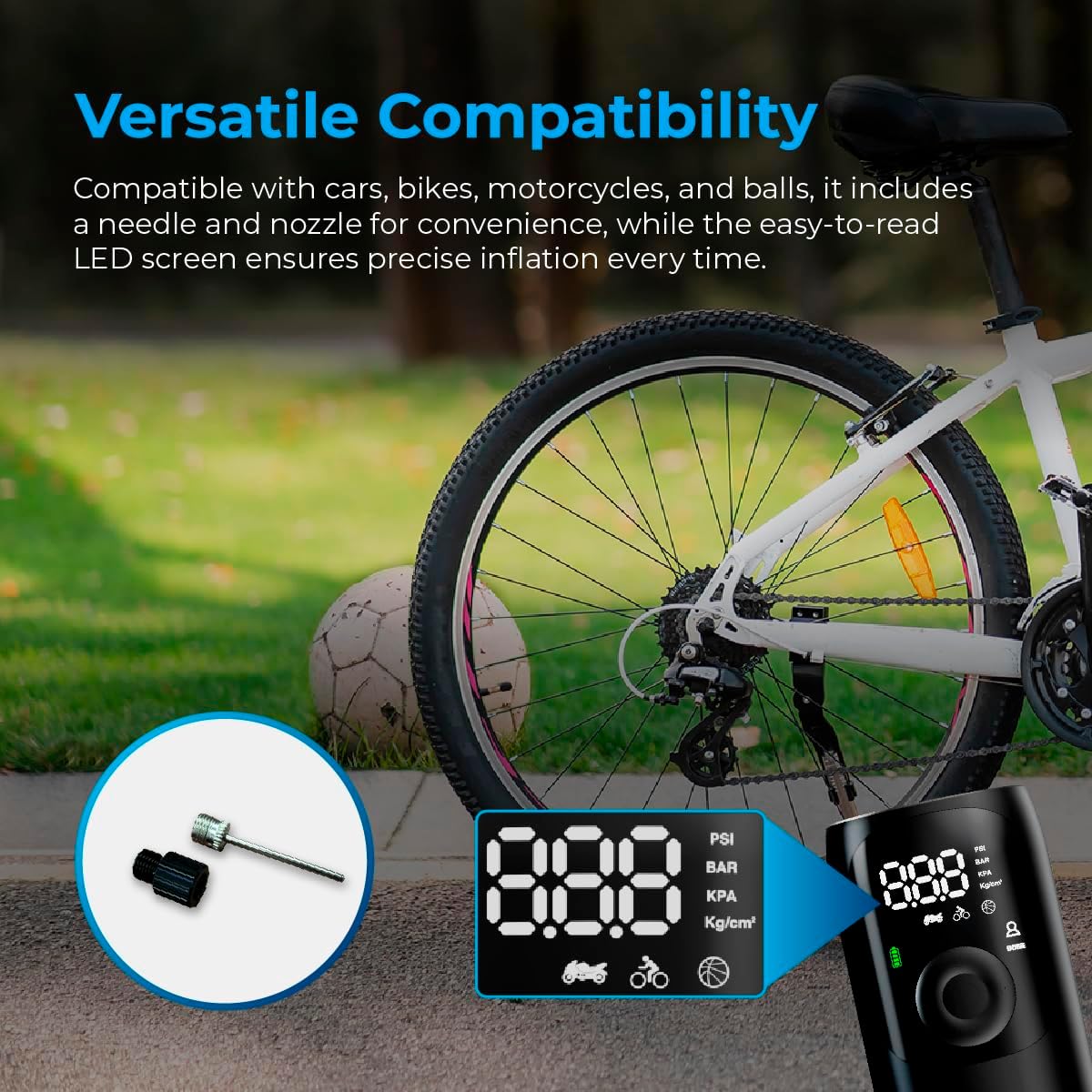
Image: Close-up of the AutoSky Portable Tire Inflator showing the included needle and nozzle accessories for different inflation types.
6. אַפּערייטינג ינסטרוקטיאָנס
6.1 פּאַוערינג אויף / אַוועק
Press and hold the power button for 3 seconds to turn the compressor on or off.
6.2 אינפלאציע פראצעס
- פאַרבינדן: Connect one end of the air hose to the inflator and the other end to the valve of the item you wish to inflate. Attach the appropriate nozzle or needle if required.
- מאַכט אויף און סעלעקטירן מאָדע: Press and hold the power button for 3 seconds to turn on the compressor. Press the 'M' button to cycle through the inflation modes (Car, Motorcycle, Bicycle, Ball) until the desired mode is selected. The display will show the recommended pressure range for each mode.
- שטעלן דרוק: Use the '+' and '-' buttons to adjust the target pressure value. Refer to the item's manufacturer recommendations for correct pressure.
- אָנהייב ינפלאַציע: Press the power button again to start the inflation process. The compressor will automatically stop once the preset pressure is reached.
- דיסקאַנעקט: Carefully disconnect the air hose from the item and the inflator.

Image: Visual guide demonstrating the three main steps for using the inflator: connecting the hose, setting the pressure, and starting inflation.

Image: Display of the AutoSky Portable Tire Inflator highlighting different inflation modes (car, motorcycle, bicycle, ball) and their respective pressure ranges (PSI).
6.3 ניצן ווי אַ פּאַוער באַנק
To use the inflator as a power bank, connect your USB-powered device (e.g., smartphone, tablet) to the USB output port on the inflator using your device's charging cable. The inflator will automatically begin charging your device.

Image: The AutoSky Portable Tire Inflator functioning as both a power bank, charging a smartphone, and an LED flashlight illuminating a dark area.
6.4 ניצן די LED פלאַשליכט
With the device powered on, press the flashlight button (usually indicated by a light bulb icon) to cycle through the flashlight modes: Steady On, Strobe, and SOS. Press again to turn off the flashlight.
7. וישאַלט
- רייניקונג: ווישט אָפּ די אויסערלעכע זייט פון דעם אויפבלאָזער מיט אַ ווייכן, טרוקענעם שטאָף. ניצט נישט קיין שטרענגע כעמיקאַלן אָדער שרײַבנדיקע רייניקונגסמיטלען.
- סטאָרידזש: Store the device and its accessories in the provided carry bag in a cool, dry place, away from direct sunlight and extreme temperatures.
- באַטערי זאָרגן: To maintain battery health, charge the device at least once every three months, even if not in use.
- קישקע דורכקוק: קאָנטראָלירט רעגולער דעם לופט-שלעוך אויף יעדע סימן פון אָפּנוץ, ריסן אָדער שאָדן. פאַרבייטן אויב נייטיק.
8. טראָובלעשאָאָטינג
| פּראָבלעם | מעגלעך סיבה | לייזונג |
|---|---|---|
| דער אינפֿלאַטאָר צינדט זיך נישט אָן. | נידעריגע באַטעריע אָדער נישט אויפגעלאָדן. | Charge the device fully. Ensure the power button is held for 3 seconds. |
| אינפלאציע איז שטייט אדער ארבעט נישט. | Air hose not securely connected; incorrect nozzle; leak in hose/valve. | Ensure all connections are tight. Check for leaks. Verify correct nozzle is used. |
| Device overheats and shuts off. | פארלענגערטע קאנטינעווירלעכע אפעראציע. | Allow the inflator to cool down for at least 15-20 minutes before resuming use. |
| נישט פּינקטלעכע דרוק מעסטונג. | Valve connection not secure. | Ensure the air hose is firmly attached to the item's valve. |
9. ספּעסאַפאַקיישאַנז
- מאָדעל: AAC-301
- פּראָדוקט דימענשאַנז: 6 X 3 X 15.7 סענטימעטער
- נומער וואָג: 572 ג (0.57 ק"ג)
- מאַכט מקור: באַטאַרייע פּאַוערד (1 ליטהיום יאָן באַטאַרייע אַרייַנגערעכנט)
- מאַקסימום דרוק: Up to 150 PSI (as indicated by device modes)
- קאָליר: שוואַרץ
- פאַבריקאַנט: Promaster Electronic LLC

Image: The AutoSky Portable Tire Inflator next to a car tire, emphasizing its portability, power bank function, auto shut-off, and preset pressure capabilities.
10. וואָראַנטי און שטיצן
For warranty information and customer support, please refer to the warranty card included in your product packaging or contact AutoSky customer service directly. Contact details can typically be found on the official AutoSky webוועבזייטל אדער אויף דער פּראָדוקט פּאַקאַדזשינג.
פאַבריקאַנט: Promaster Electronic LLC
ערשטער דאַטע בנימצא: 3 אויגוסט 2024


