1. הקדמה
Thank you for choosing the Intenso Buds Plus TWS T313AE Wireless Earbuds. These earbuds are designed to provide a superior audio experience with advanced features such as Active Noise Cancellation (ANC), Environmental Noise Cancellation (ENC), and Bluetooth 5.4 connectivity. This manual provides essential information for setting up, operating, and maintaining your earbuds.
2. פּעקל אינהאַלט
ביטע טשעק די פּאַקעט פֿאַר די פאלגענדע זאכן:
- Intenso Buds Plus TWS Earbuds (Left and Right)
- טשאַרדזשינג קאַסע
- וסב טשאַרדזשינג קאַבלע
- קייפל גרייסן פון אויער עצות
- באַניצער מאַנואַל
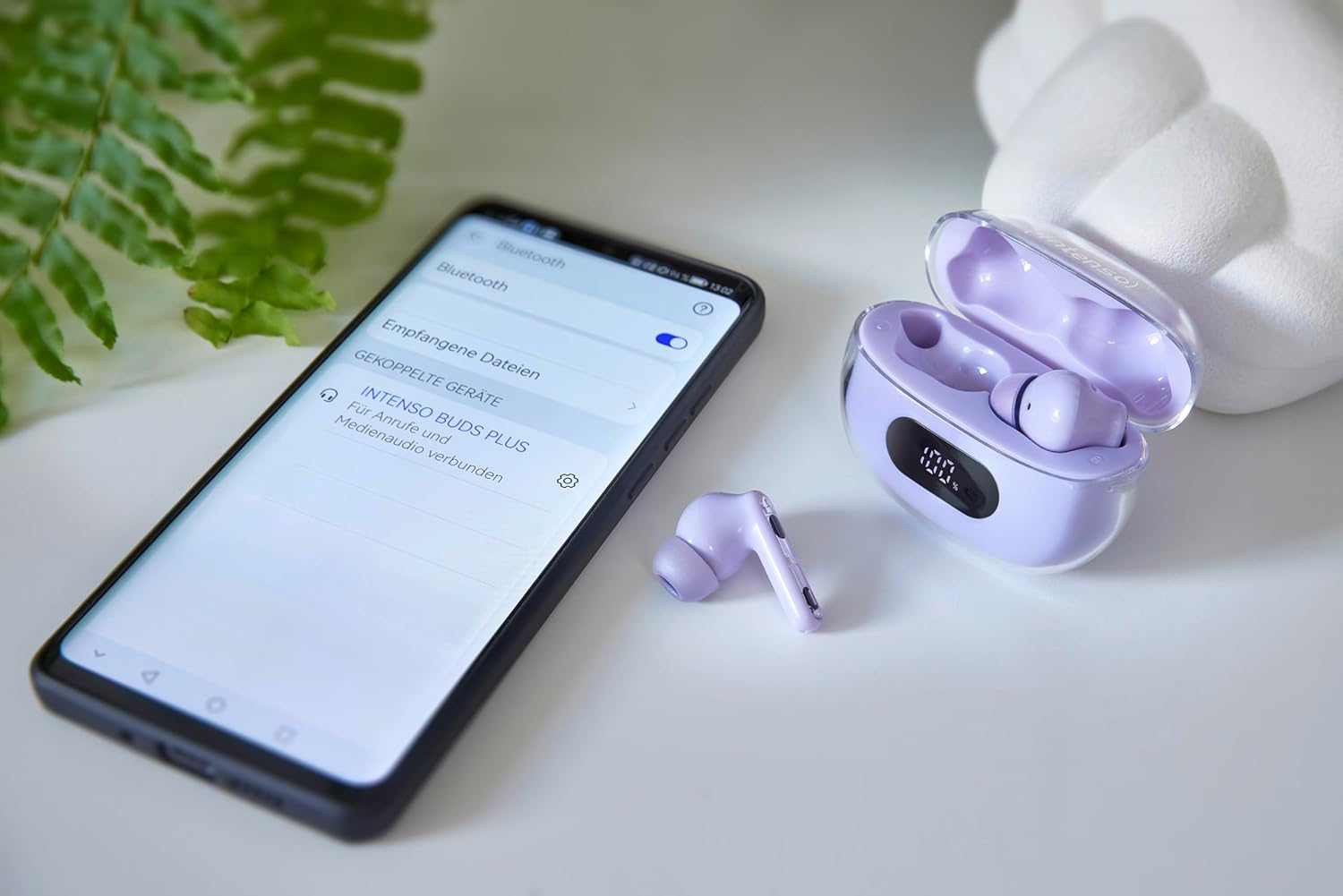
Image: Intenso Buds Plus TWS earbuds, charging case, and a smartphone displaying Bluetooth pairing settings.
3. פּראָדוקט איבערview
The Intenso Buds Plus TWS earbuds feature a compact design with a transparent charging case. The earbuds are equipped with touch controls and integrated microphones for clear communication.

Image: Earbuds in open charging case with digital display.

Image: Features highlighted: ANC, ENC, and LED display.

Image: Charging case with 100% battery display.

Image: Close-up of individual earbuds.
4. סעטאַפּ
4.1 אויפלאָדן די אויערקנעפּלעך און קעסטל
Before first use, fully charge the earbuds and the charging case. The charging case features an LED display to indicate the battery level.
- שטעלן די עאַרבודז אין די טשאַרדזשינג פאַל.
- פֿאַרבינדט דעם טשאַרדזשינג קעסטל צו אַ USB מאַכט מקור ניצנדיק דעם צוגעשטעלטן USB קאַבל.
- The LED display on the case will show the charging status.
- A full charge typically takes approximately 1.5 to 2 hours for the case and earbuds.

Image: LED status display on the charging case.
4.2 בלועטאָאָטה פּערינג
The Intenso Buds Plus earbuds utilize Bluetooth 5.4 for a stable and fast connection.
- זיכער מאַכן אַז די אויערקנעפּלעך זענען אויפגעלאָדן און אין דער אויפלאָדן קעסטל.
- עפֿנט דעם טשאַרדזשינג קעסטל. די אויערקנעפּלעך וועלן אויטאָמאַטיש אַרײַן אין פּערינג מאָדע.
- אויף אייער דעווייס (סמאַרטפאָן, טאַבלעט, לאַפּטאָפּ), גייט צו בלועטוט סעטטינגס.
- זוכן פֿאַר available devices and select "Intenso Buds Plus" from the list.
- אַמאָל פארבונדן, וועט איר הערן אַ באַשטעטיקונג טאָן, און די אויערקנעפּלעך וועלן זיין גרייט פֿאַר נוצן.

Image: Earbuds and case next to a smartphone.
5. אַפּערייטינג ינסטרוקטיאָנס
5.1 ריר קאָנטראָלס
The earbuds feature intuitive touch controls for managing audio playback, calls, and noise cancellation modes.
- שפּיל / פּויזע: איין צאַפּן אויף יעדער עאַרבוד.
- ווייַטער שפּור: צאַפּ צוויי מאָל אויף די רעכטע אויערקנעפּל.
- פֿריִערדיקע שפּור: צאַפּ צוויי מאָל אויף די לינקע אויערקנעפּל.
- ענטפֿערן / סוף רופן: איין צאַפּן אויף יעדער עאַרבוד.
- אָפּוואַרפן רופן: דריקן און האַלטן יעדער עאַרבוד פֿאַר 2 סעקונדעס.
- באַנד אַרויף: טרייפאַך צאַפּן אויף די רעכטע אויערקנעפּל.
- באַנד אַראָפּ: טרייפאַך צאַפּן אויף די לינקע אויערקנעפּל.
- אַקטאַווייט קול אַססיסטאַנט: דריק און האלט איינע פון די אויערקנעפל פאר 3 סעקונדעס (ווען נישט אויף א רוף).
5.2 Noise Cancellation Modes (ANC, ENC, Transparency)
The earbuds offer various modes to control your listening environment:
- אַקטיוו ראַש קאַנסאַליישאַן (ANC): Reduces ambient noise, allowing you to focus on your audio.
- ענוויראָנמענטאַל ראַש קאַנסאַליישאַן (ENC): Enhances voice clarity during calls by filtering out background noise.
- דורכזעיקייַט מאָדע: ערלויבט אייך צו הערן אייער סביבה בשעת איר הנאה האט פון אייער אודיא, נוצלעך פאר באוואוסטזיין אין פארנומענע סביבות.
To switch between ANC, Transparency, and Normal modes, press and hold the touch area on the left earbud for 2 seconds. ENC is automatically active during calls.
5.3 באַטאַרייע לעבן
The earbuds provide up to 7 hours of playback on a single charge. The charging case extends the total playtime to approximately 25 hours, allowing for multiple recharges on the go.

Image: Illustration of battery life with and without charging case.
6. וישאַלט
To ensure the longevity and optimal performance of your Intenso Buds Plus earbuds, follow these maintenance guidelines:
- רייניקונג: רייניקט רעגולער די אויערקנעפּלעך און די טשאַרדזשינג קעסטל מיט אַ ווייכן, טרוקענעם, לינט-פֿרייע שטאָף. ניצט נישט קיין שרײַבנדיקע רייניגערס אדער סאָלווענטן.
- אויער עצות: Remove ear tips periodically and clean them with water and mild soap. Ensure they are completely dry before reattaching.
- טשאַרדזשינג קאָנטאַקטן: Keep the charging contacts on both the earbuds and inside the case clean and free of debris to ensure proper charging.
- סטאָרידזש: ווען נישט אין באַנוץ, לייגט די אויערקנעפּלעך אין זייער טשאַרדזשינג קעסטל צו באַשיצן זיי פון שטויב און שעדיקן.
- וואַסער קעגנשטעל: The earbuds are water-resistant. Avoid submerging them in water or exposing them to excessive moisture. Dry them thoroughly if they get wet.
7. טראָובלעשאָאָטינג
If you encounter any issues with your earbuds, refer to the following common solutions:
| פּראָבלעם | מעגלעך סיבה | לייזונג |
|---|---|---|
| עאַרבודס נישט פּערינג | Low battery; Bluetooth off; Earbuds not in pairing mode; Device already connected to another Bluetooth device. | Charge earbuds and case; Ensure Bluetooth is enabled on your device; Place earbuds in case, close, then open to re-enter pairing mode; Disconnect from other devices. |
| קיין געזונט | Volume too low; Earbuds not connected; Audio source paused. | Increase volume on earbuds and device; Reconnect earbuds; Check audio playback on your device. |
| נעבעך געזונט קוואַליטעט | Ear tips not properly sealed; Earbuds dirty; Interference. | Try different size ear tips for a better fit; Clean earbuds and ear tips; Move closer to your device or away from sources of interference. |
| עאַרבודס נישט טשאַרדזשינג | Charging cable faulty; Charging contacts dirty; Power source issue. | Try a different USB cable; Clean charging contacts; Use a different USB port or power adapter. |
8. ספּעסאַפאַקיישאַנז
| מאָדעל נאָמען | באַדז פּלוס |
| מאָדעל נומער | 3720313 |
| סאָרט | ינטענסאָ |
| קאַנעקטיוויטי טעכנאָלאָגיע | ווירעלעס (בלוטוט 5.4) |
| אויער פּלייסמאַנט | אין אויער |
| פאָרם פאַקטאָר | אין אויער |
| ראַש קאַנסאַליישאַן | Active Noise Cancellation (ANC), Environmental Noise Cancellation (ENC) |
| קאָנטראָל טיפּ | ריר קאָנטראָל |
| ספּעציעלע פֿעיִקייטן | Noise Cancellation, Volume Control, Touch Control, Noise Isolation, Lightweight |
| באַטאַרייע זאַץ | ליטהיום-פּאָלימער |
| קריקאָנלאָדלעך באַטערי | יא |
| שפּיל צייט (עאַרבודז) | אַרויף צו 7 שעה |
| גאַנץ שפּילצייט (מיט קעסטל) | אַרויף צו 25 שעה |
| וואַסער קעגנשטעל מדרגה | וואַסער-קעגנשטעליק |
| מאַטעריאַל | פּלאַסטיק |
| קאַמפּאַטאַבאַל דעוויסעס | Mobile phone, Tablet, Laptop, Game console, Car audio system |
9. וואָראַנטי און שטיצן
Intenso products are designed for reliability and performance. For warranty information, technical support, or customer service inquiries, please refer to the contact details provided on the Intenso official webוועבזייטל אדער אייער קויפן דאקומענטאציע.
ביטע באַהאַלטן אייער קויפן-באַווייַז פֿאַר יעדע וואָראַנטי-פאָדערונג.


