הקדמה
The Genius NX-7000 is a 2.4 GHz wireless mouse designed for comfort and versatility. Featuring BlueEye technology, it offers precise tracking on various surfaces. Its ambidextrous design ensures comfortable use for both left and right-handed users. This manual provides essential information for setting up, operating, maintaining, and troubleshooting your NX-7000 wireless mouse.
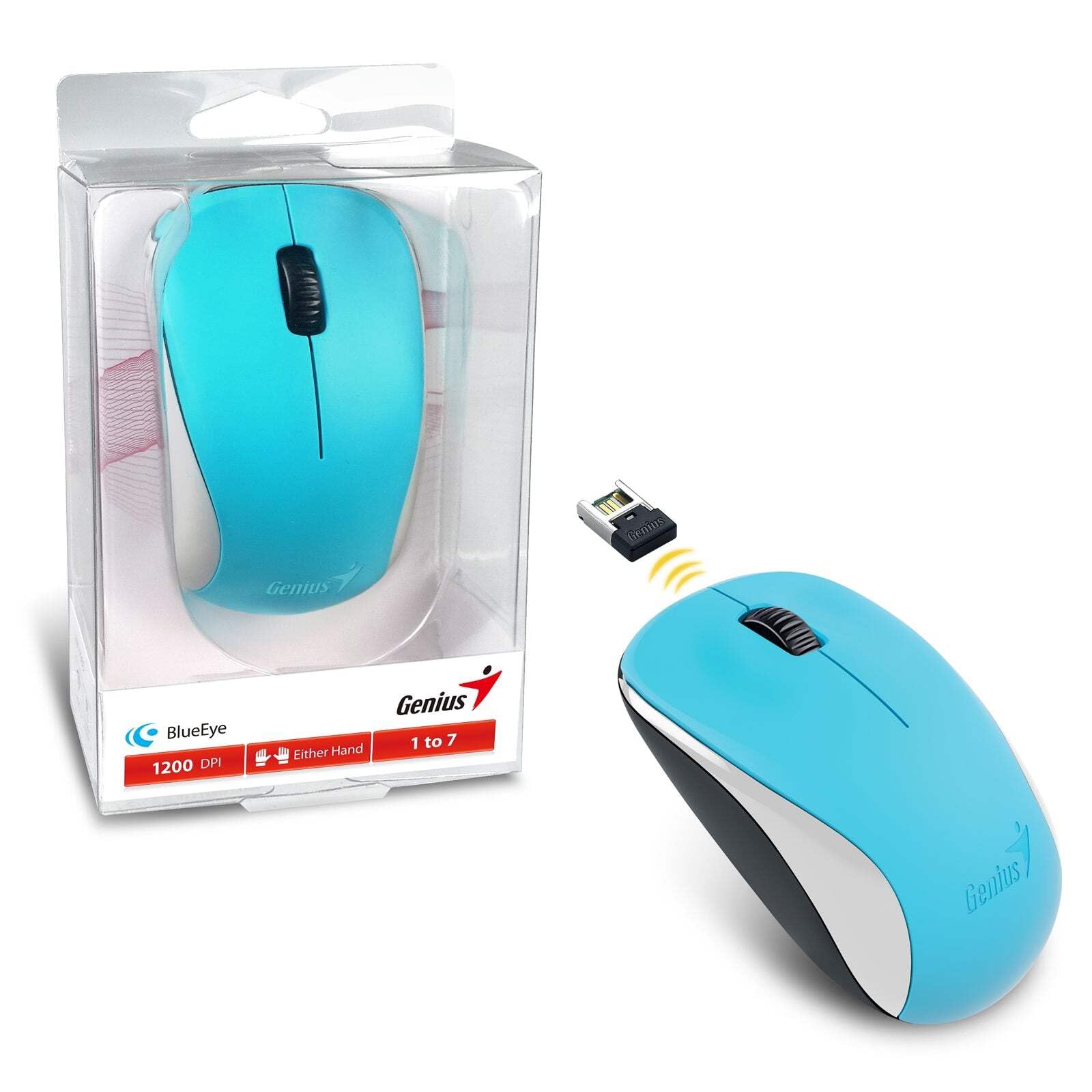
Image: The Genius NX-7000 wireless mouse in blue, shown alongside its compact USB pico receiver. The mouse features a contoured, ambidextrous design with a scroll wheel and two main buttons. The packaging is visible on the left.
סעטאַפּ
1. סיסטעם רעקווירעמענץ
- Operating System: Windows 7, 8, 8.1, 10 or Mac OS X 10.8 or later.
- בנימצא וסב פּאָרט.
- One AA battery (for mouse power).
2. באַטאַרייע ייַנמאָנטירונג
- געפינט דעם דעקל פונעם באַטעריע־אָפּטייל אויף דער אונטערשטער זייט פון דער מויז.
- שלעפּט אָדער הייבט אויף דעם דעקל צו עפֿענען דעם אָפּטייל.
- אַרײַנשטעלן איין AA באַטעריע, און זיכער מאַכן אַז די פּאָזיטיוו (+) און נעגאַטיוו (-) טערמינאַלן זענען ריכטיק אויסגעשטעלט מיט די מאַרקירונגען אינעווייניק אין דעם אָפּטייל.
- פאַרמאַכן די באַטאַרייע אָפּטייל דעקן סיקיורלי.
3. Connecting the USB Pico Receiver
- Remove the USB pico receiver from its storage slot on the bottom of the mouse.
- Plug the USB pico receiver into an available USB port on your computer.
- Your computer should automatically detect and install the necessary drivers for the mouse. This may take a few moments.
- אַמאָל די דרייווערס זענען אינסטאַלירט, איז די מויז גרייט פֿאַר באַנוץ.
אַפּערייטינג ינסטראַקשאַנז
יקערדיק אָפּעראַציע
- לינקס קנעפּל: Primary click function, typically used for selecting items, opening files, or activating links.
- רעכט קנעפּל: צווייטע קליק פונקציע, טיפּיש געניצט צו עפענען קאָנטעקסט מעניוז.
- Scroll Wheel (Middle Button): געניצט פֿאַר סקראָללינג דורך דאָקומענטן אָדער web pages. Pressing the scroll wheel can also act as a middle click button, often used for opening links in new tabs.
BlueEye Technology
The NX-7000 utilizes 1000dpi BlueEye technology, which provides enhanced tracking accuracy. This technology allows the mouse to function reliably on a wide variety of surfaces, including those that are typically challenging for optical mice, such as dusted glass, marble, sofas, or carpets.
SmartGenius Software (Optional)
For advanced customization, you can download and install the SmartGenius software from the official Genius website. This software allows you to adjust DPI levels and other performance settings to suit your personal preferences, enhancing your user experience.
Pico Receiver Storage
When traveling or not using the mouse, the USB pico receiver can be conveniently stored inside a dedicated slot on the bottom of the mouse. This prevents loss and protects the receiver.
Unifying Genius Mice
The NX-7000 receiver is designed to work with other compatible Genius wireless mice. This feature allows you to use a single receiver for multiple Genius wireless devices, reducing the number of USB ports required and offering greater mobility if you own several Genius wireless products.
וישאַלט
- רייניקונג: ניצט אַ ווייכע, טרוקענע שטאָף צו רייניקן די מויז. פֿאַר שווערע שמוץ, אַ ביסל ווייכער מאַכןampשווענק דעם שטאָף מיט וואַסער. פֿאַרמייַדט ניצן שטרענגע כעמיקאַלן אָדער אַברייסיוו רייניגער.
- באַטערי פאַרבייַט: Replace the AA battery when the mouse performance degrades or it stops responding. Always dispose of used batteries responsibly according to local regulations.
- סטאָרידזש: When not in use for extended periods, remove the battery to prevent leakage. Store the mouse and receiver in a cool, dry place.
- ויסמיידן עקסטרעמע טנאָים: שטעלט נישט אויס די מויז צו עקסטרעמע טעמפּעראַטורן, דירעקטע זונשייַן, אדער איבערגעטריבענע פייכטקייט.
טראָובלעשאָאָטינג
| פּראָבלעם | מעגלעך סיבה / לייזונג |
|---|---|
| מויז ענטפערט נישט. |
|
| קורסאָר באַוועגונג איז אומשטענדלעך אָדער שפּרינגען. |
|
| Mouse buttons or scroll wheel not working. |
|
ספּעסאַפאַקיישאַנז
| שטריך | דעטאַל |
|---|---|
| מאָדעל נומער | 31030027402 |
| קשר טיפּ | דראָטלאָז (2.4 GHz) |
| Sensor Engine | BlueEye |
| האַכלאָטע (דפּי) | 1200 DPI (Adjustable via SmartGenius software) |
| נומער פון קנעפּלעך | 3 (Left, Right, Middle button with scroll wheel) |
| פּלאַן | Ambidextrous, Contoured |
| מאַכט מקור | קסנומקס רענטגענ אַאַ באַטערי |
| דימענשאַנז (ב x ה x ד) | 60 X 105 X 37 מם (2.36 X 4.13 X 1.46 אינטשעס) |
| וואָג | 85 ג (0.19 לבס) |
| בנימצא קאָלאָרס | Ocean Blue, Spring Green, Elegant White, Passion Red, Calm Black |
וואָראַנטי און שטיצן
For information regarding warranty coverage, technical support, or service, please refer to the warranty card included with your product or visit the official Genius webזייטל. איר קענט טיפּיש געפֿינען שטיצע רעסורסן, אָפֿט געשטעלטע פֿראַגעס, און קאָנטאַקט אינפֿאָרמאַציע פֿאַר קונה סערוויס דאָרט.
Official Genius Webפּלאַץ: www.geniusnet.com