הקדמה
The Raycon Open Headphones are engineered to provide an immersive audio experience while maintaining real-time awareness of your surroundings. Their lightweight, over-ear design ensures comfort for extended wear, making them suitable for various activities from work to exercise. This manual will guide you through the essential steps to set up, operate, and maintain your headphones.
שליסל פֿעיִקייטן:
- Real-Time Awareness: Non-intrusive design keeps ear canals free, allowing environmental sounds to be heard.
- Surround Sound Quality: Delivers rich, detailed audio with advanced surround sound technology.
- 12 שעה פון באַטאַרייע לעבן: Provides extended listening time on a single charge.
- צוויי מייקראָופאָונז: Ensures clear call quality with maximum audio pickup.
- 5.3 Bluetooth Technology: Offers a strong and stable wireless connection to your devices.
וואָס איז אין די קעסטל
Upon opening your Raycon Open Headphones package, please ensure all the following components are present:
- Raycon Open Headphones (Black)
- באַניצער מאַנואַל (דעם דאָקומענט)
- Charging Cable (Proprietary)
סעטאַפּ
1. טשאַרדזשינג די כעדפאָונז
Before initial use, fully charge your Raycon Open Headphones. Connect the provided charging cable to the charging port on the headphones and plug the other end into a compatible USB power source. The LED indicator will show charging status and turn off when fully charged.
2. פּאָווערינג אויף / אויסגעלאשן
- מאַכט אויף: Press and hold the Power button until the LED indicator lights up and you hear an audible prompt.
- מאַכט אַוועק: Press and hold the Power button until the LED indicator turns off and you hear an audible prompt.
3. בלועטאָאָטה פּערינג
- מאַכן זיכער אַז די כעדפאָונז זענען פּאַוערד אַוועק.
- דריק און האלט דעם פּאַוער קנעפּל פֿאַר אַרום 5-7 סעקונדעס ביז דער LED אינדיקאַטאָר בלינקט שנעל, וואָס ווײַזט אויף פּערינג מאָדע.
- אויף אייער דעווייס (סמאַרטפאָן, טאַבלעט, קאָמפּיוטער), אַקטיווירט בלועטוט און זוכט פֿאַר פֿאַראַן דעווייסעס.
- Select "Raycon Open Headphones" from the list of found devices.
- אַמאָל פארבונדן, וועט דער LED אינדיקאַטאָר אויפהערן צו בלינקען און בלייבן פעסט, און איר וועט הערן אַ באַשטעטיקונג טאָן.
4. טראָגן די כעדפאָונז
The Raycon Open Headphones are designed for a comfortable and secure fit. Place the ear hooks over your ears, ensuring the speakers are positioned just outside your ear canals. Adjust the band around the back of your neck for optimal comfort and stability.
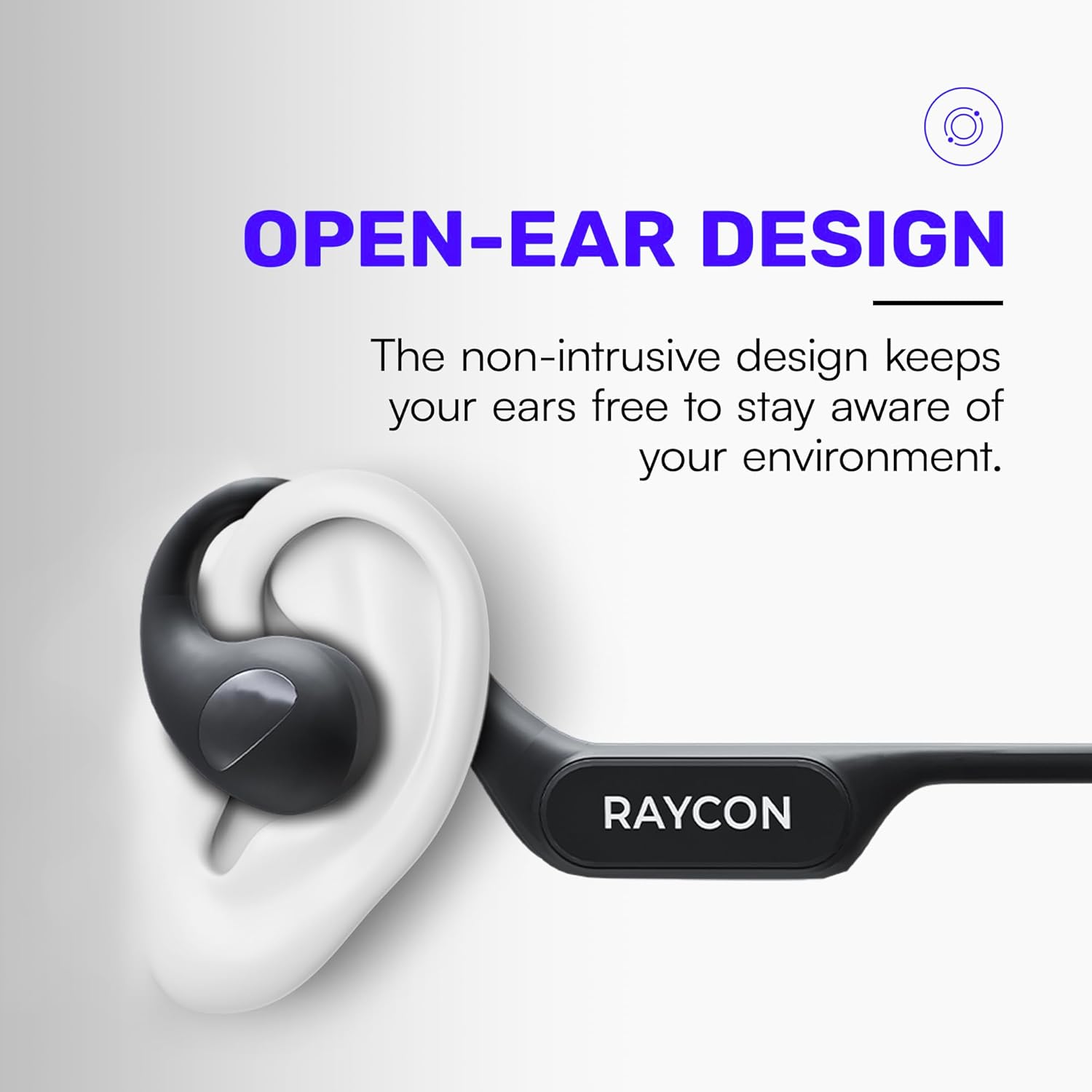
Image: Proper placement of the Raycon Open Headphones, highlighting the open-ear design for comfort and awareness.
אַפּערייטינג ינסטראַקשאַנז
קאָנטראָלס איבערview

Image: The control buttons are located on the left side of the headphone band.
- מאַכט קנעפּל: דריקן און האַלטן צו מאַכט אויף / אַוועק.
- באַנד אַרויף (+): קורץ דריקן צו פאַרגרעסערן די באַנד.
- באַנד אַראָפּ (-): קורץ דריקן צו פאַרמינערן באַנד.
- שפּיל / פּויזע: Double-tap the main control button to play or pause audio.
- ווייַטער שפּור: Triple-tap the main control button to skip to the next track.
- פֿריִערדיקע שפּור: (Functionality may vary, refer to device settings or specific app controls).
- ענטפֿערן / סוף רופן: Double-tap the main control button during an incoming call.
- אָפּוואַרפן רופן: Press and hold the main control button during an incoming call.
- אַקטאַווייט קול אַססיסטאַנט: Quadruple-tap the main control button to activate your device's voice assistant (e.g., Siri, Google Assistant).
מולטי-פּוינט קאַנעקשאַן
The Raycon Open Headphones support multi-point connection, allowing you to connect to two devices simultaneously. This feature enables seamless switching between audio sources without re-pairing.

Image: The headphones can connect to multiple devices simultaneously for versatile use.
To use multi-point connection:
- Pair the headphones with your first device as described in the "Bluetooth Pairing" section.
- דיאַקטיווירן בלוטוט אויף דער ערשטער דעווייס. די כעדפאָונז וועלן ווידער אַרייַן אין פּערינג מאָדע.
- פֿאַרבינדט די קאָפּהערער מיט אײַער צווייטן דעווײַס.
- ווידער אַקטיווירן בלוטוט אויף דער ערשטער דעווייס. די כעדפאָונז זאָלן זיך אויטאָמאַטיש פֿאַרבינדן צו ביידע דעווייסעס.
- אַודיאָ וועט שפּילן פֿון דעם מיטל וואָס אַקטיוו טראַנסמיטירט געזונט.
וישאַלט
רייניקונג
Regularly clean your headphones to ensure optimal performance and hygiene. Use a soft, dry, lint-free cloth to wipe down the surfaces. For stubborn dirt, slightly dampen the cloth with water. Avoid using harsh chemicals, cleaning solvents, or strong detergents.
סטאָרידזש
When not in use, store your headphones in a cool, dry place away from direct sunlight and extreme temperatures. Avoid placing heavy objects on top of the headphones to prevent damage.
באַטערי קער
To prolong battery life, avoid fully discharging the headphones frequently. Charge them regularly, even if not in constant use. If storing for an extended period, charge the battery to approximately 50% before storage.

Image: The headphones offer up to 12 hours of battery life for extended use.
טראָובלעשאָאָטינג
If you encounter any issues with your Raycon Open Headphones, please refer to the following common solutions:
- קיין קול: Ensure the headphones are powered on, paired correctly, and the volume is turned up on both the headphones and the connected device. Check if the audio source is playing.
- פּאָרינג ישוז: Turn off Bluetooth on all previously paired devices. Power off the headphones, then re-enter pairing mode and try connecting again. Ensure the headphones are within the Bluetooth range of your device.
- טשאַרדזשינג ישוז: Verify that the charging cable is securely connected to both the headphones and the power source. Try a different USB port or power adapter. Ensure the charging cable is not damaged.
- נעבעך געזונט קוואַליטעט: Ensure the headphones are fully charged. Check for any obstructions between the headphones and your device. Move closer to your device to reduce interference.
- מיקראָפאָן איז נישט ארבעטן: Ensure the headphones are properly connected. Check the microphone settings on your connected device to ensure the Raycon headphones are selected as the input device.
If the issue persists after trying these steps, please contact Raycon customer support for further assistance.
ספּעסאַפאַקיישאַנז
| שטריך | דעטאַל |
|---|---|
| מאָדעל נאָמען | RBO841-24E-BLA |
| קאַנעקטיוויטי טעכנאָלאָגיע | ווירעלעסס |
| ווירעלעסס קאָמוניקאַציע טעכנאָלאָגיע | בלועטאָאָטה 5.3 |
| באַטערי לעבן | 12 שעה |
| עאַרפּיעסע פאָרעם | איבער אויער |
| אויער פּלייסמאַנט | עפענען אויער |
| פאָרם פאַקטאָר | איבער אויער |
| ראַש קאָנטראָל | געזונט אפגעזונדערטקייט |
| פּונקט וואָג | 5.6 אונסעס |
| פאַבריקאַנט | רייַקאָן |
| UPC | 811162032347 |
וואָראַנטי און שטיצן
Your Raycon Open Headphones are covered by a return policy allowing for a refund or replacement within 30 days of purchase. For detailed warranty information or technical support, please contact Raycon customer service directly.


