1. הקדמה
This manual provides comprehensive instructions for the YISENCE 4K Digital Camera (Model 806). This camera is designed for capturing high-quality photos and videos, especially in underwater environments. It features 4K video recording, 56MP photo resolution, autofocus, and a dual-screen design for convenient selfies. Please read this manual thoroughly before using your camera to ensure proper operation and longevity.
2. וואָס איז אין דער קעסטל
- אַפּאַראַט גוף
- Accessories (including a 32GB Micro SD card and USB-C charging cable)
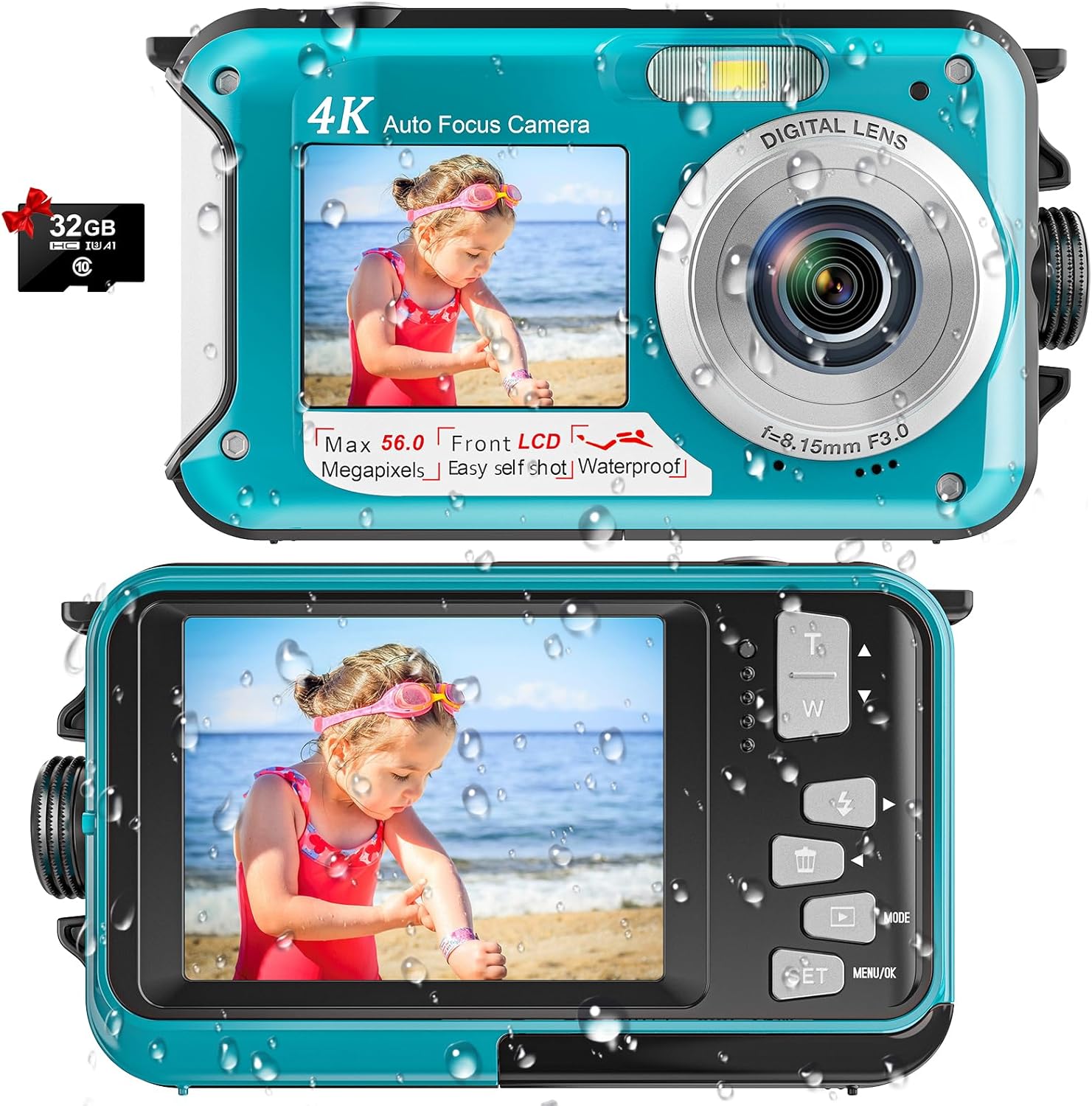
Image: The YISENCE 4K Digital Camera in light blue, shown with an included 32GB Micro SD card, highlighting its compact design and dual screens.
3. שליסל פֿעיִקייטן
- 4K UHD ווידעא און 56MP פאָטאָ רעזאָלוציע: Captures crisp, breathtaking detail for both aquatic and terrestrial adventures.
- אויטאָפאָקוס פונקציע: Simplifies photo capture; half-press the shutter to activate autofocus. The focus frame on the screen will turn green when focus is achieved.
- 11FT Waterproof Design: Ideal for snorkeling and underwater exploration, ensuring durability up to 11 feet depth.
- Dual-Screen Selfie Capability: Features front and rear screens for easy self-portraits and group photos.
- הויך-קאַפּאַציטעט 1250mAh באַטאַרייע: Provides approximately 70 minutes of continuous operation at 11FT underwater on a single charge.
- לייטווייט און סאָליד: Easy to carry and operate, suitable for all ages.
- יקספּאַנדאַבאַל סטאָרידזש: Supports Micro SD cards up to 128GB (32GB card included).
4. סעטאַפּ
4.1 Battery and SD Card Installation
- געפינט די באַטעריע אָפּטייל אויף דער זייט פון דער קאַמעראַ.
- To open the battery door, firmly press the cover lock with one hand while pushing out the battery cover with the other. The compartment is expertly sealed for waterproof protection.
- Insert the provided 1250mAh battery into the battery slot, ensuring correct orientation.
- Insert the Micro SD card (up to 128GB supported) into its designated slot next to the battery.
- Close the battery cover securely until it clicks into place, ensuring the waterproof seal is maintained.

Image: A visual guide demonstrating the process of opening the battery compartment, inserting the battery, and inserting the Micro SD card into the camera.
4.2 אויפלאָדן די קאַמעראַ
The camera comes with a USB-C charging cable. Plug the USB-C end into the camera's port located within the battery compartment, and the other end into a compatible USB power adapter (not included) or computer USB port. A charging indicator light will illuminate during charging.
Video: An unboxing and setup guide for the YISENCE 4K Digital Camera, demonstrating how to install the battery and SD card, and how to charge the device. This video is provided by the seller.
5. אַפּערייטינג ינסטרוקטיאָנס
5.1 מאַכט אויף / אַוועק
Press and hold the power button (located on the top of the camera) to turn the camera on or off. The screen will display "Welcome" upon startup.
5.2 Taking Photos and Recording Videos
- באַשטימען מאָדעס: Use the 'Mode' button to switch between photo and video recording modes.
- אַוטאָ פאָקוס: In photo mode, half-press the shutter button to activate autofocus. The focus frame on the screen will turn green when focus is achieved.
- כאַפּן: Fully press the shutter button to take a photo or start/stop video recording.
- פארגרעסער: Use the 'T' (Telephoto) and 'W' (Wide) buttons to adjust the 16x digital zoom.

Image: A demonstration of the camera's autofocus feature, showing the green focus frame on the screen when an object is in focus.

Image: The camera displaying a scene being recorded in 4K video mode, highlighting its video capabilities.
5.3 Dual-Screen Operation (Selfie Mode)
The camera features a front screen for easy selfies. When in selfie mode, you can see yourself on the front LCD to compose your shot perfectly. This is ideal for self-portraits or group photos where you want to be in the frame.

Image: A person using the camera's dual-screen feature to take a selfie, showing both the front and back screens in action.
5.4 Underwater Usage
The YISENCE 4K Digital Camera is waterproof up to 11 feet. Ensure the battery compartment is securely closed and sealed before submerging the camera. The camera is also floatable, reducing the risk of loss in water.

Image: The YISENCE 4K Digital Camera shown floating on the surface of water, demonstrating its floatable design.
6. וישאַלט
- וואָטערפּרוף פּלאָמבע: After each underwater use, inspect the waterproof seal around the battery compartment for any debris or damage. Clean gently with a soft, damp cloth if necessary. Ensure no sand or particles are present before closing the compartment.
- רייניקונג: Wipe the camera body with a soft, dry cloth. For stubborn smudges, use a slightly damp טוך און דערנאָך טריקענען גוט אויס. ניצט נישט קיין שטרענגע כעמיקאלן אדער שרײַבנדיקע רייניגער.
- באַטערי זאָרגן: To prolong battery life, avoid fully discharging the battery frequently. Charge the battery regularly, even if the camera is not in use for extended periods.
- סטאָרידזש: האַלט די קאַמעראַ אין אַ קיל, טרוקן אָרט אַוועק פון דירעקט זונשייַן און עקסטרעמע טעמפּעראַטורן.
7. טראָובלעשאָאָטינג
7.1 קאַמעראַ טוט זיך נישט אָן
- פאַרזיכערן די באַטאַרייע איז ריכטיק ינסערטאַד און גאָר באפוילן.
- דריקן און האַלטן די מאַכט קנעפּל פֿאַר אַ ביסל סעקונדעס.
7.2 שלעכטע בילד/ווידעא קוואַליטעט
- Check if the lens is clean and free from smudges or water droplets.
- Ensure adequate lighting conditions, especially underwater.
- Verify that the camera is in the correct mode (photo/video) and settings are appropriate for the environment.
7.3 וואַסער ליקאַדזש
- Immediately remove the camera from water.
- Open the battery compartment and remove the battery and SD card. Allow the camera to dry completely in a well-ventilated area.
- Inspect the waterproof seal for any signs of damage, cracks, or foreign objects before future use.
7.4 SD Card Error
- זיכער מאַכן אַז די SD קאַרטל איז ריכטיק אַרײַנגעשטעלט.
- Try reformatting the SD card (this will erase all data, so back up important fileס ערשטער).
- If the issue persists, try a different compatible Micro SD card.
8. ספּעסאַפאַקיישאַנז
| שטריך | דעטאַל |
|---|---|
| סאָרט | YISENCE |
| מאָדעל נאָמען | 806 |
| מאַקסימום Webקאַם בילד רעסאָלוטיאָן | 56 מפּ |
| ווידעא האַכלאָטע | 2160 פּ (4 ק) |
| וואַסער קעגנשטעל מדרגה | Waterproof (up to 11FT) |
| באַטאַרייע קאַפּאַציטעט | 1250 מאַה ליטהיום יאָן |
| באַטערי דורכשניטלעך לעבן | 70 minutes (underwater) |
| דיגיטאַל פארגרעסער | 16x |
| פאַרשטעלן גרייס | 2.7 אינטשעס (LCD) |
| געשטיצט File פֿאָרמאַט | AVI (Video), JPEG (Image) |
| פלאַש זכּרון טיפּ | מיקראָ סד (אַרויף צו 128 גיגאבייט) |
| קאַנעקטיוויטי טעכנאָלאָגיע | וסב |
| פּונקט וואָג | 4.58 אונס |
9. וואָראַנטי און שטיצן
וואָראַנטי באַשרייַבונג: This product comes with a 1-year warranty from the manufacturer, YISENCE.
For technical support, troubleshooting assistance, or warranty claims, please contact YISENCE customer service through the retailer's platform or the official YISENCE website. Please have your product model number (806) and purchase details ready when contacting support.


