1. הקדמה
This manual provides essential information for the proper setup, operation, and maintenance of your AOC 22B30HM2 21.5-inch Full HD Gaming Monitor. Please read this manual thoroughly before using the product to ensure optimal performance and safety.
The AOC 22B30HM2 monitor features a 21.5-inch Full HD (1920x1080) display, a 100Hz refresh rate, and a 1ms response time, designed for smooth visual performance. It includes Flicker-Free technology and a Low Blue Light mode for enhanced eye comfort during extended use. Connectivity options include HDMI and VGA ports, and it supports VESA mounting for flexible installation.

2. זיכערקייַט אינפֿאָרמאַציע
Observe the following safety precautions to prevent damage to the monitor and ensure personal safety:
- שטעלט נישט דעם מאָניטאָר אויף אַן אומסטאַבילן וואָגן, שטאַנד אָדער טיש.
- דו זאלסט נישט פאַרשפּאַרן ווענטאַליישאַן אָופּאַנינגז.
- Do not use near water or in high-humidity environments.
- ניצט נאָר דעם מאַכט אַדאַפּטער וואָס ווערט צוגעשטעלט מיטן מאָניטאָר.
- נעמט ארויס דעם מאָניטאָר בעת בליץ-שטורעמס אדער ווען ער ווערט נישט גענוצט פאר לאַנגע פּעריאָדן.
- אָפּשיקן אַלע סערוויסעס צו קוואַלאַפייד סערוויס פּערסאַנעל.
3. פּעקל אינהאַלט
באַשטעטיקן אַז אַלע זאכן זענען פאַראַן אין פּעקל:
- AOC 22B30HM2 Monitor
- מאָניטאָר שטאַנד (באַזע און האַלדז)
- מאַכט קאַבלע
- HDMI קאַבלע
- ווגאַ קאַבלע
- באַניצער מאַנואַל (דעם דאָקומענט)
4. סעטאַפּ
4.1 צוזאַמענשטעלן דעם שטאַנד
- לייגט דעם מאָניטאָר מיטן פּנים אַראָפּ אויף אַ ווייכער, ריינער ייבערפלאַך צו פאַרמייַדן קראַצן.
- באַפעסטיקט דעם שטאַנד האַלדז צום מאָניטאָר פּאַנעל.
- Secure the stand base to the neck using the provided screw.
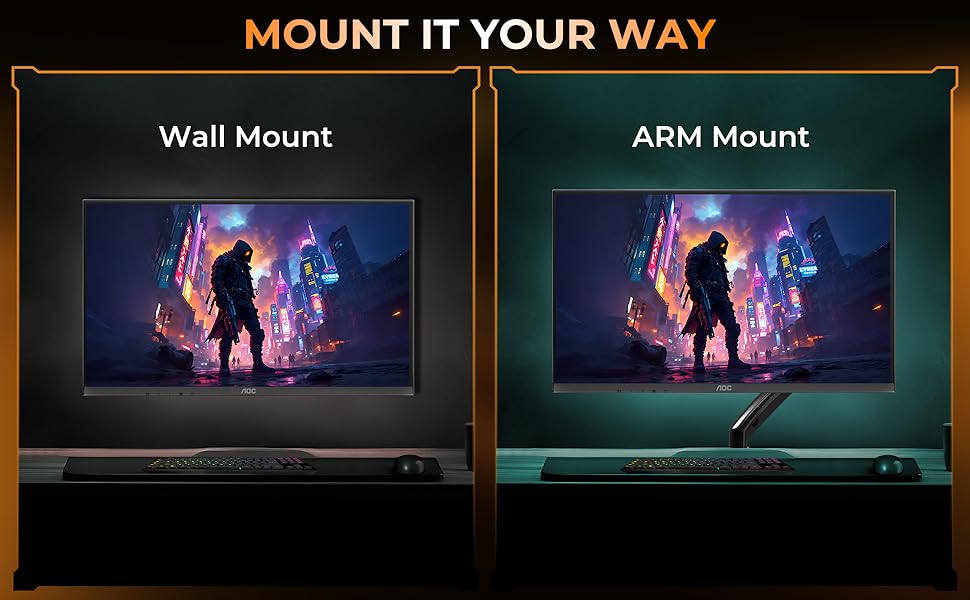
4.2 VESA Wall/Arm Mounting
The monitor supports VESA mount standard (100x100mm). To mount the monitor:
- אַראָפּנעמען דעם שטאַנד אַסעמבלי פֿון דעם מאָניטאָר.
- Attach the VESA-compatible wall mount or arm mount to the monitor using appropriate screws.
- Ensure the mount is securely fastened to the wall or arm.
4.3 קאַנעקטינג קאַבלעס
פֿאַרבינדט די נויטיקע קאַבלען צו די הינטערשטע פּאָרטן פֿונעם מאָניטאָר:
- מאַכט קאַבלע: פֿאַרבינדט איין עק צום מאָניטאָר'ס מאַכט אַרייַנגאַנג און דעם אַנדערן צו אַ מאַכט ווענטיל.
- HDMI קאַבלע: Connect one end to the monitor's HDMI port and the other to your computer's HDMI output.
- VGA קאַבלע: Connect one end to the monitor's VGA port and the other to your computer's VGA output.

5. אַפּערייטינג ינסטרוקטיאָנס
5.1 מאַכט אויף / אַוועק
Press the power button located on the bottom bezel of the monitor to turn it on or off.
5.2 אויף-סקרין ווייַז (אָסד) מעניו
Use the control buttons on the monitor's bottom bezel to navigate the OSD menu. The OSD allows you to adjust various display settings.
שליסל OSD סעטטינגס:
- ברייטנאַס / קאַנטראַסט: אַדזשאַסטירן די אַלגעמיינע לומינאַנס און דעם חילוק צווישן ליכטיקע און טונקעלע געביטן.
- קאָליר סעטטינגס: מאָדיפֿיצירן קאָליר טעמפּעראַטור, גאַמאַ, און יחידישע RGB לעוועלס.
- אַרייַנשרייַב אויסקלייַבן: מאַנועל באַשטימען צווישן HDMI און VGA אינפּוטס.
- בילד מאָדע: Select predefined display modes optimized for different content (e.g., Standard, Game, Text).
- נידעריק בלוי ליכט מאָדע: Reduce blue light emission to minimize eye strain.
- פליקער-פריי טעכנאָלאָגיע: This monitor features Flicker-Free technology to reduce screen flickering and enhance viewאין טרייסט.
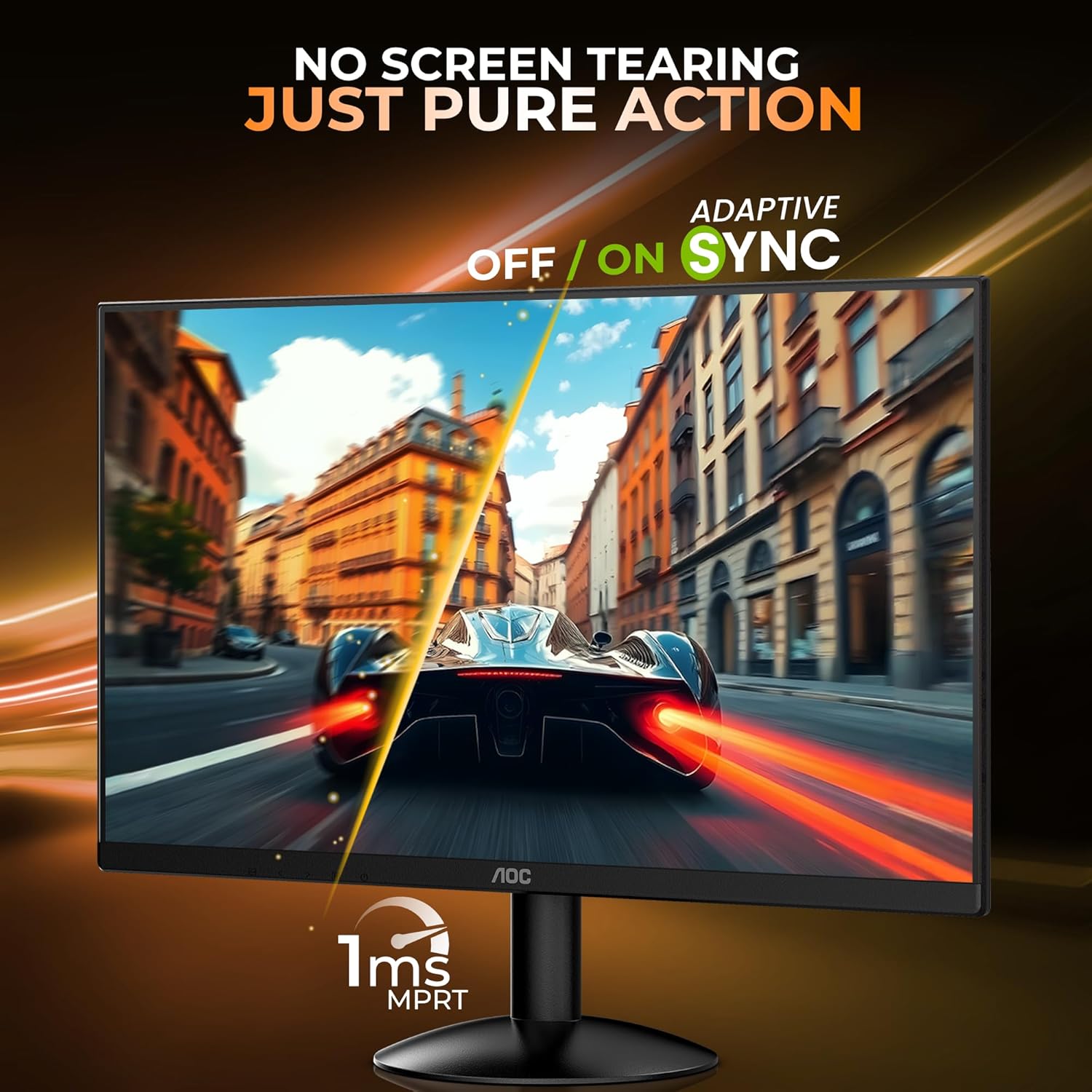
- Adaptive Sync (FreeSync): Enable or disable Adaptive Sync for tear-free gaming experiences. Ensure your graphics card supports this feature.

5.3 ערגאָנאָמיקס
The monitor stand allows for tilt adjustment to find your optimal viewing angle. The tilt range is approximately -5° to 23°.

6. וישאַלט
6.1 רייניקונג די מאָניטאָר
- שטענדיק אָפּשטויסן די מאָניטאָר איידער רייניקונג.
- ניצן אַ ווייך, לינט-פֿרייַ שטאָף לייטלי דampגעוואשן מיט וואַסער אָדער אַ מילד, נישט-אַברייזיוו רייניגער ספּעציעל דיזיינד פֿאַר מאָניטאָרן.
- שפריצט נישט רייניגער גלייך אויפן עקראַן.
- פֿאַרמײַדן ניצן בענזין, פֿאַרדינער, אַמאָניאַק, אָדער אַברייסיוו רייניגער.
6.2 סטאָרידזש
ווען איר לייגט אַוועק דעם מאָניטאָר פֿאַר אַ לענגערע צייט, זאָרגט אַז ער איז אויסגעלאָשן, אַרויסגעטראָגן פֿון דער פּלאַטע, און געהאַלטן אין אַ קיל, טרוקן אָרט, אַוועק פֿון דירעקטער זון און עקסטרעמע טעמפּעראַטורן.
7. טראָובלעשאָאָטינג
אויב איר טרעפט פּראָבלעמען מיט אייער מאָניטאָר, זעט די פאלגענדע געוויינטלעכע פּראָבלעמען און לייזונגען:
| פּראָבלעם | מעגלעך לייזונג |
|---|---|
| קיין בילד אויף פאַרשטעלן | Ensure power cable is connected and monitor is turned on. Check video cable connection (HDMI/VGA) to both monitor and computer. Select correct input source via OSD. |
| בילד איז פארשוואומען אדער פארדרייט | Adjust resolution and refresh rate settings on your computer. Check video cable for damage. |
| קאָלאָרס זענען פאַלש | Reset color settings in the OSD menu to factory defaults. Adjust color temperature or individual RGB values. |
| סקרין פליקער | Ensure refresh rate is set correctly. Check for external interference. |
8. ספּעסאַפאַקיישאַנז
Detailed technical specifications for the AOC 22B30HM2 monitor:
| שטריך | באַשרייַבונג |
|---|---|
| סאָרט | AOC |
| מאָדעל נומער | 22B30HM2 |
| פאַרשטעלן גרייס | 21.45 אינטשעס (54.61 סענטימעטער) |
| האַכלאָטע | Full HD 1920 x 1080 Pixels |
| דערפרישן קורס | 100 הז |
| ענטפער צייט | 1ms (MPRT) |
| טאַפליע טיפּ | VA פּאַנעל |
| אַספּעקט פאַרהעלטעניש | 16:9 |
| קאַנעקטיוויטי | 1x HDMI 1.4, 1x VGA |
| ספּעציעלע פֿעיִקייטן | Flicker-Free, Low Blue Light, FreeSync, VESA Mount (100x100mm) |
| טילט אַדזשאַסטמאַנט | -5° צו 23° |
| פּראָדוקט דימענשאַנז | 16.99 x 49.38 x 37.91 ס״מ (מיט שטאַנד) |
| פּונקט וואָג | 2.02 קג |
9. וואָראַנטי און שטיצן
9.1 וואָראַנטי אינפֿאָרמאַציע
This AOC monitor comes with a 3-יאָר וואָראַנטי from the date of purchase. Please retain your proof of purchase for warranty claims. The warranty covers manufacturing defects under normal use. It does not cover damage caused by misuse, accidents, unauthorized modifications, or external factors.
9.2 קונה שטיצן
For technical assistance, warranty claims, or product inquiries, please contact AOC customer support. Refer to the official AOC website for the most current contact information and support resources in your region.
פאַבריקאַנט: TPV Display Technology (Wuhan) Co. Ltd.
אימפארטירער: TPV TECHNOLOGY INDIA PRIVATE LIMITED, 501-508, 5TH FLOOR BESTECH CHAMBERS, BLOCK B SEC 27, SUSHANT LOK 1 GURUGRAM – 122005


