1. הקדמה
Thank you for choosing the gearelec Shark Motorcycle Bluetooth Headset. This device is engineered to enhance your riding experience with superior audio quality, reliable communication, and advanced noise reduction. Please read this manual carefully to ensure proper installation, operation, and maintenance of your headset.
זיכערקייַט אינפֿאָרמאַציע: Always prioritize your safety. Do not operate the headset in a way that distracts you from riding. Ensure the headset is securely installed and does not obstruct your vision or helmet functionality. Adhere to all local laws and regulations regarding the use of communication devices while operating a motorcycle.
2. פּעקל אינהאַלט
באַשטעטיקן אַז אַלע זאכן זענען פאַראַן אין דיין פּעקל:
- New Shark Headset Unit
- Speakers Set (40mm Hi-Fi)
- האַרטער מיקראָפאָן
- Soft Microphone
- וסב טשאַרדזשינג קאַבלע
- באַניצער מאַנואַל
- מאַונטינג קליפּ
- Adhesive Mounting Bracket
- Interchangeable Color Strips (Blue, Red, Silver)
3. פּראָדוקט איבערview
The gearelec Shark headset features a streamlined, biomimetic design for reduced wind resistance and noise. It integrates control buttons for easy access to functions while riding.

Image: The main gearelec Shark Bluetooth Headset unit, showcasing its sleek black design with blue accents and control buttons.
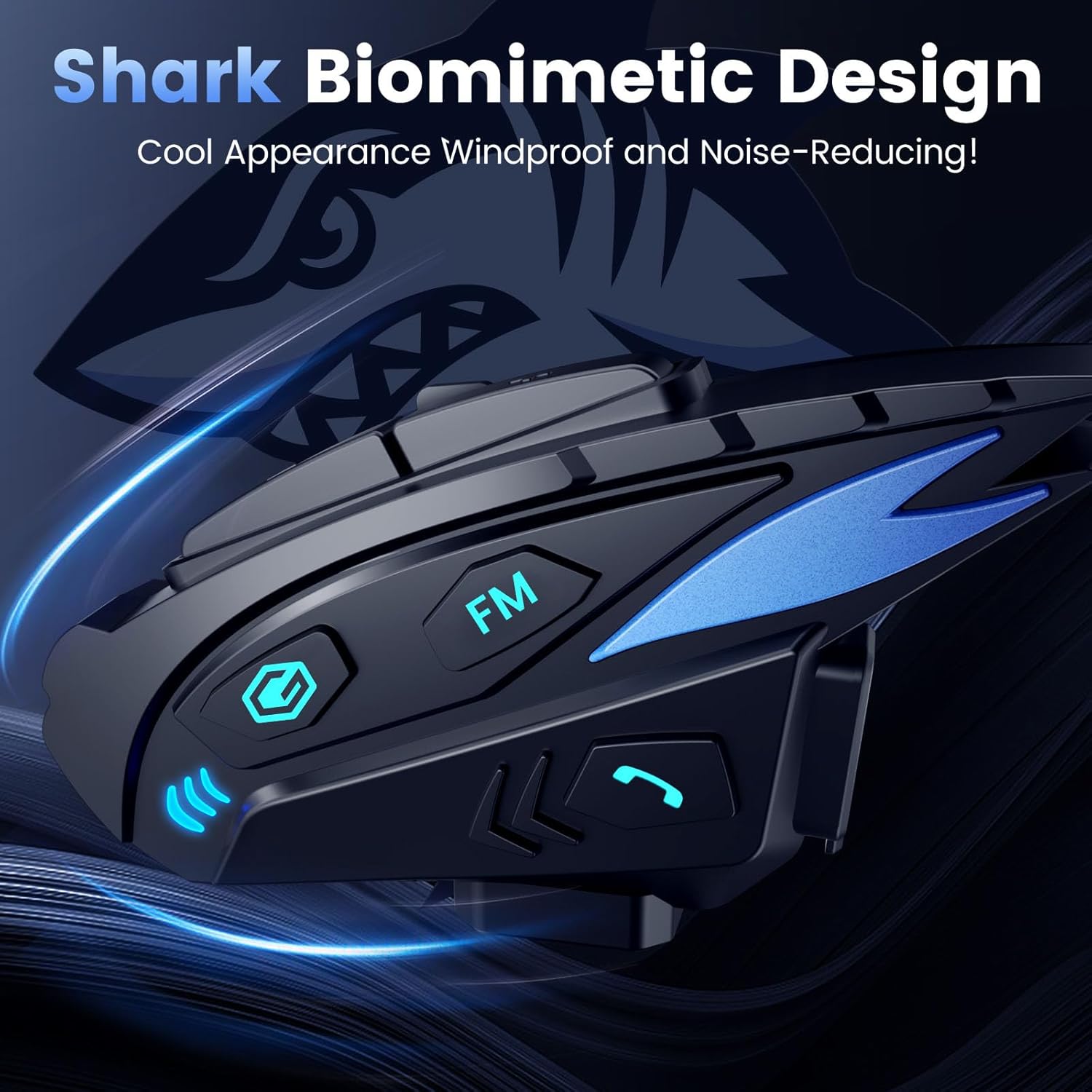
Image: The gearelec Shark Bluetooth Headset highlighting its 'Shark Biomimetic Design' for cool appearance, windproof, and noise-reducing properties.
שליסל פֿעיִקייטן:
- 1000 Meters 2-Riders Intercom: Connects two mobile phones simultaneously with a maximum call distance of 1000m (unobstructed).
- עפעם ראַדיאָ: Listen to news and music while riding.
- Music Sharing & Hi-Fi Sound Quality: Share music with a friend and enjoy clear, powerful sound from 40mm high-output speakers.
- Qualcomm BT Dual-Chip Noise Reduction: Features Qualcomm 5.1 BT chip with DSP and CVC Dual-Chip for stable connection and effective noise reduction.
- שטימע אַססיסטאַנט: Activate Siri or Google Assistant for hands-free control.
- Shark-Like Appearance & Interchangeable Color Strips: Customizable design with three-color stripes (blue, red, silver) to match your helmet.
- 1000mAh Battery & IP65 Waterproof: Provides up to 28 hours talk time, 33 hours music playback, 550 hours standby, and is resistant to water and dust.
4. סעטאַפּ און ייַנמאָנטירונג
4.1 אויפלאָדן דעם כעדסעט
Before first use, fully charge the headset. Connect the provided USB charging cable to the headset's charging port and a compatible USB power source. A full charge takes approximately 2 hours.

Image: An illustration showing the 1000mAh battery capacity and estimated usage times: 2 hours charging, 28 hours call, 33 hours music, 500 hours standby.
4.2 Mounting to Helmet
The headset offers two mounting options:
- קליפ בארג: Secure the mounting clip to the edge of your helmet using the provided screws and Allen wrench. This allows for easy removal and reattachment.
- קלעפּיק בארג: Attach the adhesive mounting bracket to a clean, flat surface on your helmet. Ensure the surface is dry and free of dust before applying. Allow sufficient time for the adhesive to bond before attaching the headset.
4.3 רעדנער און מיקראָפאָן אינסטאַלאַציע
Install the speakers and microphone inside your helmet:
- רעדנער אָרט: Use the Velcro pads to attach the 40mm speakers inside the helmet's ear pockets. Position them directly over your ears for optimal sound quality.
- Microphone Selection & Placement: Choose between the hard microphone (for open-face helmets) or the soft microphone (for full-face helmets). Attach the microphone to the helmet's chin bar or cheek pad using Velcro, ensuring it is close to your mouth for clear voice pickup.
- קאַבלע פאַרוואַלטונג: Carefully route all cables under the helmet's padding to prevent discomfort or interference.
5. אַפּערייטינג ינסטרוקטיאָנס
5.1 מאַכט אויף / אַוועק
- מאַכט אויף: דריק און האלט דעם פּאַוער קנעפּל פֿאַר אַרום 3 סעקונדעס ביז די אינדיקאַטאָר ליכט בלינקט.
- מאַכט אַוועק: דריק און האלט דעם פּאַוער קנעפּל פֿאַר אַרום 3 סעקונדעס ביז די אינדיקאַטאָר ליכט גייט אויס.
5.2 בלועטוט פארבינדונג (טעלעפאן)
- פאַרזיכערן די כעדסעט איז אַוועק.
- Press and hold the Power button for about 5-7 seconds until the indicator light flashes red and blue alternately, indicating pairing mode.
- On your mobile phone, enable Bluetooth and search for "gearelec Shark".
- Select the device to pair. Once connected, the indicator light will flash blue slowly.
5.3 מוזיק פּלייבאַק
After pairing with your phone, you can play music from your device.
- שפּיל / פּויזע: דריקט קורץ דעם מולטי-פונקציע קנעפּל.
- ווייַטער שפּור: דריק קורץ דעם "Volume Up" קנעפל.
- פֿריִערדיקע שפּור: דריק קורץ דעם באַנד אַראָפּ קנעפּל.
- באַנד אַדזשאַסטמאַנט: Long press the Volume Up or Volume Down button.

Image: Two motorcyclists high-fiving, illustrating the music sharing function of the gearelec headset, with a phone displaying a music playlist in the foreground.
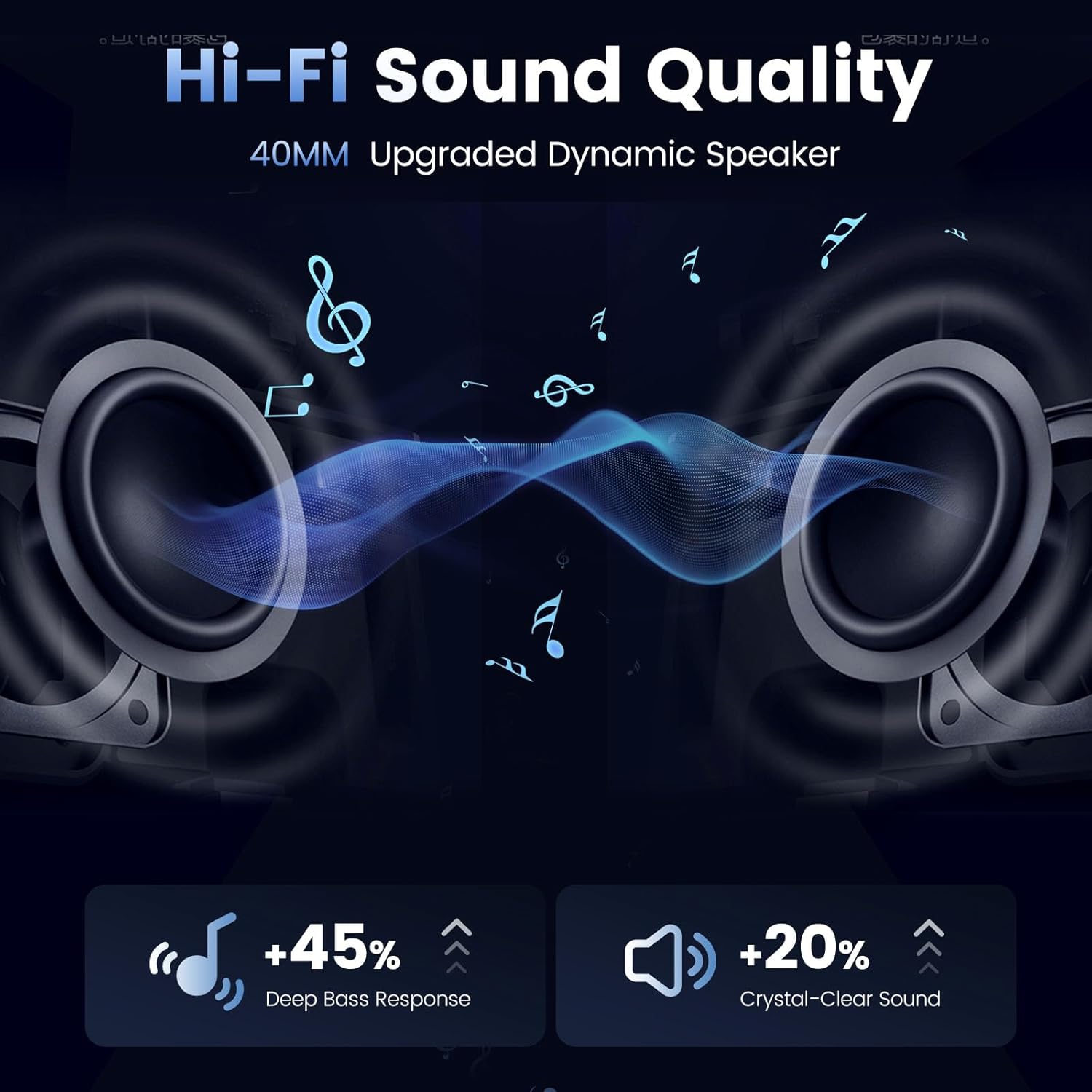
Image: A visual representation of the headset's Hi-Fi sound quality, highlighting the 40mm upgraded dynamic speakers and their deep bass response and crystal-clear sound capabilities.
5.4 רוף פאַרוואַלטונג
- ענטפער רופן: Short press the Phone button.
- סוף רופן: דריק קורץ דעם טעלעפאָן קנעפּל בעת אַ רוף.
- אָפּוואַרפן רופן: לאַנג דריקן דעם טעלעפאָן קנעפּל ווען אַן אינקאַמינג רוף קלינגט.
- ריאַל די לעצטע נומער: Double press the Phone button.
5.5 ינטערקאָם פֿונקציע
The Shark headset supports 2-rider intercom communication up to 1000 meters in open terrain.
- Pairing Intercom: Follow the specific pairing instructions in the full user manual for connecting two Shark headsets for intercom communication.
- אָנהייב / סוף ינטערקאָם: Refer to the full user manual for specific button presses to initiate and terminate intercom conversations.

בילד: אן לופט-פלאן view of a coastal road with a motorcycle, illustrating the 1000-meter 2-way intercom range of the gearelec headset.
5.6 עפעם ראַדיאָ
- אן/אויסלעשן FM: Short press the FM button.
- סקען סטאנציעס: Long press the FM button to automatically scan and save available stations.
- Switch Stations: Short press the Volume Up/Down buttons to cycle through saved stations.
5.7 ווויס אַססיסטאַנט
Activate your phone's voice assistant (Siri or Google Assistant) for hands-free control.
- אַקטאַווייט: Long press the Multi-function button to activate Siri or Google Assistant.
5.8 ראַש רעדוקציע
The headset incorporates Triple Noise-Reduction technology for clear audio even at high speeds.

Image: A motorcycle helmet with the gearelec headset attached, illustrating the triple noise-reduction features: Windproof-Mic Noise Filtering, 12th CVC Noise Cancelling, and DSP Noise Reduction.
6. וישאַלט און קער
- רייניקונג: ווישט אָפּ דעם כעדסעט אַפּאַראַט מיט אַ ווייכן, דamp שטאָף. דו זאלסט נישט נוצן האַרב קעמיקאַלז אָדער אַברייסיוו קלינערז.
- וואַסער קעגנשטעל: The headset is IP65 waterproof. While it can withstand rain and splashes, avoid submerging it in water. Ensure the charging port cover is securely closed when not charging.
- סטאָרידזש: האַלט די כעדסעט אין אַ קיל, טרוקן אָרט אַוועק פון דירעקט זונשייַן און עקסטרעמע טעמפּעראַטורן.
- באַטערי זאָרגן: כדי צו פארלענגערן די לעבן פון די באַטעריע, זאָלט איר נישט אָפט אויסלאָדן די באַטעריע. לאָדן די כעדסעט רעגולער, אפילו אויב איר ניצט עס נישט פאר לענגערע צייטן.
7. טראָובלעשאָאָטינג
| פּראָבלעם | מעגלעך סיבה | לייזונג |
|---|---|---|
| כעדסעט וועט נישט זיך אנצינדן | נידעריק באַטאַרייע | לאָדט אויף דעם כעדסעט פֿאַר מינדעסטנס 2 שעה. |
| קען נישט צוזאמענשטעלן מיטן טעלעפאן | Headset not in pairing mode; Bluetooth off on phone; too many paired devices | Ensure headset is in pairing mode (flashing red/blue). Turn phone's Bluetooth off/on. Clear old Bluetooth connections on phone. |
| ניט געזונט אָדער נידעריק באַנד | Volume too low; speakers misplaced; poor connection | Increase volume on headset and phone. Adjust speaker position. Re-pair the headset. |
| אינטערקאם פארבינדט זיך נישט | Incorrect pairing procedure; out of range | Repeat intercom pairing steps carefully. Ensure both units are within 1000m range. |
| נעבעך מיקראָפאָן קוואַליטעט | Microphone not positioned correctly; wrong microphone type used | Ensure microphone is close to your mouth. Use the appropriate hard/soft mic for your helmet type. |
8. ספּעסאַפאַקיישאַנז
| שטריך | דעטאַל |
|---|---|
| מאָדעל נאָמען | הייַפיש |
| בלועטאָאָטה ווערסיע | 5.1 |
| ראַש קאָנטראָל | Active Noise Cancellation, Passive Noise Cancellation, Sound Isolation (DSP and CVC Dual-Chip) |
| באַטאַרייע קאַפּאַציטעט | 1000 מאַה ליטהיום פּאָלימער |
| טשאַרדזשינג צייט | בעערעך. 2 שעה |
| רעדן צייט | אַרויף צו 28 שעה |
| מוזיק פּלייַבאַקק צייט | אַרויף צו 33 שעה |
| סטאַנדביי צייט | אַרויף צו 550 שעה |
| וואַסער קעגנשטעל מדרגה | IP65 וואָטערפּרוף |
| אַודיאָ דרייווער גרייס | 40 מם דינאַמיש דרייווער |
| אָפטקייַט ראַנגע | 20 הערץ - 20,000 הערץ |
| ינטערקאַם דיסטאַנסע | Up to 1000 Meters (unobstructed) |
| קאָנטראָל טיפּ | ריר קאָנטראָל, שטימע קאָנטראָל |
| מאַטעריאַל | אַקרילאָניטרילע בוטאַדיענע סטירענע (אַבס) |
| פּונקט וואָג | 15.2 אונסעס |
9. וואָראַנטי און שטיצן
For detailed warranty information and customer support, please refer to the official gearelec webזייטל אדער קאנטאקט זייער קאסטומער סערוויס גלייך. האלט אייער קויף קוויטל אלס באווייז פון קויפן פאר יעדע גאראנטיע טענות.
קאָנטאַקט אינפֿאָרמאַציע: ביטע באַזוכן די gearelec Store on Amazon פֿאַר מער אינפֿאָרמאַציע און שטיצן רעסורסן.