1. הקדמה
Thank you for choosing the BOTSLAB HK30 Car Dash Cam. This manual provides detailed instructions for the installation, operation, and maintenance of your new dash camera system. Please read this manual thoroughly before using the product to ensure proper function and safety. Keep this manual for future reference.
2. זיכערקייַט אינפֿאָרמאַציע
- ניצט נישט די דעש קאַם און גייט נישט אריין אין אירע סעטינגס בשעת'ן דרייוון. שטעלט זיך שטענדיק אפ זיכער איידער איר מאכט קיין אַדזשאַסטמענטס.
- זיכער מאַכן אַז די דאַש קאַם איז זיכער מאָנטירט און שטערט נישט דעם דרייווער'ס רודער. view אדער אריינמישן זיך מיט די אויפלעזונג פון דעם לופט-זעקל.
- Use only the original power adapter and cables provided with the device. Using unauthorized accessories may damage the product and void the warranty.
- פֿאַרמײַדט אויסשטעלן די דאַש קאַם צו עקסטרעמע טעמפּעראַטורן, דירעקטע זונשײַן פֿאַר פֿאַרלענגערטע פּעריאָדן, אָדער איבערגעטריבענע פֿײַכטקייט.
- דו זאלסט נישט פּרווון צו דיסאַסעמבאַל אָדער פאַרריכטן די מיטל זיך. קאָנטאַקט קונה שטיצן פֿאַר הילף.
- Regularly format the memory card to ensure optimal recording performance.
3. פּעקל אינהאַלט
ביטע טשעק די פּאַקעט פֿאַר די פאלגענדע זאכן:
- BOTSLAB HK30 Dash Cam Unit
- Car Charger (Power Cable)
- מאָנטירונג קלאַמער (מיט קלעפּיק פּאַד)
- באַניצער מאַנואַל
- Optional: Rear Camera (if purchased as a bundle)
- Optional: GPS Module
4. פּראָדוקט איבערview
The BOTSLAB HK30 is a multi-channel dash cam designed to provide comprehensive coverage of your driving environment. It features a main front camera with 4K resolution, and supports additional cameras for rear and interior views (sold separately or as part of a bundle).

Image: The main BOTSLAB HK30 dash cam unit, showing the front lens and the Botslab branding.
שליסל פֿעיִקייטן אַרייַננעמען:
- 4K Front Camera: Captures high-resolution video of the road ahead.
- 140° ברייט Viewאין ווינקל: Provides extensive coverage, minimizing blind spots.
- קאָליר נאַכט זעאונג: Enhances visibility and clarity in low-light conditions.
- געבויט-אין GPS: Records speed and location data for your journeys.
- ג-סענסאָר: Automatically locks video files upon impact to prevent overwriting.
- שלייף רעקאָרדינג: Continuously records by overwriting the oldest files ווען די זכּרון קאָרט איז פול.
- פּאַרקינג מאָניטאָרינג: Offers 24-hour surveillance with time-lapse recording and collision-triggered normal recording (requires buck line kit, sold separately).
- אַפּ קאָנטראָל: Connects to your smartphone for easy settings adjustment, live view, and video download.

בילד: אן אילוסטראציע וואס ווייזט די 140-גראד ברייט viewing angle of the dash cam, showing its ability to capture a broad perspective of the road.
5. סעטאַפּ און ייַנמאָנטירונג
5.1 זכּרון קאַרטל אַריינשטעלן
Before first use, insert a high-speed (Class 10 or higher) microSD card (up to 256GB recommended) into the dash cam's memory card slot. Ensure the card is inserted correctly until it clicks into place. Format the card via the dash cam's settings menu or the mobile app before initial recording.
5.2 מאָנטירן די דאַש קאַם
- רייניקט דעם ווינטשילד געגנט וואו איר פּלאַנירט צו מאָנטירן די דאַש קאַם. מאַכט זיכער אַז עס איז פריי פון שטויב און פעט.
- Attach the adhesive pad to the mounting bracket, then firmly press the bracket onto the chosen spot on your windshield, ideally behind the rearview שפּיגל פֿאַר אָפּטימאַל view and minimal obstruction.
- Slide the dash cam unit onto the mounted bracket until it locks securely.
- Adjust the camera lens angle to ensure it captures the road ahead clearly, with approximately 60% road and 40% sky visible.
5.3 מאַכט קאַנעקשאַן
- Connect the provided car charger cable to the dash cam's power input port.
- שטעקט אריין דעם אנדערן עק פונעם אויטא-לאדונג אין אייער אויטא'ס 12V עלעקטרישע אויסגאבע (ציגארעטן-לייטער סאקעט).
- Route the power cable neatly along the edge of the windshield and dashboard to conceal it and prevent interference with driving.
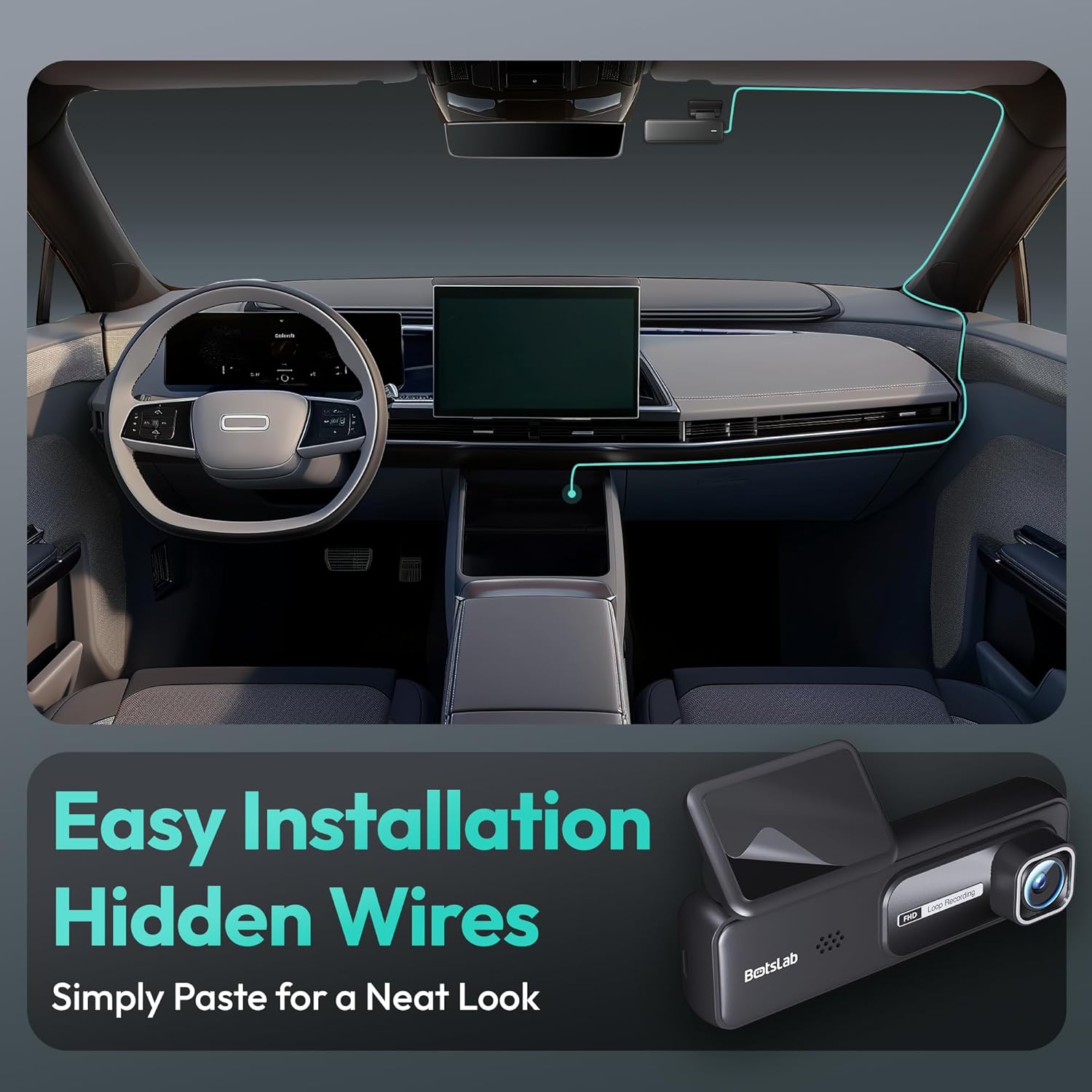
Image: A visual guide illustrating the process of easy dash cam installation with hidden wires, showing how to route the cable neatly along the car's interior for a clean look.
5.4 GPS Module Connection (if applicable)
If your package includes a separate GPS module, connect it to the designated port on the dash cam. Ensure the GPS module is placed in an area with a clear view פון הימל פֿאַר אָפּטימאַל סיגנאַל אָפּנאַם.
6. אַפּערייטינג ינסטרוקטיאָנס
6.1 אָטאַמאַטיק רעקאָרדינג
Once powered on and connected to your vehicle's ignition, the dash cam will automatically start recording when the engine is started. It will stop recording and power off shortly after the engine is turned off.
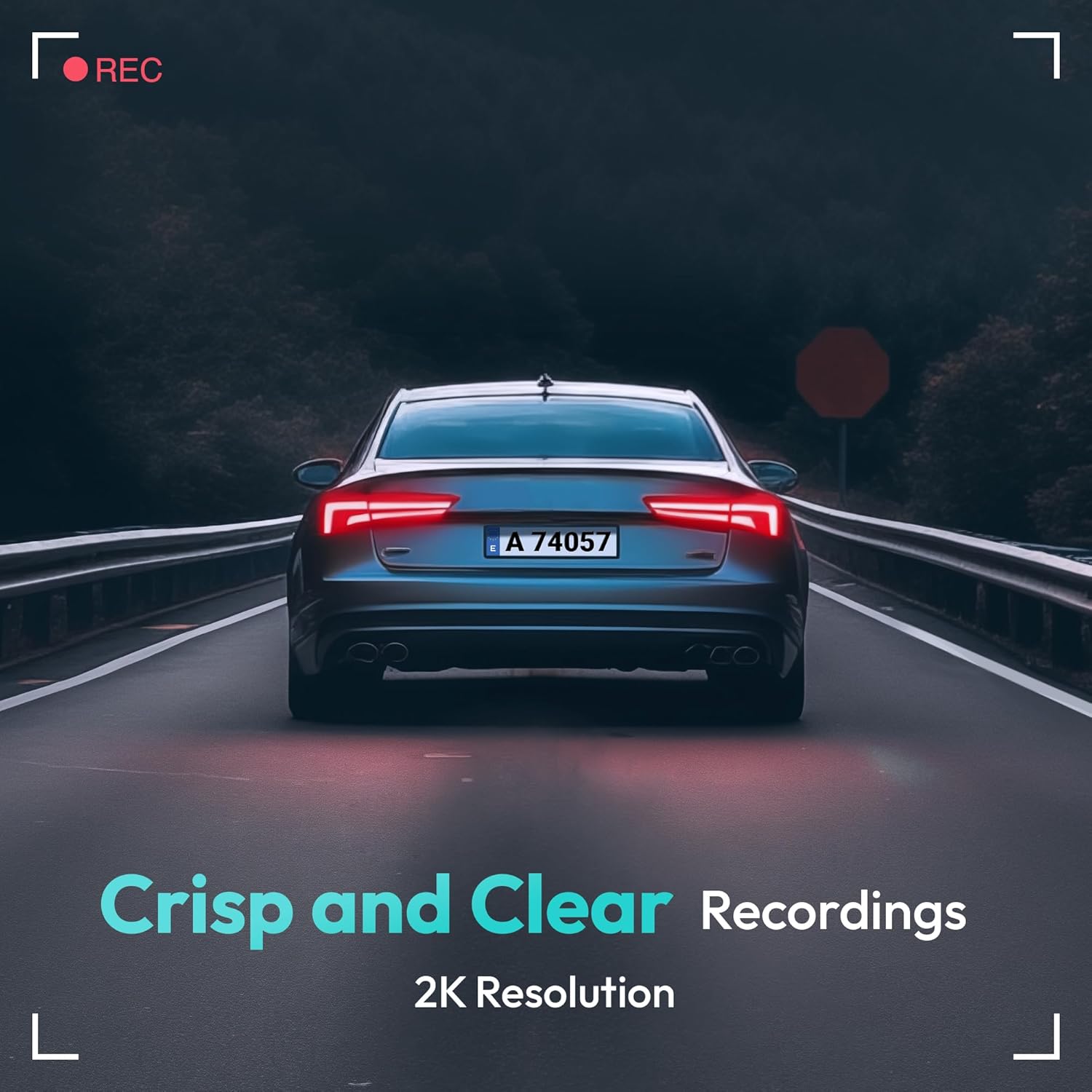
Image: A visual representation highlighting the crisp and clear recording capabilities of the dash cam, indicating 2K resolution for detailed footage.
6.2 שלייף רעקאָרדינג
די דאַש קאַם רעקאָרדירט ווידעא אין קאָנטינויִערלעכע לופּס (למשל, 1, 3, אָדער 5-מינוט סעגמענטן). ווען די זכּרון קאַרטל איז פול, די עלטסטע איז נישט אַנלאַקט. fileס וועט ווערן אויטאָמאַטיש איבערגעשריבן דורך נייע רעקאָרדירונגען. דאָס גאַראַנטירט קאָנטינויִערלעכע רעקאָרדירונג אָן מאַנועלע אריינמישונג.
6.3 G-סענסאר (נויטפאַל רעקאָרדינג)
The built-in G-Sensor detects sudden impacts or collisions. When an impact is detected, the current video segment will be automatically locked and saved to a protected folder on the memory card, preventing it from being overwritten by loop recording. These files are crucial for accident evidence.
6.4 פּאַרקינג מאָניטאָרינג
For 24-hour parking surveillance, a hardwire kit (buck line) is required (sold separately). Once installed, the dash cam can utilize:
- צייט-לויפן רעקאָרדינג: Records continuously at a low frame rate to save storage space while providing a full overview of parking events.
- Collision-Triggered Recording: If an impact is detected while parked, the dash cam will wake up and record a short video segment, which will be locked.

Image: An illustration depicting the 24/7 parking monitoring feature, highlighting time-lapse recording and collision-triggered normal recording capabilities, with a shield icon indicating protection.
6.5 App Control and Connectivity
Download the official BOTSLAB app from your smartphone's app store. Connect your phone to the dash cam's Wi-Fi network (SSID and password usually found on the device or in the manual). Through the app, you can:
- View לעבעדיגע ווידעא פיד.
- Adjust dash cam settings (resolution, G-sensor sensitivity, loop recording duration, etc.).
- פּלייבאַק רעקאָרדעד ווידיאס.
- אָפּלאָדירן ווידעא fileס גלייך צו דיין טעלעפאָן.
- דערהייַנטיקן פירמוואַרע.
6.6 GPS Tracking and Playback
With the GPS module connected, the dash cam records your vehicle's speed and location data. This information can be viewed during video playback using the dedicated PC viewer software (available for download from the BOTSLAB website) or within the mobile app, often overlaid on a map (e.g., Google Maps).
7. וישאַלט
7.1 רייניקונג די מיטל
Use a soft, dry cloth to clean the dash cam's lens and body. Do not use liquid cleaners or abrasive materials, as they may damage the device.
7.2 זכּרון קאַרטל פאַרוואַלטונג
It is recommended to format the microSD card once a month to maintain optimal performance and prevent data corruption. Back up any important files איידער פאָרמאַטטינג.
7.3 פירמוואַרע דערהייַנטיקונגען
Periodically check the BOTSLAB official website or the mobile app for available firmware updates. Firmware updates can improve performance, add new features, or fix bugs. Follow the instructions provided with the firmware update carefully.
8. טראָובלעשאָאָטינג
| פּראָבלעם | מעגלעך סיבה | לייזונג |
|---|---|---|
| די דאַש קאַם גייט נישט אָן. | No power supply; faulty cable; vehicle's power outlet issue. | Check power cable connection; try another power outlet; ensure vehicle ignition is on. |
| די רעקאָרדירונג שטעלט זיך אָפּ אָדער פֿאַרפֿרירט זיך. | Memory card full or corrupted; slow memory card; firmware issue. | Format memory card; use a high-speed (Class 10+) card; update firmware. |
| ווידעא קוואַליטעט איז שלעכט. | שמוציקע לינז; שוץ־פילם נאך אויף דער לינז; אומרעכטע רעזאלוציע־סעטינגס. | Clean the lens; remove protective film; set recording resolution to highest available. |
| גפּס סיגנאַל ניט געפֿונען. | GPS module not connected; poor satellite reception. | Ensure GPS module is connected; move vehicle to an open area with clear sky view. |
| קען נישט פאַרבינדן צו Wi-Fi/אַפּ. | Incorrect Wi-Fi password; phone too far from device; app not updated. | Verify Wi-Fi password; ensure phone is close to dash cam; update app. |
9. ספּעסאַפאַקיישאַנז
| שטריך | דעטאַל |
|---|---|
| מאָדעל נאָמען | HK30 |
| ווידעא קאַפּטורע רעסאָלוטיאָן | Front: 4K (1944p), Rear/Interior: 1080P (if applicable) |
| Viewינג אַנגלע | 140° (Front) |
| קאַנעקטיוויטי טעכנאָלאָגיע | USB, Wireless (Wi-Fi) |
| ספּעציעלע פֿעיִקייטן | App Control, G-Sensor, Loop Recording, Parking Monitor, Color Night Vision |
| סטאָרידזש | MicroSD Card (up to 256GB, Class 10 or higher) |
| מאַונטינג טיפּ | ווינטשויב בארג |
| מאַכט מקור | אויטאָ טשאַרדזשער (12V) |
| פּראָדוקט דימענשאַנז | 2 X 5.5 X 5.5 אינטשעס |
| פּונקט וואָג | 9.6 אונסעס |
10. וואָראַנטי און שטיצן
BOTSLAB products come with a limited warranty. Please refer to the warranty card included in your package or visit the official BOTSLAB website for detailed warranty terms and conditions. For technical support, troubleshooting assistance, or any inquiries, please contact BOTSLAB customer service through the contact information provided on their official website or within the mobile application.
Webפּלאַץ: www.botslab.com (עקסampדער לינק, ביטע זעט די פאַקטישע פּראָדוקט דאָקומענטאַציע פֿאַר ריכטיקע אינפֿאָרמאַציע. URL)


