1. הקדמה
Thank you for choosing the SUNOL GS08 Smart Glasses. These open-ear audio glasses combine stylish eyewear with advanced audio technology, allowing you to enjoy music, make calls, and access navigation while remaining aware of your surroundings. This manual provides detailed instructions for the proper use and maintenance of your device.
שליסל פֿעיִקייטן אַרייַננעמען:
- עפֿענען אויער אַודיאָ: Enjoy sound without blocking your ears, maintaining situational awareness.
- בלועטאָאָטה 5.3 קאַנעקטיוויטי: Stable and efficient wireless connection to your smart devices.
- ינטעגראַטעד מיקראָפאָן: For clear hands-free calls and voice assistant interaction.
- פּאָלאַריזעד לענסעס: 100% UV protection to shield your eyes from harmful rays and reduce glare.
- IPX4 וואַסער קעגנשטעל: Designed to resist sweat and light rain, suitable for various activities.
- קינסטלעכע אינטעליגענץ שטימע קאנטראל: Access navigation, phone calls, and music without needing to pull out your phone.
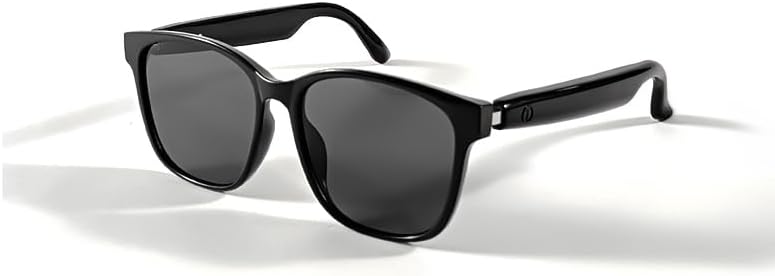
Image 1.1: The SUNOL GS08 Smart Glasses in gray, showcasinג זייער גלאַטן דיזיין.
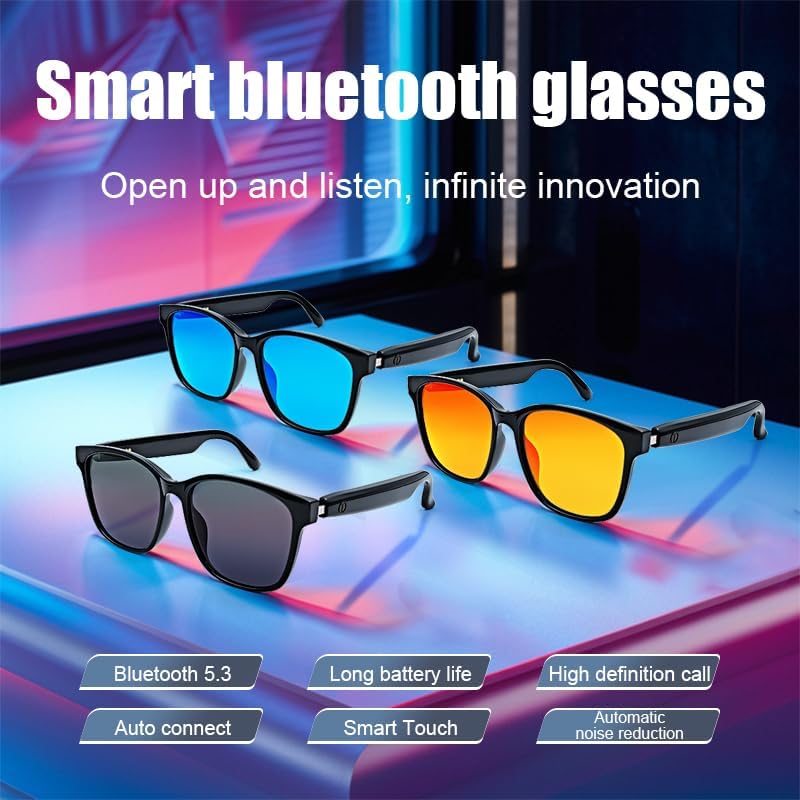
Image 1.2: Multiple color variants of the smart glasses highlighting features like Bluetooth 5.3, long battery life, high-definition calls, auto-connect, smart touch, and automatic noise reduction.
2. סעטאַפּ
2.1. פּעקל אינהאַלט
Before proceeding, please ensure all items are present in the package:
- SUNOL GS08 Smart Glasses
- טשאַרדזשינג קאַבלע
- באַניצער מאַנואַל
- רייניקונג שטאָף (קען זיין אַנדערש לויט פּאַקעט)
2.2. אויפלאָדן די ברילן
For optimal performance, fully charge your smart glasses before first use.
- Connect the charging cable to the charging port on the glasses.
- שטעקט אריין דעם אנדערן עק פונעם טשאַרדזשינג קאַבל אין א USB מאַכט אַדאַפּטער (נישט אַרייַנגערעכנט) אדער א קאָמפּיוטער'ס USB פּאָרט.
- The indicator light on the glasses will illuminate during charging and turn off or change color when fully charged.
- א פולע אויפלאדונג נעמט געווענליך בערך 1.5 ביז 2 שעה.
2.3. בלועטאָאָטה פּערינג
Follow these steps to pair your SUNOL GS08 Smart Glasses with your smartphone or other Bluetooth-enabled device:
- זיכער מאַכן אַז די ברילן זענען אויפגעלאָדן און אויסגעלאָשן.
- Press and hold the power button on the glasses until the indicator light flashes rapidly (usually blue and red), indicating pairing mode.
- On your smart device, go to Bluetooth settings and turn Bluetooth on.
- זוכן פֿאַר available devices. You should see "GS08" or "SUNOL GS08" in the list.
- Select "GS08" to connect. Once connected, the indicator light on the glasses will typically stop flashing and remain solid blue or turn off.
- The glasses will automatically connect to the last paired device when powered on, if the device's Bluetooth is active and within range.
3. אַפּערייטינג ינסטרוקטיאָנס
3.1. מאַכט אויף / אויסגעלאשן
- מאַכט אויף: Press and hold the power button for approximately 3 seconds until you hear a power-on prompt or see the indicator light.
- מאַכט אַוועק: Press and hold the power button for approximately 5 seconds until you hear a power-off prompt or the indicator light turns off.
3.2. מוזיק פּלייבאַק
Control your music directly from the smart glasses:
- שפּיל / פּויזע: Single press the multi-function button (often the power button or a dedicated button).
- ווייַטער שפּור: דריקט צוויי מאָל דעם מולטי-פונקציע קנעפּל.
- פֿריִערדיקע שפּור: דריק דריי מאָל דעם מולטי-פֿונקציע קנעפּל.
3.3. רופן מאַנאַגעמענט
Manage phone calls hands-free:
- ענטפער רופן: Single press the multi-function button when a call comes in.
- סוף רופן: דריק איין מאל דעם מולטי-פונקציע קנעפל בעת א רוף.
- אָפּוואַרפן רופן: דריק און האלט דעם מולטי-פונקציע קנעפל פאר 2 סעקונדעס ווען א רוף קומט אריין.
3.4. Voice Assistant (AI Voice Control)
Activate your device's voice assistant for navigation, information, and more:
- אַקטאַווייט: Press and hold the multi-function button for 2 seconds (when not on a call) to activate your smartphone's voice assistant (e.g., Siri, Google Assistant).
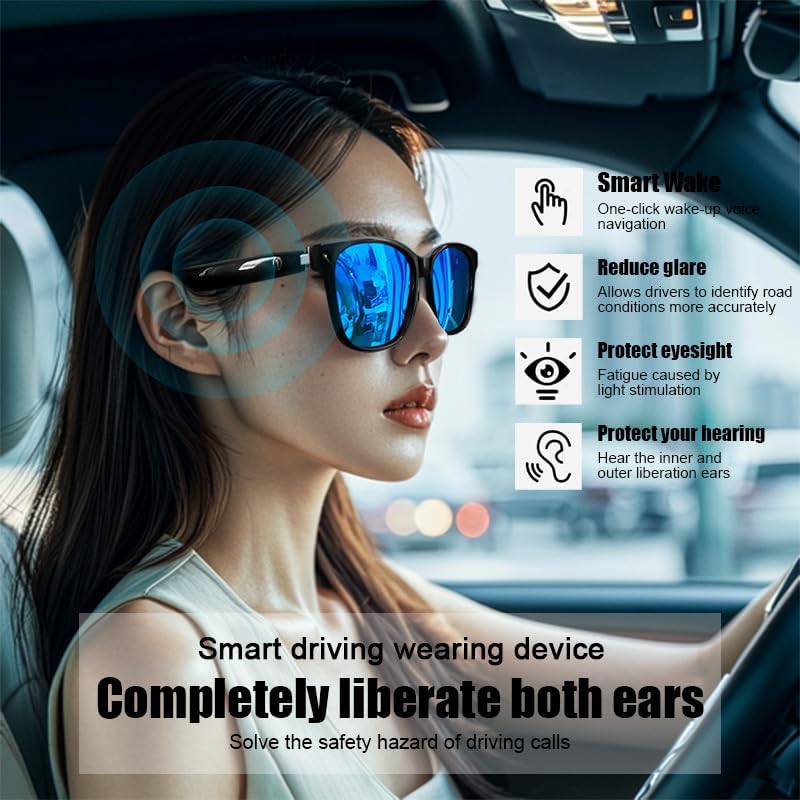
Image 3.1: The smart glasses in use while driving, demonstrating features such as Smart Wake for voice navigation, reduced glare, eye protection, and open-ear audio for hearing protection.
3.5. באַנד קאָנטראָל
Adjust the audio volume using the dedicated volume buttons on the glasses (if available) or directly from your connected smart device.

בילד 3.2: עקס.amples of the smart glasses being used in various activities such as cycling, hiking, driving, and fishing, highlighting their versatility.
4. וישאַלט
4.1. Cleaning the Glasses
To maintain clarity and hygiene:
- ניצט דעם צוגעשטעלטן רייניקונג־טוך אדער א ווייכן, לינט־פֿרייע טוך צו זאַכט ווישן די לענסעס און ראַם.
- פֿאַר שווערע פֿלעקן, לײַכט דראַפֿטןampen the cloth with water or a lens cleaning solution specifically designed for eyewear.
- Avoid using harsh chemicals, abrasive materials, or paper towels, as these can scratch the lenses or damage the frame.
4.2. סטאָרידזש
When not in use, store your smart glasses in their protective case to prevent scratches and damage. Avoid exposing them to extreme temperatures, direct sunlight for prolonged periods, or high humidity.
4.3. וואַסער קעגנשטעל (IPX4)
The SUNOL GS08 Smart Glasses are rated IPX4, meaning they are resistant to splashing water from any direction. This makes them suitable for use during workouts or in light rain. However, they are not designed for submersion in water. Do not wear them while swimming, showering, or in heavy rain.
5. טראָובלעשאָאָטינג
If you encounter issues with your smart glasses, please refer to the following common solutions:
| פּראָבלעם | מעגלעך סיבה | לייזונג |
|---|---|---|
| Glasses won't power on. | נידעריק באַטאַרייע. | לאָדט די ברילן גאָר אויף. |
| קען נישט צופּאַסן מיטן דעווייס. | Bluetooth off on device; glasses not in pairing mode; too far from device. | Ensure Bluetooth is on. Put glasses in pairing mode (see Section 2.3). Move glasses closer to the device. Try unpairing and re-pairing. |
| קיין קלאַנג אָדער נידעריקע וואָלומען. | Volume too low on glasses or device; glasses not connected; audio source paused. | Increase volume on both glasses and connected device. Verify Bluetooth connection. Check if audio is playing on the source device. |
| אומגעריכטע פֿאַרבינדונג. | אריינמישונג; אפאראט צו ווייט; נידריגע באטעריע. | Move closer to the connected device. Avoid areas with strong Wi-Fi or other Bluetooth interference. Ensure glasses are charged. |
אויב די פראבלעם בלייבט נאך פרובירן די לייזונגען, ביטע קאנטאקטירט קאסטומער סופארט.
6. ספּעסאַפאַקיישאַנז
| שטריך | דעטאַל |
|---|---|
| מאָדעל נומער | פ06 |
| בלועטאָאָטה ווערסיע | 5.3 |
| באַטערי טיפּ | 1 ליטהיום פּאָלימער באַטאַרייע (אַרייַנגערעכנט) |
| וואַסער קעגנשטעל | IPX4 (שפּריצן קעגנשטעליק) |
| לענס טיפּ | Polarized, 100% UV Protection |
| אַודיאָ שפּיל צייט | Approximately 3 hours (on a full charge) |
| דעפּאַרטמענט | וניסעקס-דערוואַקסן |
| ערשטער דאַטע בנימצא | 24 יוני 2024 |
| אָריגין | ימפּאָרטיד |
7. וואָראַנטי אינפֿאָרמאַציע
SUNOL products are manufactured to the highest quality standards. This product is covered by a limited warranty against defects in materials and workmanship from the date of original purchase. Please retain your proof of purchase for warranty claims.
The warranty does not cover damage caused by misuse, accident, unauthorized modification, or normal wear and tear. For specific warranty terms and conditions, please refer to the warranty card included with your product or contact customer support.
8. קונה שטיצן
If you have any questions, require technical assistance, or need to make a warranty claim, please contact our customer support team:
- בליצפּאָסט: support@sunol.com
- Webפּלאַץ: www.sunol.com/support
Please have your product model number (F06) and purchase date ready when contacting support.


