1. הקדמה
This manual provides detailed instructions for the MESWAO 15.6 Inch Android 14 Tablet, model MES-B3. It covers essential information regarding product features, setup, operation, maintenance, and troubleshooting to ensure optimal performance and user experience. Please read this manual thoroughly before using your device.
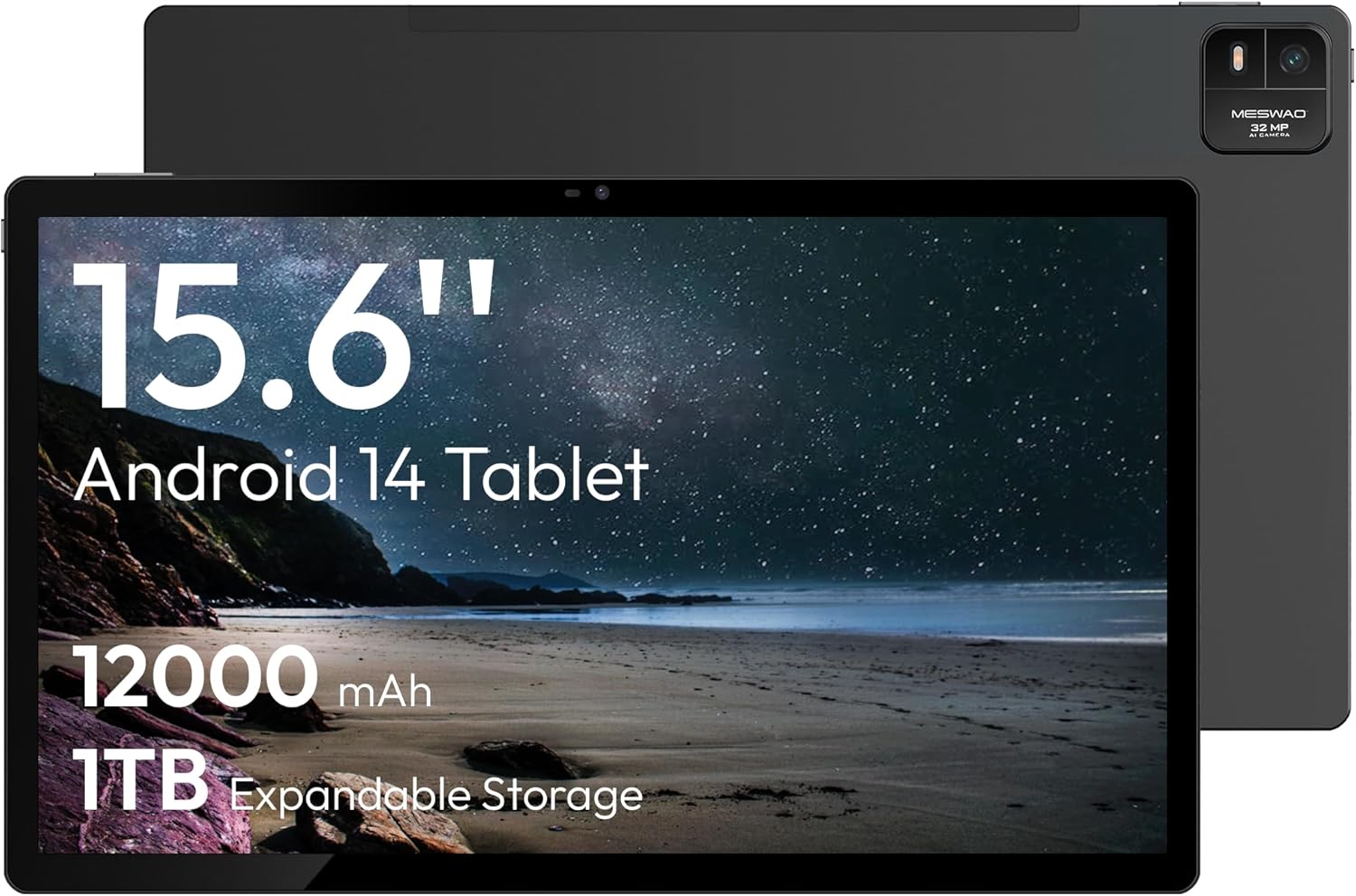
Figure 1.1: MESWAO 15.6 Inch Android 14 Tablet. This image displays the front and back view of the tablet, highlighting its large screen and rear camera module.
2. זיכערקייַט אינפֿאָרמאַציע
כדי צו פאַרמייַדן שאָדן צו אייער מיטל אָדער שאָדן צו זיך אָדער אַנדערע, ביטע אָבסערווירן די פאלגענדע פאָרזיכטיגקייטן:
- שטעלט נישט אויס די טאַבלעט צו עקסטרעמע טעמפּעראַטורן, דירעקטע זונשייַן, אדער הויכע הומידיטי.
- פֿאַרמײַדט צו לאָזן פאַלן אָדער אויסשטעלן די טאַבלעט צו שווערע קלאַפּן.
- ניצט נאָר באַשטעטיקטע טשאַרדזשערס און אַקסעסאָריעס.
- Do not attempt to disassemble or repair the tablet yourself.
- האַלט די טאַבלעט אַוועק פון וואַסער און אַנדערע פליסיקייטן.
- Observe all local regulations regarding the use of electronic devices.
3. פּעקל אינהאַלט
באַשטעטיקן אַז אַלע זאכן זענען פאַראַן אין פּעקל:
- 15.6-inch Tablet x1
- 15W Charger x1
- Type-C to 3.5mm Adapter x1
- USB-A to Type-C Adapter x1
- Stuck Pin x1 (for SIM/TF card tray)
4. דיווייס איבערview
Familiarize yourself with the physical components of your MESWAO tablet.
4.1. פיזישע אייגנשאפטן
- פראָנט אַפּאַראַט: Located at the top center of the screen when held horizontally.
- דערציען אַפּאַראַט מיט פלאַש: Located on the back, typically in a corner.
- מאַכט קנעפּל: געוויינטלעך אויף דער זייט, גענוצט צו אנצינדן/אויסלעשן אדער אויפוועקן/שלאפן דעם אפאראט.
- באַנד קנעפּלעך: אַדזשאַסטירן אַודיאָ לעוועלס.
- וסב- C פּאָרט: פֿאַר טשאַרדזשינג און דאַטן אַריבערפירן.
- טף קאַרד שפּעלטל: פֿאַר יקספּאַנדאַבאַל סטאָרידזש.
- רעדנער: Quad speakers with 8 sound chambers for audio output.

פיגורע 4.1: איבערview of MESWAO Tablet's physical features. This image illustrates the location of stereo speakers, power and volume buttons, front camera, rear camera with flashlight, Type-C port, and TF card slot.
5. סעטאַפּ
5.1. ערשטע אויפלאָדונג
Before first use, fully charge the tablet using the provided 15W charger and USB-C cable. Connect the charger to the USB-C port on the tablet and plug it into a power outlet. The battery indicator on the screen will show charging progress.

Figure 5.1: Tablet charging illustration. This image shows the tablet connected to a charger, displaying a charging icon and indicating 100% charge in 3.5 hours.
5.2. פּאָווערינג אויף / אויסגעלאשן
- צו מאַכט אויף: Press and hold the Power button until the MESWAO logo appears.
- צו מאַכט אַוועק: Press and hold the Power button until the power options menu appears, then select "Power off."
- צו שלאפן/אויפוואכן: דריקן בעקיצער די מאַכט קנעפּל.
5.3. ערשט קאָנפיגוראַטיאָן
ביים ערשטן מאָל אנצינדן, פאָלגט די אינסטרוקציעס אויפן עקראַן צו סעטאַפּן אייער טאַבלעט:
- אויסקלייַבן דיין בילכער שפּראַך.
- פאַרבינדן צו אַ Wi-Fi נעץ.
- לאָג אַרײַן מיט אײַער גוגל אַקאַונט אָדער שאַפֿט אַ נײַעם.
- Review און אָננעמען די תּנאים און באַדינגונגען.
- שטעלט אויף דעם עקראַן שלאָס (PIN, מוסטער, אדער פּאַראָל).
5.4. אריינשטעלן א TF קארטל
To expand storage, insert a TF (microSD) card:
- געפינט די TF קאַרטל שפּעלטל אויף דער זייט פון די טאַבלעט.
- Use the provided stuck pin to gently eject the card tray.
- Place the TF card into the tray with the gold contacts facing down.
- פֿאָרזיכטיק צוריקשטעלט דעם טאַץ אין דער טאַבלעט.

Figure 5.2: Tablet storage capabilities. This image highlights the 128GB ROM and support for up to 1TB expandable storage via TF card.
6. אַפּערייטינג ינסטרוקטיאָנס
6.1. יקערדיק נאַוויגאַציע
The MESWAO tablet uses Android 14, offering intuitive touch-based navigation:
- צאַפּן: אויסקלייבן אַן אייטעם אָדער עפֿענען אַן אַפּליקאַציע.
- לאַקכענען: סקראָלן דורך סקרינז אדער רשימות.
- קניפּ-צו-זומען: פֿאַרגרעסערן אָדער פֿאַרקלענערן אינהאַלט אויף דעם עקראַן.
- לאנג פּרעס: צוטריט קאנטעקסטועלע מעניוס אדער באוועג איקאנעס.

Figure 6.1: Android 14 operating system interface. This image displays various application icons and highlights features like smooth multitasking, parental control, and enhanced privacy.
6.2. קאַנעקטינג צו ווי-פי
- גיין צו סעטטינגס > נעץ און אינטערנעט > ווי-פי.
- טוישן Wi-Fi On.
- אויסקלייבן אייער געוואונטשענע נעץ פון דער ליסטע.
- אַרייַן די פּאַראָל אויב געבעטן, און דאַן צאַפּן פאַרבינדן.
6.3. פאַרוואַלטן אַפּליקאַציעס
- ינסטאַלירן אַפּפּס: Download from the Google Play Store.
- נעם אַוועק אַפּפּס: Long-press an app icon, then drag it to "Uninstall" or go to סעטטינגס > אַפּפּס.
- Close Apps: Swipe up from the bottom of the screen and swipe away the app card.
6.4. קאַמעראַ יוז
The tablet features a 32MP rear camera with flash and a 5MP front camera.
- עפענען די אַפּאַראַט אַפּלאַקיישאַן.
- צאַפּן דעם שאַטער קנעפּל צו נעמען אַ פאָטאָ.
- טוישט צווישן פראָנט און הינטערשטע קאַמעראַס ניצנדיק די קאַמעראַ סוויטש ייקאַן.
- Access settings for flash, modes, and other options.
6.5. באַטערי מאַנאַגעמענט
די 12000mAh באַטעריע גיט פארלענגערטע נוצן. צו אָפּטימיזירן די באַטעריע לעבן:
- סטרויערן די ברייטנאַס פון די פאַרשטעלן.
- שליסט נישט גענוצטע אַפּליקאַציעס.
- אַקטיווירן באַטאַרייע שפּאָרער מאָדע אין סעטטינגס > באַטערי.
6.6. קאַנעקטיוויטי
- בלועטאָאָטה: Pair with wireless headphones, speakers, or other devices via סעטטינגס > קאָננעקטעד דעוויסעס > בלועטאָאָטה.
- וסב- C: פֿאַרבינדן זיך צו אַ קאָמפּיוטער פֿאַר file transfer or use with compatible USB-C accessories.
- Wireless Screen Casting: Share your tablet's screen to a compatible smart TV or monitor. Access this feature from the Quick Settings panel or סעטטינגס > קאָננעקטעד דעוויסעס > געשטאַלט.
6.7. סאָונד סעטטינגס
Adjust volume and audio output options:
- Use the physical volume buttons on the side of the tablet.
- Access detailed settings in סעטטינגס > געזונט & ווייבריישאַן.
- The tablet supports multiple audio options, including USB-C audio and 3.5mm via the provided adapter.
7. וישאַלט
7.1. רייניקן אייער טאַבלעט
To clean the tablet, use a soft, lint-free cloth. For stubborn smudges, slightly dampen the cloth with water or a screen cleaner designed for electronics. Avoid harsh chemicals or abrasive materials.
7.2. ווייכווארג דערהייַנטיקונגען
קאָנטראָלירט און אינסטאַלירט רעגולער ווייכווארג דערהייַנטיקונגען צו ענשור אָפּטימאַלע פאָרשטעלונג, זיכערהייט און צוטריט צו נייַע פֿעיִקייטן. גייט צו סעטטינגס > סיסטעם > סיסטעם דערהייַנטיקן.
7.3. סטאָרידזש מאַנאַגעמענט
To maintain performance, periodically manage your tablet's storage:
- אויסמעקן אומנייטיקע אַפּפּס און files.
- מאַך גרויס files to the TF card or cloud storage.
- ויסמעקן קאַש דאַטן פֿאַר אַפּפּס אין סעטטינגס > אַפּפּס > [אַפּ נאָמען] > סטאָרידזש און קאַש.
8. טראָובלעשאָאָטינג
באַציט זיך צו די פאלגענדע געוויינטלעכע פּראָבלעמען און לייזונגען:
| פּראָבלעם | לייזונג |
|---|---|
| די טאַבלעט גייט נישט אָן. | זיכער מאַכן אַז די באַטאַרייע איז אויפגעלאָדן. פֿאַרבינדט דעם טשאַרדזשער און וואַרט אַ פּאָר מינוט איידער איר פּרוּווט ווידער אָנצוצינדן. |
| קענען ניט פאַרבינדן צו ווי-פי. | Check if Wi-Fi is enabled. Verify the Wi-Fi password. Restart your router and the tablet. |
| אַפּפּס קראַשן אָדער פרירן. | Close background apps. Clear the app's cache. Restart the tablet. Ensure the app is updated. |
| לאַנגזאַמע פאָרשטעלונג. | Free up storage space. Close unused apps. Restart the tablet. |
| באַטאַרייע דריינז געשווינד. | Reduce screen brightness. Disable unused features like Bluetooth or GPS. Close background apps. Check battery usage in settings. |
9. ספּעסאַפאַקיישאַנז
Key technical specifications for the MESWAO 15.6 Inch Android 14 Tablet (MES-B3):
| שטריך | דעטאַל |
|---|---|
| סאָרט | MESWAO |
| מאָדעל נאָמען | MES-B3 |
| אָפּערייטינג סיסטעם | אַנדרויד 14 |
| פאַרשטעלן גרייס | 15.6 אינטשעס |
| פאַרשטעלן האַכלאָטע | 1920 x 1080 Pixels (IPS HD) |
| פּראַסעסער | Octa-Core (MediaTek Helio G99, up to 2.2 GHz) |
| גראַפיקס קאָופּראַסעסער | Mali-G57 |
| RAM (Memory Storage Capacity) | 6GB (DDR3 SDRAM) |
| Internal Storage (Flash Memory Size) | 128 גיגאבייט |
| יקספּאַנדאַבאַל סטאָרידזש | ביז 1TB דורך TF קאַרטל |
| דערציען אַפּאַראַט האַכלאָטע | 32 מפּ |
| פראָנט קאַמעראַ האַכלאָטע | 5 מפּ |
| באַטאַרייע קאַפּאַציטעט | 12000 מאַה |
| דורכשניטלעך באַטאַרייע לעבן | 12 שעה |
| ווירעלעסס טיפּ | 802.11a/b/g/n/ac (Wi-Fi 5) |
| קאָליר | גרוי |
| פּונקט וואָג | 2.35 פונט |
| פּראָדוקט דימענשאַנז (LxWxH) | 14.53 X 8.78 X 0.43 אינטשעס |

Figure 9.1: Processor and performance details. This image highlights the Helio G99 Octa-Core chipset, 6nm process, 950MHz GPU, and smooth gaming/streaming capabilities.
10. וואָראַנטי און שטיצן
10.1. וואָראַנטי אינפֿאָרמאַציע
The MESWAO 15.6 Inch Android 14 Tablet comes with a 12-חודש וואָראַנטי דעקן פאַבריקאַציע חסרונות. ביטע האַלטן דיין קויפן באַווייַז פֿאַר וואָראַנטי קליימז.
10.2. קונה שטיצן
For technical assistance, troubleshooting, or warranty inquiries, please contact MESWAO customer support. They offer 24-שעה קונה שטיצן און האָבן local service centers in the US, EU, and Japan.
- קאָנטאַקט מעטאָד: Refer to the contact information provided with your product packaging or visit the official MESWAO webפּלאַץ.
- אַרויסגעבן האַכלאָטע: Issues reported are typically responded to within 24 hours, with problems resolved or replaced according to policy.

Figure 10.1: MESWAO customer support and warranty details. This image highlights the 12-month warranty, 24-hour customer support, local after-sales centers, and quick response flow.


