1. הקדמה
This manual provides instructions for the safe and efficient operation of the Chainway C71 Android Barcode Scanner. The C71 is a robust and versatile handheld device designed for various applications, including warehouse inventory management and forklift operations. It features a Zebra SE55 long-range 2D/1D/QR code reader, runs on Android 13, and offers comprehensive connectivity options.
Please read this manual thoroughly before using the device and retain it for future reference.
2. פּראָדוקט איבערview
2.1 שליסל פֿעיִקייטן
- Durable and Versatile Design: Suitable for both indoor and outdoor environments, ideal for warehouse inventory and forklift scanning.
- Zebra SE55 Long Range Scanner: Capable of scanning 2D, 1D, and QR codes from distances up to 40 feet (depending on barcode size and media).
- אַנדרויד 13 אָפּערייטינג סיסטעם: Provides access to the latest Android features and the Google Play Store for application downloads.
- ווירעלעסס קאַנעקטיוויטי: Features fast and reliable WiFi, Bluetooth 5.0, NFC, and GPS for seamless data transmission and real-time updates.
- Large Vivid Screen: A bright and clear display for easy reading and interaction in various lighting conditions.
- הויך-קאַפּאַציטעט באַטערי: Equipped with a 5000mAh battery for extended operational periods.
- אקטא-קאָר פּראַסעסער: Ensures fast and responsive performance for demanding applications.
2.2 אַפּאַראַט קאָמפּאָנענטן
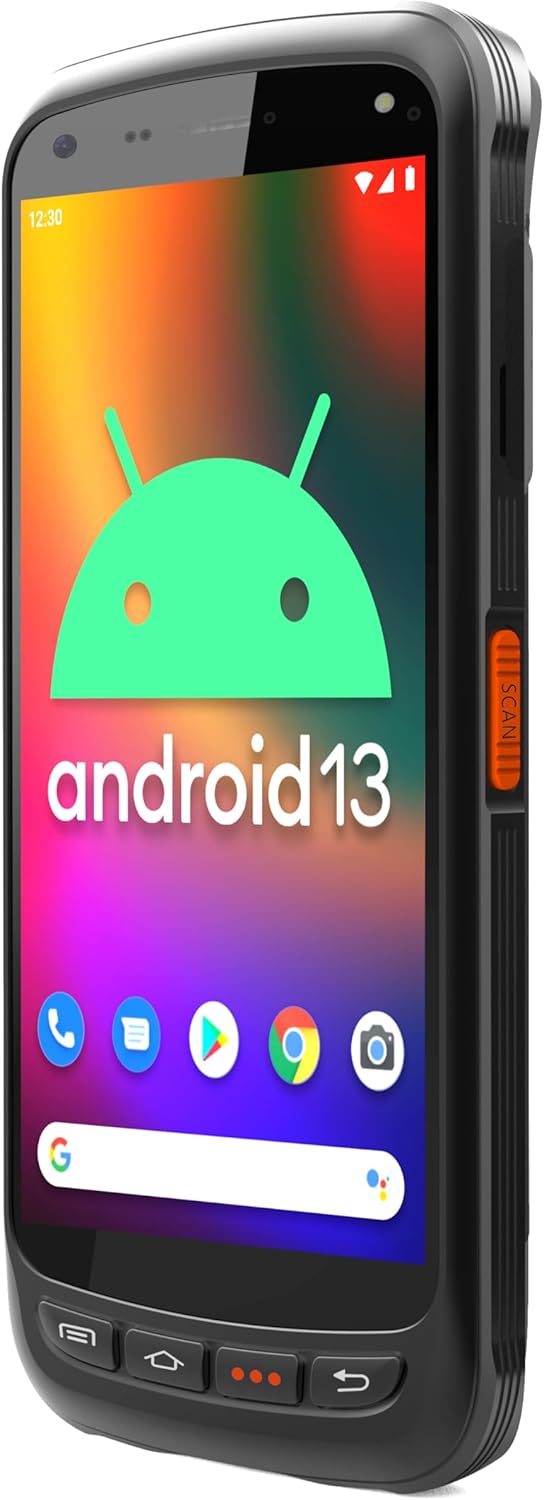
The Chainway C71 scanner features a robust design with an integrated display, scanning engine, and various ports and buttons.
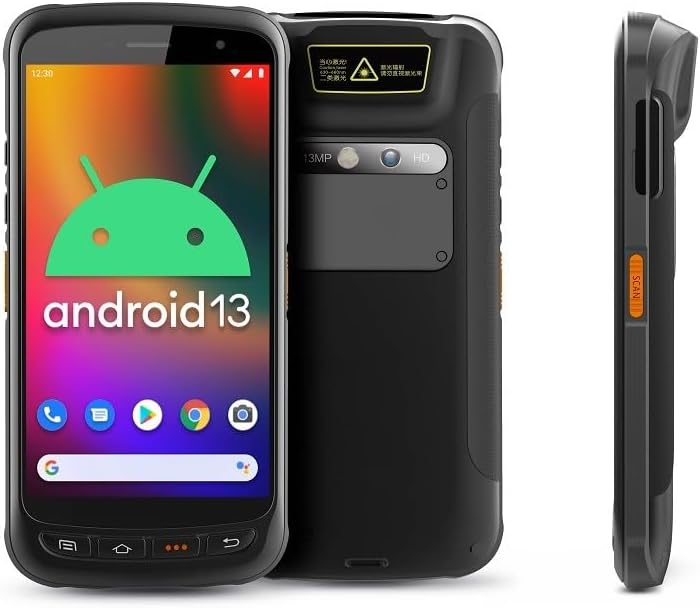
- ווייַז: Large vivid touchscreen for user interaction.
- סקאַן קנעפּל: Located on the side for convenient barcode scanning activation.
- Zebra SE55 Scan Engine: Integrated at the top rear for long-range barcode capture.
- דערציען אַפּאַראַט: For image capture (13MP).
- פראָנט אַפּאַראַט: For video calls or selfies (5MP).
- גשמיות קנעפּלעך: Power, volume, and programmable function keys.
- פּאָרץ: USB-C for charging and data transfer.
3. סעטאַפּ
3.1 באַטעריע אינסטאַלאַציע און טשאַרדזשינג
The Chainway C71 requires one Lithium Ion battery for operation. Ensure the battery is correctly installed before first use.
- געפינט דעם דעקל פונעם באַטעריע־אָפּטייל אויף דער הינטערשטער זייט פונעם אַפּאַראַט.
- Open the cover and insert the Lithium Ion battery, ensuring the contacts align correctly.
- פאַרמאַכן די באַטאַרייע אָפּטייל דעקן סיקיורלי.
- Connect the device to a power source using the provided USB-C cable and power adapter. The device will begin charging.

3.2 ערשט מאַכט אויף
- Press and hold the Power button (usually on the side) until the device vibrates and the screen illuminates.
- Follow the on-screen prompts to complete the initial Android 13 setup, including language selection, Wi-Fi connection, and Google account login.
4. אַפּערייטינג ינסטרוקטיאָנס
4.1 Barcode Scanning with Zebra SE55 Engine
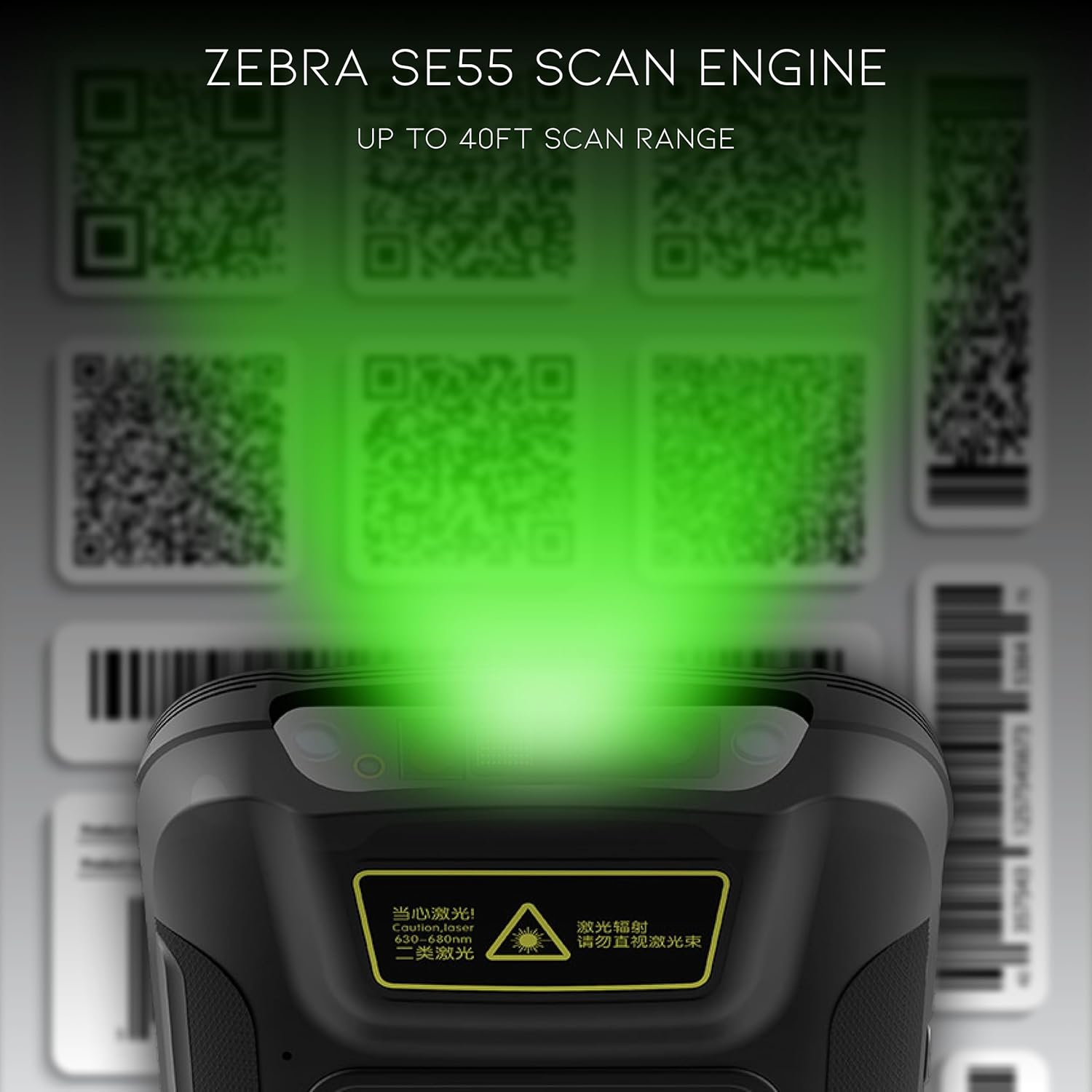
The Chainway C71 is equipped with a powerful Zebra SE55 scan engine for efficient barcode capture.
- Open the desired application that requires barcode scanning (e.g., inventory management app).
- Point the top of the device, where the scan engine is located, towards the barcode.
- Press the dedicated scan button on the side of the device. A green aiming pattern will appear.
- Align the aiming pattern with the barcode. The device will emit a sound or vibrate upon successful scan.
- The scanned data will be input into the active field of your application.
באַמערקונג: The Zebra SE55 can scan barcodes from up to 40 feet away, depending on the barcode size and quality. For optimal performance, ensure clear line of sight and adequate lighting.
4.2 אַנדרויד 13 אָפּערייטינג סיסטעם
The C71 runs on Android 13, providing a familiar and intuitive user experience. You can navigate the interface using touch gestures.

- היים פאַרשטעלן: צוטריט אייערע אינסטאלירטע אַפּליקאַציעס און ווידזשעטס.
- נאָטיפיקאַטיאָנס: לאַקכענען אַראָפּ פֿון די שפּיץ פון דעם עקראַן צו view נאָטיפיקאַציעס און שנעלע סעטטינגס.
- Google פּלייַ סטאָר: Download and install additional applications relevant to your workflow.
4.3 קאַנעקטיוויטי
The device supports multiple connectivity options for data transfer and communication.
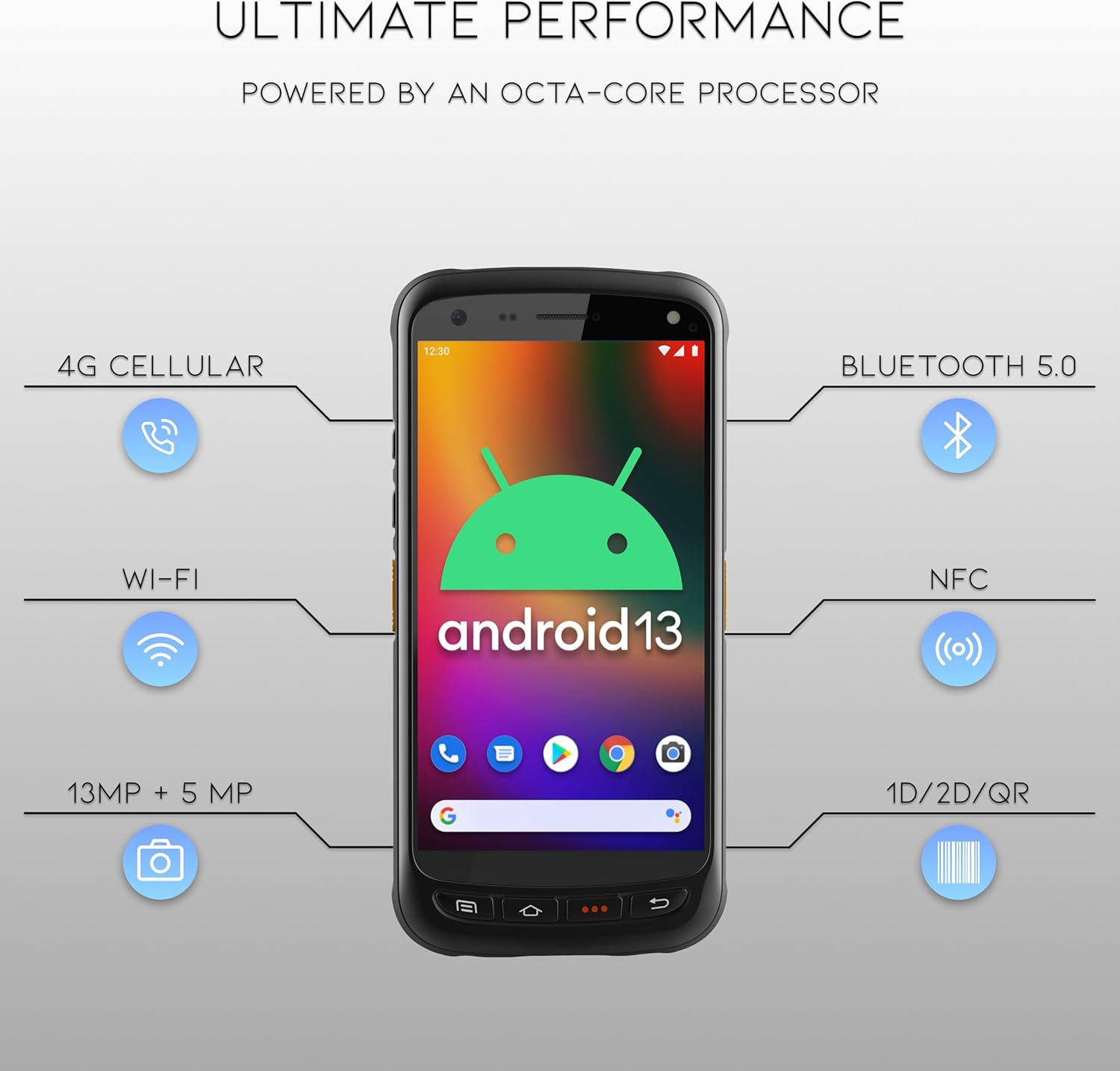
- ווי-פי: Connect to wireless networks for internet access and data synchronization. Go to סעטטינגס > נעץ און אינטערנעט > Wi-Fi.
- בלועטאָאָטה 5.0: Pair with Bluetooth-enabled devices such as headsets or printers. Go to סעטטינגס > פארבונדענע דעווייסעס > בלועטוט.
- NFC: For near-field communication applications.
- גפּס: For location-based services.
- 4G סעלולאַר: (If equipped with SIM card slot) For mobile data connectivity.
5. וישאַלט
5.1 רייניקונג די מיטל
- ניצן אַ ווייך, לינט-פֿרייַ שטאָף אַ ביסל דampאָפּגעשווענקט מיט וואַסער אָדער אַ מילדער, נישט-אַברייזיווער רייניקונג לייזונג צו רייניקן דעם עקראַן און אויסערן.
- Do not use harsh chemicals, solvents, or abrasive materials, as these can damage the device.
- זיכער מאַכן אַז קיין פליסיקייט זאָל נישט אַרייַן אין די פּאָרטן אָדער עפענונגען.
5.2 באַטערי קער
- פֿאַרמײַדט אויסשטעלן די באַטעריע צו עקסטרעמע טעמפּעראַטורן (הייס אָדער קאַלט).
- Charge the battery regularly, but avoid leaving it fully discharged for extended periods.
- Use only the manufacturer-approved charging accessories.
6. טראָובלעשאָאָטינג
This section addresses common issues you might encounter with your Chainway C71 scanner.
6.1 דיווייס גייט נישט אן
- ענשור אַז די באַטאַרייע איז ריכטיק אינסטאַלירן און גאָר באפוילן.
- Connect the device to the charger and attempt to power it on after a few minutes.
- אויב די אַרויסגעבן בלייַבט, קאָנטאַקט קונה שטיצן.
6.2 Barcode Not Scanning
- Verify that the scanning application is open and ready to receive input.
- Ensure the barcode is clean, undamaged, and within the scanner's range (up to 40 feet).
- Check for adequate lighting; extreme glare or insufficient light can affect scanning performance.
- Confirm the scan engine is pointed directly at the barcode.
6.3 Wi-Fi קאָנעקטיוויטי פּראָבלעמען
- Check if Wi-Fi is enabled in the device settings.
- Ensure you are within range of a known Wi-Fi network.
- Verify the Wi-Fi password if connecting to a new network.
- Restart the device and the Wi-Fi router if necessary.
7. ספּעסאַפאַקיישאַנז
Technical specifications for the Chainway C71 Android Barcode Scanner.
| שטריך | דעטאַל |
|---|---|
| מאָדעל נומער | C71 |
| אָפּערייטינג סיסטעם | אַנדרויד 13 |
| באַרקאָדע סקאַננער | Zebra SE55 (2D/1D/QR, up to 40ft range) |
| פּראַסעסער | 2.0 GHz Octa-Core Processor |
| באַטערי | 5000mAh ליטיום יאָן (1 פארלאנגט) |
| קאַנעקטיוויטי | Wi-Fi, Bluetooth 5.0, NFC, GPS, 4G Cellular (optional) |
| קאַמעראַס | 13 מפּ דערציען, 5 מפּ פראָנט |
| קאַמפּאַטאַבאַל דעוויסעס | Smartphone, Tablet (as a handheld device) |
| מאַכט מקור | באַטאַרייע פּאַוערד |
| פאַבריקאַנט | Chainway |

8. וואָראַנטי און שטיצן
For warranty information and technical support, please contact the seller, BARCODE-USA. Details regarding specific warranty periods and coverage will be provided at the point of purchase or upon request from the seller.
פארקויפער : BARCODE-USA
For assistance, refer to your purchase documentation or visit the BARCODE-USA store page on Amazon: BARCODE-USA Store


