1. הקדמה
This manual provides essential information for using your new Tecno Spark 20C smartphone. It covers device setup, basic operations, maintenance tips, and troubleshooting common issues. Please read this manual carefully to ensure proper and safe use of your device.
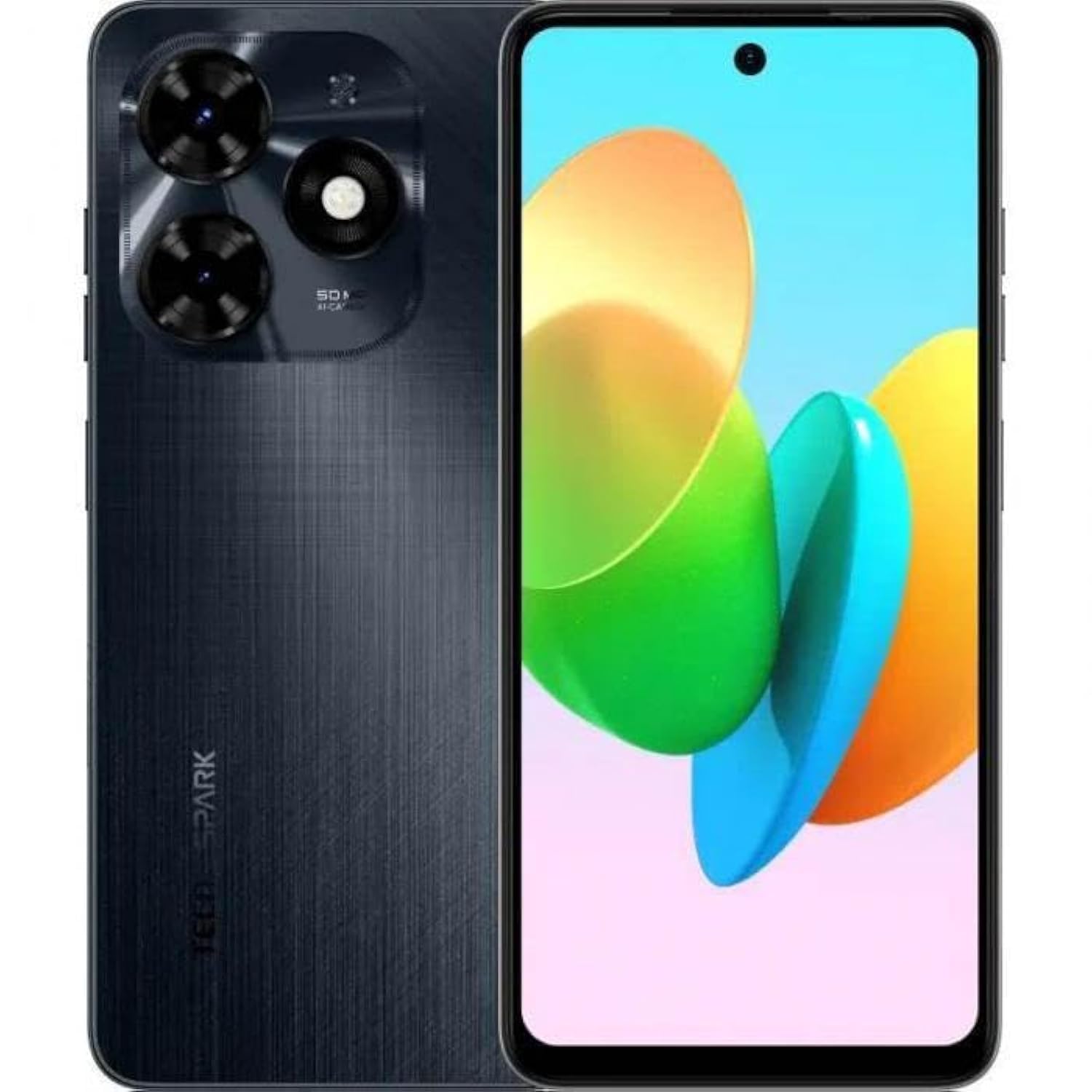
בילד 1.1: פראָנט view of the Tecno Spark 20C smartphone.
2. פּעקל אינהאַלט
Upon unboxing your Tecno Spark 20C, please verify that the following items are included:
- טעקנאָ ספּאַרק 20C סמאַרטפאָון
- מאַכט אַדאַפּטער
- וסב טשאַרדזשינג קאַבלע
- סים עדזשעקטאָר טול
- שנעל אָנהייב גייד
- וואָראַנטי קאַרד
3. דיווייס איבערview
The Tecno Spark 20C features a 6.6-inch HD+ display. The device is equipped with a 50-megapixel main camera on the rear and an 8-megapixel front camera. Physical buttons typically include power/lock and volume controls. Ports usually include a USB charging port and a 3.5mm audio jack.
4. סעטאַפּ
4.1. Installing SIM and MicroSD Cards
- געפינט די סים קארטל טאַץ אויף דער זייט פון אייער דעווייס.
- שטעקט אריין דעם סים אויסווארף געצייג אין דעם קליינעם לאך לעבן דעם טרעי און דריקט לײַכט ביז דער טרעי קומט ארויס.
- לייגט אריין אייער נאַנאָ-סים קאַרטל(ן) און/אָדער מיקראָסד קאַרטל אין די באַשטימטע סלאָץ אויף דער טאַץ. מאַכט זיכער אַז די גאָלדענע קאָנטאַקטן קוקן אַראָפּ.
- קערפאַלי ריינסערט די טאַץ אין די מיטל.
4.2. ערשטע איינשאַלטונג און קאָנפיגוראַציע
- דריק און האלט דעם פּאַוער קנעפּל ביז דער טעקנאָ לאָגאָ דערשיינט.
- Follow the on-screen prompts to select your language, region, connect to a Wi-Fi network, and set up your Google account.
- You may also be prompted to set up a screen lock (PIN, pattern, or fingerprint).
4.3. טשאַרדזשינג די מיטל
Connect the USB cable to the charging port on your phone and the other end to the power adapter. Plug the adapter into a wall outlet. The battery icon on the screen will indicate charging status. For optimal battery life, use the provided charger and cable.
5. אָפּערייטינג
5.1. יקערדיק נאַוויגאַציע
Your Tecno Spark 20C uses a touchscreen interface. Common gestures include:
- צאַפּן: To open apps, select items, or confirm actions.
- לאַקכענען: To scroll through screens, lists, or pages.
- קניפּ: צו פארגרעסערן אדער פארקלענערן בילדער און web בלעטער.
- לאנג פּרעס: צו צוקומען צו קאנטעקסטועלע מעניוס אדער באוועגן אפליקאציע אייקאנען.
5.2. מאַכן רופן און שיקן מעסעדזשעס
צו מאַכן אַ רוף, עפֿנט די טעלעפאָן אַפּ, אַרייַן די נומער, און צאַפּן די רוף ייקאַן. צו שיקן אַ מעסעדזש, עפֿענען די אַרטיקלען app, tap the new message icon, enter the recipient's number or select from contacts, and type your message.
5.3. ניצן די קאַמעראַ
עפענען די אַפּאַראַט app. The Tecno Spark 20C features a 50-megapixel main camera with AI image processing algorithms and an 8-megapixel front camera. Tap the shutter button to take a photo. Swipe to switch between photo, video, and other modes like panorama. AI features can automatically optimize settings for different scenes.
5.4. אינטערנעט קאַנעקטיוויטי
Access the internet via Wi-Fi or mobile data (4G). To connect to Wi-Fi, go to סעטטינגס > נעץ און אינטערנעט > Wi-Fi, turn Wi-Fi on, and select your desired network. To enable mobile data, go to סעטטינגס> נעץ & אינטערנעט> מאָביל נעץ and toggle Mobile data on.
5.5. NFC for Contactless Payments
The Tecno Spark 20C includes an NFC module. To use contactless payments, ensure NFC is enabled in סעטטינגס > פארבונדענע דעווייסעס > NFC. Set up your preferred payment app and hold your phone near a compatible payment terminal.
6. וישאַלט
6.1. רייניקן דיין דעווייס
Use a soft, lint-free cloth to gently wipe the screen and body of your phone. Avoid using harsh chemicals or abrasive materials, which can damage the device's finish or screen coating.
6.2. באַטערי קער
To prolong battery life, avoid exposing your phone to extreme temperatures. It is recommended to keep the battery charge between 20% and 80% for daily use. Avoid completely draining the battery frequently.
6.3. ווייכווארג דערהייַנטיקונגען
קוקט רעגלמעסיג נאך ווייכווארג אפדעיטס צו זיכער מאכן אז אייער אפאראט האט די לעצטע אייגנשאפטן, זיכערהייט פּאַטשעס, און פאָרשטעלונג פֿאַרבעסערונגען. גייט צו סעטטינגס > סיסטעם > סיסטעם דערהייַנטיקונג צו קאָנטראָלירן און ינסטאַלירן בנימצא דערהייַנטיקונגען.
7. טראָובלעשאָאָטינג
די סעקציע באהאנדלט אלגעמיינע פראבלעמען וואס איר קענט באגעגענען מיט אייער טעקנא ספארק 20C.
- די מיטל איז נישט פּאַוערינג: Ensure the battery is charged. Connect the charger and wait a few minutes before attempting to power on again. If it still doesn't turn on, try a forced restart by holding the Power button for about 10-15 seconds.
- עקראַן רעאַגירט נישט: If the screen is frozen, perform a forced restart. If the issue persists, ensure your hands are clean and dry, and the screen is free of debris.
- Network issues (no signal/Wi-Fi): Check if Airplane mode is off. For mobile data, ensure your SIM card is properly inserted and mobile data is enabled in settings. For Wi-Fi, try forgetting the network and reconnecting, or restart your router.
- אַפּפּס קראַשן אָדער פרירן: פרובירט אויסצורייניגן די אפליקאציע'ס קעש און דאטא אין סעטטינגס > אַפּפּס > [אַפּ נאָמען] > סטאָרידזש און קאַש. If the problem continues, uninstall and reinstall the app. Ensure your device's software is up to date.
8. ספּעסאַפאַקיישאַנז
Key technical specifications for the Tecno Spark 20C:
| אָפּערייטינג סיסטעם | אַנדרויד ט |
| פּראַסעסער | אָקטאַ-האַרץ |
| נעץ | 4G |
| פאַרשטעלן גרייס | 6.6 אינטשעס HD+ |
| האַכלאָטע | 720*1612 |
| אינסטאַלירן באַראַן | 4 גיגאבייט |
| אינערלעכער סטאָרידזש | 256 גיגאבייט |
| באַטאַרייע קאַפּאַציטעט | 5000 mAh (as per product description) |
| קאַנעקטיוויטי טעכנאָלאָגיע | 4G, GSM |
| ווירעלעסס קאַריער | אַנלאַקט פֿאַר אַלע קאַריערז |
| פּראָדוקט דימענשאַנז | 16.3 רענטגענ 8 רענטגענ 0.8 סענטימעטער; 410 ג |
9. וואָראַנטי און שטיצן
Your Tecno Spark 20C smartphone comes with a limited warranty. Please refer to the warranty card included in your package for detailed terms and conditions, including coverage period and service procedures. For technical support or further assistance, please visit the official Tecno webפּלאַץ אָדער קאָנטאַקט זייער קונה דינסט.


