1. פּעקל אינהאַלט
Please inspect the package contents to ensure all items are present and in good condition.
- AZDOME M01 Pro Dual Dash Cam (Front Unit)
- דערציען אַפּאַראַט
- 128 גיגאבייט סד קאָרט
- Mini USB OBD Hardwire Kit
- סאַקשאַן קאַפּ בארג
- קלעפּיק בארג
- וסב מאַכט קאַבלע
- פּרוּווט טול
- באַניצער מאַנואַל

Image 1.1: All components included in the AZDOME M01 Pro Dual Dash Cam package.
2. סעטאַפּ
2.1 אריינשטעלן די SD קארטל
Locate the SD card slot on the side of the main dash cam unit. Gently insert the provided 128GB micro SD card until it clicks into place. Ensure the card is inserted correctly to avoid damage.
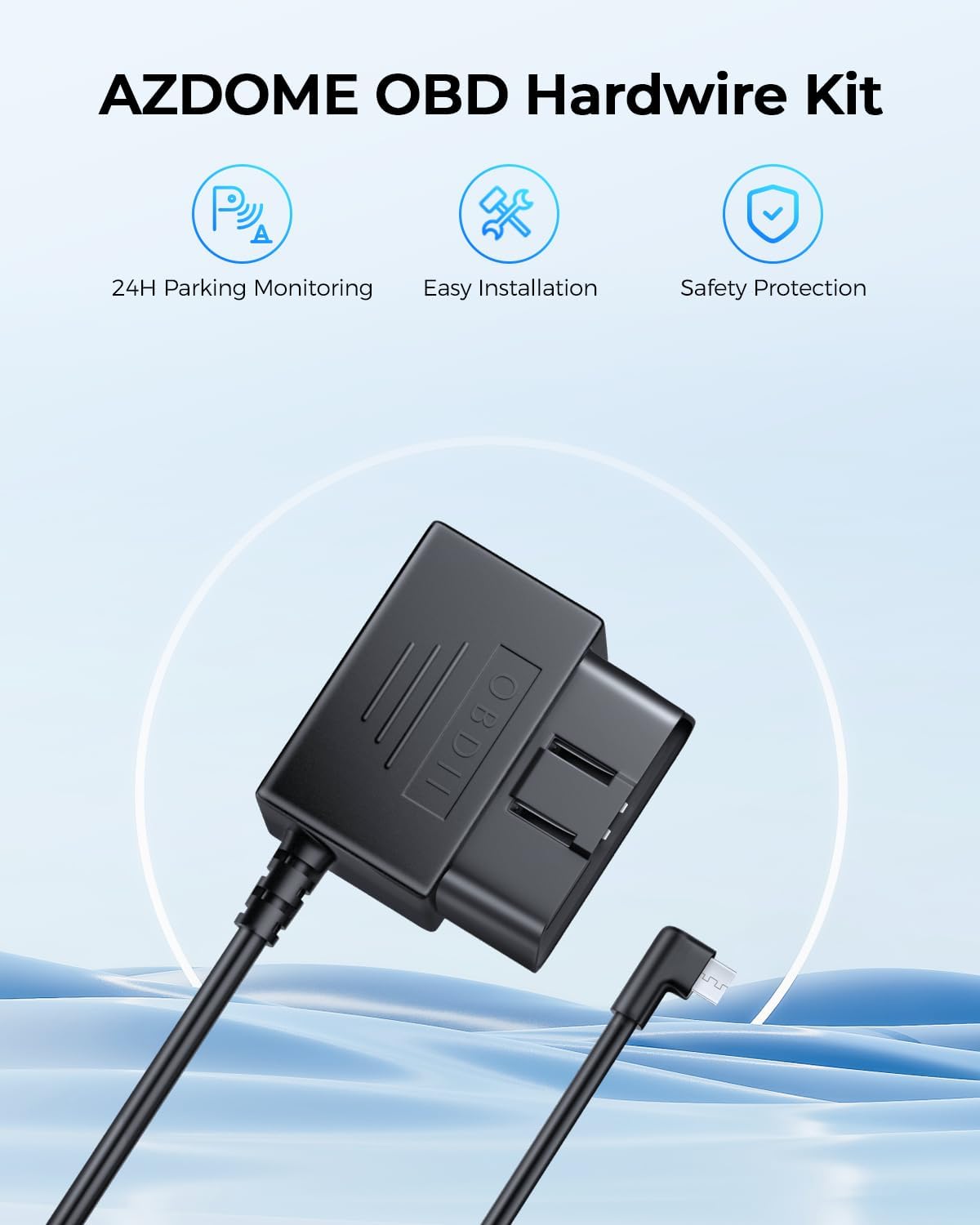
Image 2.1: The included 128GB micro SD card for video storage.
2.2 מאָנטירן די פראָנט דאַש קאַם
- Clean the area on your windshield where you intend to mount the dash cam. Ensure it is free from dust and grease.
- Attach the suction cup mount or adhesive mount to the main dash cam unit.
- Press the mount firmly against the windshield and secure it. Adjust the angle to ensure a clear view פון די וועג פאָרויס.

Image 2.2: Front dash cam mounted on the windshield using the suction cup mount.
2.3 ינסטאָלינג די דערציען אַפּאַראַט
- Identify a suitable location on your rear windshield for the rear camera, ensuring a clear view.
- Clean the chosen area thoroughly.
- Attach the rear camera using its adhesive backing.
- Connect the rear camera cable to the main dash cam unit. Route the cable discreetly along the vehicle's headliner and A-pillar using the provided pry tool to tuck it under trim panels.
2.4 קאַנעקטינג מאַכט
The AZDOME M01 Pro comes with a Mini USB OBD Hardwire Kit for continuous power and parking mode functionality.
- געפינט אייער אויטאָ'ס OBD-II פּאָרט (געווענליך אונטערן דאַשבאָרד אויף דער דרייווער'ס זייט).
- Plug the OBD connector of the hardwire kit into the vehicle's OBD-II port.
- Connect the Mini USB end of the hardwire kit to the main dash cam unit.
- Route the power cable discreetly, similar to the rear camera cable, to avoid obstructing your view אדער אריינמישן זיך מיטן דרייווינג.
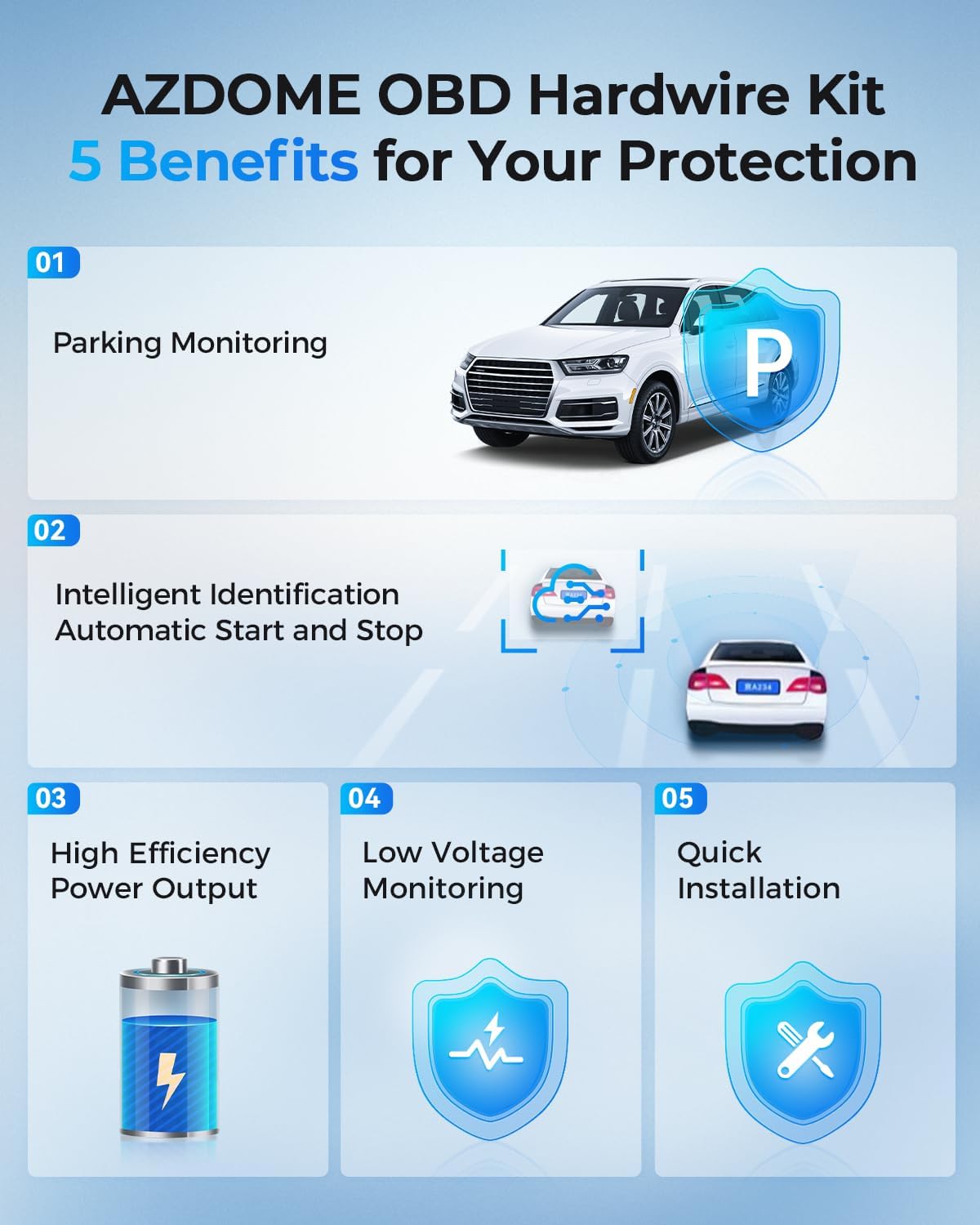
Image 2.3: The Mini USB OBD Hardwire Kit for power connection.

Image 2.4: Key benefits of using the OBD Hardwire Kit, including 24H parking monitoring and easy installation.
3. אַפּערייטינג ינסטרוקטיאָנס
3.1 פּאַוערינג אויף / אַוועק
The dash cam will automatically power on and begin recording when your vehicle's ignition is turned on (if connected via OBD hardwire kit). It will power off automatically when the ignition is turned off.
3.2 יקערדיק קאָנטראָלס
The dash cam features a 3-inch 2.5D curved IPS screen and intuitive buttons for navigation and control. Refer to the on-screen interface for specific menu options.
3.3 שלייף רעקאָרדינג
The dash cam continuously records video in short segments (e.g., 1, 3, or 5 minutes). When the SD card is full, the oldest unlocked video fileס וועט ווערן אויטאָמאַטיש איבערגעשריבן דורך נייע רעקאָרדירונגען. דאָס גאַראַנטירט קאָנטינויִערלעכע רעקאָרדירונג אָן מאַנועלע אריינמישונג.
3.4 G-Sensor & Emergency Lock
The built-in G-sensor detects sudden movements or impacts (e.g., collisions). When an event is detected, the current video segment is automatically locked and saved to a protected folder, preventing it from being overwritten by loop recording.
3.5 24H Parking Mode
With the Mini USB OBD Hardwire Kit, the dash cam supports 24-hour parking monitoring. There are two primary modes:
- צונויפשטויס דעטעקשאַן פּאַרקינג מאָדע: The G-sensor detects impacts while parked and records a short video segment.
- צייט-פאַרשפּעטיקונג פּאַרקינג מאָדע: The dash cam records continuously at a low frame rate (e.g., 1fps) for 24 hours, compressing long periods into short videos.

Image 3.1: Explanation of 24H Parking Monitoring modes: Collision Detection and Time-Lapse recording.
3.6 ADAS (אַוואַנסירטע דרייווער-אַסיסטאַנס סיסטעמען)
The M01 Pro features ADAS functions, including a Lane Departure Warning System and Forward Collision Warning. These systems provide timely alerts to help reduce the risk of driving accidents.
3.7 Dual Recording & Reverse View
The dash cam records simultaneously from both the front (Full HD 1080P, 150° wide-angle) and rear (120° wide-angle) cameras. The display can show both views, and when reversing, it can provide a reverse view מיט פארקינג גיידליינז.

Image 3.2: Dual recording display showing front and rear views, with reverse view parking guidelines.
3.8 סופּער נאַכט וויזשאַן
Equipped with a Starvis Sensor and F2.0 large aperture, the dash cam provides enhanced night vision capabilities, capturing clear footagאפילו אין נידעריק-ליכט טנאָים.
Image 3.3: Super Night Vision technology details, including 6-Glass Lens, Starvis Sensor, and F2.0 Aperture for clear low-light recording.
4. וישאַלט
4.1 סד קאָרט פאַרוואַלטונג
Regularly format your SD card (at least once a month) to maintain optimal performance and prevent data corruption. Back up any important video files איידער פאָרמאַטטינג.
4.2 רייניקונג
ניצט אַ ווייכע, טרוקענע שטאָף צו רייניקן די דאַש קאַם לענסעס און פאַרשטעלן. פֿאַרמייַדט ניצן אַברייסיוו רייניגער אָדער סאָלוואַנץ וואָס קענען שעדיקן דעם מיטל.
5. טראָובלעשאָאָטינג
- דאַש קאַם גייט נישט אָן: Ensure the OBD hardwire kit is correctly installed and receiving power from the vehicle. Check the Mini USB connection to the dash cam.
- רעקאָרדינג ישוז: Verify the SD card is properly inserted and not full. Format the SD card if necessary. Ensure loop recording is enabled.
- נעבעך ווידעא קוואַליטעט: Clean the camera lenses. Check the resolution settings in the menu. Ensure the protective film has been removed from the lenses.
- הינטערשטע קאַמעראַ ווייַזט נישט: Check the cable connection between the front and rear cameras. Ensure the rear camera is properly installed.
- Parking Mode Not Working: Confirm the OBD hardwire kit is correctly installed and providing continuous power. Check parking mode settings in the menu.
6. ספּעסאַפאַקיישאַנז
| סאָרט | AZDOME |
| מאָדעל נאָמען | AZDOME Dual Dash Cam (M01 Pro) |
| קאַנעקטיוויטי טעכנאָלאָגיע | וסב |
| ווידעא קאַפּטורע רעסאָלוטיאָן | 1080p (Front: Full HD 1080P, Rear: 1080P) |
| מאַונטינג טיפּ | Windshield Mount (Suction Cup / Adhesive) |
| קאָנטראָל מעטאָד | Touch / Buttons |
| פלאַש זכּרון טיפּ | SD (128GB included) |
| ספּעציעלע פֿעיִקייטן | Dual Dash Cam, ADAS, Loop Recording, 24H Parking Mode, G-Sensor, Super Night Vision, 150° Front Lens, 120° Rear Lens |
7. וואָראַנטי און שטיצן
For warranty information or technical support, please refer to the official AZDOME website or contact their customer service directly. Contact details are typically found in the packaging or on the product's official support page.


