1. הקדמה
This manual provides essential information for the safe and efficient operation of your Haier H65M95EUX 65-inch QD Mini LED 4K UHD Smart TV. Please read this manual thoroughly before using the product and retain it for future reference.
The Haier H65M95EUX is a 65-inch Smart TV featuring QD Mini LED technology for superior brightness and vibrant colors, 4K UHD resolution, and a 144 Hz refresh rate. It integrates Google TV for smart functionalities, Harman Kardon speakers for enhanced audio, and supports Dolby Atmos and Dolby Vision for an immersive viewינג דערפאַרונג.
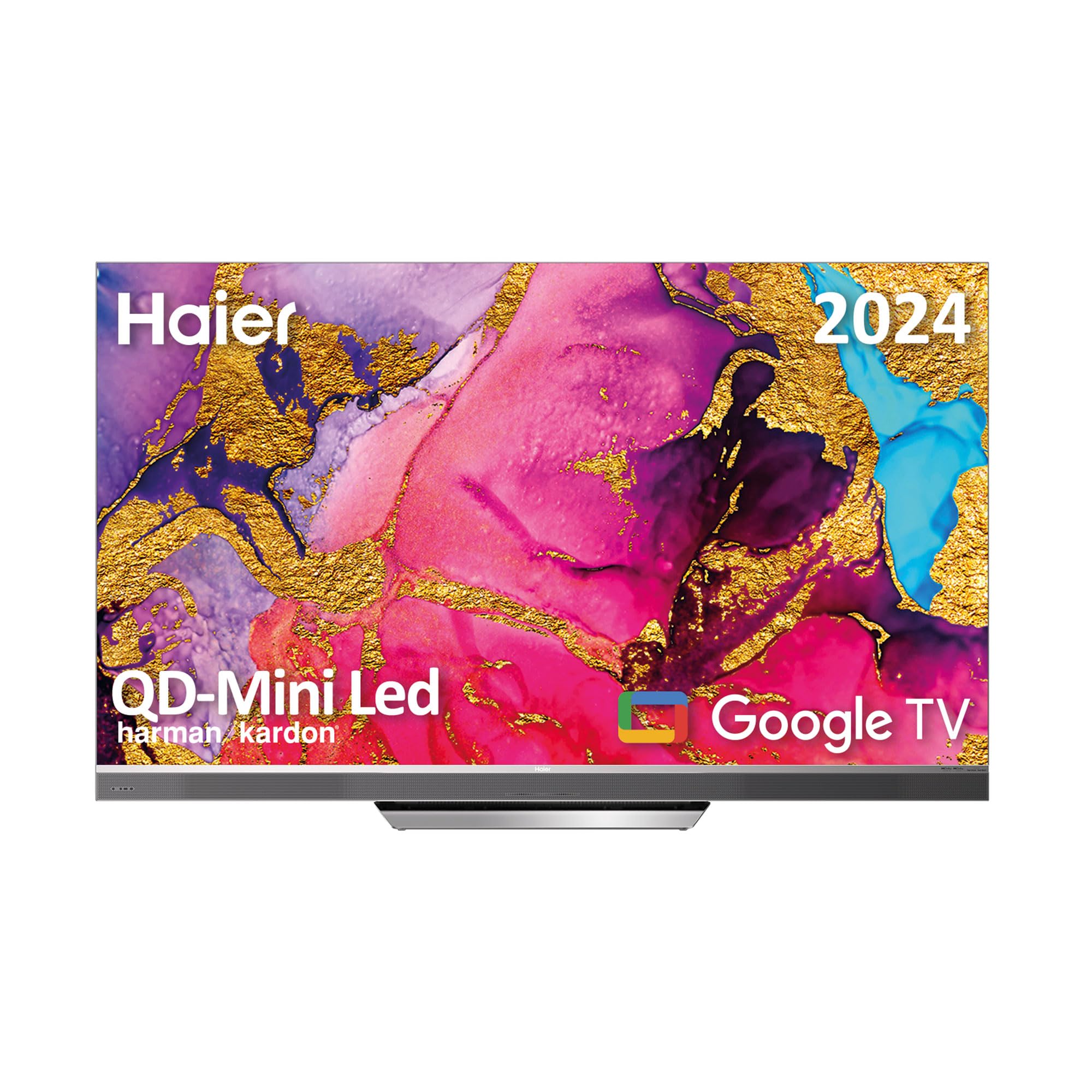
Image 1.1: Haier H65M95EUX 65-inch QD Mini LED 4K UHD Smart TV.
2. זיכערקייַט אינפֿאָרמאַציע
שטענדיק פֿאָלגן די גרונטלעכע זיכערהייט מיטלען ווען איר ניצט דעם טעלעוויזיע צו רעדוצירן דעם ריזיקאָ פֿון פֿײַער, עלעקטרישן קלאַפּ און שאָדן.
- מאַכט מקור: פֿאַרבינדט דעם טעלעוויזיע בלויז צו אַן AC מאַכט מקור ווי אנגעוויזן אויף דער עטיקעט.
- ווענטילאַטיאָן: זיכער מאַכן אַז די ווענטילאַציע איז ריכטיק. נישט פאַרשפּאַרן די ווענטילאַציע עפענונגען.
- וואַסער און נעץ: שטעלט נישט אויס דעם טעלעוויזאר צו רעגן אדער פייכטקייט. לייגט נישט קיין אביעקטן פול מיט פליסיקייטן אויפן טעלעוויזאר.
- רייניקונג: נעמט ארויס דעם טעלעוויזאר פון דער וואנט-אויסשטעל איידער איר רייניגט. ניצט א ווייכן, טרוקענעם טוך. ניצט נישט קיין פליסיקע רייניגער אדער אייראזאל-רייניגער.
- אָרט: שטעלט דעם טעלעוויזאר אויף א סטאבילן, גלייכן אויבערפלאך. פארמיידט עס צו שטעלן אין דירעקטן זונשייַן אדער לעבן היץ-קוועלער.
- סערוויס: דו זאלסט נישט פּרווון צו דינען דעם פּראָדוקט זיך. קאָנטאַקט אַלע קוואַלאַפייד סערוויס פּערסאַנעל.
- קינדער: Supervise children to ensure they do not play with the television.
3. פּעקל אינהאַלט
Verify that all items are present in the packaging before proceeding with the setup.
- Haier H65M95EUX 65-inch QD Mini LED 4K UHD Smart TV
- קלוג רימאָוט קאָנטראָל
- מאַכט קאַבלע
- TV Stand (Base)
- באַניצער מאַנואַל (דעם דאָקומענט)
- סקרוז פֿאַר שטיין פֿאַרזאַמלונג
4. סעטאַפּ
4.1. אַסעמבאַל די שטיין
Place the TV screen face down on a soft, clean surface to prevent damage. Align the stand with the mounting holes on the bottom of the TV. Secure the stand using the provided screws. Ensure the stand is firmly attached before placing the TV upright.
4.2. וואַנט מאָונטינג (אַפּשאַנאַל)
If you choose to wall mount your TV, refer to the instructions provided with your wall mount kit. Ensure the wall mount is compatible with VESA standards for a 65-inch TV and can support the weight of the television.
4.3. קאַנעקטינג דעוויסעס
Your Haier H65M95EUX TV offers various connectivity options.
- הדמי: Connect external devices such as Blu-ray players, gaming consoles, or set-top boxes to the HDMI 2.1 ports (x4).
- וסב: Connect USB storage devices for media playback or software updates to the USB ports (x2).
- עטהערנעט: פֿאַר אַ סטאַבילע דראָטיקע אינטערנעט פֿאַרבינדונג, פֿאַרבינדט אַן עטערנעט קאַבל צום לאַן פּאָרט.
- ווי-פי: For wireless internet, connect to your home network via the Wi-Fi settings in the TV menu.
- בלועטאָאָטה: פארבינדט בלועטוט-ענייבאַלד דעוויסעס ווי כעדפאָונז אָדער סאַונדבאַרס.
4.4. מאַכט קאַנעקשאַן
Connect the power cable to the TV's power input and then plug it into a wall outlet.
5. אפערירן דעם טעלעוויזאר
5.1. Initial Setup and Google TV
Upon first power-on, the TV will guide you through the initial setup process. This includes language selection, network connection, and Google account sign-in. Google TV organizes your favorite content from various streaming services into one personalized interface.
- Google פּלייַ סטאָר: Access over 10,000 applications, including popular streaming services like Disney+, YouTube, and Netflix.
- Chromecast Built-in: Cast content directly from your mobile device to the TV using compatible applications.
- גוגל אַססיסטאַנט: Use the integrated microphone on the Smart Remote Control to interact with the TV, search for content, and control smart home devices.
5.2. קלוגע ווײַטקאָנטראָל
The Smart Remote Control allows for intuitive navigation and voice commands. Refer to the remote's diagram (if provided separately) for button functions.
5.3. אַודיאָ און ווידעאָ סעטטינגס
Your TV features advanced audio and video technologies for an enhanced viewינג דערפאַרונג.
- QD Mini LED & 4K UHD: Enjoy sharp images with vibrant colors and brightness up to 2,000 nits.
- 144 Hz Refresh Rate: Provides ultra-smooth motion, ideal for fast-paced content and gaming.
- Harman Kardon ספּיקערז: Integrated 60W front speakers deliver clear and powerful sound.
- Dolby Atmos & Dolby Audio: Experience immersive, three-dimensional surround sound.
- Dolby Vision & HDR 10: Enhanced contrast and color accuracy for compatible content.
- DBX TV: Audio calibration technology for optimized sound performance.
6. וישאַלט
6.1. רייניקן דעם עקראַן
ווישט אָפּ דעם עקראַן מיט אַ ווייכן, לינט-פֿרײַעם שטאָף. פֿאַר שווערע פֿלעקן, ווישט אַ ביסלampווישט דעם שטאָף מיט וואַסער אָדער אַ ספּעציאַליזירטן עקראַן רייניגער (מאַכט זיכער אַז עס איז זיכער פֿאַר טעלעוויזיע סקרינז) און ווישט אָפּ מיט לײַכטקייט. נישט אָנווענדן קיין דרוק.
6.2. רייניקן דעם קאַבינעט
ווישט אָפּ דעם טעלעוויזיע קאַבינעט מיט אַ ווייכן, טרוקענעם שטאָף. פֿאַרמייַדט ניצן אַברייסיוו רייניגער אָדער סאָלווענטן.
6.3. ווייכווארג דערהייַנטיקונגען
Your Google TV may receive automatic software updates. Ensure your TV is connected to the internet to receive these updates, which can improve performance and add new features. You can also manually check for updates in the TV settings.
7. טראָובלעשאָאָטינג
איידער איר קאָנטאַקטירט קונה שטיצע, פּרוּווט די פאלגענדע לייזונגען פֿאַר געוויינטלעכע פּראָבלעמען.
| פּראָבלעם | מעגלעך סיבה | לייזונג |
|---|---|---|
| קיין מאַכט | Power cable disconnected; Power outlet not working | Check power cable connection; Try a different outlet; Press power button on TV or remote. |
| קיין בילד נישט, אבער סאונד איז דא | אומרעכטע אינפוט מקור; פראבלעם מיט באַקלייט | Press the "Input" button on the remote to select the correct source; Contact support if backlight is suspected. |
| קיין קלאַנג, אָבער בילד איז דאָ | Volume muted or too low; External audio device issue | Unmute or increase volume; Check connections to external audio devices; Select correct audio output in settings. |
| ווייַט קאָנטראָל נישט ארבעטן | באַטעריעס אויסגעשעפּט; שטערונג צווישן ווײַטקאָנטראָל און טעלעוויזיע | Replace batteries; Remove any obstructions; Re-pair remote if it's a Bluetooth remote. |
| קענען ניט פאַרבינדן צו ווי-פי | אומרעכט פּאַראָל; ראַוטער פּראָבלעם; טעלעוויזיע צו ווייט פֿון ראַוטער | Verify Wi-Fi password; Restart router; Move TV closer to router or use Ethernet. |
8. ספּעסאַפאַקיישאַנז
Detailed technical specifications for the Haier H65M95EUX Smart TV.
- מאָדעל נומער: 36200086
- פאַרשטעלן גרייס: 65 אינטשעס
- ווייַז טעכנאָלאָגיע: QD Mini LED, 4K UHD
- רעזאלוציע: 3840 רענטגענ 2160 (4K UHD)
- דערפרישן קורס: 144 הז
- ברייטקייט: אַרויף צו 2,000 ניץ
- אַפּערייטינג סיסטעם: גוגל טעלעוויזיע
- אַודיאָ: Harman Kardon 60W Front Speakers, Dolby Atmos, Dolby Audio, DBX TV
- ווידעא: דאָלבי וויזשאַן, HDR 10
- קאַנעקטיוויטי:
- HDMI 2.1 רענטגענ 4
- וסב רענטגענ 2
- ווי-פי
- בלועטאָאָטה 5.1
- עטהערנעט (LAN)
- ספּעציעלע פֿעיִקייטן: Google Assistant (via Smart Remote), Chromecast Built-in, Frameless Design
- פּראָדוקט גרייסן (אָן שטאַנד): 144.8 סענטימעטער (וו) רענטגענ 87.4 סענטימעטער (ה) רענטגענ 7.7 סענטימעטער (ד)
- פּראָדוקט גרייסן (מיט שטאַנד): 144.8 סענטימעטער (וו) רענטגענ 91.2 סענטימעטער (ה) רענטגענ 25.8 סענטימעטער (ד)
- קאָליר: זילבער

Image 8.1: Haier H65M95EUX TV dimensions with and without stand.
9. וואָראַנטי און שטיצן
For warranty information, please refer to the warranty card included with your product or visit the official Haier webפּלאַץ.
If you encounter issues that cannot be resolved using the troubleshooting guide, please contact Haier customer support. Have your model number (H65M95EUX) and serial number ready when contacting support.
- פאַבריקאַנט: חײער
- מאָדעל: H65M95EUX
- ASIN: B0D53W4KDL
- אָנליין שטיצן: Visit Haier Official Webפּלאַץ


