1. הקדמה
This manual provides detailed instructions for the safe and effective use of your xTool Mini Heat Press Machine. Please read this manual thoroughly before operating the device and retain it for future reference. The xTool Mini Heat Press is designed for heat transfer applications on various materials, including fabrics, wood, and ceramics.
2. זיכערקייַט אינפֿאָרמאַציע
צו ענשור זיכער אָפּעראַציע, אָבסערווירן די פאלגענדע וואָרענונגען:
- Always place the heat press on a heat-resistant surface.
- Do not touch the hot plate during or immediately after use. Use the insulated safety base provided.
- האַלטן אויס פון דערגרייכן פון קינדער און פּעץ.
- נעמט ארויס דעם אפאראט פון שטעקער ווען עס איז נישט אין באנוץ אדער פארן רייניגן.
- דו זאלסט נישט ייַנטונקען די מיטל אין וואַסער אָדער אנדערע ליקווידס.
- זיכער מאַכן אַז די עלעקטרישע שנור איז נישט געשעדיגט און פאַרמייַדן צו לייגן שווערע זאכן אויף אים.
- The device features an automatic shut-off function after 11 minutes of inactivity for enhanced safety.
- נוצן אין אַ געזונט-ווענאַלייטיד געגנט.

בילד: The xTool Mini Heat Press highlights its safety features, including an 11-minute auto-off, V0 flame-retardant materials, an insulated safety base, and overheat protection, ensuring safe operation for users.
3. פּעקל אינהאַלט
באַשטעטיקן אַז אַלע זאכן זענען פאַראַן אין פּעקל:
- xTool Mini Heat Press Machine
- ינסאַלייטיד סאַפעטי באַסע
- מאַכט שנור
- באַניצער מאַנואַל (דעם דאָקומענט)
4. פּראָדוקט איבערview
Familiarize yourself with the components of your xTool Mini Heat Press:
- היץ פּלאַטע: The heating surface for transfers.
- שעפּן: Ergonomically designed for comfortable grip and pressure application.
- מאַכט קנעפּל: Controls power on/off and temperature settings.
- ינדיקאַטאָר לייץ: Display current temperature level and heating status.
- Insulated Safety Base: Provides a safe resting place for the hot press.
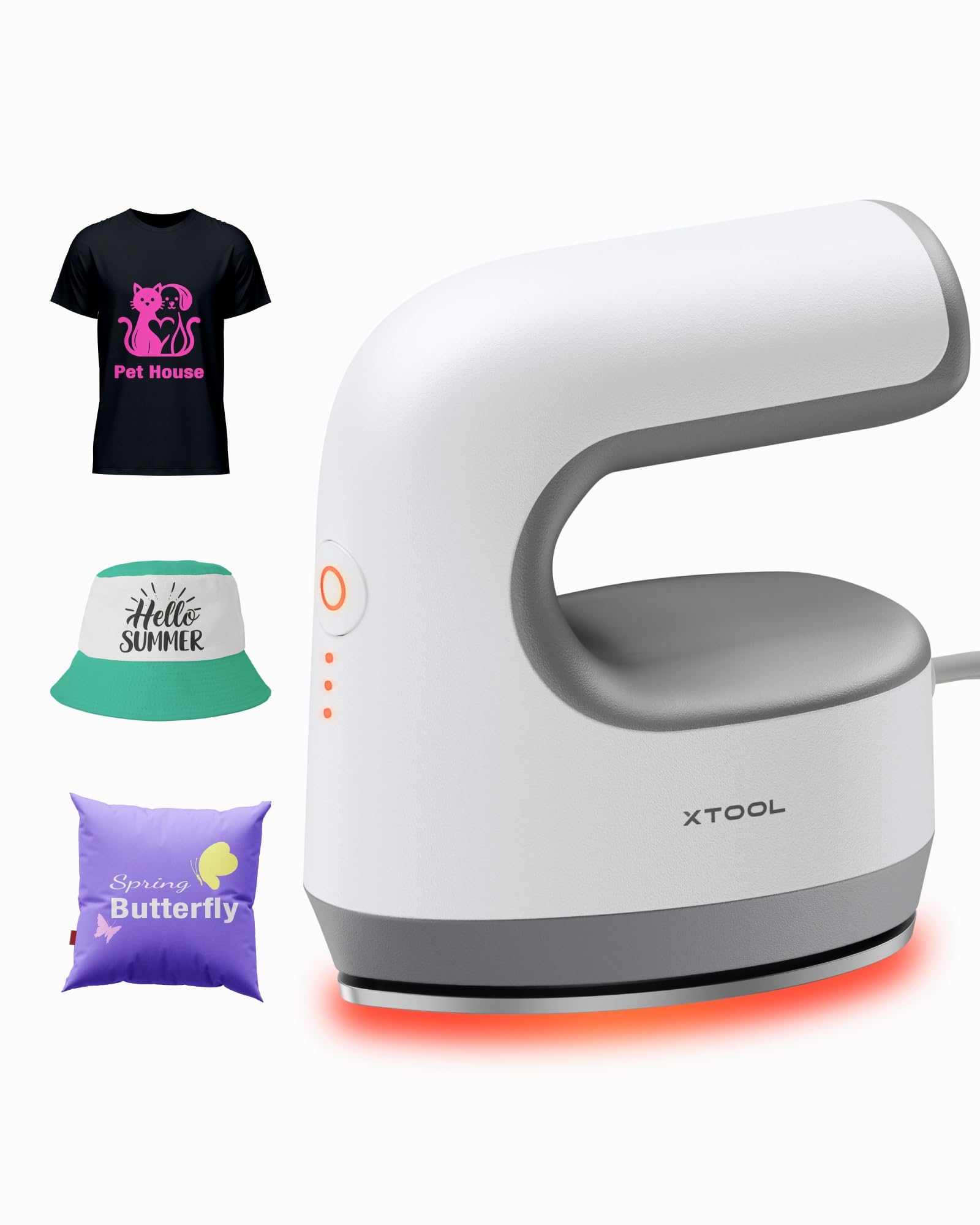
בילד: The xTool Mini Heat Press Machine shown resting on its insulated safety base, highlighting its compact design.

בילד: A visual comparison illustrating the ergonomic open handle of the xTool Mini Heat Press, designed for easier and more comfortable holding compared to a closed-handle design.

בילד: A visual comparison showing the xTool Mini Heat Press with a larger heat plate (platen) compared to another mini press, indicating its suitability for a wider range of project sizes.
5. סעטאַפּ
Follow these steps to set up your xTool Mini Heat Press:
- Unpack the xTool Mini Heat Press and its accessories.
- Place the insulated safety base on a stable, heat-resistant surface.
- Plug the power cord into the heat press and then into a standard electrical outlet. The device will beep once, and the power indicator light will illuminate.
- If using the optional Control Pod (not included), insert the transceiver from the Control Pod into the designated port on the Mini Heat Press. The Control Pod allows for precise temperature and time control.
ווידעא: This video demonstrates the compatibility of the xTool Mini Heat Press with an optional Control Pod (not included), showing how to connect the transceiver for advanced temperature and time control.
6. אַפּערייטינג ינסטרוקטיאָנס
6.1. Power On and Temperature Selection
- Press the Power Button once to turn on the device. The orange indicator light will show, indicating low-level preheating.
- Press the Power Button repeatedly to cycle through the three temperature settings:
- נידעריק מדרגה: 295°F (145°C)
- Middle Level: 355°F (180°C)
- הויכע לעוועל: 400°F (205°C)
- The indicator lights will change to green when the selected temperature is reached.

בילד: A visual representation of the xTool Mini Heat Press's three heat settings, indicating the corresponding temperatures for Low, Medium, and High levels.
ווידעא: This video demonstrates the rapid heating capability of the xTool Mini Heat Press, showing it reaches operating temperature in approximately 2 minutes.
6.2. Heat Transfer Application
The xTool Mini Heat Press is suitable for various heat transfer materials, including HTV, DTF, and sublimation projects. Always refer to the specific instructions for your transfer material for optimal temperature and time settings.
- Prepare your material (e.g., T-shirt, shoe, hat) by ensuring it is clean and wrinkle-free.
- Place your transfer design onto the material in the desired position.
- Cover the design with a protective sheet (e.g., parchment paper, Teflon sheet).
- Once the Mini Heat Press reaches the desired temperature, place it firmly over the design. Apply even pressure.
- Hold the press in place for the recommended time (typically 10-60 seconds, depending on the material and transfer type). For larger designs, move the press in sections, overlapping slightly to ensure full coverage.
- Carefully lift the heat press and place it back on its safety base.
- Allow the material to cool according to your transfer material's instructions (cold peel or warm peel).
- Gently peel off the protective sheet and transfer film.

בילד: A visual guide illustrating the simple three-step process for heat transfer using the xTool Mini Heat Press: Set the design, Press with the device, and achieve a successful transfer on a plush toy.

בילד: א קאָלאַזש אויסשטעלונגasing the wide range of applications for the xTool Mini Heat Press, including customizing shoes, acrylic keychains, canvas bags, socks, stuffed toys, t-shirts, and earrings.
ווידעא: דאס ווידעא גיט א רעאקציעview of the xTool Mini Heat Press, demonstrating its ease of use and effectiveness for various heat transfer projects.
ווידעא: This video illustrates the process of using the xTool Mini Heat Press to create custom fall-themed shirts, showcasing its application on fabric.
7. וישאַלט
Proper maintenance ensures the longevity and performance of your heat press:
- רייניקונג: After the device has cooled completely, wipe the heat plate with a soft, damp שטאָף. דו זאלסט נישט נוצן אַברייסיוו קלינערז אָדער סאָלוואַנץ.
- סטאָרידזש: Store the Mini Heat Press on its insulated safety base in a dry, cool place, away from direct sunlight and moisture.
- קאָרד זאָרגן: Avoid wrapping the power cord tightly around the device. Store it loosely to prevent damage.
8. טראָובלעשאָאָטינג
אויב איר טרעפט פּראָבלעמען, זעט די פאלגענדע געוויינטלעכע פּראָבלעמען און לייזונגען:
| פּראָבלעם | מעגלעך סיבה | לייזונג |
|---|---|---|
| די מיטל טוט נישט מאַכט אויף. | עלעקטרישע שנור נישט ריכטיג פארבונדן; קיין שטראָם פון דער ווענטיל. | קאָנטראָלירט די פֿאַרבינדונג פֿון דער עלעקטרישער שנור; פּרובירט די אַוטלעט מיט אַן אַנדער אַפּאַראַט. |
| Heat plate not heating up. | Incorrect temperature setting; device malfunction. | Ensure correct temperature level is selected; contact customer support if issue persists. |
| טראַנספער קליבט זיך נישט ריכטיק. | Insufficient heat or pressure; incorrect time; material incompatibility. | Increase temperature/time/pressure as per transfer material instructions; ensure material is suitable for heat transfer. |
| די דעווייס שליסט זיך אויטאמאטיש אויס. | 11-minute inactivity safety feature activated. | This is normal operation. Press the power button to restart. |
9. ספּעסאַפאַקיישאַנז
| שטריך | דעטאַל |
|---|---|
| מאָדעל נומער | xTool Mini Heat Press |
| סאָרט | xTool |
| מאַקסימום טעמפּעראַטור | 400°F (205°C) |
| היץ סעטטינגס | 3 (Low: 295°F, Mid: 355°F, High: 400°F) |
| באַהיצונג צייט | Approx. 2 minutes to 400°F |
| פּונקט וואָג | 0.77 lbs (1.94 lbs with packaging) |
| פּראָדוקט דימענשאַנז | 7.48 X 5.12 X 8.66 אינטשעס |
| זיכערקייַט פֿעיִקייטן | 11-min Auto-off, V0 Flame-retardant materials, Overheat Protection, Insulated Safety Base |
| רעקאָממענדעד ניצט | T-shirts, bags, ceramic coasters, wood, acrylic, hats, shoes, keychains, socks, stuffed toys |
10. וואָראַנטי & שטיצן
For warranty information and technical support, please refer to the official xTool webזייטל אדער קאנטאקט זייער קאסטומער סערוויס גלייך. האלט אייער קויף קוויטל אלס באווייז פון קויפן פאר גאראנטיע קליימס.
- אָנליין שטיצן: Visit the xTool official webזייטל פֿאַר אָפֿט געשטעלטע פֿראַגעס, טוטאָריאַלס, און קאָנטאַקט אינפֿאָרמאַציע.
- E- בריוו שטיצן: Reach out via email for assistance with product issues.
- טעלעפאָן שטיצן: Contact the dedicated support line for immediate help.