1. הקדמה
Thank you for choosing the XPOWER X12 In-Ear Bluetooth Earbuds. This manual provides essential information for setting up, operating, and maintaining your device. Please read it carefully to ensure optimal performance and longevity of your earbuds.
2. פּעקל אינהאַלט
באַשטעטיקן אַז אַלע זאכן זענען פאַראַן אין דיין פּעקל:
- XPOWER X12 In-Ear Bluetooth Earbuds (Left and Right)
- טשאַרדזשינג קעסטל מיט LED דיספּליי
- וסב טשאַרדזשינג קאַבלע
- קייפל גרייסן פון אויער-טיפס
- באַניצער מאַנואַל
3. אויפשטעלן און ערשטע באנוץ
3.1 אויפלאָדן די אויערקנעפּלעך און קעסטל
Before first use, fully charge the earbuds and the charging case. Place the earbuds into the charging case. Connect the USB charging cable to the case and a power source. The LED display on the case will indicate the battery level. A full charge takes approximately 2 hours.
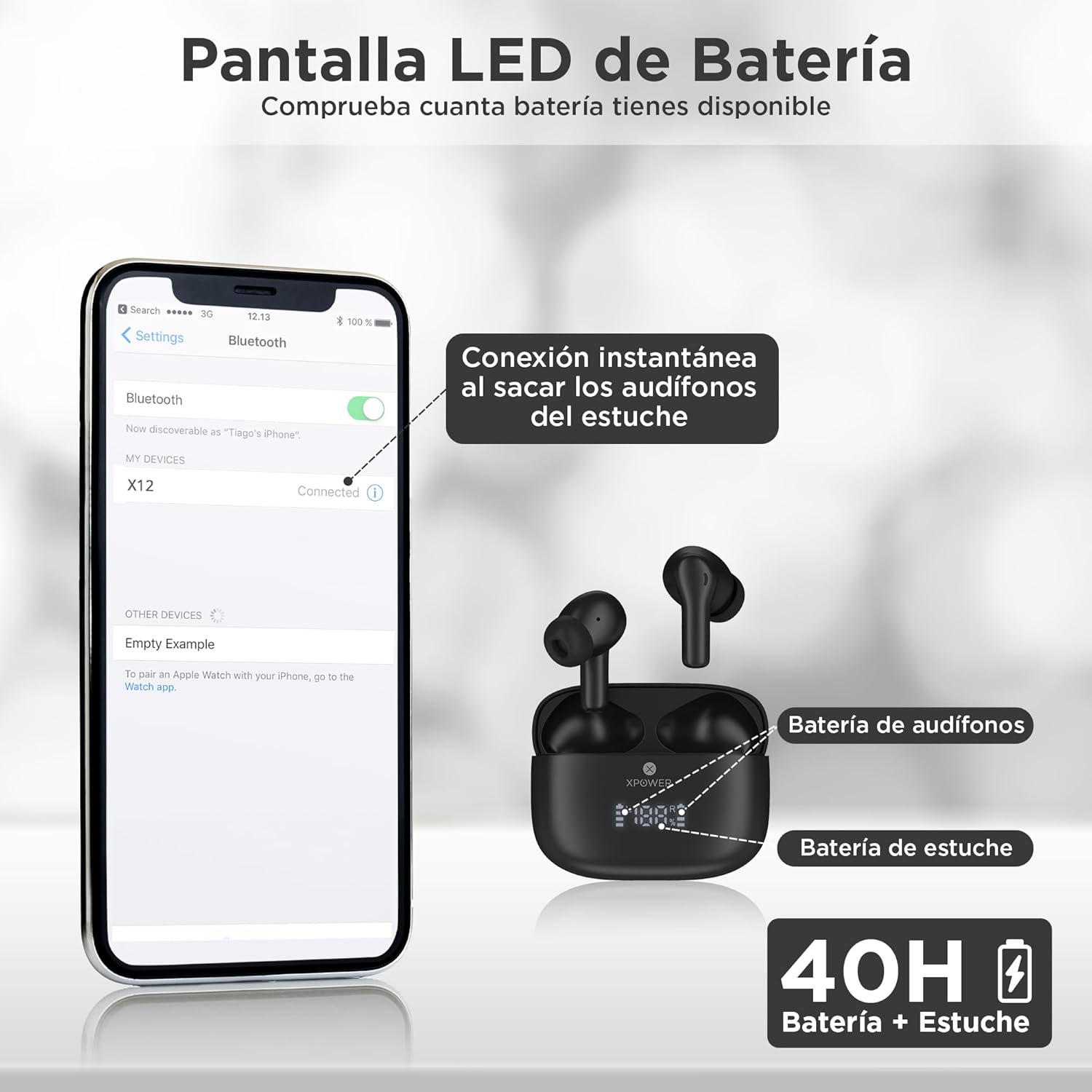
Image: The XPOWER X12 earbuds are shown inside their charging case, which features an LED display indicating battery percentages for both earbuds and the case. A smartphone screen in the background illustrates the Bluetooth pairing process, showing 'X12' as a discoverable device.
3.2 פּאַוערינג אויף / אַוועק
- מאַכט אויף: די עאַרבודז וועט אויטאָמאַטיש מאַכט אויף ווען זיי זענען אַוועקגענומען פון די טשאַרדזשינג פאַל.
- מאַכט אַוועק: לייגט די אויערקנעפּלעך צוריק אין די טשאַרדזשינג קעסטל צו זיי אויטאָמאַטיש אויסלעשן און אָנהייבן טשאַרדזשינג.
3.3 בלועטאָאָטה פּערינג
For the first-time pairing:
- זיכער מאַכן אַז די אויערקנעפּלעך זענען אויפגעלאָדן און אַרויסגענומען פֿון דער טשאַרדזשינג קעסטל. זיי וועלן אויטאָמאַטיש אַרייַן אין פּערינג מאָדע.
- אויף אייער סמאַרט דעווייס (טעלעפאָן, טאַבלעט, לאַפּטאָפּ), אַקטיווירט בלועטוט.
- זוכן פֿאַר available devices and select "X12" from the list.
- אַמאָל פארבונדן, וועלן די אויערקנעפּלעך אָנווייַזן אַ געראָטענע פּאָרינג.
After the initial pairing, the earbuds will automatically connect to the last paired device when removed from the case, provided Bluetooth is enabled on the device.

Image: A visual representation of the Bluetooth 5.4 chip, highlighting its features: instant connection, ultra-fast transmission, low latency, and a 10-meter range for stable wireless connectivity.
4. אַפּערייטינג ינסטרוקטיאָנס
4.1 ריר קאָנטראָלס
The X12 earbuds feature intuitive touch controls for managing audio and calls:

Image: A woman is shown wearing an XPOWER X12 earbud, with overlaid icons indicating various touch control functions such as play/pause, skip tracks, volume adjustment, answer/end calls, and activating the voice assistant (Siri).
- שפּיל / פּויזע: איין צאַפּן אויף יעדער עאַרבוד.
- ווייַטער שפּור: צאַפּ צוויי מאָל אויף די רעכטע אויערקנעפּל.
- פֿריִערדיקע שפּור: צאַפּ צוויי מאָל אויף די לינקע אויערקנעפּל.
- ענטפֿערן / סוף רופן: איין צאַפּ אויף יעדן אויערקנעפּל בעת אַן אינקאַמינג רוף אָדער אַקטיוון רוף.
- אָפּוואַרפן רופן: דריק און האלט איינע פון די אויערקנעפל פאר 2 סעקונדעס בעת אן אנקומענדיקן רוף.
- אַקטאַווייט קול אַססיסטאַנט: טרייפאַך צאַפּן אויף יעדן אויערקנעפּעל.
4.2 קלאַנג קוואַליטעט
The X12 earbuds are designed to deliver clear vocals and crisp highs for a natural and immersive listening experience. The integrated microphone ensures clear and sharp calls.

Image: A woman is smiling while wearing an XPOWER X12 earbud and interacting with her smartphone, illustrating the enjoyment of clear calls and immersive music quality.
5. וישאַלט און קער
5.1 וואַסער און שטויב קעגנשטעל
The XPOWER X12 earbuds are resistant to water, sweat, and dust, making them suitable for active lifestyles. However, they are not waterproof and should not be submerged in water. Ensure the earbuds are dry before placing them back in the charging case.
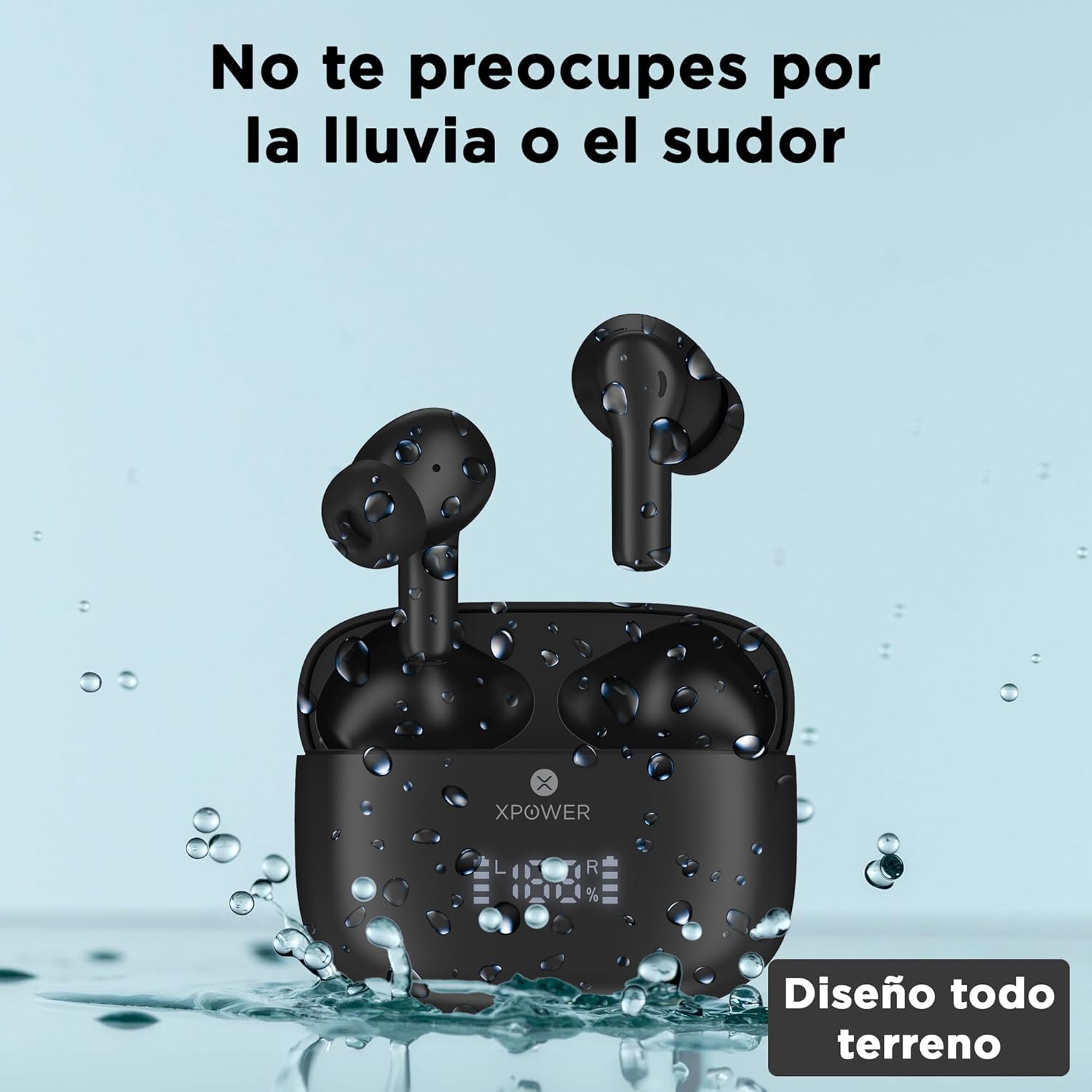
Image: The XPOWER X12 earbuds and their charging case are depicted with water droplets, visually representing their resistance to splashes and sweat.
5.2 רייניקונג
Regularly clean your earbuds and charging case with a soft, dry, lint-free cloth. Avoid using abrasive materials or harsh chemicals. Gently remove any earwax or debris from the eartips and speaker mesh using a small, soft brush or cotton swab.
5.3 סטאָרידזש
ווען נישט אין באַנוץ, לייגט די אויערן-קנעפּלעך אין זייער טשאַרדזשינג קעסטל צו באַשיצן זיי און האַלטן זיי טשאַרדזשד. לייגט די דעווייס אין אַ קיל, טרוקן אָרט אַוועק פון עקסטרעמע טעמפּעראַטורן.
6. טראָובלעשאָאָטינג
If you encounter issues with your XPOWER X12 earbuds, refer to the following common solutions:
- אויערקנעפּלעך נישט פּערינג: Ensure both earbuds are out of the case and fully charged. Turn off and on Bluetooth on your device. Forget the "X12" device from your Bluetooth list and try pairing again.
- נאָר איין אויערקנעפּל אַרבעט: Place both earbuds back into the charging case, close the lid, wait a few seconds, then remove them. This often re-syncs them.
- קיין קול: Check the volume level on your connected device. Ensure the earbuds are properly seated in your ears. Confirm the earbuds are connected to the correct device.
- טשאַרדזשינג ישוז: Ensure the charging cable is securely connected to both the case and the power source. Check for any debris in the charging port of the case or on the earbud charging contacts.
- נעבעך רופן קוואַליטעט: Ensure the microphone is not obstructed. Try moving closer to your connected device to improve signal strength.
If problems persist, consult the XPOWER support webזייטל אדער קאנטאקט קאסטומער סערוויס פאר ווייטערדיגע הילף.
7. ספּעסאַפאַקיישאַנז
| שטריך | באַשרייַבונג |
|---|---|
| מאָדעל נאָמען | AMZX12-BLACK |
| קאַנעקטיוויטי טעכנאָלאָגיע | ווירעלעסס (בלועטאָאָטה) |
| ווירעלעסס קאָמוניקאַציע טעכנאָלאָגיע | בלועטאָאָטה 5.4 |
| באַטעריע לעבן (אויערקנעפּלעך + קעסטל) | אַרויף צו 40 שעה |
| טשאַרדזשינג צייט | בעערעך 2 שעה |
| וואַסער קעגנשטעל מדרגה | Water Resistant (Resistant to rain and sweat) |
| קאָנטראָל מעטאָד | ריר |
| ספּעציעלע פֿעיִקייטן | Built-in Voice Assistant, Touch Control, Lightweight, Sweat Resistant, Surround Sound |
| אָפטקייַט ענטפער | 20000 הז |
| סענסיטיוויטי | 42 דב |
| ימפּידאַנס | 32 Ohm |
| פּראָדוקט דימענשאַנז | 9.91 רענטגענ 3.12 רענטגענ 9.93 סענטימעטער; 60 ג |
| קאַמפּאַטאַבאַל דעוויסעס | Desktop computers, Laptops, Tablets, Phones, Mobile phones |
8. וואָראַנטי און שטיצן
8.1 וואָראַנטי אינפֿאָרמאַציע
The XPOWER X12 In-Ear Bluetooth Earbuds come with a 1 יאָר וואָראַנטי from the date of purchase. This warranty covers manufacturing defects and ensures the product functions as intended under normal use. It does not cover damage caused by misuse, accidents, unauthorized modifications, or normal wear and tear.
8.2 קונה שטיצן
For warranty claims, technical assistance, or any questions regarding your XPOWER X12 earbuds, please contact XPOWER customer support. Refer to the contact information provided on the product packaging or the official XPOWER webפּלאַץ.


