1. הקדמה
Thank you for choosing the iTOMA White Noise Machine 318. This device is designed to create a relaxing and comfortable environment conducive to sleep, relaxation, focus, and meditation. It offers a variety of soothing sounds, a convenient sleep timer, adjustable volume, and Bluetooth connectivity for personalized audio playback.

פיגורע 1: פראָנט view of the iTOMA White Noise Machine 318.
2. פּראָדוקט פֿעיִקייטן
- סאָליד און באַניצער-פרייַנדלעך פּלאַן: Engineered for ease of use and portability, suitable for various settings.
- 30 Soothing Sound Options: Includes 10 white noises, 10 fan sounds, and 10 nature sounds (Rain, Sea waves, Brook, Bird, etc.) to cater to diverse preferences.
- אַדזשאַסטאַבאַל באַנד לעוועלס: Offers a wide range of volume settings, from very low to adequately high, to effectively mask disturbing noises.
- Auto-Off Sleep Timer: Features 4 timer settings (15, 30, 60, or 90 minutes) for automatic shutdown, ideal for naps or bedtime routines. Continuous play option is also available.
- בלועטאָאָטה קאַנעקטיוויטי: Built-in Bluetooth speaker allows connection to smartphones or tablets for playing personal music or audio during relaxation, yoga, or meditation.
3. פּעקל אינהאַלט
- 1 × iTOMA White Noise Machine 318
- 1 × מאַכט אַדאַפּטער
- 1 × באַניצער מאַנואַל (דאָס דאָקומענט)
4. פּראָדוקט איבערview
The iTOMA White Noise Machine 318 features an intuitive design with easily accessible controls. The main unit is compact and spherical, with a speaker grille on the front and control knobs on the side.

Figure 2: The mechanical knob design for volume and sound selection.
קאָנטראָלס:
- באַנד קנעפּל: Located on the side, this knob allows you to adjust the sound output level.
- Sound Selection Knob: Also on the side, this knob is used to cycle through the different sound categories (White Noises, Fan Sounds, Nature Sounds) and individual sounds within each category.
- טיימער קנעפּל: A dedicated button to set the auto-off timer.
- בלועטאָאָטה קנעפּל: אַקטיוויזירט בלועטוט פּערינג מאָדע.
5. סעטאַפּ
- Unpack the iTOMA White Noise Machine 318 and its accessories from the packaging.
- שטעלן די מיטל אויף אַ סטאַביל, פלאַך ייבערפלאַך.
- פֿאַרבינדט דעם צוגעשטעלטן מאַכט אַדאַפּטער צום DC IN פּאָרט אויף דער הינטערשטער זײַט פֿון דער אַפּאַראַט.
- Plug the power adapter into a standard electrical outlet. The device is now ready for use.
6. אַפּערייטינג ינסטרוקטיאָנס
6.1 מאַכט אויף / אַוועק
To power on the device, rotate the main knob on the side. Rotate it again to power off.
6.2 סאָונד סעלעקציע
Rotate the sound selection knob to cycle through the 30 available sounds. Sounds are categorized into White Noises, Fan Sounds, and Nature Sounds.
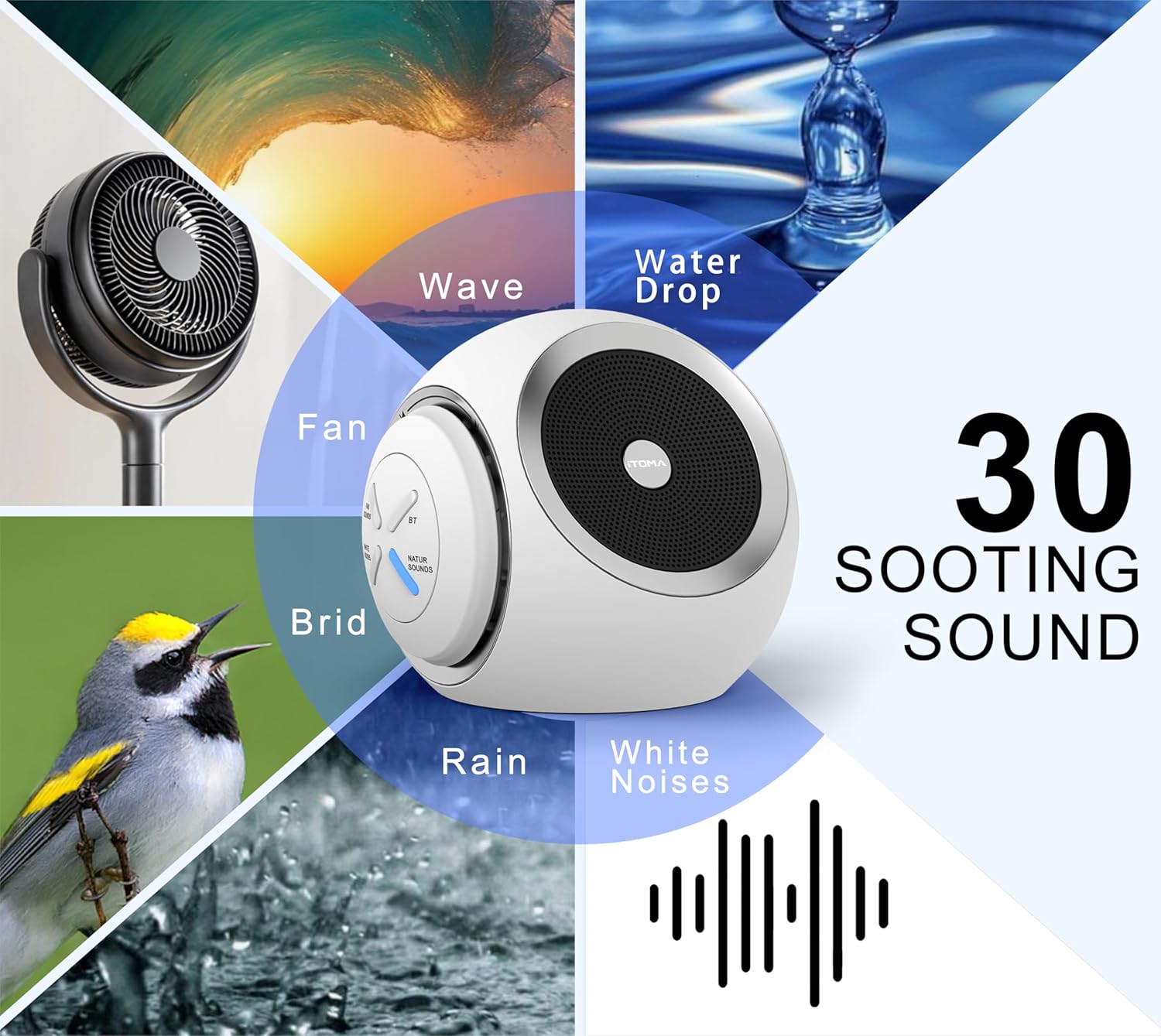
Figure 3: Visual representation of the 30 available soothing sounds.
6.3 באַנד אַדזשאַסטמאַנט
Use the volume knob to increase or decrease the sound output. The device offers 16 distinct volume levels.
6.4 שלאָפן טיימער
Press the Timer button to activate the auto-off function. Each press cycles through the available timer settings: 15 minutes, 30 minutes, 60 minutes, 90 minutes, or continuous play. An indicator light will confirm the selected timer duration.

Figure 4: Sleep timer options for the device.
6.5 בלועטאָאָטה פּערינג
To use the device as a Bluetooth speaker:
- Press the Bluetooth button on the device. The Bluetooth indicator light will flash, indicating pairing mode.
- אויף דיין סמאַרטפאָנע אָדער טאַבלעט, געבן בלועטאָאָטה און זוכן פֿאַר בנימצא דעוויסעס.
- אויסקלייבן "iTOMA 318" פון דער ליסטע פון דעווייסעס צו פארבינדן.
- Once paired, the Bluetooth indicator light will remain solid, and you can play audio through the device.
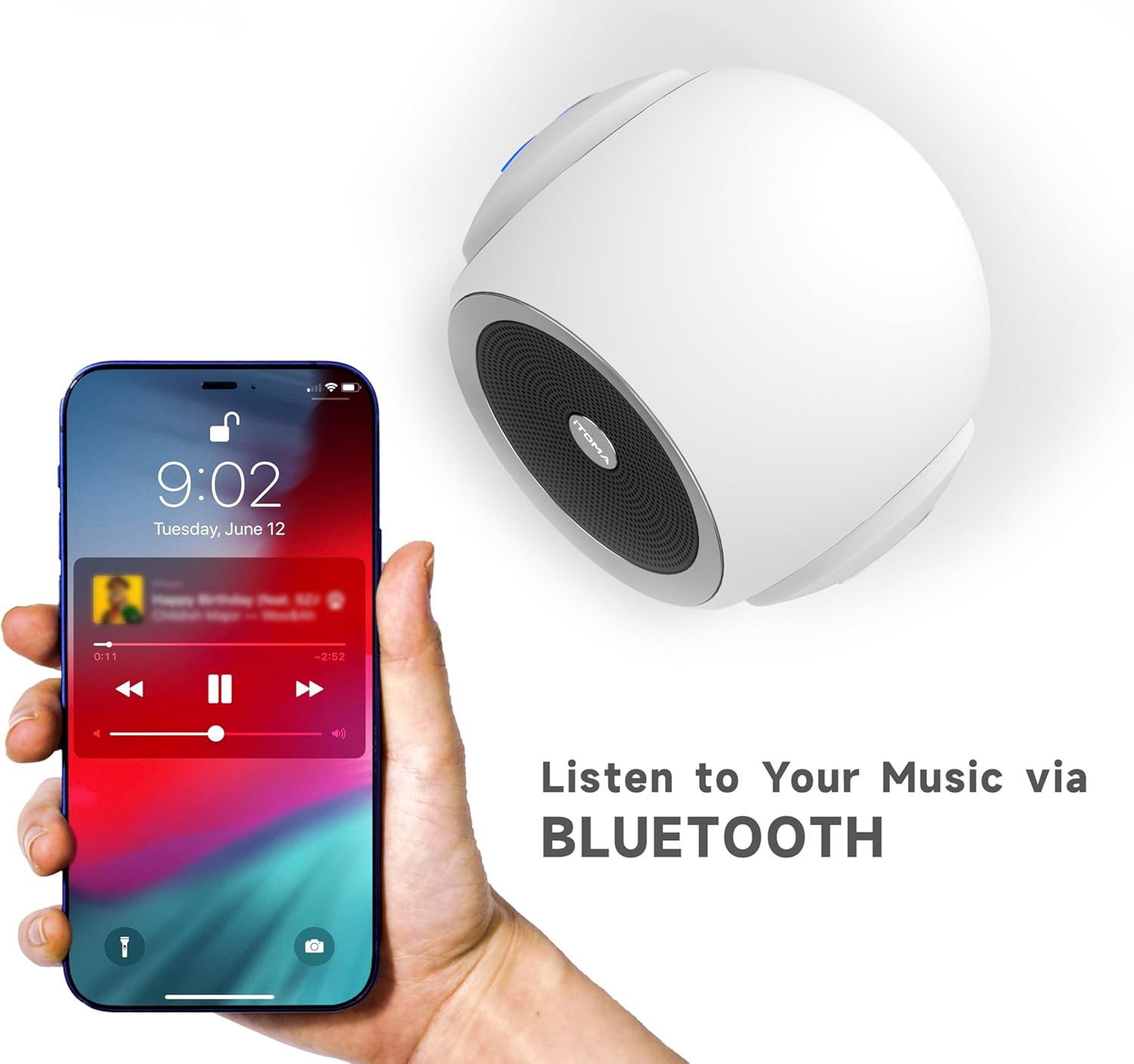
Figure 5: Bluetooth connectivity for playing personal audio.
6.6 פּראָדוקט ווידעא
Video 1: An official product video demonstrating the iTOMA White Noise Machine 318's features and operation.
7. וישאַלט
- רייניקונג: ווישט אָפּ דאָס אַפּאַראַט מיט אַ ווייכן, טרוקענעם שטאָף. ניצט נישט קיין פליסיקע רייניגער אָדער שרײַבנדיקע מאַטעריאַלן.
- סטאָרידזש: סטאָר די מיטל אין אַ קיל, טרוקן אָרט ווען ניט אין נוצן.
- ויסמיידן וואַסער: האַלטן די מיטל אַוועק פון וואַסער און נעץ.
8. טראָובלעשאָאָטינג
| אַרויסגעבן | מעגלעך סיבה | לייזונג |
|---|---|---|
| די מיטל טוט נישט מאַכט אויף | נישט ריכטיק פארבונדן צו עלעקטריע. | Ensure the power adapter is securely plugged into the device and a working electrical outlet. |
| קיין געזונט רעזולטאַט | די קול איז צו נידעריג אדער שטיל. | פֿאַרגרעסערט דעם באַנד מיטן באַנד קנעפּל. |
| בלועטאָאָטה איז נישט קאַנעקטינג | Device is not in pairing mode or out of range. | Press the Bluetooth button to enter pairing mode. Ensure your smartphone/tablet is within range (approx. 10 meters) and Bluetooth is enabled. |
| Sound quality is poor via Bluetooth | Interference or distance from paired device. | Move the paired device closer to the white noise machine. Avoid obstacles between devices. |
9. ספּעסאַפאַקיישאַנז
- מאָדעל נאָמען: 318
- סאָרט: iTOMA
- פּראָדוקט דימענשאַנז: 6.2 X 2.3 X 3.5 אינטשעס
- נומער וואָג: 1.37 פונט
- מאַטעריאַל: אַקרילאָניטרילע בוטאַדיענע סטירענע (אַבס), פּלאַסטיק
- מאַכט מקור: קאָרדעד עלעקטריק
- סאָונד אָפּציעס: 30 (10 White Noises, 10 Fan Sounds, 10 Nature Sounds)
- באַנד לעוועלס: 16
- שלאָפן טימער: 15, 30, 60, 90 minutes, or Continuous Play
- קאַנעקטיוויטי: בלועטאָאָטה

Figure 6: Product dimensions of the iTOMA White Noise Machine 318.
10. וויכטיק סאַפעטי אינפֿאָרמאַציע
סטייטמאַנץ וועגן דייאַטערי ביילאגעס זענען נישט עוואַלואַטעד דורך די FDA און זענען נישט בדעה צו דיאַגנאָזירן, מייַכל, היילן אָדער פאַרמייַדן קיין קרענק אָדער געזונט צושטאַנד.
Always ensure the device is used in a safe environment and according to the instructions provided. Keep out of reach of children and pets. Do not disassemble or attempt to repair the device yourself.
11. וואָראַנטי און שטיצן
פֿאַר וואָראַנטי אינפֿאָרמאַציע אָדער טעכנישע שטיצע, ביטע זען די קאָנטאַקט דעטאַילס וואָס זענען צוגעשטעלט מיט דיין קויפן אָדער באַזוכן די באַאַמטער iTOMA webזייטל. האַלט אייער קויף קוויטל ווי אַ באַווייַז פון קויפן.


