1. הקדמה
This manual provides detailed instructions for setting up, operating, and maintaining your MOFII Wireless Keyboard and Mouse Combo (Model 693). This 2.4G wireless set offers a full-size keyboard with 104 round keys and a silent mouse, designed for compatibility with various operating systems and devices.
2. פּעקל אינהאַלט
- 1x ווירעלעסס קלאַוויאַטור
- 1 קס ווירעלעסס מאַוס
- 2x AA באַטעריעס (אריינגערעכנט)
- 1 קס וסב נאַנאָ ופנעמער
- 1x באַניצער מאַנואַל

3. סעטאַפּ
3.1. באַטאַרייע ייַנמאָנטירונג
- Locate the battery compartments on the underside of both the keyboard and the mouse.
- עפֿנט די באַטעריע דעקלען.
- Insert one AA battery into the keyboard and one AA battery into the mouse, ensuring correct polarity (+/-).
- פֿאַרמאַכט די באַטעריע דעקלעך זיכער.

3.2. USB ריסיווער קאַנעקשאַן
- The USB nano receiver is stored inside the mouse's battery compartment. Gently remove it.
- Plug the USB nano receiver into an available USB port on your computer, laptop, or compatible device.
- The keyboard and mouse will automatically connect to your device. No additional software installation is required.

3.3. קאַמפּאַטאַבילאַטי
The MOFII Wireless Keyboard and Mouse Combo is compatible with Windows 2000 / ME / XP / 7 / 8 / 10, VISTA, Mac OS, Chrome-book, PC, Laptop, and other computing devices. For devices without a standard USB-A port (e.g., some tablets), a USB adapter (not included) may be required.

4. אַפּערייטינג ינסטרוקטיאָנס
4.1. יקערדיק באַניץ
Once the USB receiver is connected and batteries are installed, the keyboard and mouse are ready for immediate use. The keyboard features retro floating round keycaps designed for comfortable typing. The mouse offers smooth and precise cursor control with multiple 1600 DPI levels.
4.2. מולטימעדיאַ הייסע שליסלען
The keyboard includes 13 multimedia hotkeys for enhanced efficiency. These keys are typically accessed by pressing the Fn key in combination with the corresponding F-key (F1-F12).
- Fn+F1: מעדיע פּלייַער
- Fn+F2: שפּיל / פּויזע
- Fn+F3: פֿריִערדיקע שפּירט
- Fn+F4: ווייַטער שפּור
- Fn+F5: באַנד אַרויף
- Fn+F6: באַנד אַראָפּ
- Fn+F7: שטום
- Fn+F8: היים
- Fn+F9: זוכן
- Fn+F10: בוקמאַרקס
- Fn+F11: פּאָסט
- Fn+F12: לאַק קיבאָרד
- Fn + ESC: מיין קאָמפּיוטער

4.3. Auto Sleep Mode
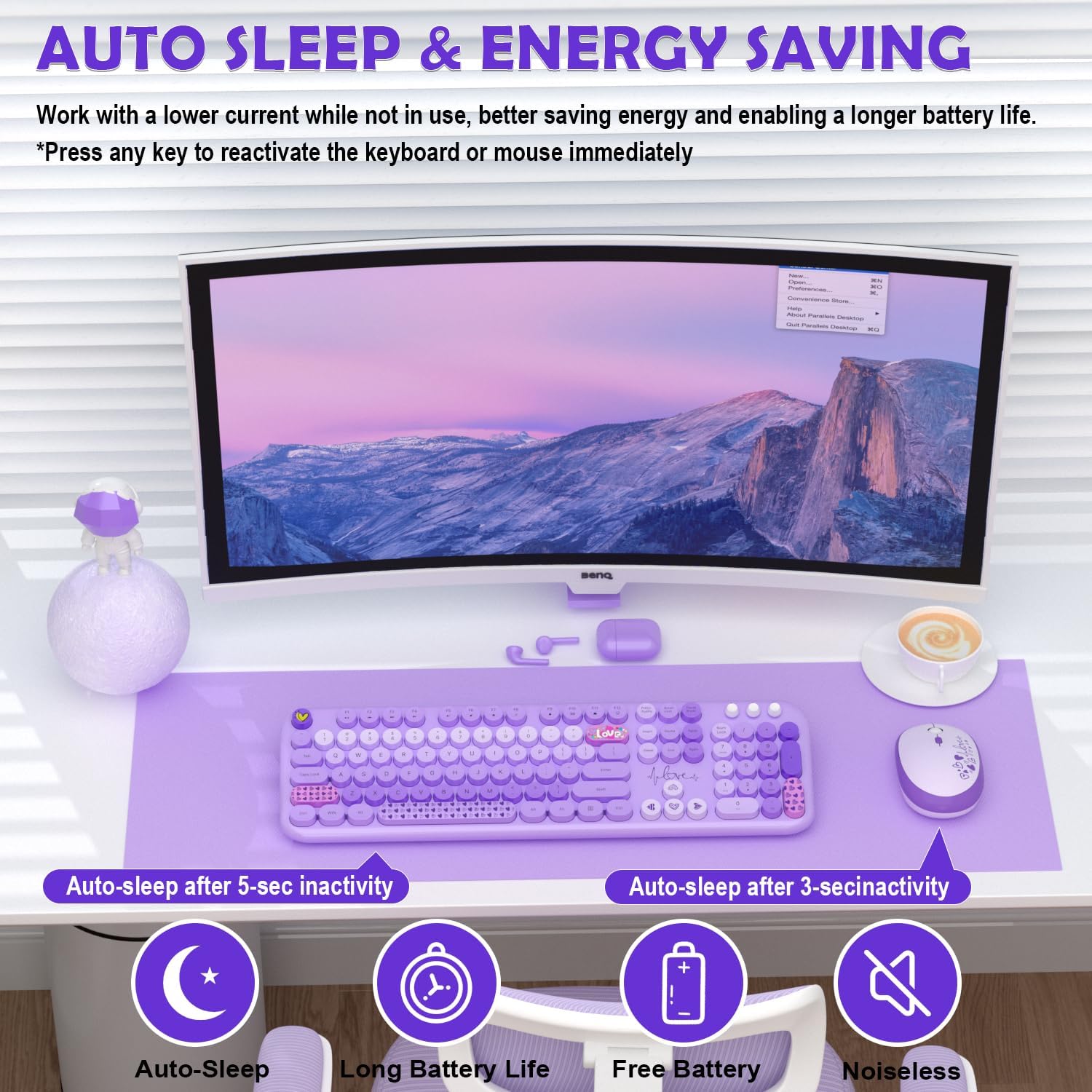
Both the keyboard and mouse feature an auto sleep mode to conserve battery life. After 30 minutes of inactivity, the devices will enter sleep mode. To wake them up, simply press any key on the keyboard or click any button on the mouse.
5. וישאַלט
5.1. רייניקונג
To clean the keyboard and mouse, use a soft, dry cloth. For stubborn dirt, a slightly damp cloth with mild soap can be used, ensuring no liquid enters the device. The round keycaps are removable for deeper cleaning if necessary.

5.2. באַטערי פאַרבייַט
When the battery indicator light on the keyboard (if applicable) or mouse begins to flash, it's time to replace the batteries. Follow the battery installation steps (Section 3.1) to replace the AA batteries in both devices.
6. טראָובלעשאָאָטינג
- קיין קשר: Ensure the USB nano receiver is securely plugged into a working USB port. Check that batteries are correctly installed in both the keyboard and mouse. Try plugging the receiver into a different USB port.
- פארשפּעטיקונג אדער איבערצייטיגע פארבינדונג: רוקט די קלאַוויאַטור און מויז נענטער צום USB ריסיווער. פֿאַרמייַדט צו שטעלן דעם ריסיווער לעבן אַנדערע וויירלעס דעוויסעס אָדער גרויסע מעטאַלנע אָביעקטן וואָס קענען פאַרשאַפן שטערונג.
- קנעפּלעך רעאַגירן נישט: Check battery levels. If the devices are in auto sleep mode, press any key/button to wake them up.
- מויז קורסאָר שפּרינגט אָדער איז נישט פּינקטלעך: Ensure the mouse is used on a clean, non-reflective surface. Adjust DPI settings if available (check mouse for a dedicated DPI button).
7. ספּעסאַפאַקיישאַנז
| שטריך | דעטאַל |
|---|---|
| פּראָדוקט דימענשאַנז | 13 X 2 X 1 אינטשעס |
| פּונקט וואָג | 1.98 פונט |
| נומער מאָדעל נומער | 693 |
| באַטעריז פארלאנגט | 2 AA batteries (1 for keyboard, 1 for mouse - included) |
| קאַנעקטיוויטי טעכנאָלאָגיע | 2.4G וסב ווירעלעסס |
| ספּעציעלע פֿעיִקייטן | Ergonomic, Lightweight, Round Keycaps, Silent Mouse, Auto Sleep Mode, 13 Multimedia Hotkeys |
| קאַמפּאַטאַבאַל דעוויסעס | Laptop, Personal Computer, Projector, Tablet (Windows, Mac OS, Chrome OS, Linux) |
8. וואָראַנטי און שטיצן
MOFII offers a 1-Year Warranty and a 30-day Free Return Policy for this product. For customer support, please contact MOFII directly via email or through their official store.
- בליצפּאָסט: support_mofii@163.com
- אָנליין שטיצן: באַזוכן די MOFII Store on Amazon and click "Ask a question" to contact support.

9. אפיציעלע פּראָדוקט ווידעאָס
9.1. Wireless Keyboard/Mouse Great Design, Easy Setup (Review)
ווידעא: א דעטאלירטע רעקארדירונגview שאָוקasing the design and easy setup process of the MOFII Wireless Keyboard and Mouse Combo. This video highlights the plug-and-play functionality and overall user experience.
9.2. Plug and Play Experience From An iMac User
Video: An iMac user demonstrates the plug-and-play experience of the MOFII Wireless Keyboard and Mouse, emphasizing its ease of use and compatibility with Apple devices.


