הקדמה
The eKids Wireless Earbuds with Microphone are designed for seamless audio streaming and communication, perfect for school, home, or travel. These Bluetooth earbuds offer high-quality stereo sound for various activities, including listening to music, audiobooks, watching videos, and gaming. Featuring a fun Pokemon design, they provide lasting comfort with their ergonomic shape and included ear cushions.
Enjoy extended use with up to 22 hours of total music playtime, supported by a portable charging case that provides 2.5 extra charges. The built-in microphone allows for clear communication during video calls and online gaming, making them a versatile audio solution for children and adults alike.
וואָס איז אין די קעסטל
- eKids Pokemon Wireless Earbuds (Left and Right)
- Matching Charging Case with Pikachu design
- וסב-C טשאַרדזשינג קאַבלע
- Additional Rubber Ear Cushions (3 sizes: Small, Medium, Large)

Image: The eKids Pokemon Wireless Earbuds nestled in their open charging case, showcasing the yellow earbuds with a black lightning bolt design.

Image: A flat lay of all included items: the charging case, two earbuds, a USB-C charging cable, and multiple pairs of yellow ear cushions, with dimensions indicated.
סעטאַפּ
1. אויפלאָדן די אויערקנעפּלעך און קעסטל
- Connect the provided USB-C charging cable to the charging port on the back of the earbud case.
- Plug the other end of the USB-C cable into a compatible USB power source (e.g., computer USB port, wall adapter).
- The indicator light on the case will show charging status. Allow approximately 1-2 hours for a full charge.
- Ensure earbuds are placed correctly in the charging case to charge them simultaneously.

בילד: א נאָענטע בילד view of the black charging case featuring a Pikachu graphic, highlighting its compact and portable design.
2. בלועטאָאָטה פּערינג
- עפֿנט דעם טשאַרדזשינג קעסטל און נעמט אַרויס ביידע אויערקנעפּלעך. זיי וועלן אויטאָמאַטיש אַרײַן אין פּערינג מאָדע.
- אויף אייער דעווייס (סמאַרטפאָן, טאַבלעט, קאָמפּיוטער), גייט צו די בלועטוט סעטטינגס.
- זוכן פֿאַר available devices and select "eKids Pi-B18PK" (or similar name) from the list.
- Once connected, you will hear an audio confirmation, and the earbuds' indicator lights will change.
- די אויערקנעפּלעך וועלן זיך אויטאָמאַטיש ווידער פֿאַרבינדן צום לעצטן פֿאַרבונדענעם אַפּאַראַט ווען זיי ווערן אַרויסגענומען פֿונעם קעסטל.

Image: A visual representation of the earbuds' compatibility with multiple devices, including PCs, smartwatches, gaming devices, mobile phones, tablets, and notebooks.
אַפּערייטינג ינסטראַקשאַנז
ריר קאָנטראָלס
The eKids Wireless Earbuds feature intuitive touch controls for easy management of audio and calls.
- שפּיל / פּויזע: איין צאַפּן אויף יעדער עאַרבוד.
- ווייַטער שפּור: צאַפּ צוויי מאָל אויף די רעכטע אויערקנעפּל.
- פֿריִערדיקע שפּור: צאַפּ צוויי מאָל אויף די לינקע אויערקנעפּל.
- ענטפֿערן / סוף רופן: איין צאַפּ אויף יעדן אויערקנעפּל בעת אַן אינקאַמינג רוף אָדער אַקטיוון רוף.
- אָפּוואַרפן רופן: דריק און האלט איינע פון די אויערקנעפל פאר 2 סעקונדעס בעת אן אנקומענדיקן רוף.
- אַקטאַווייט קול אַססיסטאַנט: טריפּל צאַפּן אויף יעדן אויערקנעפּעל (אויב געשטיצט דורך אייער מיטל).
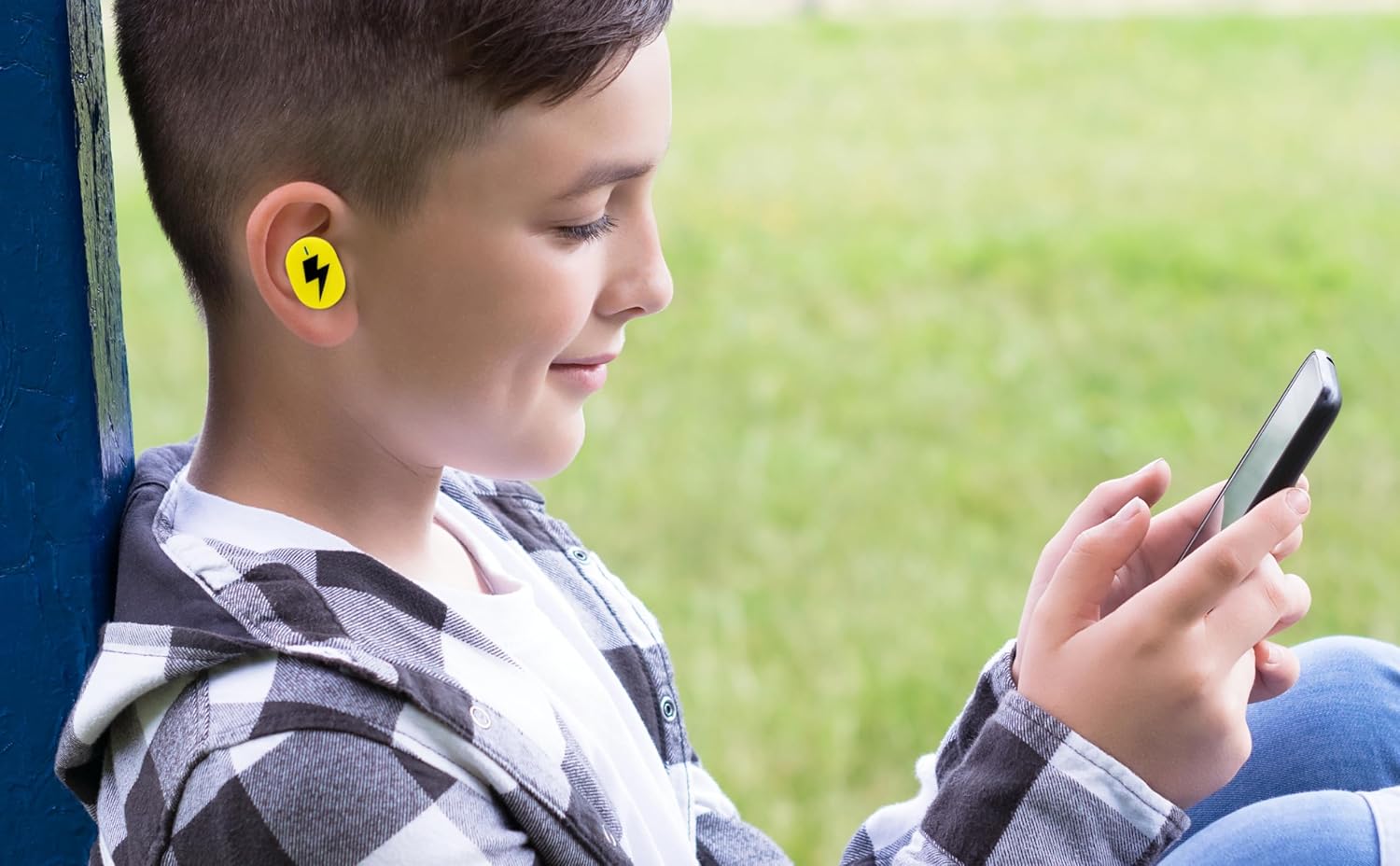
Image: A young person wearing one of the yellow earbuds, demonstrating its comfortable fit while interacting with a mobile device.
ניצן די מיקראָפאָן
The built-in microphone allows for hands-free communication. When connected to your device, you can use the earbuds for:
- טעלעפאָן קאַללס
- ווידעא קאַנפראַנסינג
- Online gaming communication
- Voice commands to your device's assistant
ווידעא: אן אפיציעלע פראדוקט ווידעא ווייזונגasing the eKids Pokemon Pikachu Wireless Earbuds, demonstrating features like wireless audio streaming, charging case, additional ear cushions, 22-hour playtime, and call answering capabilities.
וישאַלט
- רייניקונג: ווישט אָפּ די אויערקנעפּלעך און די טשאַרדזשינג קעסטל מיט אַ ווייכן, טרוקענעם, לינט-פֿרייעם שטאָף. ניצט נישט קיין שאַרפע כעמיקאַלן אָדער אַברייסיוו מאַטעריאַלן.
- אויער קישן: Remove the ear cushions periodically and clean them with a damp שטאָף. מאַכט זיכער אַז זיי זענען גאָר טרוקן איידער איר זיי צוריק אָנשטעלן.
- סטאָרידזש: ווען נישט אין באַנוץ, לייגט די אויערן-קנעפּלעך אין זייער טשאַרדזשינג קעסטל צו באַשיצן זיי און האַלטן זיי טשאַרדזשד. לייגט זיי אין אַ קיל, טרוקן אָרט אַוועק פון דירעקט זונשייַן און עקסטרעמע טעמפּעראַטורן.
- וואַסער קעגנשטעל: די אויערן-קנעפּלעך זענען נישט וואַסער-קעגנשטעליק. פֿאַרמייַדן אויסשטעלונג צו וואַסער, שווייס, אָדער הויך הומידיטי.
טראָובלעשאָאָטינג
| פּראָבלעם | לייזונג |
|---|---|
| עאַרבודס נישט פּערינג |
|
| קיין געזונט פון איין עאַרבוד |
|
| טשאַרדזשינג פאַל ניט טשאַרדזשינג |
|
| נעבעך אַודיאָ קוואַליטעט |
|
ספּעסאַפאַקיישאַנז
| שטריך | דעטאַל |
|---|---|
| מאָדעל נאָמען | Pi-B18PK |
| קאַנעקטיוויטי טעכנאָלאָגיע | ווירעלעסס (בלועטאָאָטה) |
| בלועטאָאָטה ווערסיע | 5.0 |
| באַטערי לעבן | ביז 22 שעה (מיט טשאַרדזשינג קעסטל) |
| קאָנטראָל טיפּ | ריר קאָנטראָל |
| מאַטעריאַל | פּלאַסטיק |
| פּונקט וואָג | 2.46 אונסעס |
| פּעקל דימענשאַנז | 4.09 X 4.02 X 1.54 אינטשעס |
| פאַבריקאַנט | קינד דיזיינס |
| UPC | 092298960531 |
| אויער פּלייסמאַנט | אין אויער |
| פאָרם פאַקטאָר | אין אויער |
| ימפּידאַנס | 32 Ohm |
| ראַש קאָנטראָל | קיינער |
| עלטער קייט (דיסקריפּשאַן) | קינד |
וואָראַנטי און שטיצן
For warranty information and customer support, please refer to the documentation included with your product or visit the official eKids brand webזייטל. איר קענט אויך געפֿינען נאָך שטיצע און פּראָדוקט אינפֿאָרמאַציע אויף דער eKids Brand Store on Amazon.
For technical assistance or inquiries, please contact eKids customer service through their official channels.


