1. הקדמה
This manual provides detailed instructions for the safe and efficient operation of your HANLIM Portable CD Player, Model HL-108. Please read this manual thoroughly before using the product and retain it for future reference.

פיגורע 1: פראָנט view of the HANLIM Portable CD Player HL-108. This image displays the main unit with its control panel, LCD screen, and integrated handle.
2. זיכערקייַט אינסטרוקציעס
- שטעלט נישט אויס דעם אַפּאַראַט צו רעגן, פייכטקייט, אדער עקסטרעמע טעמפּעראַטורן.
- ויסמיידן פּלייסינג די אַפּאַראַט לעבן היץ קוואלן אָדער אין דירעקט זונשייַן.
- נישט עפענען דעם סיasinג; רעפֿערירט אַלע סערוויסינג צו קוואַליפֿיצירטע פּערסאָנעל.
- האַלטן די אַפּאַראַט אַוועק פון שטאַרק מאַגנעטיק פעלדער.
- ניצן בלויז די צוגעשטעלט מאַכט קאַבלע.
- פאַרזיכערן געהעריק ווענאַליישאַן צו פאַרמייַדן אָוווערכיטינג.
3. פּעקל אינהאַלט
ביטע קאָנטראָלירט אַז אַלע זאכן זענען פאַראַן:
- HANLIM Portable CD Player HL-108
- מאַכט קאַבלע (1.2 ם)
- ווייַט קאָנטראָל (באַטעריז זענען נישט אַרייַנגערעכנט)
- באַניצער מאַנואַל

פיגורע 2: The HANLIM Portable CD Player HL-108 shown with its included accessories: the power cable, remote control, and user manual.
4. פּראָדוקט איבערview
The HANLIM Portable CD Player HL-108 features a compact design with multiple playback options and connectivity ports.
4.1 פראָנט פּאַנעל קאָנטראָלס
- LCD ווייַז: ווײַזט איצטיקן מאָדע, טראַק אינפֿאָרמאַציע, און FM אָפֿטקייט.
- מאָדע קנעפּל: Switches between CD, FM, Bluetooth, USB, and AUX modes.
- סטענדביי קנעפל: מאַכט די אַפּאַראַט אויף אָדער אַוועק.
- שפּיל/פּויזע/סקאַן קנעפּל: Plays/pauses media or scans FM radio stations.
- Previous/CH- Button: Skips to previous track/station.
- ווייטער/CH+ קנעפל: Skips to next track/station.
- באַנד קנעפּל: אַדזשאַסטירט אַודיאָ באַנד.
- וסב פּאָרט: פֿאַר USB דרייוו ווידערשפּיל.
- כעדפאָון דזשאַק (3.5 מם): פֿאַר פּריוואַט צוגעהערט.
4.2 דערציען פּאַנעל קאַנעקשאַנז
- אוּקס אײַן (3.5 מ״מ): פאַרבינדן פונדרויסנדיק אַודיאָ דעוויסעס.
- מיקראָפאָן פּאָרט: Connect a microphone for singing.
- אַק מאַכט אַרייַנשרייַב: Connect the power cable for charging or continuous power.
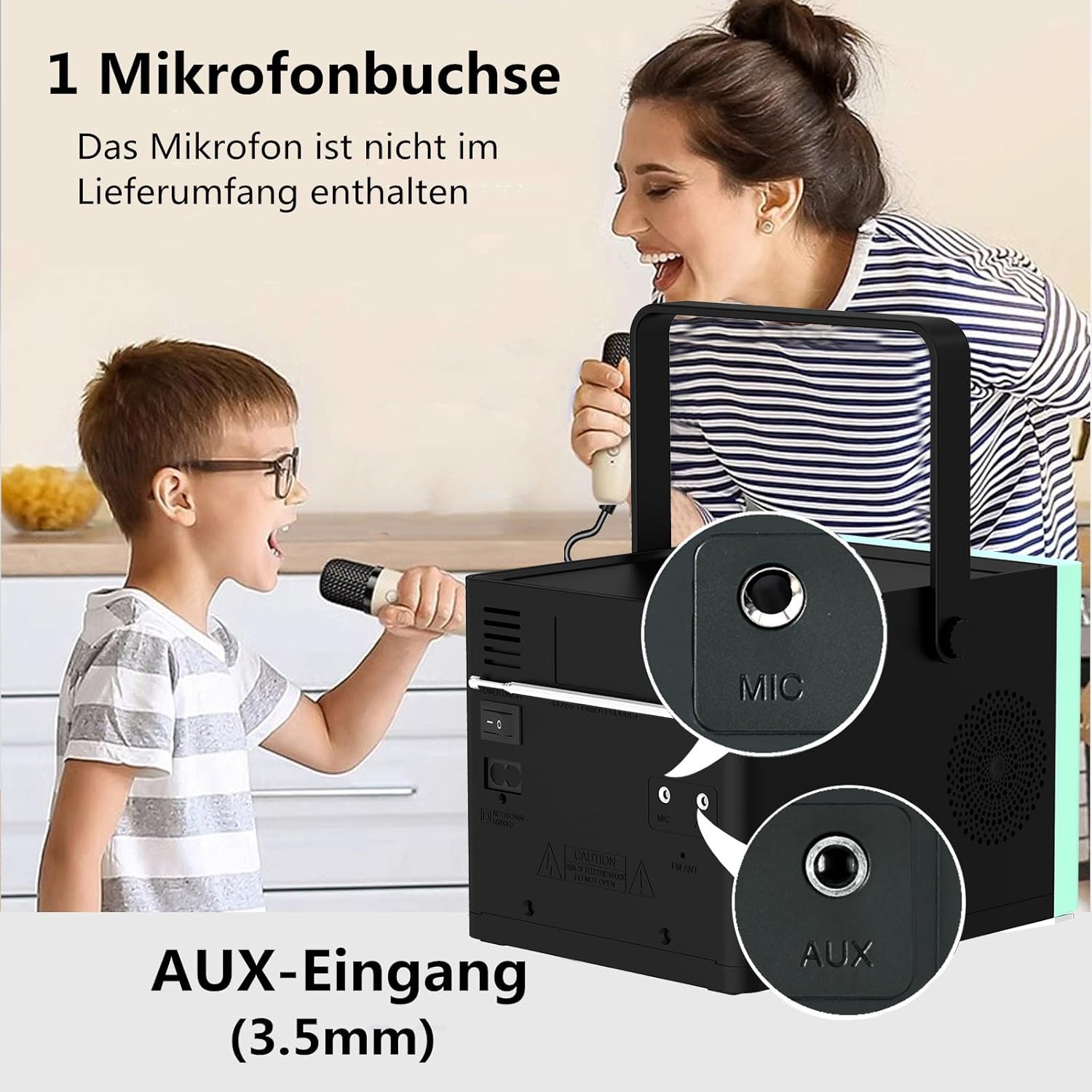
פיגורע 3: דערציען view of the HANLIM Portable CD Player HL-108, highlighting the microphone input and AUX input ports.
5. סעטאַפּ
5.1 אײַנצושאַלטן און אױפֿלאָדן
- Connect the provided power cable to the AC power input on the rear of the unit and plug it into a wall outlet.
- The built-in 2000mAh battery will begin charging automatically. A full charge provides approximately 4.5 to 5 hours of playback at maximum volume.
- דרוק די סטאַנדביי קנעפּל צו מאַכט אויף די אַפּאַראַט.
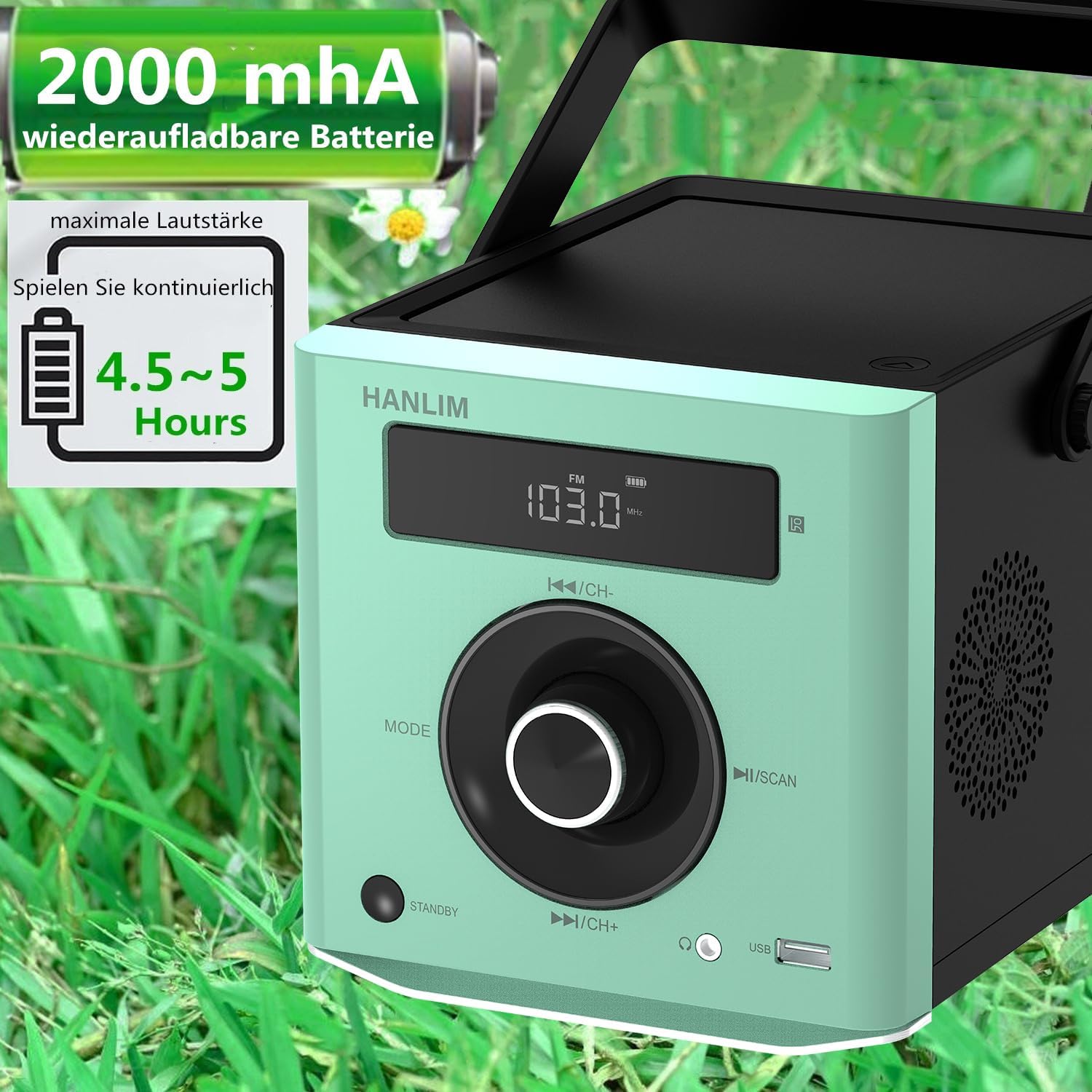
פיגורע 4: The HANLIM Portable CD Player HL-108 displaying battery charge status and indicating 4.5-5 hours of continuous playback.
6. אַפּערייטינג ינסטרוקטיאָנס
6.1 סי פּלייבאַק
- עפֿנט דעם דעקל פֿון סי-די אָפּטייל.
- Place a CD (CD/CD-R/CD-RW/MP3 format) onto the spindle, label side up.
- נאָענט די קאָמפּאַקטדיסק אָפּטייל דעקל.
- דרוק די מאָדע button until "CD" is displayed.
- דרוק די שפּיל / פּויזע קנעפּל צו אָנהייבן פּלייבאַק.
- ניצן די פרייַערדיק / ווייַטער קנעפּלעך צו האָפּקען טראַקס.
- איבערחזרן פֿונקציע: Press the repeat button on the remote control to cycle through repeat one, repeat all, or random play.
- Continue Playback: The unit will resume playback from where it was last stopped, useful for language learning.
6.2 עפעם ראַדיאָ
- דרוק די מאָדע קנעפל ביז "FM" ווערט געוויזן.
- דריקן און האַלטן די סקאַן button to automatically scan and store available FM stations (87.5-108MHz). Up to 20 stations can be stored.
- ניצן די טש- און CH+ קנעפּלעך צו נאַוויגירן דורך געהיטענע סטאַנציעס.

פיגורע 5: The HANLIM Portable CD Player HL-108 showing the FM radio frequency on its display.
6.3 בלועטאָאָטה קאַנעקשאַן
- דרוק די מאָדע button until "Bluetooth" is displayed. The unit will enter pairing mode.
- On your device (phone, tablet, computer), enable Bluetooth and search for "HANLIM HL-108".
- Select the device to pair. Once connected, you will hear a confirmation sound.
- Note: Bluetooth headphones are not supported for connection to this CD player.

פיגורע 6: The HANLIM Portable CD Player HL-108 illustrating its Bluetooth connectivity, USB port, and headphone jack.
6.4 יו-עס-בי פּלייבּעק
- Insert a USB flash drive (up to 32GB, supporting MP3/WMA formats) into the USB port.
- דרוק די מאָדע button until "USB" is displayed.
- Playback will start automatically. Use the פרייַערדיק / ווייַטער קנעפּלעך צו נאַוויגירן טראַקס.
6.5 AUX אַרייַנשרייַב
- Connect an external audio device (e.g., phone, computer) to the AUX IN port using a 3.5mm audio cable (not included).
- דרוק די מאָדע קנעפל ביז "AUX" ווערט געוויזן.
- קאָנטראָליר ווידערשפּיל פֿון דיין פֿאַרבונדענעם מיטל.
6.6 כעדפאָון דזשאַק
For private listening, connect 3.5mm headphones to the headphone jack on the front panel.
6.7 Microphone Port
Connect a microphone (not included) to the MIC port on the rear panel for singing along to music.
6.8 Sound Settings (Equalizer)
The unit offers 5 sound qualities: Pop, Jazz, Rock, Classical, and Flat. Use the EQ button on the remote control to cycle through these modes and adjust the audio output to your preference.
7. וישאַלט
- רייניקונג: ווישט אָפּ דעם אַפּאַראַט מיט אַ ווייכן, טרוקענעם שטאָף. ניצט נישט קיין שרײַבנדיקע רייניגער אָדער סאָלווענטן.
- CD באַהאַנדלונג: האַלט אָן סי-דיס ביי די ברעגן. רייניקט שמוציקע סי-דיס מיט אַ ווייכן, לינט-פֿרייעם שטאָף, ווישנדיק פֿון צענטער אַרויס.
- באַטערי זאָרגן: פֿאַר אַן אָפּטימאַלן באַטעריע לעבן, זאָלט איר נישט אָפֿט גאָר אויסלאָדן די באַטעריע. אויב איר לייגט זי אַוועק פֿאַר לענגערע צייטן, זאָלט איר די באַטעריע אויפֿלאָדן ביז 50% יעדע פּאָר חדשים.
8. טראָובלעשאָאָטינג
| פּראָבלעם | מעגלעך סיבה | לייזונג |
|---|---|---|
| דער אַפּאַראַט טוט נישט מאַכט אויף. | די באַטעריע איז אויסגעשעפּט אָדער די מאַכט קאַבל איז נישט פארבונדן. | Connect the power cable and allow the battery to charge, or operate directly from AC power. |
| קיין געזונט. | Volume is too low, headphones connected, or incorrect mode selected. | Increase volume, disconnect headphones, or ensure the correct input mode (CD, FM, BT, USB, AUX) is selected. |
| די סי-די שפּילט נישט אדער הערט זיך איבער. | די סי-די איז שמוציק, קראַצט, אדער נישט ריכטיק אריינגעלייגט. | Clean the CD, try a different CD, or reinsert the CD correctly. Ensure the CD compartment is fully closed. |
| בלועטאָאָטה פּערינג פיילז. | Device is too far, Bluetooth is off on the device, or unit is not in pairing mode. | Ensure the unit is in Bluetooth mode, your device's Bluetooth is on, and they are within range. Try restarting both devices. |
| די FM ראַדיאָ אָפּנאַם איז שוואַך. | Weak signal or antenna position. | Adjust the unit's position or extend the antenna for better reception. |
9. ספּעסאַפאַקיישאַנז
| שטריך | באַשרייַבונג |
|---|---|
| סאָרט | HANLIM |
| מאָדעל | HL-108 |
| פּראָדוקט דימענשאַנז | 15.5 X 20.5 X 16 סענטימעטער (6.1 X 8.1 X 6.3 אינטשעס) |
| פּונקט וואָג | 1.7 קג (3.75 לבס) |
| מאַכט רעזולטאַט | 20 וו |
| באַטערי | Built-in 2000mAh rechargeable Lithium Ion |
| באַטערי לעבן | ביז 5 שעה (ביי מאַקסימום באַנד) |
| Supported CD Formats | קאָמפּאַקטדיסק, סי-ר, סי-רוו, mp3 |
| עפעם ראַדיאָ פרעקווענסי | 87.5-108 מהז |
| וסב סופּפּאָרט | Up to 32GB, MP3/WMA formats |
| קאַנעקטיוויטי | Bluetooth, USB, AUX (3.5mm), Headphone Jack (3.5mm), Microphone Port |
| ווייַז טיפּ | לקד |
| ספּעציעלע פֿעיִקייטן | Bluetooth, CD-R/RW Compatible, Equalizer, Portable, Rechargeable |
10. וואָראַנטי און שטיצן
This HANLIM product comes with a איין יאָר וואָראַנטי פֿון דעם קויפֿדאַטום. די וואָראַנטי דעקט פֿאַבריקאַציע חסרונות און אַרבעט אונטער נאָרמאַל נוצן.
For technical support, warranty claims, or service inquiries, please contact your retailer or the HANLIM customer service department through the contact information provided at the point of purchase.


