1. פּראָדוקט איבערview
The Miracase Magnetic Stand Wallet is designed to securely attach to your MagSafe-compatible iPhone, offering convenient card storage and versatile stand functionality. It features a robust magnetic connection, RFID blocking for card security, and a bi-fold design for easy access to your essentials.

Image: The Miracase Magnetic Stand Wallet demonstrating its quick access bi-fold design, capable of holding multiple cards and cash.
2. אויפשטעלן און צוטשעפּן
To attach your Miracase Magnetic Stand Wallet, simply align it with the MagSafe ring on the back of your iPhone or MagSafe-compatible case. The strong magnets will snap it securely into place. Ensure the wallet is centered for optimal magnetic hold.
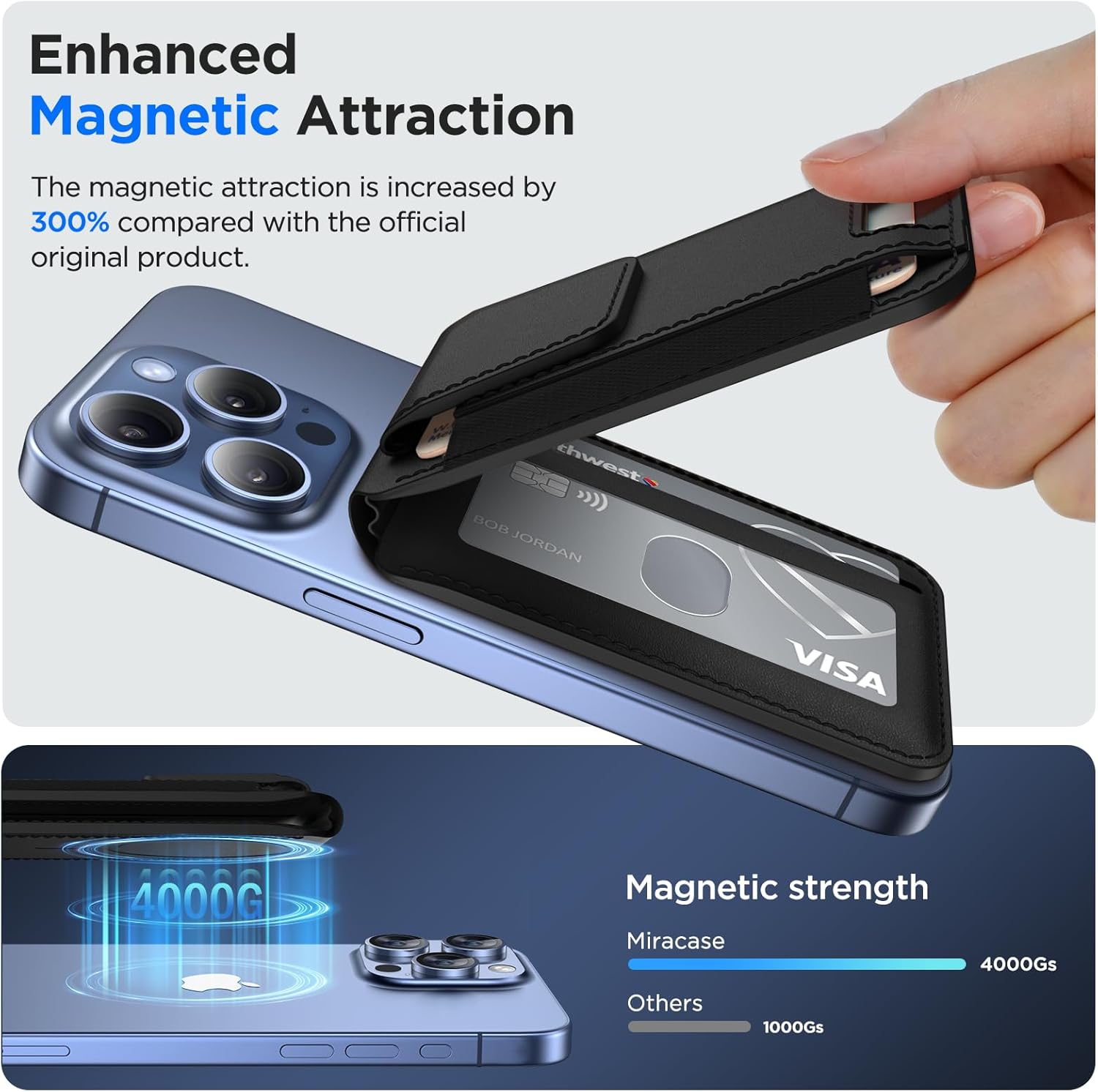
Image: A visual representation of the wallet's enhanced magnetic attraction, showing it securely fastened to an iPhone.
Official Product Video: Miracase Magnetic Stand Wallet Overview
Video: An official Miracase video demonstrating the features and attachment of the Magnetic Stand Wallet.
3. Card Storage and Security
The wallet features 3 individual card slots with an elasticized outer design, capable of holding up to 8 cards or some cash. A privacy flap prevents cards from accidentally falling out. The thumb slot ensures easy access to any of your cards.

בילד: דעטאַלירט view of the wallet's card storage, highlighting the elastic design, premium PU leather, and safety flap.
For your security, the wallet incorporates an RFID blocking system to prevent unauthorized scanning of your credit card information. Additionally, a metallic mesh lining provides degauss protection for your cards, safeguarding them from demagnetization.

Image: The wallet in use, illustrating its RFID blocking capability and internal card security layers.
4. Adjustable Stand Functionality
The wallet features an upgraded durable hinge that allows it to function as an adjustable phone stand. It can be set from 0° to 170° for both portrait and landscape viewing angles, providing a comfortable hands-free experience for watching videos, chatting, or browsing.

Image: The wallet configured as a multi-view stand, showcasing its utility for various activities like watching videos, video calls, and web בראַוזינג.
5. קאַמפּאַטאַבילאַטי
This wallet is compatible with iPhone 17 Pro Max/17 Pro/17/Air/16 Pro Max/16 Pro/16 Plus/16/15 Pro Max/15 Pro/15 Plus/15/14 Pro Max/14 Pro/14 Plus/14/13 Pro Max/13 Pro/13/12 Pro Max/12 Pro/12 models. It can be used directly with the iPhone without a case, or with a MagSafe-compatible magnetic case. באַמערקונג: It is not compatible with iPhone 13 mini or iPhone 12 mini models.
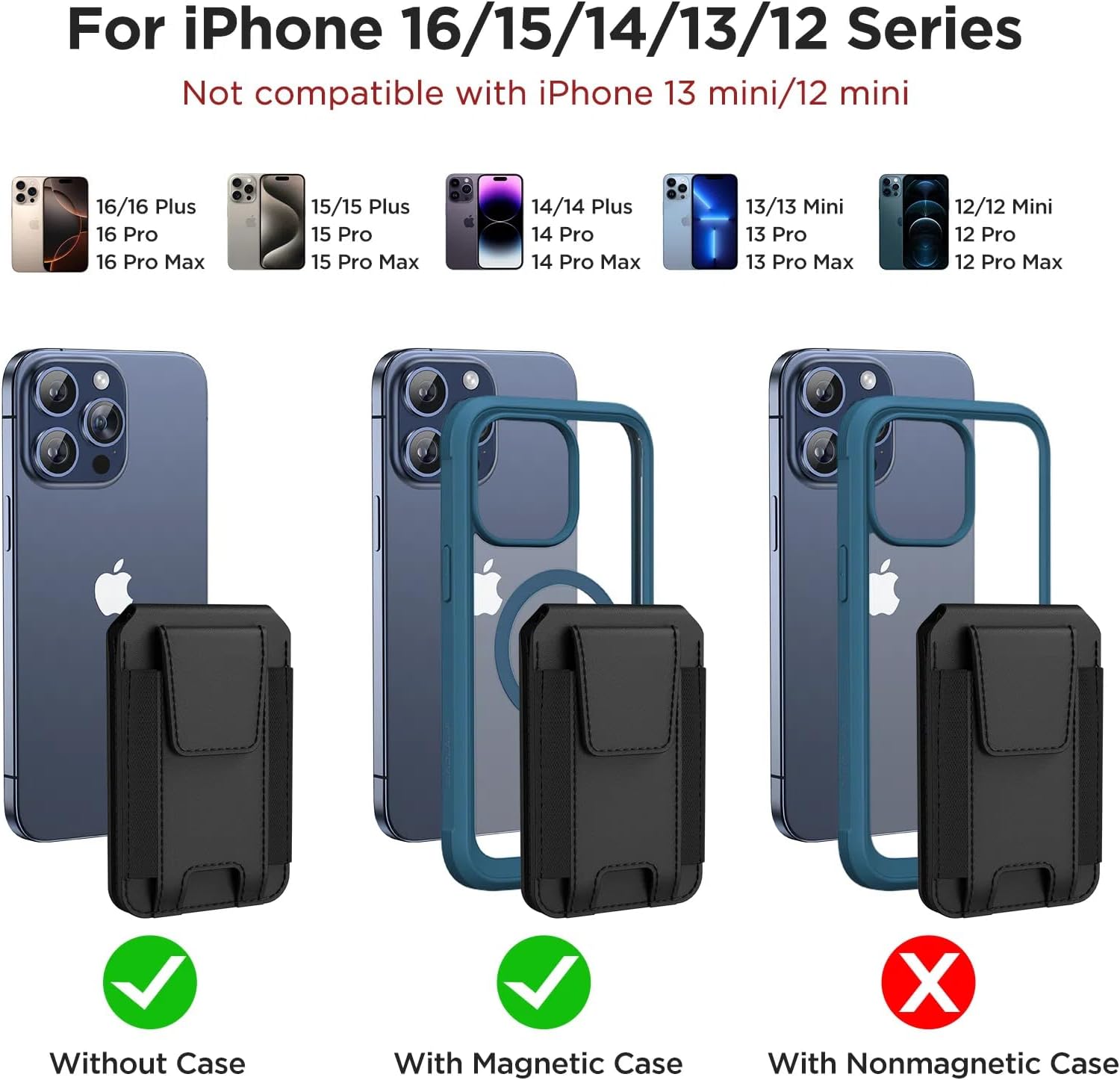
Image: A chart illustrating the compatibility of the wallet with different iPhone models and whether a case is required.
6. ספּעסאַפאַקיישאַנז
| שטריך | דעטאַל |
|---|---|
| פּראָדוקט דימענשאַנז | 0.5 X 4.6 X 3.15 אינטשעס |
| פּונקט וואָג | 3.52 אונס (0.1 קילאָגראַמס) |
| מאַטעריאַל | לעדער |
| קאָליר | א-שווארצע |
| ספּעציעלע פֿעיִקייטן | RFID Protected, Adjustable Stand |
| מאַגנעטיק סטרענגטה | 4000g holding force |
| קאָרט קאַפּאַסיטי | אַרויף צו 8 קאַרדס |
7. טראָובלעשאָאָטינג
- Wallet not attaching securely: Ensure your iPhone is MagSafe-compatible or that you are using a MagSafe-compatible case. Clean the back of your phone/case and the wallet's magnetic surface to remove any debris.
- Cards difficult to remove: The card slots are designed to hold cards snugly for security. Over time, the elastic may loosen slightly. For new wallets, gently push cards from the bottom thumb slot. Avoid overfilling the wallet beyond its recommended capacity.
- Stand not stable: Ensure the wallet is fully unfolded into the stand position and placed on a flat, stable surface. Adjust the angle carefully to find the optimal balance for your device.
8. וואָראַנטי און שטיצן
Miracase is committed to providing high-quality products. If you encounter any product problems or have questions regarding your Magnetic Stand Wallet, please do not hesitate to contact our customer support team. We are dedicated to offering you a satisfactory solution.
פֿאַר הילף, ביטע באַזוכט די Miracase Official Store on Amazon אדער זעט די קאָנטאַקט אינפֿאָרמאַציע וואָס איז צוגעשטעלט מיט אייער פּראָדוקט פּאַקאַדזשינג.


