1. הקדמה
א דאנק פארן קויפןasing the Samsung UE50DU7172 50-inch 4K LED Smart TV. This manual provides essential information for the safe and efficient use of your television. Please read these instructions thoroughly before operating the device and retain them for future reference.
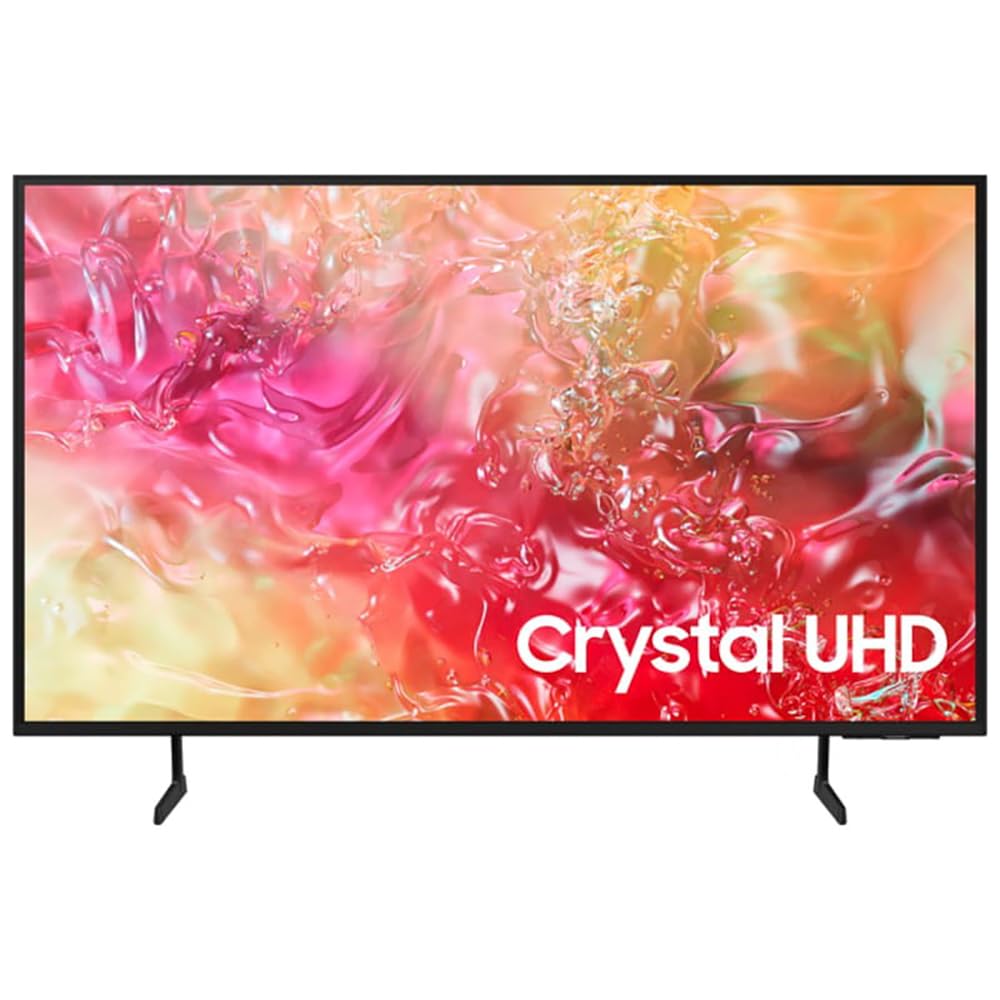
בילד 1.1: פראָנט view of the Samsung UE50DU7172 50-inch 4K LED Smart TV.
2. זיכערקייַט אינפֿאָרמאַציע
כדי צו רעדוצירן דעם ריזיקע פון עלעקטרישן שאק, פייער, אדער שאדן, פאלגט שטענדיג די גרונטלעכע זיכערהייט מיטלען:
- דו זאלסט נישט ויסשטעלן דעם אַפּאַראַט צו רעגן אָדער נעץ.
- בלאָקירט נישט קיין ווענטילאַציע עפענונגען. אינסטאַלירט לויט די אינסטרוקציעס פונעם פאַבריקאַנט.
- דו זאלסט נישט ינסטאַלירן לעבן קיין היץ קוואלן אַזאַ ווי ראַדיאַטאָרס, היץ רעדזשיסטערז, סטאָוווז אָדער אנדערע אַפּאַראַט (אַרייַנגערעכנט ampליפיערס) וואָס פּראָדוצירן היץ.
- באַשיצן די מאַכט שנור פון גיין אויף אָדער פּינטשט, ספּעציעל אין די פּלאַגז, קאַנוויניאַנס רעסאַפּיז און די פונט ווו זיי אַרויסגיין פון די אַפּאַראַט.
- נאָר נוצן אַטאַטשמאַנץ / אַקסעסעריז ספּעסיפיעד דורך דער פאַבריקאַנט.
- קאָנטאַקט אַלע קוואַלאַפייד סערוויס פּערסאַנעל. סערוויסינג איז פארלאנגט אויב די אַפּאַראַט איז דאַמידזשד אין קיין וועג.
3. פּעקל אינהאַלט
באַשטעטיקן אַז אַלע קאָמפּאָנענטן זענען פאַראַן אין דער קעסטל:
- Samsung UE50DU7172 50-inch 4K LED Smart TV
- Remote Control (Bluetooth)
- מאַכט קאַבלע (AC)
- שטאַנד קאָמפּאָנענטן (אויב נישט וואַנט-מאָנטירט)
- באַניצער מאַנואַל (דעם דאָקומענט)
- Batteries for Remote Control (2 x AAAA, may be included)
4. סעטאַפּ
4.1. שטאַנד אינסטאַלאַציע אָדער וואַנט מאָונטינג
If using the included stand, carefully attach it to the TV following the instructions provided in the separate stand assembly guide. Ensure all screws are tightened securely.
For wall mounting, use a VESA-compatible wall mount (200 x 200 mm standard) and consult a professional for installation to prevent damage or injury. The TV weighs approximately 11 kg.
4.2. קאַנעקטינג מאַכט
Connect the power cable to the TV's power input and then plug it into a wall outlet (220-240V AC, 50Hz). Ensure the connection is firm.
4.3. ערשט סעטאַפּ
ביים ערשטן מאָל אנצינדן, וועט דער טעלעוויזיע אייך פירן דורך אן ערשטן סעטאַפּ פּראָצעס. דאָס נעמט אַרײַן:
- Language selection (French is an available option).
- נעץ פֿאַרבינדונג (Wi-Fi אָדער עטהערנעט).
- Channel scanning (DVB-T2, DVB-S2, DVB-C tuners are supported).
- Samsung חשבון לאָגין (אפציאָנעל, פֿאַר פולע סמאַרט טעלעוויזיע פֿעיִקייטן).
5. אַפּערייטינג ינסטרוקטיאָנס
5.1. רימאָוט קאָנטראָל
The included Bluetooth remote control allows you to navigate the TV's interface. Insert 2 AAAA batteries (if not pre-installed) into the remote. Pair the remote with the TV during initial setup or by following the on-screen instructions if pairing is lost.
5.2. יקערדיק פאַנגקשאַנז
- מאַכט אויף / אַוועק: דרוק די מאַכט קנעפּל אויף די ווייַט.
- באַנד קאָנטראָל: ניצט די באַנד אַרויף/אַראָפּ קנעפּלעך.
- קאַנאַל סעלעקציע: Use the Channel Up/Down buttons or the number pad (if available on your remote model).
- אַרייַנשרייַב מקור: Press the Source button to select between connected devices (HDMI, USB, etc.).
6. סמאַרט פֿעיִקייטן
Your Samsung UE50DU7172 TV runs on the Tizen operating system, offering a range of smart functionalities:
- Smart Hub: Access streaming applications, web בלעטערער, און אנדערע קלוגע פֿעיִקייטן.
- עפּל עירפּליי 2: סטרים אינהאַלט גלייך פֿון אייערע עפּל דעוויסעס.
- ביקסבי: Use voice commands for TV control and information.
- סמאַרטטינגס אינטעגראַציע: פֿאַרבינדט און קאָנטראָלירט קאָמפּאַטיבלע סמאַרט היים דעוויסעס.
- עלעקטראָניש פּראָגראַם גייד (EPG): View TV schedules for digital channels.
- HbbTV: Access interactive services from broadcasters.
7. קאַנעקטיוויטי
The TV offers various ports and wireless options for connecting external devices:
- HDMI פּאָרץ: 3 ports (HDMI 1.4 compatible), supporting eARC (Enhanced Audio Return Channel) for high-quality audio to sound systems.
- וסב פּאָרץ: 1 port (USB 2.0/3.0 compatible) for media playback from USB drives.
- עטהערנעט (לאַן): RJ45 פּאָרט פֿאַר ווייערד אינטערנעט פֿאַרבינדונג.
- RF אַרייַנשרייַב: 2 inputs for antenna/cable and satellite connections.
- CI+ שפּעלטל: פֿאַר קאָנדישאַנאַל אַקסעס מאָדולן (CAM) צו דעקריפּטירן באַצאָלט-טעלעוויזיע קאַנאַלן.
- ווי-פי: Built-in Wi-Fi (5 GHz) for wireless internet access.
- בלועטאָאָטה 5.2: For connecting wireless headphones, soundbars, and other compatible devices.
- אַניט +: Samsung's HDMI-CEC feature for controlling compatible devices connected via HDMI with a single remote.
8. וישאַלט
8.1. רייניקן דעם טעלעוויזאר
Always unplug the TV before cleaning. Use a soft, dry cloth to wipe the screen and cabinet. Do not use liquid cleaners, sprays, or abrasive materials, as they may damage the TV's surface.
8.2. ווייכווארג דערהייַנטיקונגען
זיכער מאַכן אַז אייער טעלעוויזיע'ס ווייכווארג איז אַרויף-צו-דאַטע פֿאַר אָפּטימאַלע פאָרשטעלונג און זיכערהייט. איר קענט קאָנטראָלירן פֿאַר דערהייַנטיקונגען דורך די טעלעוויזיע'ס סעטטינגס מעניו (סעטטינגס > שטיצע > ווייכווארג דערהייַנטיקונג).
9. טראָובלעשאָאָטינג
אויב איר טרעפט פּראָבלעמען מיט אייער טעלעוויזיע, באַזירט זיך אויף די פאלגענדע געוויינטלעכע לייזונגען:
- קיין מאַכט: קאָנטראָלירט צי דער שטראָם קאַבל איז זיכער פֿאַרבונדן צו ביידע דעם טעלעוויזיע און דעם וואַנט אַוטלעט. מאַכט זיכער אַז דער אַוטלעט אַרבעט.
- קיין בילד/קלאַנג: באַשטעטיקן אַז די ריכטיקע אַרייַנגאַנג מקור איז אויסגעקליבן. קאָנטראָלירט אַלע קאַבל קאַנעקשאַנז (HDMI, אַנטענע). פּרוּווט ריסטאַרטן די טעלעוויזיע.
- רימאָוט קאָנטראָל נישט ארבעטן: טוישט די באַטעריעס. מאַכט זיכער אַז עס זענען נישטאָ קיין שטערונגען צווישן דעם ווײַטקאָנטראָל און דעם טעלעוויזאָר. פאַרבינדט ווידער דעם בלועטוט ווײַטקאָנטראָל אויב נייטיק.
- שלעכטע בילד קוואַליטעט: Check antenna/cable connections. Adjust picture settings in the TV menu. Ensure the source content is high quality.
- קיין אינטערנעט פֿאַרבינדונג: Check your Wi-Fi router or Ethernet cable. Reconnect to the network via TV settings.
For more detailed troubleshooting, consult the e-Manual accessible through your TV's settings or visit the Samsung support webפּלאַץ.
10. ספּעסאַפאַקיישאַנז
| שטריך | באַשרייַבונג |
|---|---|
| מאָדעל נאָמען | Smart TV Samsung 50DU7172 |
| מאָדעל נומער | 8806095478357 |
| פאַרשטעלן גרייס | 50 אינטשעס (127 סענטימעטער) |
| ווייַז טעכנאָלאָגיע | געפירט |
| האַכלאָטע | 4K אולטרא HD (3840 x 2160 פּיקסעל) |
| דערפרישן קורס | 60 הז |
| HDR שטיצן | HDR10 and/or HLG |
| אָפּערייטינג סיסטעם | טיזען |
| קאַנעקטיוויטי | Wi-Fi (5 GHz), Bluetooth 5.2, Ethernet LAN |
| HDMI פּאָרץ | 3 (HDMI 1.4, eARC compatible) |
| וסב פּאָרץ | 1 (USB 2.0/3.0 compatible) |
| אַודיאָ רעזולטאַט | 2.0 Channels, 20W RMS, Q-Symphony |
| VESA מאָונטינג סטאַנדאַרד | 200 רענטגענ 200 מם |
| דימענשאַנז (ב x ה x ד) | 112 ס״מ x 64.7 ס״מ x 6 ס״מ (אָן שטאַנד) |
| וואָג | 11 קילאָגראַמס |
| מאַכט צושטעלן | 220-240 וו אַק, 50 הז |
| ענערגיע קלאַס | G |
11. וואָראַנטי און שטיצן
This Samsung UE50DU7172 TV comes with a 1-יאָר לימיטעד וואָראַנטי פֿון דעם קויפֿדאַטום. די וואָראַנטי דעקט פֿאַבריקאַציע־דעפֿעקטן אונטער נאָרמאַלן באַנוץ. ביטע באַהאַלטן אייער קויפֿבאַווײַז פֿאַר וואָראַנטי־קליימז.
For technical support, service requests, or further information, please visit the official Samsung support website or contact your local Samsung customer service center. You may need your model number (UE50DU7172) and serial number (found on the back of the TV) when contacting support.


