1. הקדמה
Thank you for choosing the Tronsmart KH02 Kids Wireless Headphones. This manual provides detailed instructions for setting up, operating, maintaining, and troubleshooting your headphones to ensure a safe and enjoyable listening experience for children.
2. וואָס איז אין דער קעסטל
- 1 x Tronsmart KH02 Wireless Kids Headphones
- 1 רענטגענ וואָראַנטי קאַרד
- 1 x באַניצער מאַנואַל
- 1 רענטגענ טיפּ-C קאַבלע
- 1 X אַוקס-אין קאַבלע
3. פּראָדוקט איבערview
The Tronsmart KH02 headphones are designed for children, featuring a volume limit function, long battery life, and a comfortable, durable design. They support both wireless (Bluetooth) and wired (3.5mm Aux-in) connections.

Image: Tronsmart KH02 Kids Wireless Headphones in Princess Pink, showcasinג דעם אַלגעמיינעם פּלאַן.
ווידעא: אן איבערview of the Tronsmart KH02 Wireless Kids Headphones, highlighting features like portability, durability, comfortable fit, safe volume control, long playtime, and dual mode (wireless/wired).
4. סעטאַפּ און קאַנעקשאַן
4.1 אויפלאָדן די קאָפּהערער
Before first use, fully charge the headphones. Connect the provided Type-C cable to the charging port on the headphones and the other end to a USB power source. A full charge takes approximately 2 hours and provides up to 45 hours of playtime.

Image: A child enjoying music with Tronsmart KH02 headphones, emphasizing the 45-hour battery life.
4.2 Wireless (Bluetooth) Connection
- מאַכט אויף: Press and hold the 'Multifunction' button for 2 seconds to turn on the headphones. The indicator light will flash, indicating pairing mode.
- געבן בלועטאָאָטה: אויף אייער דעווייס (סמאַרטפאָן, טאַבלעט, אאז"וו), גייט צו די בלועטוט סעטטינגס און זיכערט זיך אז בלועטוט איז ענייבאַלד.
- פּאָר: זוכן פֿאַר "Tronsmart KH02" in the list of available devices and select it to connect. Once connected, the indicator light will stop flashing.
Video: Demonstrates how to operate the Tronsmart KH02 Wireless Kids Headphones, including power on, Bluetooth pairing, music control, and call management.

Image: Tronsmart KH02 headphones demonstrating wireless connectivity with a smartphone.
4.3 Wired Connection (3.5mm Aux-in)
To use the headphones in wired mode, simply plug the provided 3.5mm Aux-in cable into the headphone's audio jack and the other end into your device's 3.5mm audio output. This mode is useful when the battery is depleted or for devices without Bluetooth connectivity.

Image: Children using Tronsmart KH02 headphones in both wireless and wired modes.
5. אַפּערייטינג ינסטרוקטיאָנס
5.1 יקערדיק קאָנטראָלס
- מאַכט אויף / אַוועק: Press and hold the 'Multifunction' button for 2 seconds.
- שפּיל / פּויזע מוזיק: Press the 'Multifunction' button once.
- באַנד אַרויף: Press the 'Volume +' button once.
- באַנד אַראָפּ: Press the 'Volume -' button once.
- ווייַטער שפּור: Press and hold the 'Volume +' button for 2 seconds.
- פֿריִערדיקע שפּור: Press and hold the 'Volume -' button for 2 seconds.
- ענטפֿערן / סוף רופן: Press the 'Multifunction' button once.
- אָפּוואַרפן רופן: Double-press the 'Multifunction' button.
5.2 Volume Limit Control
The headphones feature a three-level volume control switch to protect children's hearing. You can select between 74dB, 85dB, and 93dB depending on the environment and age of the child. Adjust the switch located on the earcup to your desired volume limit.

Image: Visual representation of the volume limit settings (74dB for sleep, 85dB for study, 93dB for travel).
5.3 Built-in HD Microphone
The integrated HD microphone allows for clear, hands-free calls, making the headphones suitable for online learning or communication.

Image: Child using headphones with a laptop, highlighting the built-in HD microphone.
6. וישאַלט
6.1 רייניקונג
Wipe the headphones with a soft, dry cloth. Do not use abrasive cleaners or solvents. Keep the charging port and audio jack free of dust and debris.
6.2 סטאָרידזש
The headphones feature a foldable design for compact storage and portability. When not in use, fold them to save space and protect them from damage. Store in a cool, dry place away from extreme temperatures.

Image: Features of the Tronsmart KH02 headphones, including adjustable headband, soft ear pads, eco-friendly materials, and foldable design.
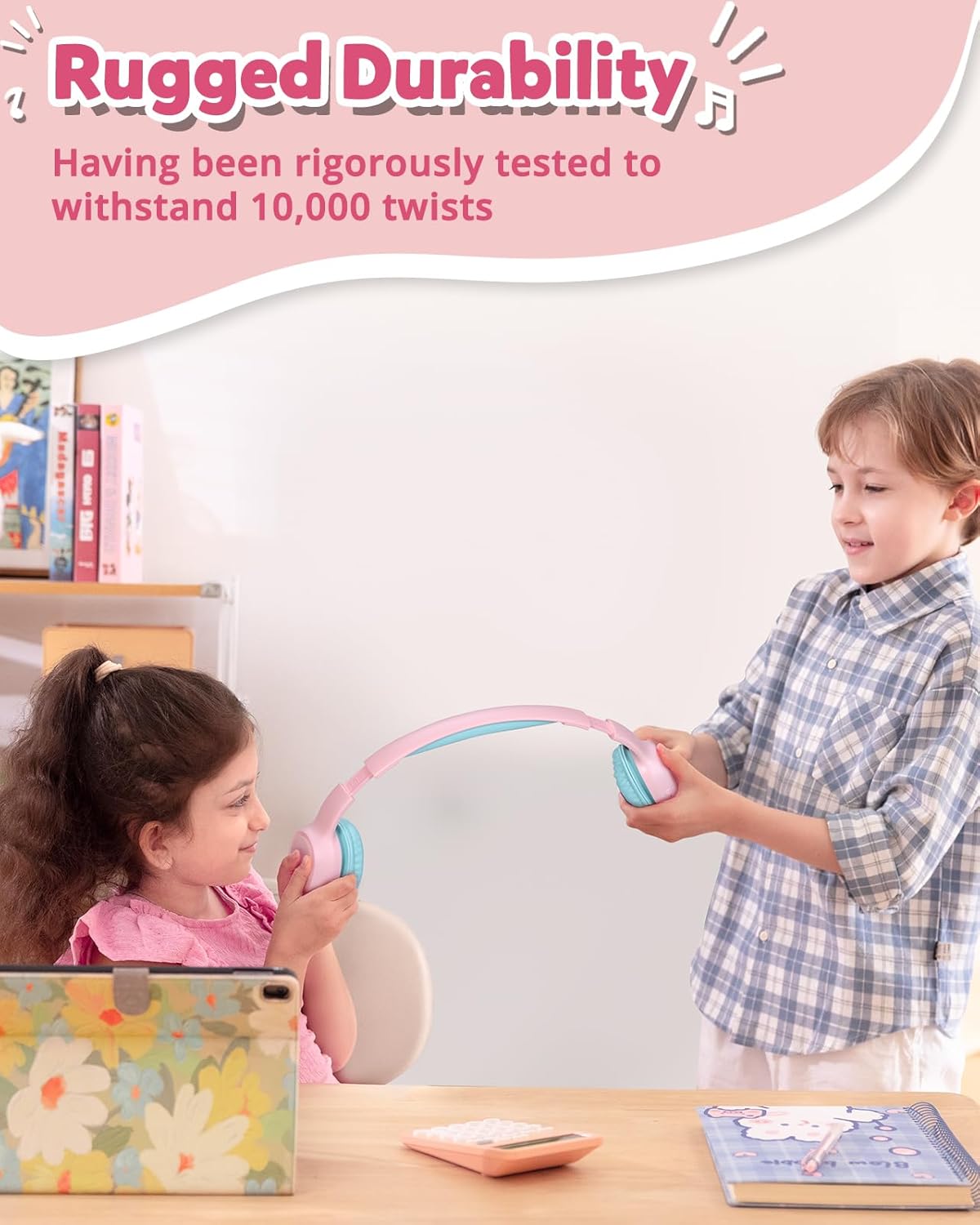
Image: Children demonstrating the durability and flexibility of the headphones' headband.
7. טראָובלעשאָאָטינג
- קאָפּהערער צינדן זיך נישט אָן: זיכער מאַכן אַז די כעדפאָונז זענען גאָר אויפגעלאָדן.
- קען נישט צוזאמענשטעלן מיטן אפאראט:
- מאַכן זיכער אַז בלועטאָאָטה איז ענייבאַלד אויף דיין מיטל און די כעדפאָונז זענען אין פּערינג מאָדע.
- ריקט די כעדפאָונז נענטער צו אייער דעווייס.
- Try resetting the headphones by pressing and holding the 'Multifunction' and 'Volume +' buttons simultaneously for 5 seconds.
- קיין קלאַנג אָדער נידעריקע באַנד:
- קאָנטראָלירט דעם באַנד לעוועל אויף ביידע די כעדפאָונז און אייער פֿאַרבונדענע מיטל.
- Ensure the headphones are properly connected (Bluetooth or wired).
- Verify the volume limit switch is set to an appropriate level.
- נעבעך רופן קוואַליטעט: Ensure the microphone is not obstructed and you are in an area with good signal strength.
8. ספּעסאַפאַקיישאַנז
| שטריך | דעטאַל |
|---|---|
| מאָדעל נאָמען | KH02 |
| קאַנעקטיוויטי טעכנאָלאָגיע | ווירעלעס (בלוטוט 5.3) |
| כעדפאָונז דזשאַק | 3.5 מם דזשאַק |
| באַנד לימיט | 74dB, 85dB, 93dB |
| באַטערי לעבן | אַרויף צו 45 שעה |
| טשאַרדזשינג צייט | 2 שעה |
| געבויט-אין מיקראָפאָן | Yes (HD Mic) |
| פאָלדאַבלע פּלאַן | יא |
| אַדזשאַסטאַבאַל העאַדבאַנד | Yes (Four levels) |
| Earpad Material | Imitation Protein Leather |
| מאַטעריאַל | Eco-friendly Plastic |
| פּונקט וואָג | 5.9 אונסעס |
| פּראָדוקט דימענשאַנז | 6.17 X 2.89 X 7.07 אינטשעס |
| בלועטאָאָטה קייט | 49 פֿיס |
| אָפטקייַט ענטפער | 20 הז |
| סענסיטיוויטי | 93 דב |
| ימפּידאַנס | 8 אָהמס |
9. וואָראַנטי און שטיצן
The Tronsmart KH02 Kids Wireless Headphones come with a Warranty Card. Please refer to the card for specific warranty terms and conditions. For product support, technical assistance, or further inquiries, please contact Tronsmart customer service through their official webפּלאַץ אָדער די זיצער ווו די פּראָדוקט איז פּערטשאַסט.