1. הקדמה
The Irfora FY128C Smart Digital Multimeter is a compact and intelligent electrical testing instrument designed for professionals, factories, schools, and home users. It is engineered to meet the safety requirements of the International Electrotechnical Safety Standard (IEC-61010) for electronic measuring instruments and handheld digital multimeters. This device offers accurate measurements for AC/DC voltage, resistance, frequency, continuity, live wire checking, and Non-Contact Voltage (NCV) דעטעקציע.
זיכערקייַט פּריקאָשאַנז:
- שטענדיק זיכער מאַכן אַז דער מולטימעטער איז אין גוטן אַרבעטס צושטאַנד איידער נוצן.
- דו זאלסט נישט פּרווון צו מעסטן וואָלtagעס אדער שטראמען וואס איבערשטייגן די ספעציפישע מאקסימום לימיטן.
- זייט זייער פארזיכטיג ווען איר ארבעט מיט לעבעדיגע קרייזן.
- טוישט באַלד די באַטעריעס ווען דער אינדיקאַטאָר פֿאַר נידעריקע באַטעריע דערשיינט.
- Do not operate the multimeter if the casing is damaged or open.
2. פּעקל אינהאַלט
ביטע טשעק די פּאַקעט פֿאַר די פאלגענדע זאכן:
- 1 x Digital Multimeter (FY128C)
- 1 x פּאָר טעסט לידז (רויט און שוואַרץ)
- 1 x באַניצער מאַנואַל (ענגליש)
3. פּראָדוקט איבערview
The FY128C Smart Digital Multimeter features a large, backlit LCD display for clear readings, a built-in flashlight for dark environments, and a support bracket for convenient hands-free operation. Below is an illustration of the instrument's key components and functions.

Figure 3.1: Instrument Functions Overview

Figure 3.2: Large LCD Display for Easy Reading
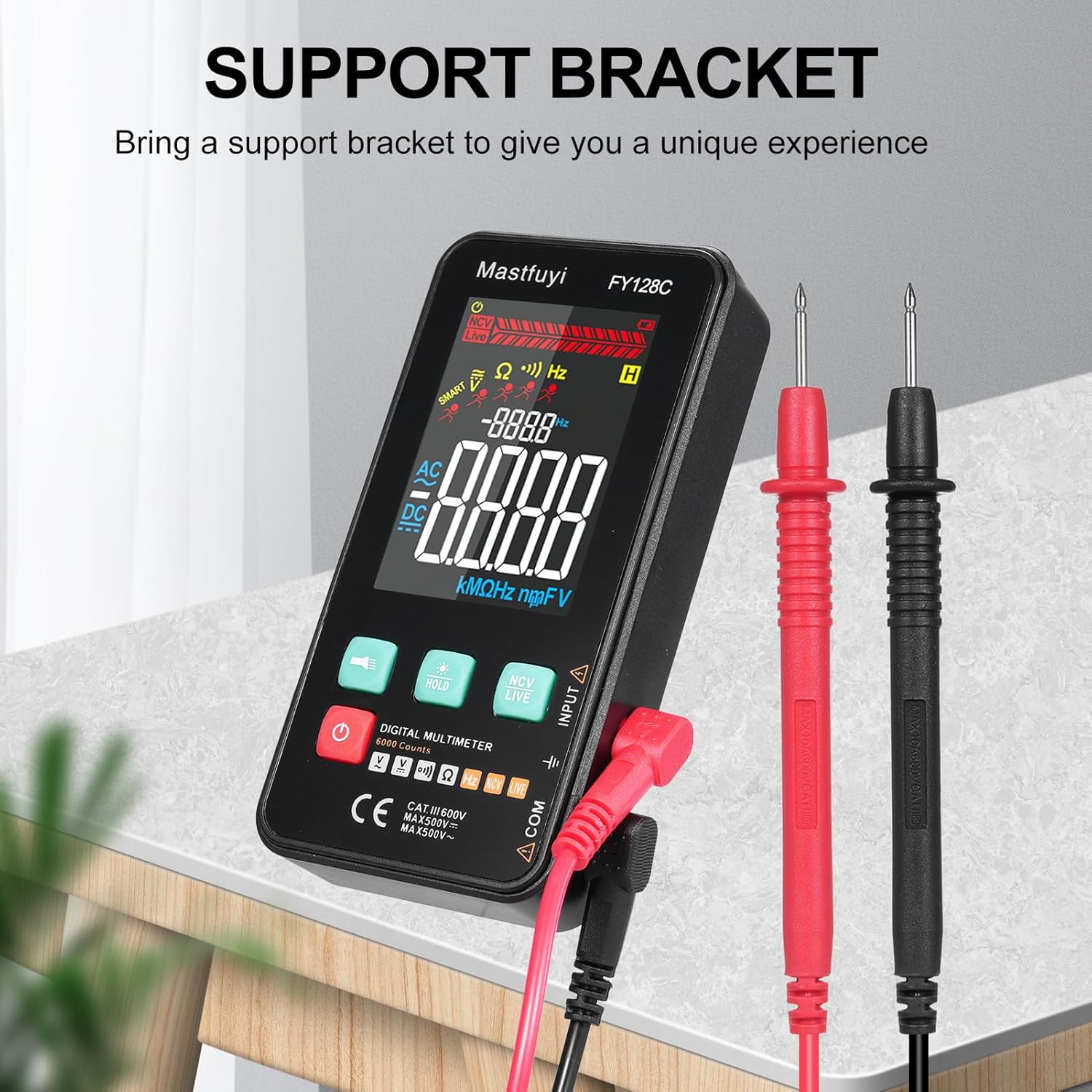
Figure 3.3: Multimeter with Support Bracket and Test Leads
4. סעטאַפּ
4.1 באַטאַרייע ייַנמאָנטירונג
- זייט זיכער אז דער מולטימעטער איז אויסגעלאשן.
- געפינט דעם דעקל פונעם באַטעריע־אָפּטייל אויף דער הינטערשטער זייט פונעם אַפּאַראַט.
- ניצן אַ שרויפנ - ציער צו עפענען די באַטאַרייע אָפּטייל.
- אַרײַנשטעלן צוויי 1.5V AAA באַטעריעס, אָבסערווירנדיק די ריכטיקע פּאָלאַריטעט (+/-).
- פאַרבייַטן די דעקן פון די באַטאַרייע אָפּטייל און באַוואָרענען עס מיט די שרויף.
4.2 פֿאַרבינדן טעסט דראָטן
- שטעקט אריין דעם שווארצן טעסט דראָט אין דעם 'COM' (געמיינזאם) אינפוט דזשעק.
- Insert the red test lead into the 'INPUT' jack for most measurements (voltage, resistance, frequency, continuity).
- Ensure the test leads are securely connected before taking any measurements.
5. אַפּערייטינג ינסטרוקטיאָנס
The FY128C Multimeter offers two primary measurement modes: Auto Identification and Manual Switching.
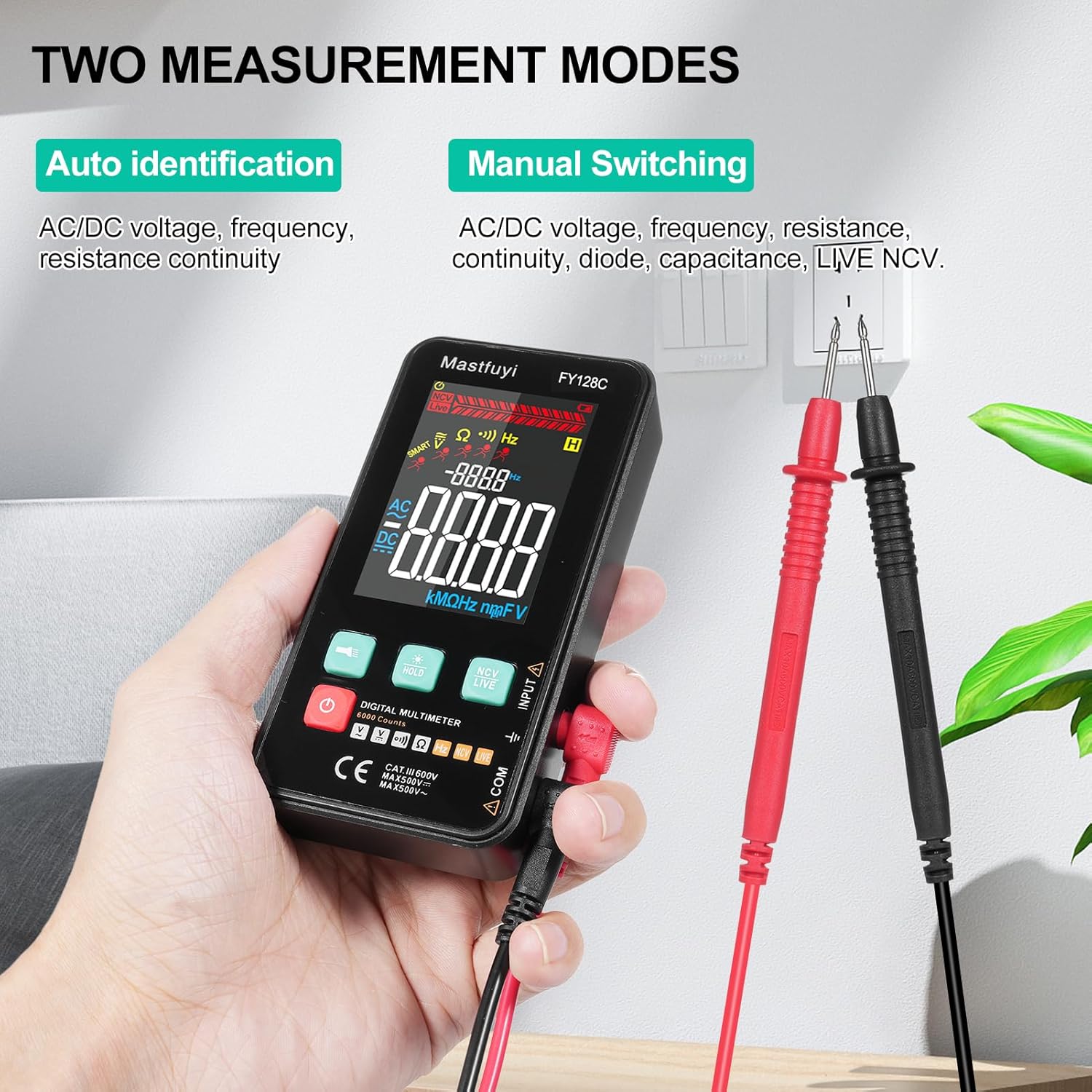
Figure 5.1: Two Measurement Modes
5.1 מאַכט אויף / אַוועק
דרוק דעם מאַכט קנעפּל (U) to turn the multimeter on or off. The device features an auto-shutdown function to conserve battery power after a period of inactivity.
5.2 Auto Identification Mode
In this mode, the multimeter automatically identifies and measures AC/DC voltage, frequency, resistance, and continuity. Simply connect the test leads to the circuit or component, and the device will display the appropriate measurement.
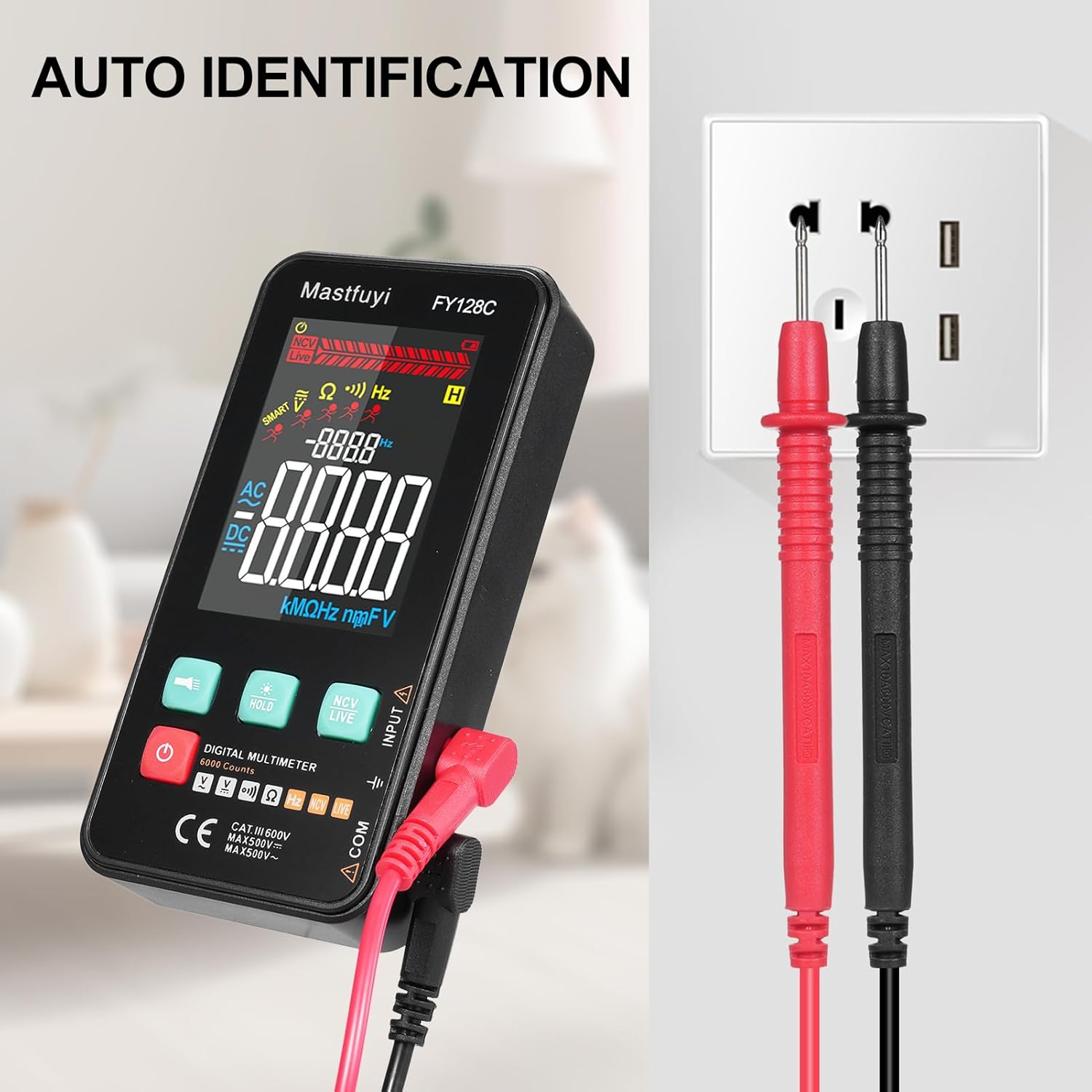
Figure 5.2: Auto Identification in Use
5.3 Manual Switching Mode
For specific measurements or when auto-identification is not desired, you can manually switch between functions. Press the 'MODE' button (often indicated by a symbol like a wave or function icon) to cycle through AC/DC voltage, frequency, resistance, continuity, and NCV/LIVE functions.
5.4 AC/DC VoltagE מעזשערמאַנט
- אויסקלייַבן די צונעמען וואָלtage mode (AC V or DC V) if in manual mode, or rely on auto-identification.
- פֿאַרבינדט די טעסט־לידער פּאַראַלעל צום קרייַז אָדער קאָמפּאָנענט וואָס איר ווילט מעסטן.
- לייענען דעם חלקtagE ווערט אויף די לקד אַרויסווייַזן.
5.5 קעגנשטעל מעזשערמאַנט
- זיכער מאַכן אַז די קרייַז אָדער קאָמפּאָנענט איז דעענערדזשייזד איידער איר מעסט די קעגנשטעל.
- Select the resistance mode (Ω) if in manual mode.
- פֿאַרבינדט די טעסט־לידער אַריבער דעם קאָמפּאָנענט.
- לייענט דעם ווערט פון דעם קעגנשטעל אויפן LCD דיספּלעי.
5.6 אָפטקייַט מעזשערמאַנט
- Select the frequency mode (Hz) if in manual mode.
- Connect the test leads to the circuit where you want to measure frequency.
- לייענען די אָפטקייַט ווערט אויף די לקד אַרויסווייַזן.
5.7 קאָנטינויטי טעסט
- זיכער מאַכן אַז די קרייַז אָדער קאָמפּאָנענט איז דע-ענערדזשייזד.
- Select the continuity mode (often indicated by a buzzer icon).
- פֿאַרבינדט די טעסט־לידער אַריבער דעם קאָמפּאָנענט אָדער דראָט.
- If there is continuity (a complete circuit), the multimeter will emit an audible beep.
5.8 Live Wire Checking
This function helps identify live wires without direct contact.
- Select the 'LIVE' mode (often shared with NCV).
- Bring the red test lead probe close to the wire or outlet.
- The multimeter will indicate the presence of a live wire through visual (LED) and/or audible signals.

Figure 5.3: Live Wire Checking in Progress
5.9 NCV (נישט-קאָנטאַקט וואָלומען)tagה) טעסט
די NCV פונקציע ערמעגליכט זיכערע דעטעקציע פון AC וואָלומעןtagע אָן פיזישן קאָנטאַקט מיטן קאַנדאַקטאָר.
- אויסקלייבן דעם 'NCV' מאָדע.
- Bring the top part of the multimeter (NCV sensor area) close to the suspected voltagE מקור.
- דער אַפּאַראַט וועט אָנווייַזן די בייַזייַן פון AC וואָלומעןtage with an audible beep and/or visual indicator (e.g., LED lights). The intensity of the signal may vary with voltage strength and proximity.

Figure 5.4: NCV Insulation Safety Test
5.10 דאַטאַ האַלטן פֿונקציע
Press the 'HOLD' button to freeze the current reading on the display. Press it again to release the hold and resume live measurements.
5.11 טאַשליכט און באַקלייט
Press the flashlight button (often indicated by a light bulb icon) to turn on the built-in flashlight. The LCD display also has a backlight for improved visibility in low-light conditions, which typically activates automatically or can be toggled with a dedicated button.
6. וישאַלט
6.1 רייניקונג
ווישט אויס דעם מולטימעטער גasinג מיט אַדamp שטאָף און מילדן וואַשפּולווער. ניצט נישט קיין שרײַבנדיקע רייניגערס אדער סאָלווענטן. מאַכט זיכער אַז דער אַפּאַראַט איז גאָר טרוקן איידער נוצן.
6.2 באַטערי פאַרבייַט
When the low battery indicator appears on the display, replace the batteries as described in Section 4.1. Always use fresh 1.5V AAA batteries.
6.3 סטאָרידזש
אויב דער מולטימעטער וועט נישט ווערן גענוצט פאר א לענגערע צייט, נעמט ארויס די באטעריעס כדי צו פארמיידן ליעק. לייגט דאס אפאראט אין א קילן, טרוקענעם ארט, אוועק פון דירעקטער זון און עקסטרעמע טעמפעראטורן.
7. טראָובלעשאָאָטינג
This section addresses common issues you might encounter with your FY128C Smart Digital Multimeter.
| פּראָבלעם | מעגלעך סיבה | לייזונג |
|---|---|---|
| קיין דיספּלעי אָדער טונקעל דיספּלעי | Low batteries; Device not powered on; Damaged display. | Replace batteries; Press power button; Contact support if display is damaged. |
| ומפּינקטלעך רידינגז | Incorrect mode selected; Poor test lead connection; External interference. | Verify mode selection; Ensure leads are firmly connected; Move away from strong electromagnetic fields. |
| קאָנטינויִטעט טעסט ביפּט נישט | Open circuit; Continuity mode not selected; Faulty test leads. | Check the circuit for breaks; Select continuity mode; Test leads for damage. |
| Auto-shutdown too frequent | Default auto-shutdown setting. | This is a power-saving feature. Ensure you are actively using the device or press a button to reset the timer. |
8. ספּעסאַפאַקיישאַנז
Below are the technical specifications for the Irfora FY128C Smart Digital Multimeter.

פיגור 8.1: פּראָדוקט דימענסיעס
| שטריך | Specification (FY128C) |
|---|---|
| מאָדעל | FY128C |
| מאַטעריאַל | ABS |
| AC VoltagE ראַנגע | 1V~500V, ±(1.5%+3) |
| DC VoltagE ראַנגע | 0.5V~500V, ±(1.2%+5) |
| קעגנשטעל ראַנגע | 30Ω~10000KΩ, ±(2%+5) |
| אָפטקייַט ראַנגע | 40Hz~1000Hz, ±(2.5%+5) |
| קאָנטינויטי | יא |
| NCV (ניט-קאָנטאַקט Voltage) | יא |
| Live Wire Checking | יא |
| אַוטאָ שאַטדאַון | יא |
| מאַכט צושטעלן | 2 * 1.5V AAA batteries (Not included) |
| נומער גרייס | 123 * 61 * 24 מם / 4.84 * 2.40 * 0.94 ין |
| פּונקט וואָג | 113 ג / 3.98 אַז |
| זיכערקייַט סטאַנדאַרד | IEC-61010, CAT III 600V |
9. וואָראַנטי און שטיצן
The Irfora FY128C Smart Digital Multimeter comes with a standard manufacturer's warranty. For specific warranty terms, duration, or to obtain technical support, please refer to the documentation provided with your purchase or contact your retailer. Keep your purchase receipt as proof of purchase for warranty claims.
