1. הקדמה
This manual provides essential instructions for setting up, operating, maintaining, and troubleshooting your TRIGKEY Mini PC S6 Pro. The S6 Pro is a compact desktop computer featuring an AMD Ryzen 7 7735HS processor, designed for various tasks from daily computing to demanding applications and gaming.
The device supports high-performance computing with its 8-core, 16-thread processor, advanced integrated graphics, and high-speed DDR5 RAM. It offers extensive connectivity options including Wi-Fi 6, Bluetooth 5.2, 2.5G LAN, and multiple display outputs for a versatile user experience.
2. פּעקל אינהאַלט
באַשטעטיקט אַז אַלע זאכן וואָס זענען אויסגערעכנט אונטן זענען אַרייַנגערעכנט אין אייער פּעקל:
- TRIGKEY Mini PC S6 Pro
- באַניצער מאַנואַל
- VESA בארג בראַקעט
- HDMI קאַבלעס
- Power Adapter (Output: 19V/5.26A)

Image: Included accessories for the TRIGKEY Mini PC S6 Pro, including the user manual, VESA mount, HDMI cables, and power adapter.
3. פּראָדוקט איבערview
The TRIGKEY Mini PC S6 Pro features a compact design with essential ports for connectivity and expansion.

Image: Diagram illustrating the front and rear interfaces of the TRIGKEY Mini PC S6 Pro, including power button, USB ports, HDMI, DP, Type-C, and LAN.
פראָנט פּאַנעל אינטערפייסיז:
- מאַכט קנעפּל: צו קער די מיטל אויף אָדער אַוועק.
- 3.5 מם אַודיאָ דזשאַק: פֿאַר כעדפאָונז אָדער מיקראָפאָנען.
- Type-C (10Gbps): פֿאַר דאַטן אַריבערפירן און אַרויסווייַזן רעזולטאַט.
- USB 3.2 (10Gbps) x 2: הויך-גיכקייט דאַטן אַריבערפירן פּאָרץ.
- CLR CMOS: Button to clear CMOS settings (use with caution).
Rear Panel Interfaces:
- DC מאַכט אַרייַנשרייַב: פאַרבינדן די מאַכט אַדאַפּטער דאָ.
- הדמי 2.0: For display output.
- דפּ 1.4: For display output.
- USB 2.0 (480Mbps): נאָרמאַל וסב פּאָרט.
- USB 4.0 (40Gbps): הויך-גיכקייט דאַטן אַריבערפירן און אַרויסווייַזן רעזולטאַט.
- LAN 2.5G: פֿאַר אַ דראָטיקער נעץ פֿאַרבינדונג.
4. סעטאַפּ אינסטרוקציעס
4.1 ערשט קאַנעקשאַן
- פֿאַרבינדן דיספּליי: Use an HDMI or DisplayPort cable to connect your monitor(s) to the corresponding ports on the Mini PC. The device supports triple display output via HDMI, DP, and Type-C/USB 4.0.
- פאַרבינדן פּעריפעראַלס: שטעקט אריין אייער קלאַוויאַטור, מויז, און אַלע אַנדערע USB דעוויסעס אין די פאַראַן USB פּאָרץ.
- פאַרבינדן נעץ: For a wired connection, plug an Ethernet cable into the 2.5G LAN port. For wireless, ensure your Wi-Fi network is available.
- פאַרבינדן מאַכט: Insert the power adapter cable into the DC power input port on the Mini PC, then plug the adapter into a power outlet.
4.2 מאַכט אויף
Press the Power Button located on the front panel of the Mini PC. The power indicator light will illuminate, and the system will begin to boot up.
5. Operating System and Storage
5.1 Pre-installed Operating System
The TRIGKEY Mini PC S6 Pro comes with a pre-activated OS (Operating System) installed. Upon first boot, follow the on-screen instructions to complete the initial setup of the operating system.
5.2 Installing Other Operating Systems
The Mini PC supports various operating systems, including WOS and Ubuntu. To install a different OS, you will typically need to:
- Create a bootable USB drive with your desired OS installation media.
- Access the BIOS/UEFI settings during startup (usually by pressing Del or F2).
- Configure the boot order to prioritize the USB drive.
- Follow the on-screen instructions of the OS installer.
5.3 סטאָרידזש יקספּאַנשאַן
The Mini PC supports expansion of its internal storage. You can add a 2.5-inch SSD or HDD (up to 2TB) to increase your storage capacity. Refer to the detailed instructions in the included user manual for physical installation steps.
6. קאַנעקטיוויטי
6.1 ווירעלעסס קאַנעקטיוויטי
The S6 Pro is equipped with Wi-Fi 6 for high-speed wireless internet access, offering speeds up to 2400 Mbps, which is significantly faster than Wi-Fi 5. It also features Bluetooth 5.2 for seamless connection to wireless peripherals such as keyboards, mice, and audio devices.
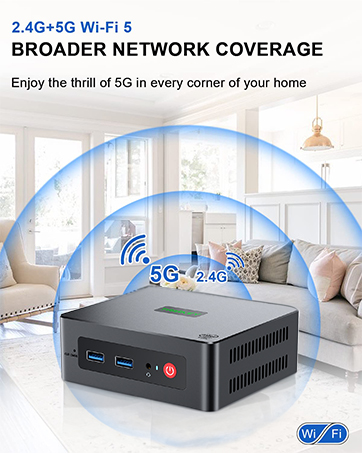
Image: Representation of wireless network coverage, illustrating the device's Wi-Fi capabilities.
6.2 ווייערד נעטוואָרק
A 2.5G LAN port is provided for a stable and high-speed wired network connection, suitable for applications requiring consistent bandwidth.
6.3 שטיצע פֿאַר מערערע דיספּלייז
The Mini PC supports triple display output at 4K resolution with refresh rates up to 120Hz/160Hz via its HDMI, DisplayPort (DP), and Type-C/USB 4.0 interfaces. This allows for enhanced productivity by extending your desktop across multiple screens.
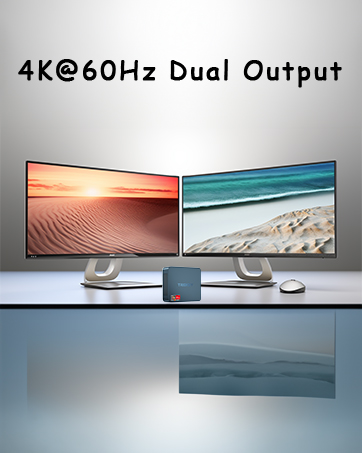
Image: Illustration of a multi-monitor setup, demonstrating the Mini PC's capability to connect to multiple displays.
7. פאָרשטעלונג פֿעיִקייטן
7.1 AMD Ryzen 7 7735HS Processor
The S6 Pro is powered by the AMD Ryzen 7 7735HS processor, featuring 8 cores and 16 threads with a base clock frequency of 3.20 GHz and a maximum turbo frequency of 4.75 GHz. This processor utilizes the 'Zen 3+' architecture for improved single-core performance and power efficiency.

Image: Detailed specifications of the AMD Ryzen 7 7735HS processor, highlighting its core count, clock speeds, and architecture.
7.2 DDR5 באַראַן
The system is equipped with 32GB of DDR5 5600MHz RAM, supporting up to 64GB in dual-channel configuration. DDR5 memory provides higher bandwidth and improved performance compared to previous generations.
7.3 אינטעגרירטע גראַפיקס
The Mini PC features integrated AMD Radeon Graphics with 12 cores and a clock speed of 2200 MHz, capable of handling daily design tasks and most low-power games, while delivering high-definition visuals.
7.4 היץ דיסיפּיישאַן
An optimized heat dissipation system with a dedicated system fan accelerates airflow, providing efficient cooling for the RAM and SSD. This design helps maintain stable performance during extended use.

Image: Diagram illustrating the internal heat dissipation system, showing the system fan and airflow for cooling the RAM and SSD.
8. וישאַלט
8.1 אַלגעמיינע רייניקונג
To ensure optimal performance and longevity, regularly clean the exterior of the Mini PC with a soft, dry cloth. Use compressed air to gently clear dust from ventilation openings to prevent overheating. Ensure the device is powered off and unplugged before cleaning.
8.2 ווענטאַליישאַן
Always place the Mini PC in a well-ventilated area. Avoid blocking the air vents on the sides and back of the device. Do not place the PC on soft surfaces that could obstruct airflow.
9. טראָובלעשאָאָטינג
This section addresses common issues you might encounter with your Mini PC.
9.1 קיין מאַכט
- זיכער מאַכן אַז דער מאַכט אַדאַפּטער איז זיכער פארבונדן צו ביידע די מיני פּיסי און אַ אַרבעטנדיק מאַכט ווענטיל.
- באַשטעטיקן אַז די מאַכט ווענטיל איז פאַנגקשאַנאַל דורך טעסטינג עס מיט אן אנדער מיטל.
- קאָנטראָלירט דעם מאַכט אַדאַפּטער פֿאַר קיין קענטיק שעדיקן.
9.2 קיין אַרויסווייַזונג רעזולטאַט
- Confirm that the monitor is powered on and set to the correct input source (HDMI, DP, or Type-C).
- Ensure display cables are securely connected to both the Mini PC and the monitor.
- Try using a different display cable or monitor to rule out faulty equipment.
9.3 נעץ קאָנעקטיוויטי פּראָבלעמען
- ווייערד: Check if the Ethernet cable is properly connected to the LAN port and your router/modem. Verify router status.
- ווירעלעסס: Ensure Wi-Fi is enabled in the operating system. Check if the correct Wi-Fi network is selected and the password is entered correctly. Restart your router/modem.
9.4 Audio Output Issues
- Check volume settings in the operating system and on your connected audio device.
- Ensure the correct audio output device is selected in your sound settings.
- If experiencing issues with sound configuration when switching between programs or headphones, this may indicate a hardware-related sound card behavior. Ensure drivers are up to date.
10. ספּעסאַפאַקיישאַנז
| שטריך | באַשרייַבונג |
|---|---|
| סאָרט | TRIGKEY |
| נומער מאָדעל נומער | S6 6600H (Series: S6 Pro 7735HS) |
| אָפּערייטינג סיסטעם | OS (Supports WOS, Ubuntu) |
| פּראַסעסער סאָרט | אַמד |
| טיפּ פון פּראַסעסער | AMD Ryzen 7 |
| פּראַסעסאָר מאָדעל | AMD Ryzen 7 7735HS |
| פּראַסעסער ספּיד | 4.75 גיגאהערץ (מאקס טורבא) |
| נומער פון קאָרעס | 8 |
| באַראַן | 32 גיגאבייט דדר5 |
| מאַקסימום זכּרון | 64 גיגאבייט |
| שווער פאָר גרייס | 500 גיגאבייט |
| האַרט דרייוו טעכנאָלאָגיע | ססד |
| שווער דרייוו צובינד | ססד |
| האַכלאָטע | 4K Ultra HD (3840 רענטגענ 2160) |
| גראַפיקס טשיפּסעט סאָרט | אַמד |
| גראַפיקס קאַרד באַשרייַבונג | ינטעגראַטעד |
| GPU / Graphics Coprocessor | ינטעגראַטעד גראַפיקס |
| גראַפיקס באַראַן טיפּ | SO-DIMM |
| פּראָסעססאָר סאָקקעט | FP7 |
| קאַנעקטיוויטי טיפּ | ווי-פי |
| ווירעלעסס טעכנאָלאָגיע טיפּ | Bluetooth (BT5.2), Wi-Fi (Wi-Fi 6) |
| ייַזנוואַרג צובינד | Ethernet (2.5G), HDMI, DisplayPort, USB (USB 3.2, USB 2.0, USB 4.0), Type-C |
| נומער פון הדמי פּאָרץ | 1 |
| קאַנעקטער טיפּ | HDMI, DP, USB, Ethernet, Type-C |
| מיטל קאָמפּאַטיביליטי | Monitor, Printer, Headset, Speaker, Television, Smartphone |
| פּעקל דימענשאַנז | 16 X 13.7 X 10.6 סענטימעטער |
| פּונקט וואָג | 1.13 קילאָגראַמס |
| ספּעציפיש ניצט פֿאַר פּראָדוקט | Multimedia, Daily Use, Education |
| פּיסי טיפּ | מיני פּיסי |
11. וואָראַנטי און שטיצן
TRIGKEY provides comprehensive support for your Mini PC S6 Pro:
- איין יאָר וואָראַנטי: Your purchase is covered by a one-year warranty from the date of purchase.
- 24/7 קונה סערוויס: Personalized customer service is available 7 days a week, 24 hours a day.
- לעבן טעכניש שטיצן: Enjoy lifetime technical assistance for your product.
For further assistance or inquiries, please refer to the contact options provided by TRIGKEY.
Image: Icons representing various TRIGKEY customer support channels, including email, consultation, website, and technical support.


