1. הקדמה
א דאנק פארן קויפןasing the eKids Marvel Deadpool Wireless Earbuds. These earbuds are designed to provide a high-quality audio experience with the convenience of wireless connectivity. This manual will guide you through the setup, operation, and maintenance of your new earbuds.
ביטע ליינט דעם מאַנואַל קערפֿול דורך איידער איר ניצט דעם פּראָדוקט און האַלט עס פֿאַר צוקונפֿטיקע רעפֿערענץ.
2. פּראָדוקט איבערview
The eKids Marvel Deadpool Wireless Earbuds feature a distinctive Deadpool design and offer wireless stereo sound streaming with a built-in microphone for calls. They come with a portable charging case and multiple ear cushion sizes for comfort.
שליסל פֿעיִקייטן:
- Wireless stereo sound streaming
- געבויט-אין מיקראָפאָן פֿאַר קאַללס
- Three sizes of rubber ear cushions (small, medium, large) for personalized comfort
- USB-C טשאַרדזשינג קשר
- בלועטאָאָטה קאַנעקטיוויטי
- Up to 22 hours total music playtime with charging case
- Ergonomic shape for comfort
- לייטווייט קאַנסטראַקשאַן
- Compatible with iPhone, Android, smartphones, tablets, and computers
- Suitable for gaming, audiobooks, video calls, and various entertainment/educational content
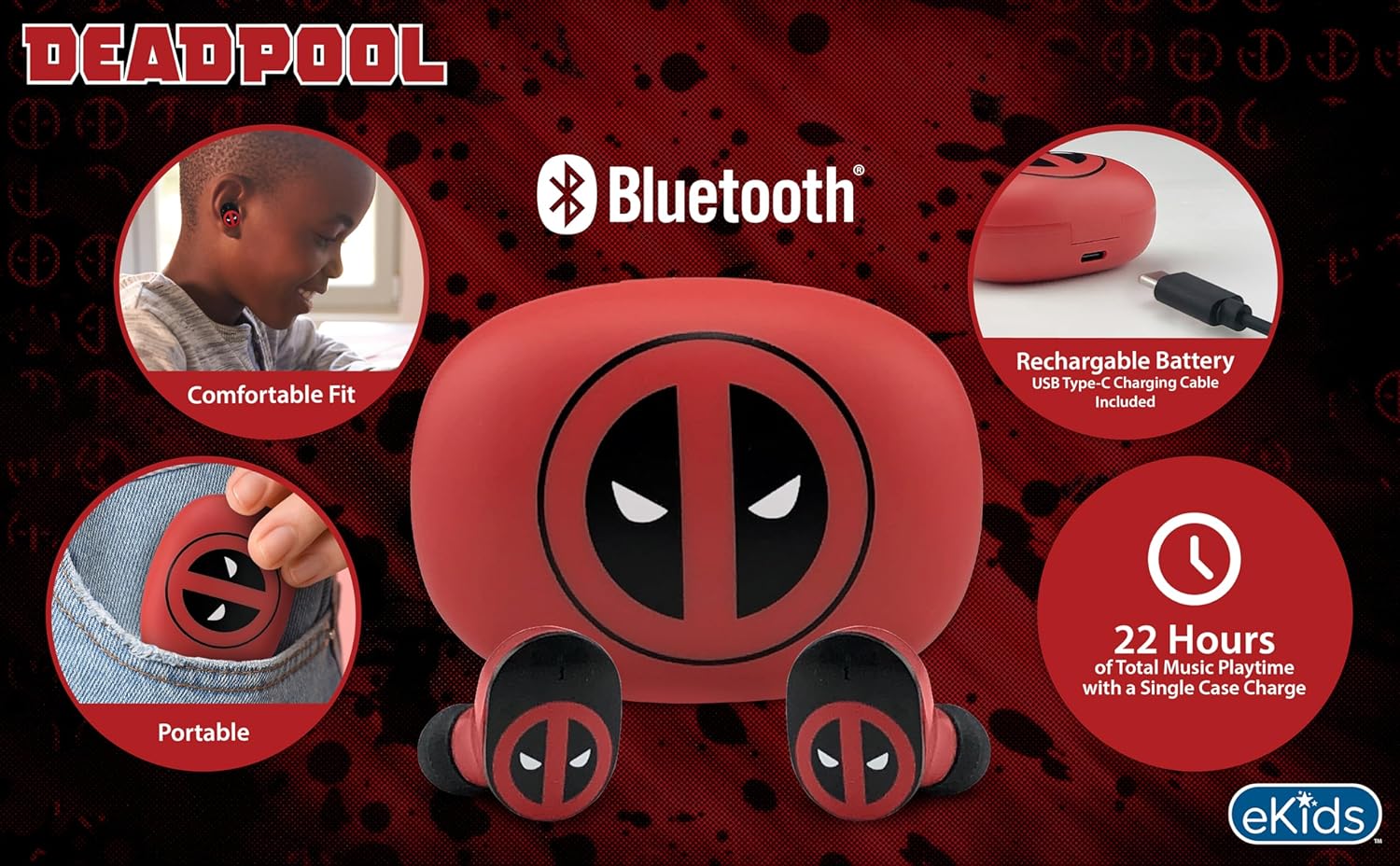
Image 2.1: The eKids Marvel Deadpool Wireless Earbuds and their charging case, showcasing the distinctive Deadpool logo.
3. סעטאַפּ
3.1 אויפלאָדן די אויערקנעפּלעך און קעסטל
- Open the charging case and place both earbuds inside, ensuring they are correctly seated.
- פֿאַרבינדט דעם צוגעשטעלטן USB-C טשאַרדזשינג קאַבל צום טשאַרדזשינג פּאָרט אויף דער קעיס.
- Connect the other end of the USB-C cable to a compatible USB power source (e.g., computer, wall adapter).
- The indicator light on the charging case will illuminate to show charging status. Once fully charged, the light may change color or turn off.
A full charge provides up to 22 hours of total music playtime, with the case offering 2.5 times extra charge for the earbuds.

Image 3.1: The Deadpool-themed charging case with the USB-C charging cable connected, illustrating the charging process.
3.2 פּאָרן מיט אַ בלועטוט מיטל
- זיכער מאַכן אַז די אויערקנעפּלעך זענען אויפגעלאָדן און געלייגט אין די טשאַרדזשינג קעסטל.
- Open the charging case. The earbuds will automatically power on and attempt to connect to the last paired device.
- אויף אייער דעווייס (סמאַרטפאָן, טאַבלעט, קאָמפּיוטער), גייט צו די בלועטוט סעטטינגס.
- זוכן פֿאַר available devices and select "eKids Deadpool Earbuds" (or similar name).
- Once connected, the LED light on the earbuds will stop flashing or change to a solid color.
The earbuds are compatible with iPhone, Android, and other Bluetooth-enabled devices.
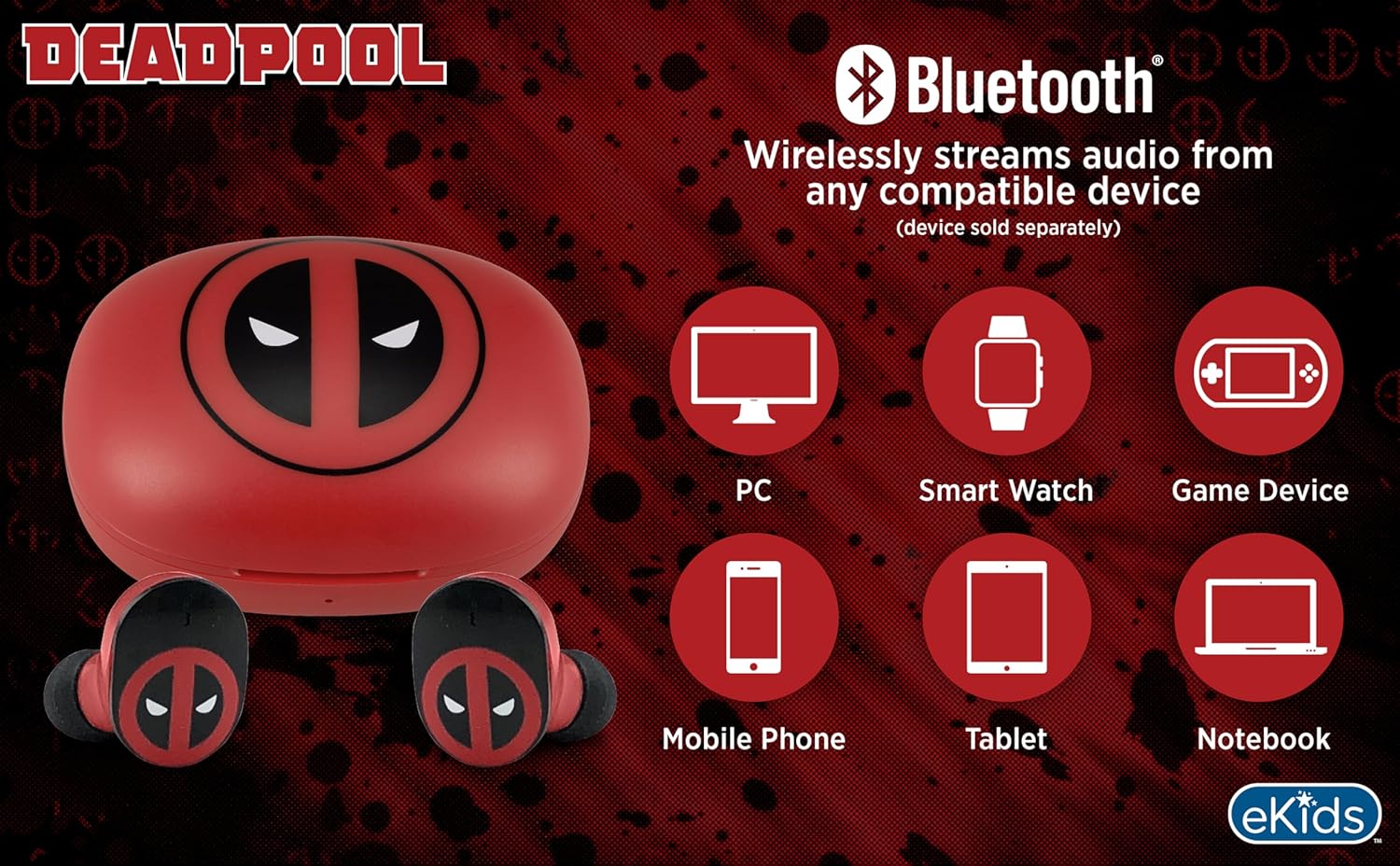
Image 3.2: An illustration showing the Bluetooth connectivity of the earbuds with various devices such as PCs, smartwatches, game devices, mobile phones, tablets, and notebooks.
3.3 Selecting Ear Cushions for Comfort
The earbuds come with three sizes of rubber ear cushions (small, medium, large) to ensure a comfortable and secure fit. Experiment with different sizes to find the best fit for your ears. A proper fit enhances sound quality and comfort.
- Gently remove the pre-installed ear cushions from the earbuds.
- Select a different size ear cushion.
- Carefully attach the new ear cushion to the earbud, ensuring it is securely fastened.

Image 3.3: The Deadpool earbuds shown with the three different sizes of ear cushions included for a customized fit.
4. אפערירן די אויערקנעפלעך
4.1 מאַכט אויף / אַוועק
- מאַכט אויף: עפֿנט דעם אָפּלאָד־קעסטל, און די אויערקנעפּלעך וועלן זיך אויטאָמאַטיש אָנצינדן און פּרוּוון זיך צו פֿאַרבינדן צום לעצטן פֿאַרבונדענעם אַפּאַראַט.
- מאַכט אַוועק: לייגט די אויערקנעפּלעך צוריק אין די טשאַרדזשינג קעסטל און מאַכט צו דעם דעקל. זיי וועלן זיך אויטאָמאַטיש אויסלעשן און אָנהייבן טשאַרדזשינג.
4.2 מוזיק פּלייבאַק
- שפּיל / פּויזע: צאַפּן איין עאַרבוד אַמאָל.
- ווייַטער שפּור: טאָפּל צאַפּן אויף די רעכט עאַרבוד.
- פֿריִערדיקע שפּור: טאָפּל צאַפּן אויף די לינקס עאַרבוד.
- באַנד קאָנטראָל: אַדזשאַסטירן די באַנד גלייך פֿון אייער פֿאַרבונדענע מיטל.
4.3 טעלעפאָן רופן
The built-in microphone allows for hands-free calling.
- ענטפֿערן / סוף רופן: צאַפּן איין עאַרבוד אַמאָל.
- אָפּוואַרפן רופן: דריקן און האַלטן יעדער עאַרבוד פֿאַר 2 סעקונדעס.
5. וישאַלט
- רייניקונג: ניצט אַ ווייכע, טרוקענע שטאָף צו רייניקן די אויערקנעפּלעך און די טשאַרדזשינג קעסטל. ניצט נישט קיין שרײַבנדיקע רייניגערס אדער סאָלווענטן.
- סטאָרידזש: ווען נישט אין באַנוץ, לייגט די אויערן-קנעפּלעך אין זייער טשאַרדזשינג קעסטל צו באַשיצן זיי און האַלטן זיי טשאַרדזשד.
- ויסמיידן וואַסער: These earbuds are not waterproof. Avoid exposure to water or excessive moisture.
- טעמפּעראַטור: Do not expose the earbuds or case to extreme temperatures.
6. טראָובלעשאָאָטינג
| פּראָבלעם | לייזונג |
|---|---|
| עאַרבודס נישט פּערינג. | Ensure earbuds are charged. Turn off Bluetooth on your device and turn it back on. Forget the device in your Bluetooth settings and re-pair. |
| קיין געזונט פון איין עאַרבוד. | לייגט צוריק ביידע אויערן-קנעפּלעך אין די טשאַרדזשינג קעסטל, מאַכט צו דעם דעקל, און עפֿנט עס ווידער. קאָנטראָלירט די אַפּאַראַט'ס אַודיאָ באַלאַנס סעטטינגס. |
| די טשאַרדזשינג קעיס טשאַרדזשט זיך נישט. | Check the USB-C cable and power adapter. Ensure the cable is securely connected to both the case and the power source. |
| נעבעך געזונט קוואַליטעט. | Ensure earbuds are properly seated in your ears with the correct size ear cushions. Move closer to your connected device to avoid interference. |
7. ספּעסאַפאַקיישאַנז
- סאָרט: eKids
- מאָדעל: B0D1CS61NB
- קאָליר: Deadpool (Red/Black)
- אויער אָרט: אין אויער
- פאָרם פאַקטאָר: אין אויער
- ימפּעדאַנסע: 32 אָהמס
- בלועטאָאָטה דיסטאַנסע: ≥ 10M / 32ft
- סענסיטיוויטי: 100dB ± 3dB at 1kHz spl
- באַטאַרייע לעבן: ביז 22 שעה גאַנץ שפּילצייט מיט טשאַרדזשינג קעסטל
- טשאַרדזשינג פּאָרט: וסב-C
- דימענשאַנז (קאַסע): Approximately 2.4 in / 6.2 cm (width) x 1.8 in / 4.6 cm (height) x 1.2 in / 3.1 cm (depth)
- Dimensions (Earbud): Approximately 0.9 in / 2.5 cm (height) x 0.7 in / 1.8 cm (width)

Image 7.1: A detailed diagram illustrating the dimensions and key specifications of the Deadpool wireless earbuds and their charging case.
8. וואָראַנטי און שטיצן
For warranty information and customer support, please refer to the documentation included with your purchase or visit the official eKids webזייטל. האַלט דיין קויפן באַווייַז פֿאַר קיין וואָראַנטי קליימז.
For additional assistance, you may contact eKids customer service directly.
9. אפיציעלע פּראָדוקט ווידעאָ
ווידעא 9.1: אן אפיציעלע פראדוקט ווידעא ווייַזונגasing the eKids Marvel Deadpool Wireless Earbuds, highlighting their features and design. This video provides a visual overview of the product's functionality and appearance.


