הקדמה
The Perixx PERIMICE-513 is a wired ergonomic vertical mouse designed to provide a comfortable and efficient computing experience. Its unique vertical design promotes a natural handshake position, which can help reduce forearm strain and the risk of repetitive strain injuries (RSI) during extended use. This manual provides essential information for setting up, operating, maintaining, and troubleshooting your PERIMICE-513 mouse.
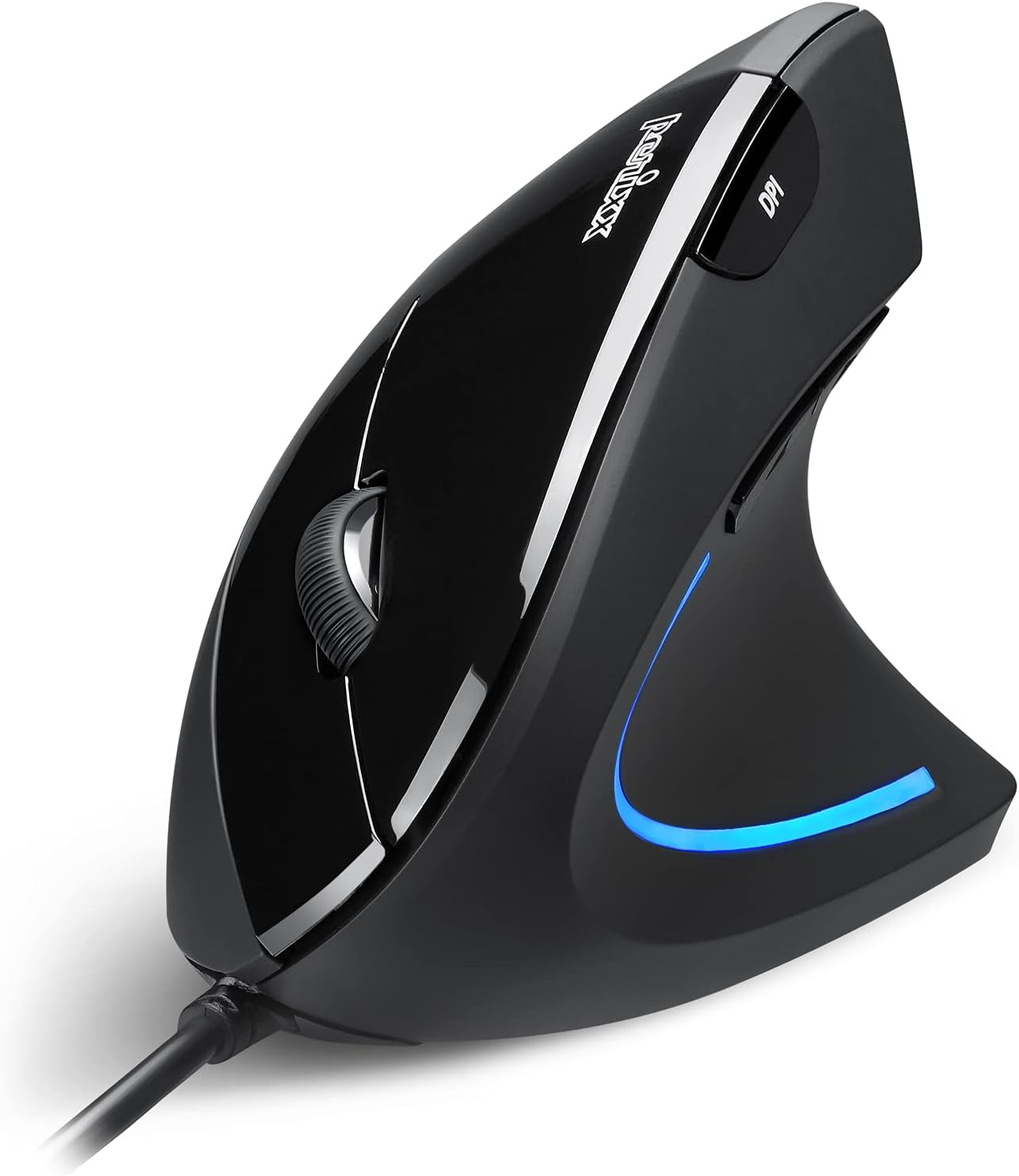
Image: The Perixx PERIMICE-513 Wired Ergonomic Vertical Mouse, showcasing its black finish and ergonomic design.
פּראָדוקט איבערview
The PERIMICE-513 features six buttons and an adjustable DPI sensor for precise control. Familiarize yourself with the components:

Image: A diagram illustrating the six buttons of the Perixx PERIMICE-513 mouse, including Left Click, Right Click, Scroll Wheel, DPI Switch, Page Back, and Page Forward buttons.
- לינקער קליק קנעפל: נאָרמאַלע ערשטיקע קליק פונקציע.
- רעכט קליק קנעפל: נאָרמאַלע צווייטיקע קליק פונקציע.
- סקראָל ראָד: פֿאַר ווערטיקאַל סקראָלינג און מיטל-קליק פאַנגקשאַנאַליטי.
- DPI סוויטש קנעפּל: אַדזשאַסטירט קורסאָר סענסיטיוויטי (DPI).
- צוריק בלאט קנעפל: נאַוויגירט צוריק אַרײַן web בראַוזערז אָדער file עקספּלאָרערס.
- בלאַט פאָרויס קנעפּל: נאַוויגירט פאָרויס אין web בראַוזערז אָדער file עקספּלאָרערס.
סעטאַפּ
The Perixx PERIMICE-513 is designed for simple plug-and-play setup.
- פאַרבינדן די וסב קאַבלע: צאַפּן די וסב קאַנעקטער פון די מויז אין אַ בנימצא וסב פּאָרט אויף דיין קאָמפּיוטער.
- דרייווער ינסטאַלירונג: The mouse is plug-and-play and typically does not require additional drivers for basic functionality on compatible operating systems. Your computer should automatically detect and install the necessary drivers.
- פּאַזישאַנינג: Place the mouse on a flat, clean surface. The ergonomic design encourages a natural handshake grip.

Image: A hand connecting the USB cable of the Perixx PERIMICE-513 mouse to a computer, illustrating the plug-and-play setup.
קאַמפּאַטאַבילאַטי: The PERIMICE-513 is fully compatible with Windows 7, 8, 10, 11, and later versions.
אַפּערייטינג ינסטראַקשאַנז
This section details the functions of your Perixx PERIMICE-513 mouse.
דפּי אַדזשאַסטמאַנט
The DPI (Dots Per Inch) switch button, located on the top of the mouse, allows you to adjust the cursor sensitivity. Press this button to cycle through the available DPI settings: 1000, 1600, 3200, and 6400 DPI. Choose a setting that best suits your task and preference for cursor speed and precision.

Image: A hand demonstrating the natural, comfortable grip on the Perixx PERIMICE-513 vertical mouse, highlighting its ergonomic design.
Ergonomic Use
The vertical design of the PERIMICE-513 encourages a neutral wrist and forearm posture, similar to a handshake. This natural position helps to alleviate pressure on the wrist and reduce muscle tension, contributing to long-term comfort and preventing strain.

Image: A visual comparison showing a twisted wrist position with a traditional mouse versus a natural, untwisted wrist position achieved with an ergonomic vertical mouse.
קנעפּל פאַנגקשאַנז
- לינקס/רעכטס קליק: Perform standard selection and context menu actions.
- סקראָל ראָד: Scroll documents and web pages vertically. Press down for middle-click functionality.
- דפּי סוויטש: Cycle through 1000, 1600, 3200, and 6400 DPI settings.
- Page Back/Forward: Conveniently navigate web בלעטער אדער טעקעס.
וישאַלט
Proper care ensures the longevity and optimal performance of your mouse.
- רייניקונג: ניצן אַ ווייך, אַ ביסל דamp cloth to clean the surface of the mouse. Avoid using harsh chemicals, abrasive cleaners, or solvents, as these can damage the rubber coating and internal components.
- אָפּטיש סענסאָר: האַלט דעם אָפּטישן סענסאָר אויף דער אונטערשטער טייל פון דער מויז ריין און פריי פון שטויב אָדער דעבריס צו ענשור פּינקטלעכע טראַקינג.
- קאַבלע זאָרגן: פֿאַרמײַדט שאַרפֿע בייגן אָדער איבערגעטריבענעם ציען דעם USB קאַבל כּדי צו פֿאַרמײַדן שאָדן.
טראָובלעשאָאָטינג
If you encounter issues with your Perixx PERIMICE-513 mouse, refer to the following solutions:
- מויז ענטפערט נישט:
- זייט זיכער אַז דער USB קאַבל איז זיכער אַרייַנגעשטעקט אין אַ אַרבעטנדיקן USB פּאָרט אויף אייער קאָמפּיוטער.
- פרובירט אריינצושטעקן די מויז אין אן אנדערן USB פארט.
- ריסטאַרט דיין קאָמפּיוטער.
- אומשטענדלעכע קורסאָר באַוועגונג:
- רייניקט דעם אָפּטישן סענסאָר אויף דער אונטערשטער טייל פֿון דער מויז מיט אַ ווייכן, טרוקענעם שטאָף.
- זייט זיכער אז איר ניצט די מויז אויף א פאסיגע אויבערפלאך. פארמיידט שטארק רעפלעקטיווע אדער דורכזיכטיקע אויבערפלאכן.
- DPI Setting Not Changing:
- Press the DPI switch button firmly. The change in DPI may be subtle depending on your current setting and screen resolution.
ספּעסאַפאַקיישאַנז
Detailed technical specifications for the Perixx PERIMICE-513 mouse:
| שטריך | באַשרייַבונג |
|---|---|
| פּראָדוקט דימענשאַנז | 4.92 X 2.44 X 0.1 אינטשעס |
| פּונקט וואָג | 5.6 אונסעס |
| מאָדעל נומער | 12364 |
| קאַנעקטיוויטי טעכנאָלאָגיע | וסב |
| באַוועגונג דעטעקשאַן טעכנאָלאָגיע | אָפּטיש |
| דפּי סעטטינגס | 1000 / 1600 / 3200 / 6400 |
| קאַבלע לענג | 5.9 פט (1.8 עם) |
| קאַמפּאַטאַבילאַטי | Windows 7, 8, 10, 11, and later |
| ספּעציעלע שטריך | ערגאָנאָמיק פּלאַן |
פּראָדוקט איבערview ווידעא
קוקט איבער דעם אפיציעלן פראדוקטview video for a visual guide to the Perixx PERIMICE-513 mouse.
ווידעא: אן אפיציעלער פראדוקט איבערview of the Perixx PERIMICE-513 Ergonomic Vertical Mouse, demonstrating its features and ergonomic benefits.
וואָראַנטי און שטיצן
Perixx products are manufactured to high-quality standards. For specific warranty details, please refer to the warranty card included with your product or visit the official Perixx website. For further assistance or support, you may visit the Perixx Store on Amazon.


