1. הקדמה
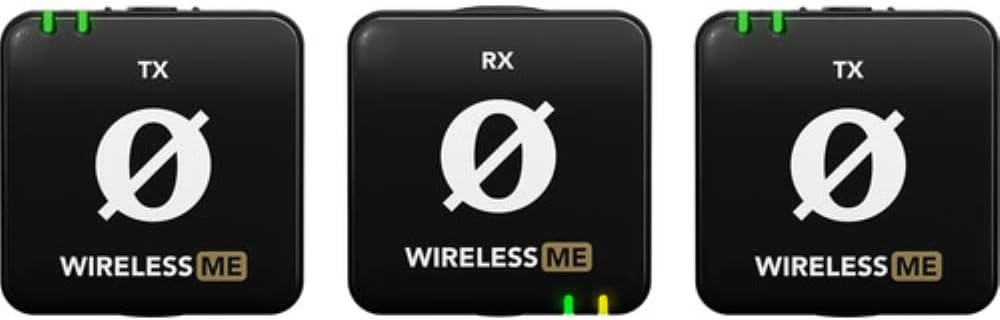
The RØDE Wireless ME Dual Set is an ultra-compact wireless microphone system designed for effortless professional audio recording. It features built-in, broadcast-grade microphones in both transmitters and the receiver, making it suitable for various applications including filmmaking, interviews, and content creation. Intelligent GainAssist technology ensures clear audio without clipping, and its intuitive controls simplify operation. The system offers stable wireless connectivity with a range of over 100 meters.
2. וואָס איז אין דער קעסטל
The RØDE Wireless ME Dual Set includes the following components:
- 2x Wireless ME Transmitters (TX)
- 1x Wireless ME Receiver (RX)
- 1x SC21 USB-C to Lightning Cable
- 2x SC22 USB-C to USB-C Cables
- 1x SC2 3.5mm TRS to TRS Cable
- 1x SC7 3.5mm TRS to TRRS Cable
- 3x Furry Windshields
- 2x MagClip GO Magnetic Clips
- 1x קערי טאַש

3. סעטאַפּ
3.1. אויפלאָדן די דעווייסעס
Before first use, ensure all transmitters and the receiver are fully charged. Use the provided USB-C cables (SC21 or SC22) to connect the devices to a USB power source. The battery indicator lights will show charging status.
3.2. פּאָווערינג אויף / אויסגעלאשן
To power on or off any unit (transmitter or receiver), press and hold the power button until the indicator lights illuminate or turn off.
3.3. פּערינג
The Wireless ME Dual Set comes pre-paired from the factory. If re-pairing is necessary, refer to the detailed instructions in the full user manual available on the RØDE webפּלאַץ.
3.4. קאַנעקטינג צו דיין מיטל
Connect the receiver to your recording device using the appropriate cable:
- קאַמעראַס: Use the SC2 3.5mm TRS to TRS cable.
- Smartphones (iOS with Lightning): Use the SC21 USB-C to Lightning cable.
- Smartphones (Android with USB-C) / Computers (USB-C): Use the SC22 USB-C to USB-C cable.

4. אַפּערייטינג ינסטרוקטיאָנס
4.1. Attaching Transmitters
Clip the transmitters onto the clothing of the person speaking. For optimal audio, position the microphone close to the speaker's mouth. Use the included furry windshields to reduce wind noise when recording outdoors.
4.2. GainAssist Technology
The Wireless ME features intelligent GainAssist technology, which automatically controls your audio levels to prevent clipping and distortion. This ensures a clean audio signal without manual gain adjustments in most scenarios.
4.3. מאָניטאָרינג אַודיאָ
If your recording device allows, monitor the audio output using headphones to ensure optimal sound quality and detect any potential issues during recording.
5. שליסל פֿעיִקייטן
- הינטער-קאָמפּאַקט פּלאַן: Small and lightweight for discreet and portable use.
- Built-in Microphones: Both transmitters and the receiver feature high-quality omnidirectional microphones.
- GainAssist Technology: Automatically adjusts audio levels for clear, distortion-free sound.
- ברייט קאַמפּאַטאַבילאַטי: Seamlessly connects with cameras, Windows/macOS computers, and iOS/Android phones.
- Dual Channel Recording: The Dual set captures two subjects simultaneously, recording to separate channels for flexible post-production.
- עקסטענדעד קייט: Stable wireless connectivity up to 100 meters (line of sight).
6. וישאַלט
- רייניקונג: Use a soft, dry cloth to clean the devices. Avoid using liquids or abrasive cleaners.
- סטאָרידזש: Store the Wireless ME Dual Set in its carry pouch in a cool, dry place when not in use.
- באַטערי זאָרגן: For optimal battery life, avoid fully discharging the devices frequently. Recharge regularly.
7. טראָובלעשאָאָטינג
- קיין אַודיאָ:
- זיכער מאַכן אַז אַלע אַפּאַראַטן זענען אָנגעצונדן און ריכטיק צוזאַמענגעפּאַרט.
- קאָנטראָלירט די קאַבל פֿאַרבינדונגען צווישן דעם ופנעמער און אייער רעקאָרדינג מיטל.
- Verify audio input settings on your recording device.
- שלעכטע אַודיאָ קוואַליטעט/אינטערפירענץ:
- Ensure transmitters are within range of the receiver.
- Minimize obstructions between transmitters and receiver.
- Use furry windshields in windy conditions.
- Check for strong Wi-Fi or other 2.4GHz interference sources.
- טשאַרדזשינג ישוז:
- Ensure USB cables are securely connected.
- פרובירט אן אנדערע USB שטראָם מקור אדער קאבל.
8. ספּעסאַפאַקיישאַנז
| שטריך | דעטאַל |
|---|---|
| פּונקט וואָג | 274 גראַמז (9.7 אונסעס) |
| ימפּידאַנס | 200 אָהמס |
| מיקראָפאָן פאָרם פאַקטאָר | לאַוואַליער |
| דימענסיעס (L X W X H) | 8.15 X 4.61 X 1.65 אינטשעס |
| מאַכט מקור | Battery Powered (3 A batteries included) |
| מאַטעריאַל | פּלאַסטיק |
| סיגנאַל-צו-נויז ראַטיאָ | 60 דב |
| ייַזנוואַרג פּלאַטפאָרמע | אַפּאַראַט |
| נומער פון טשאַנאַלז | 2 |
| אָפטקייַט ענטפער | 2400 מהז |
| קאַנעקטיוויטי טעכנאָלאָגיע | ווי-פי |
| קאַנעקטער טיפּ | וסב טיפּ-C |
| ספּעציעלע שטריך | בלועטוט, וויירלעס |
| פּאָליאַר מוסטער | אָמנידירעקטיאָנאַל |
9. וואָראַנטי און שטיצן
פֿאַר וואָראַנטי אינפֿאָרמאַציע און טעכנישע שטיצע, ביטע זען די באַאַמטער RØDE webזייטל אדער קאנטאקט זייער קאסטומער סערוויס גלייך. האלט אייער באווייז פון קויפן פאר גאראנטיע פארלאנגען.
10. פּראָדוקט מעדיע
פּראָדוקט בילדער


