1. הקדמה
Thank you for choosing the Ikarao Break X2 Karaoke Machine. This professional PA system is designed to provide an immersive and high-quality karaoke experience with its built-in screen, powerful speaker, and versatile connectivity options. This manual will guide you through the setup, operation, and maintenance of your new karaoke machine to ensure optimal performance and enjoyment.

Figure 1: Ikarao Break X2 Karaoke Machine main unit.
2. וואָס איז אין דער קעסטל
ביטע קאָנטראָלירט דעם אינהאַלט פֿון אייער פּעקל צו זיכער מאַכן אַז אַלע זאַכן זענען דאָרט:
- Break X2 Smart Karaoke Machine
- 2 ווירעלעסס מייקראָופאָונז
- US Charging Cable
- אַקסל רימען
- Instruction Manual, Quick Guide, Warranty Card
3. פּראָדוקט פֿעיִקייטן
3.1. 2K HD Resolution Touch Screen
The Ikarao Break X2 features a high-definition touch screen that can be rotated 180 degrees for optimal viewing. This integrated screen displays lyrics, allowing you to enjoy karaoke without needing an external device for lyrics.

Figure 2: The 180-degree rotating touch screen and various connectivity options.
3.2. Revolutionary All-in-One Design
The machine includes two wireless microphones with hidden storage slots. Inserting the microphones into these slots automatically charges them, ensuring they are always ready for use. This design provides a seamless and convenient karaoke experience.

Figure 3: Wireless microphones stored and charging within the unit.
3.3. High-Quality Sound
Equipped with a 300 Watts Bluetooth speaker, the Break X2 delivers superior sound quality. Its exclusive technology minimizes distortion and enhances bass, providing clear and pure audio. The compact design offers up to 8 hours of party time on a single charge.

Figure 4: Illustration of the dual woofers for enhanced bass.
3.4. Versatile Connectivity Options
The machine supports various connection methods including HDMI for TV output, AUX-IN/OUT for other audio devices, Bluetooth 5.0 for wireless music streaming, and WiFi 2.4G/5G for accessing online karaoke libraries like YouTube.

Figure 5: Connecting the karaoke machine to a TV via HDMI.

Figure 6: Rear panel showing AUX IN/OUT, TF, USB, and HDMI ports.
3.5. Enhanced Party Atmosphere
The Break X2 features 4 karaoke light modes that sync to the music, creating a dynamic and vibrant party atmosphere. Its user-friendly interface and screen display make song navigation effortless.
ווידעא 1: איבערview of Ikarao Karaoke Machine features, including screen rotation, microphone charging, sound effects customization, ambient lighting, and multiple expansion interfaces.
4. סעטאַפּ גייד
4.1. Initial Power On and Screen Setup
- Unpack the Ikarao Break X2 and place it on a stable surface.
- Connect the US Charging Cable to the machine and a power outlet. Allow the unit to charge fully before first use.
- Gently lift the built-in screen from its resting position. It can be rotated 180 degrees to your preferred viewינג ווינקל.
- Press the power button on the main unit to turn on the machine. The screen will boot up.
4.2. Microphone Pairing and Charging
- The two wireless microphones are designed to charge automatically when placed in their designated slots on the main unit.
- To use a microphone, simply remove it from its slot. It should automatically pair with the main unit.
- Press the power button on the microphone to activate it. A light indicator will confirm it's on.
5. אַפּערייטינג ינסטרוקטיאָנס
5.1. Navigating the Touch Screen Interface
The Ikarao Break X2 operates on an Android-based system. Use the touch screen to navigate through applications and settings.
- לאקאלע פּלייבאַק: Access music and videos stored directly on the device or connected storage (TF card, USB).
- יאָוטובע: Stream karaoke videos and music directly from YouTube via Wi-Fi.
- אַפּ סטאָר: Download additional compatible applications.
- סעטטינגס: Adjust Wi-Fi, Bluetooth, display, sound, and other system settings.

Figure 7: The built-in screen displaying the YouTube application.
5.2. קאַנעקטינג צו ווי-פי
- From the home screen, tap on the 'Settings' icon or swipe down from the top of the screen to access quick settings.
- סעלעקטירט 'Wi-Fi' און קלייַבט אייער געוואונטשענע נעץ פֿון דער רשימה.
- אַרייַן די פּאַראָל אויב געבעטן און צאַפּן 'פאַרבינדן'.
5.3. בלועטאָאָטה קאַנעקטיוויטי
- Ensure Bluetooth is enabled on both the karaoke machine and your external device (e.g., smartphone, tablet).
- On the Ikarao Break X2, go to 'Settings' > 'Bluetooth'.
- אויסקלייבן אייער דעווייס פון דער ליסטע פון פאראן דעווייסעס צו פארבינדן.
5.4. Using HDMI and AUX Ports
- הדמי: Connect an HDMI cable from the machine's HDMI OUT port to your TV or projector's HDMI IN port to display video and lyrics on a larger screen.
- AUX IN: Use an AUX cable to connect external audio sources (e.g., MP3 player) to the karaoke machine.
- AUX OUT: Connect the machine to external speakers or a sound system for amplified audio output.
5.5. Adjusting Microphone Sound Effects and Lighting
The control panel on the main unit allows for customization of microphone effects and ambient lighting.
- Mic Settings: Use the dedicated buttons to adjust echo, treble, and bass for the microphones.
- סאָונד עפפעקץ: Select from various preset sound effects to enhance your vocals.
- לייטינג מאָדעס: Rotate the light control knob to cycle through different ambient lighting effects that sync with the music.
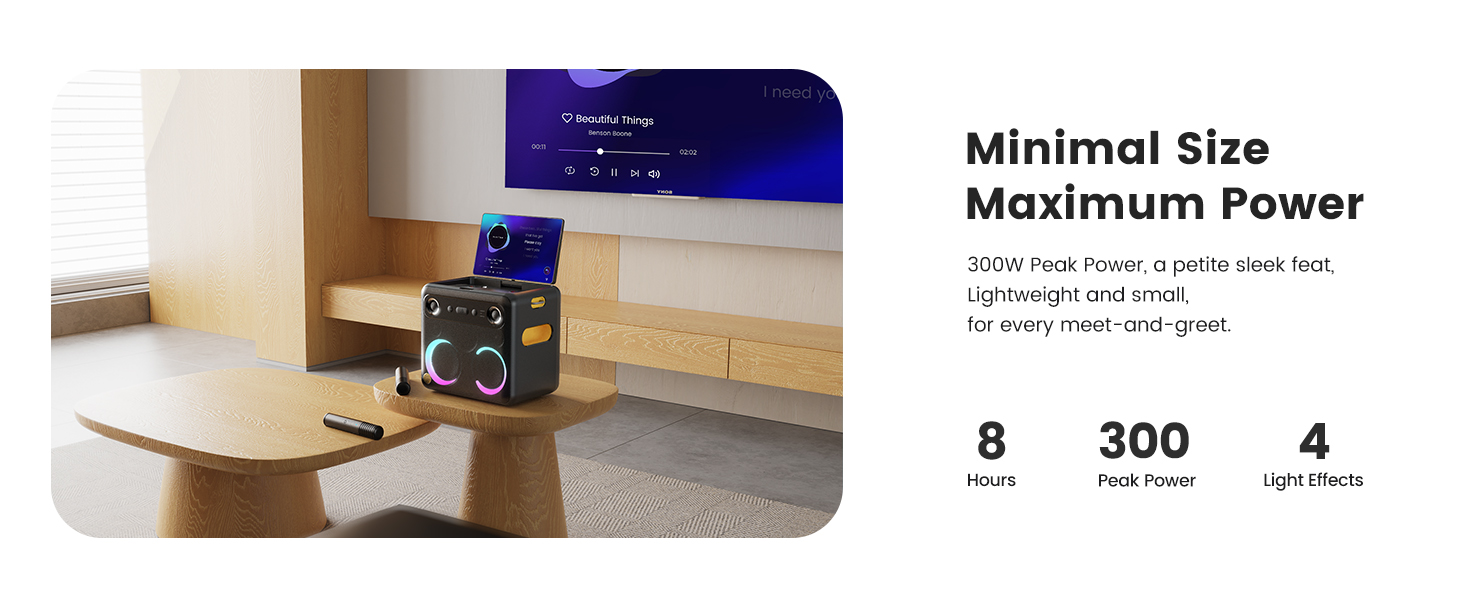
Figure 8: Control panel layout with microphone settings and effects.
6. וישאַלט
To ensure the longevity and optimal performance of your Ikarao Break X2 Karaoke Machine, follow these maintenance guidelines:
- רייניקונג: Use a soft, dry cloth to wipe down the exterior of the machine and microphones. Avoid using abrasive cleaners or solvents. For the screen, use a microfiber cloth specifically designed for electronics.
- סטאָרידזש: When not in use, store the machine in a cool, dry place away from direct sunlight and extreme temperatures. Ensure microphones are placed in their charging slots.
- באַטערי זאָרגן: To prolong battery life, avoid fully discharging the unit frequently. Charge the machine regularly, even if not in active use, to maintain battery health.
- ווענטילאַטיאָן: Ensure the ventilation openings are not blocked during operation to prevent overheating.
7. טראָובלעשאָאָטינג
If you encounter any issues with your Ikarao Break X2, please refer to the table below for common problems and their solutions.
| פּראָבלעם | מעגלעך סיבה | לייזונג |
|---|---|---|
| No power / Unit won't turn on | נידעריגע באַטעריע; מאַכט קאַבל נישט ריכטיק פארבונדן. | Connect the charging cable and ensure it's securely plugged into both the unit and a power outlet. Allow time to charge. |
| קיין געזונט פון רעדנער | Volume too low; Muted; Incorrect audio source selected. | Increase volume. Check if the unit is muted. Ensure the correct input source (Bluetooth, AUX, etc.) is selected on the screen. |
| Microphone not working / No sound from mic | Microphone off; Low microphone battery; Microphone not paired. | Ensure the microphone is powered on. Place the microphone in its slot to charge. If not paired, remove and re-insert the mic, or check mic settings on the screen. |
| Mic voice not syncing with music / Echoing / Blurred sound | Incorrect mic effect settings; Environmental interference. | Adjust the mic's echo, treble, and bass settings on the control panel. Try different mic sound effects. Ensure the microphone is not too close to the speaker. |
| Cannot connect to Wi-Fi / Bluetooth | Incorrect password; Out of range; Interference. | Double-check Wi-Fi password. Ensure devices are within range. Restart the machine and try again. |
| Screen unresponsive / Lagging | Temporary software glitch; Too many apps running. | Restart the machine. Close unnecessary applications running in the background. |
8. ספּעסאַפאַקיישאַנז
| שטריך | דעטאַל |
|---|---|
| פּראָדוקט דימענשאַנז | 11.8 X 8.3 X 10.6 אינטשעס |
| פּונקט וואָג | 19.91 פונט |
| נומער מאָדעל נומער | ברעכן X2 |
| באַטעריז | 1 ליטהיום יאָן באַטעריז פארלאנגט (אַרייַנגערעכנט) |
| סאָרט | יקאַראַאָ |
| קאָליר | שוואַרץ |
| פאַבריקאַנט | יקאַראַאָ |
| ספּעציעלע שטריך | Karaoke Machine with Lyric Display by Built-in Screen, Portable, 300W Bass Bluetooth Speaker, 2 Wireless Built-In Microphone, 4 Party Light Modes |
| רעקאָממענדעד ניצט | Indoor-Outdoor, Adults, Kids, Connect TV, Home, Party |
9. וואָראַנטי און שטיצן
The Ikarao Break X2 Karaoke Machine comes with a 360-day warranty. For any product inquiries, operational difficulties, or support needs, please contact the Ikarao service team.
קונה סופּפּאָרט בליצפּאָסט: Support@ikarao.com
The Ikarao service team is available 24 hours a day to provide assistance and ensure your satisfaction.


