הקדמה
Thank you for choosing the HOCO EW34 True Wireless Earphones. This manual provides essential information on how to set up, operate, maintain, and troubleshoot your earphones to ensure optimal performance and longevity. Please read this manual carefully before using the product.
פּעקל אינהאַלט
איידער איר הייבט אן, ביטע זיכער מאכן אז אלע זאכן זענען פאראן אין פעקל:
- HOCO EW34 True Wireless Earphones (Left and Right)
- טשאַרדזשינג קאַסע
- טשאַרדזשינג קאַבלע
- באַניצער מאַנואַל (דעם דאָקומענט)
סעטאַפּ
1. ערשטע אויפלאָדונג
Before first use, fully charge the charging case and earphones. Place both earphones into the charging case. Connect the charging cable to the charging port on the case and to a USB power source.

Image: HOCO EW34 earphones placed inside their open charging case, showing the charging indicators.
The indicator light on the charging case will show the charging status. Ensure the case is fully charged before using the earphones for the first time.

Image: The HOCO EW34 charging case, closed, displaying the USB charging port on the side.
2. בלועטאָאָטה פּערינג
- זיכער מאַכן אַז די אויערפאָונז זענען אויפגעלאָדן און אין דער טשאַרדזשינג קעסטל.
- עפֿנט דעם טשאַרדזשינג קעסטל. די אויערפֿאָנען וועלן אויטאָמאַטיש אַרײַנגיין אין פּערינג מאָדע, וואָס ווערט אָנגעוויזן מיט אַ בלינקנדיק ליכט (אויב נויטיק).
- אויף אייער דעווייס (סמאַרטפאָן, טאַבלעט, אאז"וו), אַקטיווירט בלועטוט.
- זוכן פֿאַר "HOCO EW34" in the list of available Bluetooth devices.
- Select "HOCO EW34" to connect. Once connected, a voice prompt will confirm the successful pairing.
- די אויערפאָונז וועלן זיך אויטאָמאַטיש ווידער פֿאַרבינדן צום לעצטן פֿאַרבונדענעם מיטל ווען מען נעמט זיי אַרויס פֿון קעסטל, אויב בלועטוט איז אַקטיוויזירט אויפֿן מיטל.
אַפּערייטינג ינסטראַקשאַנז
ווערינג די ירפאָונז
Gently insert the earphones into your ears, ensuring a comfortable and secure fit. Adjust them slightly until the sound quality is optimal and they feel stable.
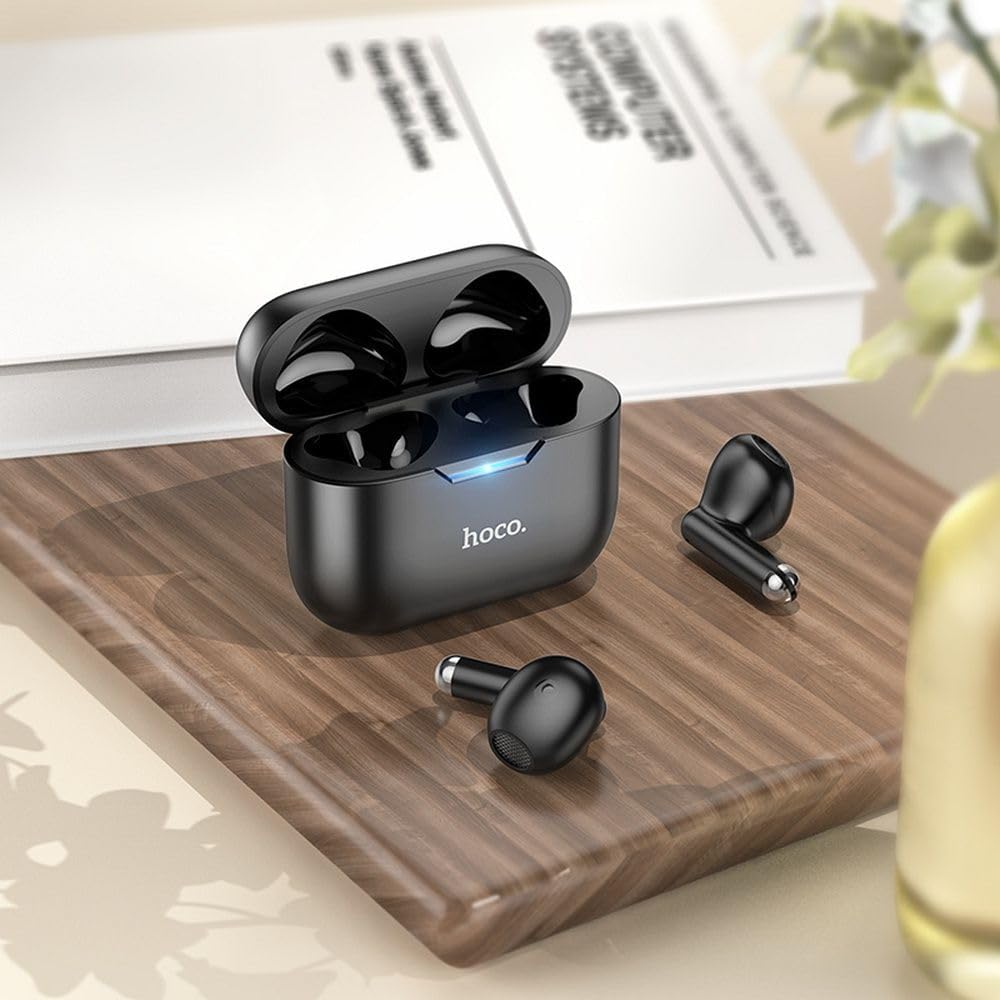
Image: The HOCO EW34 earphones and their charging case resting on a wooden surface next to a book, illustrating their compact size.
גרונטלעכע קאָנטראָלן (ריר סענסיטיוו)
The HOCO EW34 earphones feature touch-sensitive controls. Specific functions may vary slightly based on your device and application.
- שפּיל / פּויזע: איין צאַפּ אויף יעדן אויערפאָן.
- ווייַטער שפּור: צאַפּ צוויי מאָל אויף די רעכטע אויערפֿאָן.
- פֿריִערדיקע שפּור: צאַפּ צוויי מאָל אויף די לינקע אויערפֿאָן.
- ענטפֿערן / סוף רופן: איין צאַפּ אויף יעדן אויערפאָן בעת אַן אינקאַמינג רוף.
- אָפּוואַרפן רופן: דריק און האלט איינע פון די אויערפאנען פאר 2 סעקונדעס בעת אן אנקומענדיקן רוף.
- אַקטאַווייט קול אַססיסטאַנט: טריפּל צאַפּן אויף יעדן אויערפאָן.
וישאַלט
Proper maintenance ensures the longevity and performance of your HOCO EW34 earphones.
- רייניקונג: ניצט אַ ווייכע, טרוקענע, לינט-פֿרייע שטאָף צו רייניקן די אויערפֿאָנען און די טשאַרדזשינג קעסטל. ניצט נישט קיין שאַרפֿע כעמיקאַלן אָדער אַברייסיוו מאַטעריאַלן.
- סטאָרידזש: ווען נישט אין באַנוץ, לייגט די אויערפאָונז אין זייער טשאַרדזשינג קעסטל צו באַשיצן זיי פון שטויב און שעדיקן.
- באַטערי זאָרגן: Avoid fully discharging the battery frequently. Charge the earphones and case regularly, even if not in constant use, to maintain battery health.
- ויסמיידן וואַסער: The earphones are not waterproof. Avoid exposure to water, sweat, or high humidity.
טראָובלעשאָאָטינג
If you encounter issues with your HOCO EW34 earphones, try the following solutions:
| פּראָבלעם | מעגלעך לייזונג |
|---|---|
| די אויערפאָונז פאַרבינדן זיך נישט מיטן אַפּאַראַט. |
|
| קיין קלאַנג פֿון איין אָדער ביידע אויערפֿאָנען. |
|
| די טשאַרדזשינג קעיס טשאַרדזשט זיך נישט. |
|
| נעבעך געזונט קוואַליטעט. |
|
ספּעסאַפאַקיישאַנז
Here are the technical specifications for the HOCO EW34 True Wireless Earphones:
- בלועטאָאָטה ווערסיע: 5.3
- טשיפּ: JL AC6983
- טשאַרדזשינג פאַל באַטערי קאַפּאַציטעט: 250 מאַה
- ירפאָון באַטאַרייע קאַפּאַציטעט: 30 מאַה (יעדער)
- רעדן / מוזיק צייט: 4 שעה
- סטאַנדביי צייט: 150 שעה
- דימענשאַנז (קאַסע): 57 × 46 × 23.5 מם
- גאַנץ וואָג: 42 ג
- מאָדעל נאָמען: TWS EW34
- קאָליר: שוואַרץ
וואָראַנטי און שטיצן
For warranty information, please refer to the warranty card included with your purchase or visit the official HOCO webזייטל. גאַראַנטיע טערמינען און באדינגונגען קענען זיין אַנדערש לויט געגנט.
If you require further assistance or encounter issues not covered in this manual, please contact HOCO customer support through their official website or the retailer from whom you purchased the product. Please have your product model number (TWS EW34) and proof of purchase ready when contacting support.


