הקדמה
Thank you for choosing the HyperGear Halo Waterproof LED Wireless Speaker. This manual provides essential information for setting up, operating, and maintaining your speaker to ensure optimal performance and longevity. The Halo speaker combines powerful HD sound with a vibrant 360° multicolor LED light show, designed for both indoor and outdoor use. Its IPX6 waterproof rating makes it suitable for various environments, from poolside parties to everyday listening.
וואָס איז אין די קעסטל
- HyperGear Halo Waterproof LED Wireless Speaker
- וסב-C טשאַרדזשינג קאַבלע
- 3.5mm Aux Cord
סעטאַפּ גייד
1. טשאַרדזשינג די ספּיקער
Before first use, fully charge your Halo speaker. Connect the included USB-C charging cable to the speaker's charging port and the other end to a USB power adapter (not included). The LED indicator will show charging status and turn off when fully charged.
2. פּאָווערינג אויף / אויסגעלאשן
Press and hold the Power button on the speaker's top panel to turn it on or off. A sound prompt will indicate the power status.
3. בלועטאָאָטה פּערינג
- זיכער מאַכן אַז דער רעדנער איז אנגעצונדן און אין בלועטוט פּערינג מאָדע (אנגעצייכנט דורך אַ בלינקנדיקע LED).
- אויף אייער דעווייס (סמאַרטפאָן, טאַבלעט, קאָמפּיוטער), אַקטיווירט בלועטוט און זוכט פֿאַר פֿאַראַן דעווייסעס.
- Select "HyperGear Halo" from the list.
- אַמאָל פּערד, וועט דער רעדנער אַרויסלאָזן אַ באַשטעטיקונגס-קלאַנג, און די LED וועט אויפהערן צו בלינקען.
דער רעדנער וועט זיך אויטאָמאַטיש צוריקבינדן צום לעצטן פארבונדענעם אפאראט ווען עס ווערט אנגעצונדן, אויב עס איז אין דערגרייך.

The top panel of the HyperGear Halo speaker, showing controls and its connection to a smartphone via Bluetooth.
אַפּערייטינג ינסטראַקשאַנז
יקערדיק קאָנטראָלס
| קנעפּל / פֿונקציע | קאַמף |
|---|---|
| מאַכט קנעפּל | Press and hold to Power On/Off |
| שפּיל / פּויזע | Press once to Play/Pause music |
| באַנד אַרויף (+) | דריקן אַמאָל צו פאַרגרעסערן די באַנד |
| באַנד אַראָפּ (-) | דריקן אַמאָל צו פאַרמינערן די באַנד |
| ווייַטער שפּור | Press and hold Volume Up (+) |
| פֿריִערדיקע שפּירט | Press and hold Volume Down (-) |
| ענטפֿערן / סוף רופן | דריקן די שפּיל / פּויזע קנעפּל אַמאָל |
| אָפּוואַרפן רופן | דריק און האלט דעם שפּיל/פּויזע קנעפּל |
| ליכט מאָדע קנעפּל | דריקן צו ציקל דורך 6 געפירט ליכט מאָדעס |
Party Mode (Stereo Pairing)
To achieve immersive stereo sound, you can pair two HyperGear Halo speakers together:
- Ensure both Halo speakers are powered on and not connected to any other Bluetooth device.
- On one speaker (this will be the primary speaker), double-press the Power button. It will enter pairing mode for Party Mode.
- די צוויי רעדנערס וועלן זיך אויטאמאטיש פארבינדן איינער מיטן צווייטן. א באשטעטיגונגס-קלאנג וועט ווייזן א געלונגענע פארבינדונג.
- Now, connect your device to the primary speaker via Bluetooth as described in the 'Bluetooth Pairing' section. Both speakers will play synchronized audio and light shows.

Two HyperGear Halo speakers paired together for Party Mode, offering synchronized audio and light effects.
Alternative Playback Modes

The side panel of the HyperGear Halo speaker, revealing the AUX, microSD, and USB-C ports for versatile connectivity.
- אַוקס-אין: Connect your device using the included 3.5mm Aux cord to the speaker's AUX port for a wired audio connection.
- מיקראָסד קאָרט: Insert a microSD card loaded with audio files into the designated slot. The speaker will automatically play music from the card.
פֿעיִקייטן איבערview
- IPX6 וואָטערפּרוף שאַץ: Designed to withstand splashes, rain, and spills, making it ideal for outdoor adventures and poolside use.
- Powerful 5W Front-Firing Sound: Equipped with a 52mm full-range driver for rich, dynamic audio with pulse-pounding bass. The front-firing design ensures clearer sound projection.
- 360° Multicolor LED Lights: Features a vibrant light ring that synchronizes with your music, offering 6 different lighting modes to enhance your listening experience.
- געבויט-אין מיקראָפאָן: Allows for convenient hands-free calling.
- בלועטאָאָטה 5.3 טעכנאָלאָגיע: Provides a stable, stutter-free wireless connection with a range of up to 33 feet.
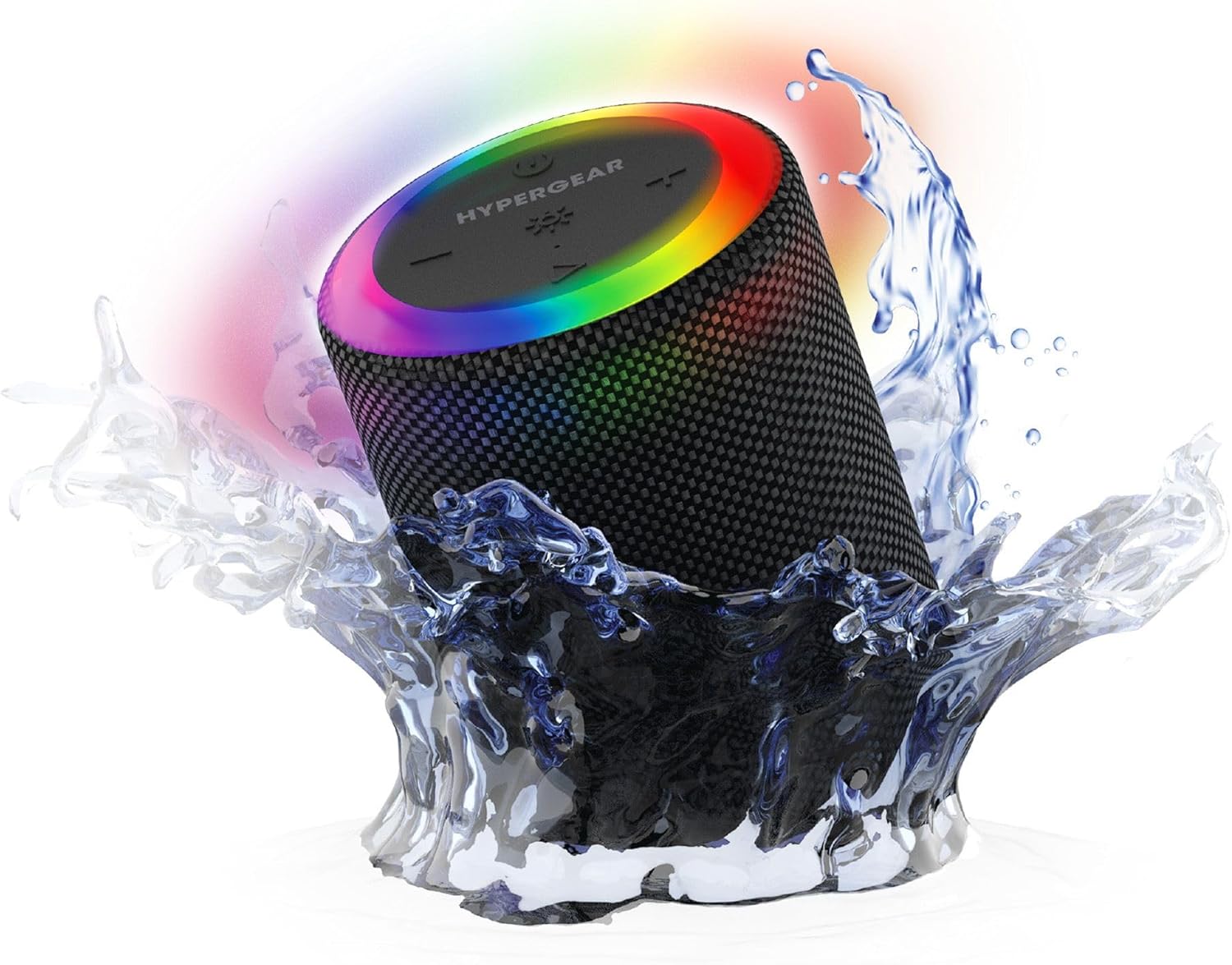
The HyperGear Halo speaker immersed in water, highlighting its robust waterproof design.

Visual representation of the HyperGear Halo speaker's powerful audio features, including its 5W output and 52mm driver.

The HyperGear Halo speaker showcasing its beat-synced 360° multicolor LED light ring with various lighting modes.
ספּעסאַפאַקיישאַנז
| שטריך | דעטאַל |
|---|---|
| מאָדעל נאָמען | Halo Waterproof LED Wireless Speaker |
| רעדנער טיפּ | מולטימעדיאַ |
| קאַנעקטיוויטי טעכנאָלאָגיע | בלועטאָאָטה 5.3 |
| אַודיאָ רעזולטאַט מאָדע | Mono (Stereo with Party Mode) |
| רעדנער מאַקסימום רעזולטאַט מאַכט | 5 וואטס |
| אַודיאָ דרייווער גרייס | 52 מילאַמיטערז |
| וואַסער קעגנשטעל מדרגה | IPX6 וואָטערפּרוף |
| פּראָדוקט דימענשאַנז | 3.27"ד רענטגענ 3.27"וו רענטגענ 4.13"ה |
| פּונקט וואָג | 1.05 פונט |
| מאַכט מקור | באַטאַרייע פּאַוערד |
| אַרייַנגערעכנט קאַמפּאָונאַנץ | USB-C Charging Cable, 3.5mm Aux Cord |
| קאָנטראָל מעטאָד | קנעפּל |
| UPC | 633755158858 |
וישאַלט
- רייניקונג: ווישן די רעדנער מיט אַ ווייך, דamp שטאָף. דו זאלסט נישט נוצן האַרב קעמיקאַלז אָדער אַברייסיוו קלינערז.
- סטאָרידזש: האַלט דעם רעדנער אין אַ קיל, טרוקן אָרט אַוועק פון דירעקט זונשייַן און עקסטרעמע טעמפּעראַטורן.
- באַטערי זאָרגן: כדי צו שפּאָרן דעם באַטאַרייע לעבן, זאָלט איר נישט אָפט אויסלאָדן דעם רעדנער. לאָדט אים רעגולער אויף, אפילו אויב ער ווערט נישט גענוצט פֿאַר לענגערע צייטן.
- וואָטערפּרוף פּלאָמבע: Ensure the silicone cover for the charging and AUX ports is securely closed when near water to maintain its IPX6 rating.
טראָובלעשאָאָטינג
| פּראָבלעם | מעגלעך לייזונג |
|---|---|
| דער רעדנער גייט נישט אן. | זיכער מאַכן אַז דער רעדנער איז אויפגעלאָדן. פֿאַרבינדט עס צו אַ שטראָם־מקור און פּרוּווט ווידער. |
| קענען ניט פאַרבינדן מיט בלועטאָאָטה מיטל. | Make sure the speaker is in pairing mode (flashing LED). Turn off and on Bluetooth on your device. Ensure no other devices are connected to the speaker. Move speaker closer to your device. |
| קיין קלאַנג פֿון רעדנער. | Check volume levels on both the speaker and your device. Ensure the correct input mode (Bluetooth, Aux, MicroSD) is selected. If using Aux, ensure the cable is fully inserted. |
| Party Mode not working. | Ensure both speakers are fully charged and not connected to any other Bluetooth devices. Try resetting both speakers by powering them off and on, then re-attempt Party Mode pairing. |
| געפירט לייץ זענען נישט ארבעטן. | Press the Light Mode button to cycle through modes. Ensure the speaker is powered on. |
וואָראַנטי און שטיצן
The HyperGear Halo Waterproof LED Wireless Speaker comes with a לימיטעד וואָראַנטי. For specific details regarding warranty coverage, duration, and claims, please refer to the warranty card included with your product or visit the official HyperGear website. For technical support or further assistance, please contact HyperGear customer service through their official channels.


