1. הקדמה
Thank you for choosing the MARVO HG9086W-BK Wireless RGB Gaming Headset. This manual provides essential information for setting up, operating, and maintaining your headset to ensure optimal performance and longevity. Please read this guide thoroughly before use.
2. פּעקל אינהאַלט
באַשטעטיקן אַז אַלע זאכן זענען פאַראַן אין דיין פּעקל:
- 1 x MARVO HG9086W-BK Wireless RGB Gaming Headset
- 1 x וסב ווירעלעסס ופנעמער
- 1 רענטגענ דעטאַטשאַבלע מיקראָפאָן
- 1 x טשאַרדזשינג קאַבלע (וסב-C)
- 1 x באַניצער מאַנואַל
3. פּראָדוקט איבערview
The MARVO HG9086W-BK is a lightweight, ergonomic gaming headset designed for comfort during extended use. It features 40mm drivers for immersive sound, dynamic RGB lighting, and a versatile tri-mode connection system.
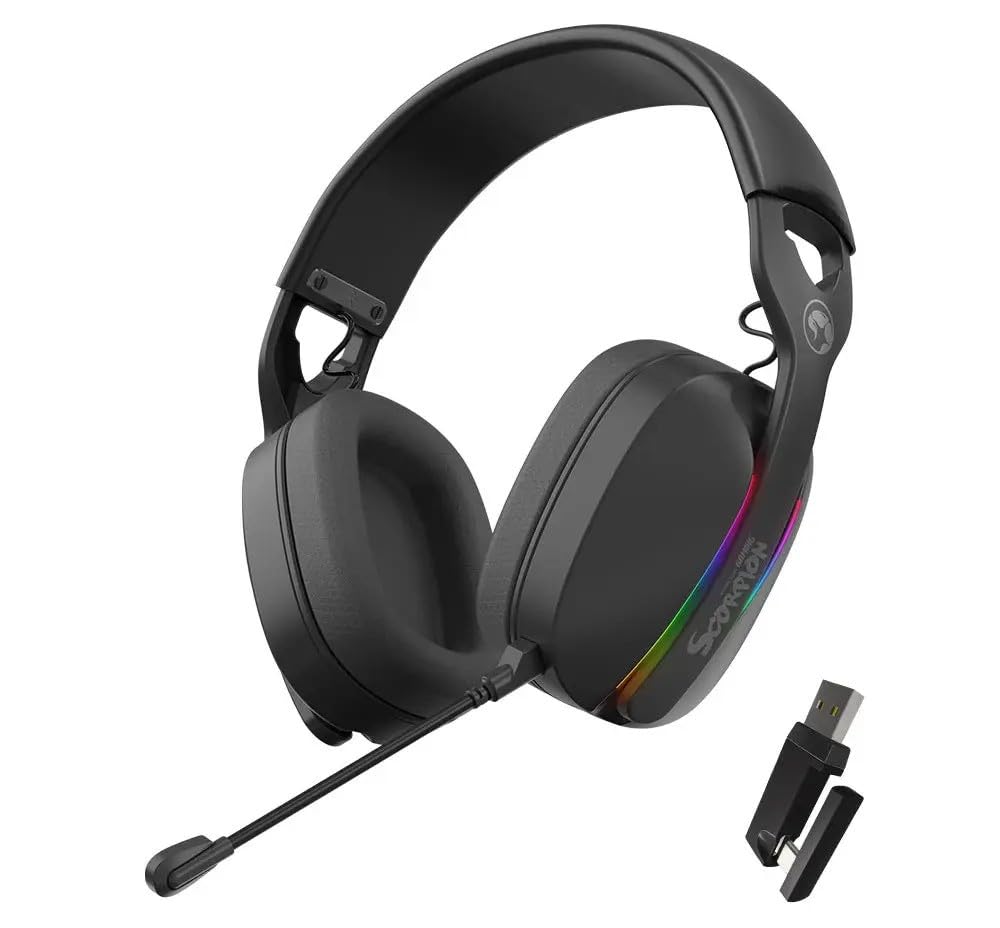
פיגורע 3.1: פראָנט view of the MARVO HG9086W-BK Gaming Headset, showcasing its overall design and earcups.

פיגורע 3.2: Left earcup of the headset, showing control buttons for power, volume, and mode selection.
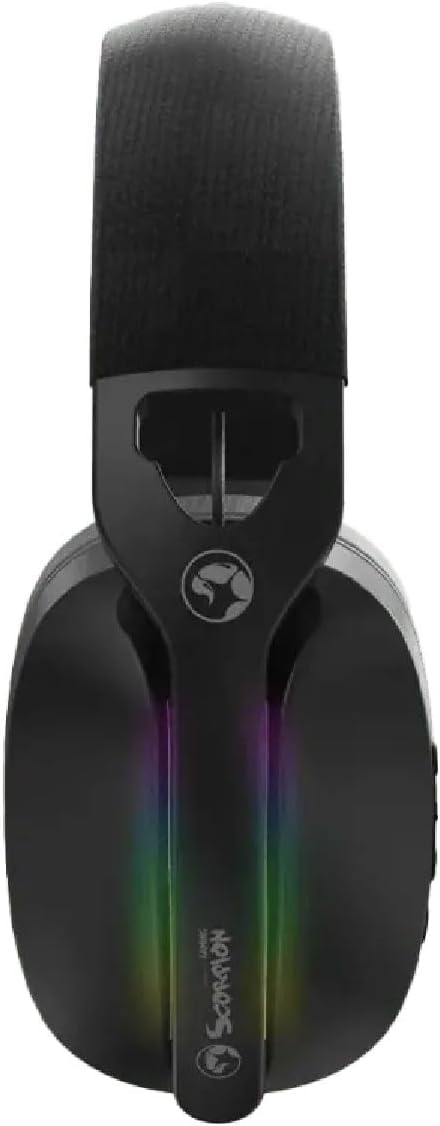
פיגורע 3.3: Top view of the headset, highlighting the adjustable headband and the integrated RGB lighting strip on the earcups.
4. סעטאַפּ און קאַנעקשאַן
The HG9086W-BK headset offers three connection modes: 2.4G Wireless, Bluetooth 5.3, and Wired.
4.1. 2.4G Wireless Connection (Recommended for Gaming)
- Insert the USB wireless receiver into an available USB port on your PC or compatible device.
- צינדט אן דעם כעדסעט דורך דריקן און האַלטן דעם פּאַוער קנעפּל ביז די אינדיקאַטאָר ליכט צינדט זיך אָן.
- The headset will automatically connect to the receiver. The indicator light will turn solid blue when connected.
- Ensure the headset is selected as the default audio input and output device in your device's sound settings.
4.2. בלועטוט 5.3 פֿאַרבינדונג
- מאַכט די כעדסעט.
- Press and hold the Mode button (or a dedicated Bluetooth button if available) until the indicator light flashes blue rapidly, indicating pairing mode.
- On your device (smartphone, tablet, etc.), go to Bluetooth settings and search for "MARVO HG9086W-BK".
- Select the headset to pair. The indicator light will turn solid blue upon successful connection.
4.3. ווייערד קאַנעקשאַן
For wired use, connect a 3.5mm audio cable (not included) from the headset's audio jack to your device's 3.5mm audio port. The headset will function as a passive wired headset. Note that RGB lighting and some wireless functions may not be available in wired mode.
5. אַפּערייטינג ינסטרוקטיאָנס
5.1. מאַכט אויף / אויסגעלאשן
- מאַכט אויף: דריק און האלט דעם פּאַוער קנעפּל פֿאַר אַרום 3 סעקונדעס.
- מאַכט אַוועק: דריק און האלט דעם פּאַוער קנעפּל פֿאַר אַרום 3 סעקונדעס.
5.2. באַנד קאָנטראָל
- באַנד אַרויף: דריק דעם באַנד אַרויף קנעפּל.
- באַנד אַראָפּ: דריק דעם באַנד אַראָפּ קנעפּל.
5.3. מיקראָפאָן באַניץ
- צוטשעפּען מיקראָפאָן: Insert the detachable microphone into the designated port on the left earcup.
- שטום/אומשטום: Use the microphone mute button located on the earcup or the microphone itself.
- Adjust the flexible microphone boom for optimal voice pickup.
5.4. RGB לייטינג
The headset features dynamic RGB lighting. The lighting typically activates automatically when the headset is powered on. Specific controls for changing RGB modes or turning them off may be available via a dedicated button or software (if applicable). Refer to the product's official website for any software downloads.
6. טשאַרדזשינג
The MARVO HG9086W-BK headset is equipped with a durable battery for extended gameplay. When the battery is low, the indicator light may flash red or an audible alert may sound.
- Connect the included USB-C charging cable to the charging port on the headset.
- פֿאַרבינדט דעם אַנדערן עק פֿונעם קאַבל צו אַ USB מאַכט מקור (למשל, קאָמפּיוטער USB פּאָרט, USB וואַנט אַדאַפּטער).
- די אינדיקאַטאָר ליכט וועט טיפּיש ווייַזן רויט בעשאַס טשאַרדזשינג און קער זיך אויס אָדער טוישן קאָליר ווען גאָר טשאַרדזשד.
באַמערקונג: Avoid using the headset while charging for optimal battery health, though it may be possible depending on the device.
7. וישאַלט
געהעריקע אויפהאלטונג גאראנטירט די לאנגעוויטי און פאָרשטעלונג פון אייער כעדסעט.
- רייניקונג: Use a soft, dry cloth to wipe the headset. For earcups, a slightly damp מען קען ניצן אַ שטאָף, אָבער זאָרגט זיך אַז קיין פייכטקייט זאָל נישט אַרײַנגיין אין די רעדנער גרילן.
- סטאָרידזש: האַלט די כעדסעט אין אַ קיל, טרוקן אָרט אַוועק פון דירעקט זונשייַן און עקסטרעמע טעמפּעראַטורן.
- ויסמיידן ליקווידס: Do not expose the headset to water or other liquids.
- שעפּן מיט זאָרג: Avoid dropping the headset or subjecting it to strong impacts.
8. טראָובלעשאָאָטינג
אויב איר טרעפט פּראָבלעמען מיט אייער כעדסעט, באַזירט זיך אויף די פאלגענדע געוויינטלעכע לייזונגען:
| פּראָבלעם | מעגלעך לייזונג |
|---|---|
| קיין קלאַנג פֿון כעדסעט |
|
| מיקראָפאָן טוט נישט אַרבעטן |
|
| כעדסעט פֿאַרבינדט זיך נישט |
|
| RGB לייטינג טוט נישט אַרבעטן |
|
9. ספּעסאַפאַקיישאַנז
| שטריך | באַשרייַבונג |
|---|---|
| סאָרט | MARVO |
| מאָדעל נאָמען | HG9086W-BK |
| קאַנעקטיוויטי טעכנאָלאָגיע | Wireless (2.4G, Bluetooth 5.3), Wired (3.5mm) |
| פאָרם פאַקטאָר | איבער אויער |
| דרייווער גרייס | 40 מם |
| מיקראָפאָן | Integrated, Detachable, Omnidirectional |
| לייטינג | דינאַמיש RGB |
| פּונקט וואָג | 12.7 אונסעס (בעערעך 360 ג) |
| פּעקל דימענשאַנז | 7.8 X 7.09 X 3.31 אינטשעס |
| קאָליר | שוואַרץ |
10. וואָראַנטי און שטיצן
MARVO products are designed for quality and reliability. For warranty information and technical support, please refer to the warranty card included with your product or visit the official MARVO webזייטל. האַלט דיין קויפן באַווייַז פֿאַר קיין וואָראַנטי קליימז.
For further assistance, you may contact MARVO customer support through their official channels.


