1. פּראָדוקט איבערview
The Amkette Hush Pro Astra is a wireless mouse designed for comfort and efficiency. It features 2.4 GHz wireless connectivity, silent switches for quiet operation, an ergonomic design, and adjustable DPI settings for precise control. The mouse also includes an On/Off switch and a smart auto-sleep function to conserve battery life.
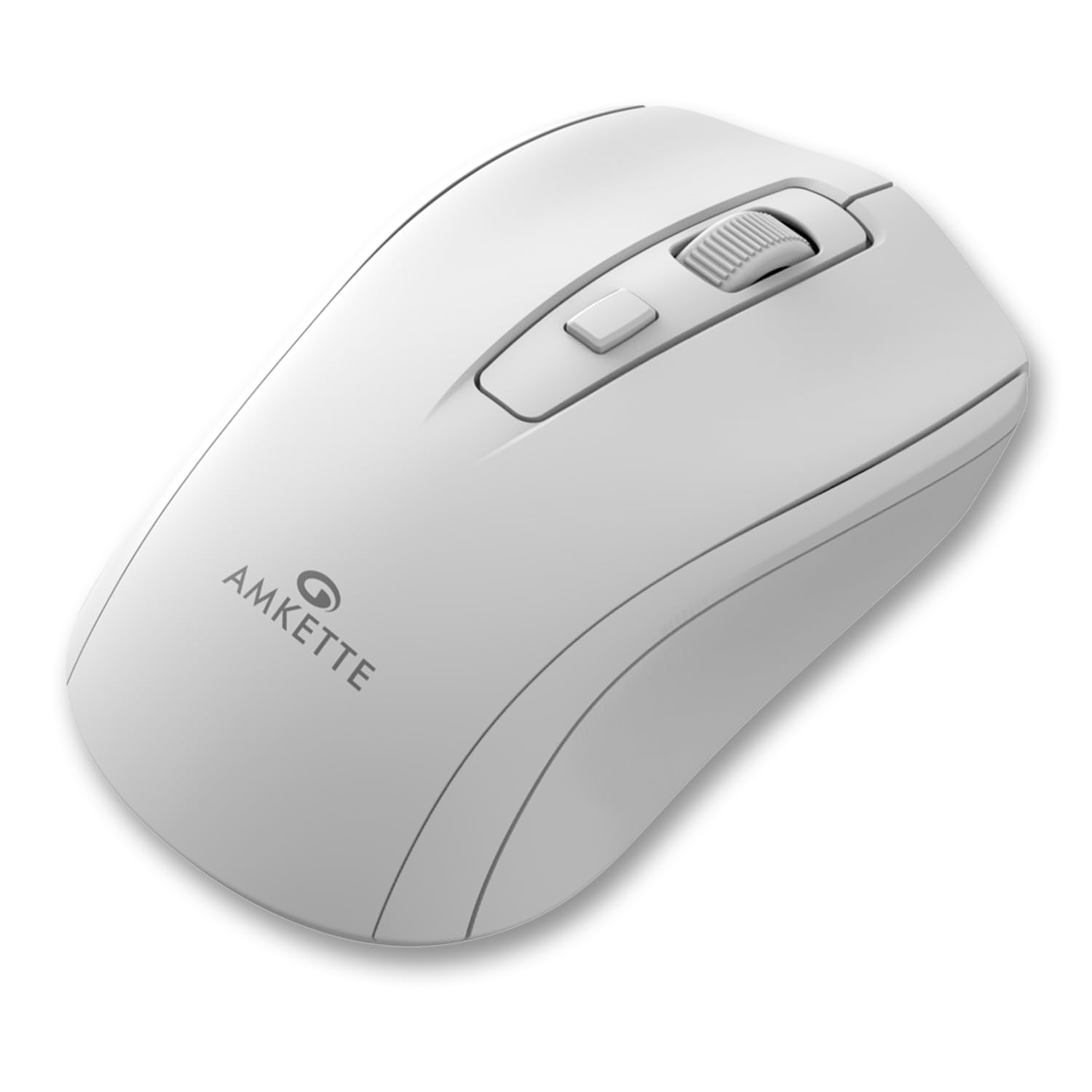
Figure 1: Amkette Hush Pro Astra Wireless Mouse (White)
שליסל פֿעיִקייטן:
- Advanced 2.4 GHz Wireless Connectivity: Ensures a stable, lag-free connection.
- שטילע סוויטשעס: Provides noiseless clicks for an undisturbed work environment.
- ערגאָנאָמיק פּלאַן: Shaped for comfortable long-term use.
- אַדזשאַסטאַבאַל דפּי סעטטינגס: Three levels (800-1000-1200 DPI) for customizable cursor sensitivity.
- אָנ / אַוועק באַשטימען: For manual power control.
- Smart Auto Sleep Function: Automatically conserves battery when not in use.
- סאָליד און פּאָרטאַטיוו: Easy to carry in a laptop bag.

Figure 2: Ergonomic grip design with matte finish for enhanced comfort.

Figure 3: Silent click switches for quiet operation.

Figure 4: Universal compatibility with Windows, Mac OS, Chrome OS, and Linux.
2. סעטאַפּ אינסטרוקציעס
2.1 פּעקל אינהאַלט
Before you begin, ensure your package contains the following:
- Amkette Hush Pro Astra Wireless Mouse
- וסב נאַנאָ ופנעמער
Note: 1 AA battery is required and not included in the box.
2.2 באַטאַרייע ייַנמאָנטירונג
- געפינען די באַטאַרייע אָפּטייל אויף די אַנדערסייד פון די מויז.
- Gently slide the battery cover open.
- אַרײַנשטעלן איין AA באַטעריע, און זיכער מאַכן אַז די פּאָזיטיוו (+) און נעגאַטיוו (-) טערמינאַלן זענען ריכטיק אויסגעשטעלט מיט די מאַרקירונגען אינעווייניק אין דעם אָפּטייל.
- פֿאַרמאַכט דעם באַטעריע דעקל ביז עס קליקט זיכער אין פּלאַץ.

Figure 5: Battery compartment and On/Off switch location.
2.3 פֿאַרבינדן די מויז
- Remove the USB Nano receiver from its storage slot, usually located within the battery compartment or on the underside of the mouse.
- Plug the USB Nano receiver into an available USB port on your computer (PC, Mac, Laptop, etc.).
- צינדט אָן די מויז מיטן אָן/אויס קנעפּל וואָס געפינט זיך אויף דער אונטערשטער זייט.
- אייער קאָמפּיוטער זאָל אויטאָמאַטיש דעטעקטירן און אינסטאַלירן די נויטיקע דרייווערס. די מויז וועט זיין גרייט פֿאַר באַנוץ אין אַ פּאָר סעקונדעס.

Figure 6: Connecting the USB Nano receiver to a laptop.
3. אַפּערייטינג ינסטרוקטיאָנס
3.1 מאַכט אויף / אַוועק
To turn the mouse on or off, use the slide switch located on the underside of the mouse. Slide it to the 'ON' position for use and 'OFF' to conserve battery when not in use.
3.2 דפּי אַדזשאַסטמאַנט
The mouse features a dedicated DPI button, usually located behind the scroll wheel. Press this button to cycle through three different DPI (Dots Per Inch) settings: 800, 1000, and 1200. A higher DPI setting results in faster cursor movement, while a lower DPI setting provides more precise control.

Figure 7: DPI button and available sensitivity levels.
3.3 שטילע קליק פֿונקציע
The Amkette Hush Pro Astra is equipped with silent switches, significantly reducing the clicking noise. This feature is ideal for quiet environments, ensuring minimal disturbance during use.
3.4 Smart Auto Sleep Function
To extend battery life, the mouse will automatically enter a sleep mode after a period of inactivity. To wake the mouse, simply move it or click any button.
4. וישאַלט
4.1 רייניקונג
- ניצט אַ ווייכן, טרוקענעם שטאָף צו ווישן די ייבערפלאַך פון דער מויז.
- פֿאַר שווערן שמוץ, אַ ביסל דampווישט דעם שטאָף מיט וואַסער אָדער אַ מילדער רייניקונג לייזונג. פֿאַרמייַדט שטרענגע כעמיקאַליעס.
- טונקט נישט אריין די מויז אין וואסער אדער קיין שום פליסיקייט.
- Clean the optical sensor on the underside periodically with a cotton swab to ensure smooth tracking.
4.2 סטאָרידזש
- When not in use for extended periods, turn off the mouse using the On/Off switch.
- Store the USB Nano receiver inside the mouse's designated slot to prevent loss.
- Keep the mouse in a cool, dry place away from direct sunlight and extreme temperatures.
5. טראָובלעשאָאָטינג
5.1 מויז רעאַגירט נישט
- קאָנטראָלירן די באַטאַרייע: זיכער מאַכן אַז די AA באַטעריע איז ריכטיק אינסטאַלירט און האט גענוג אָפּצאָל. פאַרבייטן אויב נייטיק.
- מאַכט סוויטש: Verify that the On/Off switch on the underside of the mouse is in the 'ON' position.
- ריסיווער קשר: Ensure the USB Nano receiver is securely plugged into a working USB port on your computer. Try a different USB port.
- ריפּערינג: In rare cases, the mouse and receiver might lose connection. Try unplugging and re-plugging the receiver, then turn the mouse off and on again.
5.2 אומשטענדלעכע קורסאָר באַוועגונג
- ריין סענסער: רייניקט דעם אָפּטישן סענסאָר אויף דער אונטערשטער זײַט פֿון דער מויז.
- ייבערפלאַך: ניצט די מויז אויף א ריינער, נישט-רעפלעקטיווער, און גלייכפארמיגער אויבערפלאך. פארמיידט גלאז אדער שטארק רעפלעקטיווער אויבערפלאכן.
- ינטערפיראַנס: Move the mouse closer to the USB receiver. Other wireless devices or large metal objects might cause interference.
5.3 קורצע באַטעריע לעבן
- קער אַוועק ווען ניט אין נוצן: Always turn off the mouse using the On/Off switch when not in use for extended periods.
- באַטאַרייע קוואַליטעט: Use high-quality AA alkaline batteries.
- אָטאַמאַטיק שלאָפן: The mouse has an auto-sleep function, but manual power-off provides maximum battery conservation.
6. ספּעסאַפאַקיישאַנז
| שטריך | באַשרייַבונג |
|---|---|
| סאָרט | אַמקעטטע |
| מאָדעל נומער | 516 |
| סעריע | Hush Pro Astra |
| קאַנעקטיוויטי טעכנאָלאָגיע | 2.4 GHz ווירעלעס (USB נאַנאָ ריסיווער) |
| באַוועגונג דעטעקשאַן טעכנאָלאָגיע | אָפּטיש |
| דפּי סעטטינגס | 800-1000-1200 DPI (Adjustable) |
| ספּעציעלע שטריך | Silent Clicks, Ergonomic Design, On/Off Switch, Smart Auto Sleep Function |
| מאַכט מקור | באַטעריע געטריבן (1 AA באַטעריע פארלאנגט, נישט אַרייַנגערעכנט) |
| אַפּערייטינג סיסטעם קאַמפּאַטאַבילאַטי | Linux, Windows 7, Windows XP, Mac OS, Chrome OS |
| פּראָדוקט דימענשאַנז | 11 X 6 X 0.1 סענטימעטער |
| פּונקט וואָג | 30 ג |
| קאָליר | ווייַס |
7. וואָראַנטי און שטיצן
7.1 וואָראַנטי אינפֿאָרמאַציע
The Amkette Hush Pro Astra Wireless Mouse comes with a hassle-free 1-year manufacturing warranty פֿון דעם קויפֿדאַטום. די וואָראַנטי דעקט פֿאַבריקאַציע־דעפֿעקטן אונטער נאָרמאַלע באַניץ־באַדינגונגען.
7.2 קונה שטיצן
For any assistance, queries, or warranty claims, please contact our support team. You can reach them via call or WhatsApp for prompt assistance with any issues.
Please refer to the product packaging or the official Amkette webזייטל פֿאַר די מערסט אַקטועלע קאָנטאַקט דעטאַלן.
8. פּראָדוקט ווידעאָס
Video 1: Amkette Hush Pro Astra Wireless Mouse Overview. This video highlights the ergonomic design, adjustable DPI settings, and silent click features of the mouse.
Video 2: Amkette Hush Pro Astra Wireless Mouse Features. This video demonstrates the advanced 2.4 GHz connectivity, silent operation, and portability of the mouse.


